
Documentation
ODP 3.3.6.3-1
Release Notes
What is ODP
Installation
Component User guide and Installation Instructions
Upgrade Instructions
Downgrade Instructions
Reference Guide
Security Guide
Troubleshooting Guide
Uninstall ODP
Title
Message
Create new category
What is the title of your new category?
Edit page index title
What is the title of the page index?
Edit category
What is the new title of your category?
Edit link
What is the new title and URL of your link?
How to Check the Certificate Type?
Summarize Page
Copy Markdown
Open in ChatGPT
Open in Claude
Connect to Cursor
Connect to VS Code

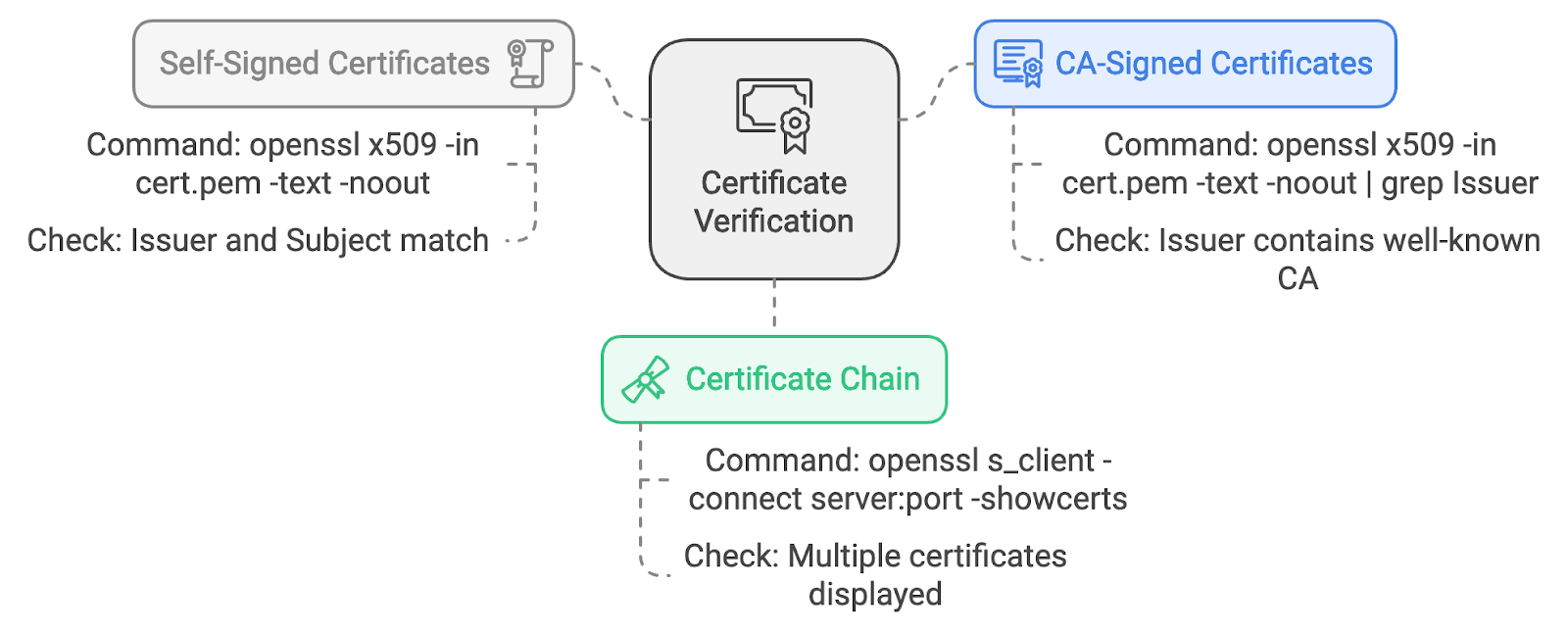
Check if a certificate is self-signed
Bash
openssl x509 -in cert.pem -text -nooutLook for: If the Issuer and Subject fields are the same, the certificate is self-signed.
Check if it’s CA-signed
Bash
openssl x509 -in cert.pem -text -noout | grep IssuerLook for: If the Issuer field contains a well-known CA (e.g., DigiCert, Let's Encrypt), it's CA-signed.
Check Certificate Chain (Intermediate CA)
Bash
openssl s_client -connect server:port -showcertsLook for: Multiple certificates being displayed. The Intermediate certificates appear before the root CA in the chain.
Type to search, ESC to discard
Last updated on Nov 19, 2024
Was this page helpful?
Next to read:
JKS Creation and ManagementDiscard Changes
Do you want to discard your current changes and overwrite with the template?
Archive Synced Block
Message
Create new Template
What is this template's title?
Delete Template
Message