
Documentation
ODP 3.3.6.3-1
Release Notes
What is ODP
Installation
Component User guide and Installation Instructions
Upgrade Instructions
Downgrade Instructions
Reference Guide
Security Guide
Troubleshooting Guide
Uninstall ODP
Title
Message
Create new category
What is the title of your new category?
Edit page index title
What is the title of the page index?
Edit category
What is the new title of your category?
Edit link
What is the new title and URL of your link?
Service Selection
Summarize Page
Copy Markdown
Open in ChatGPT
Open in Claude
Connect to Cursor
Connect to VS Code
Choose Services
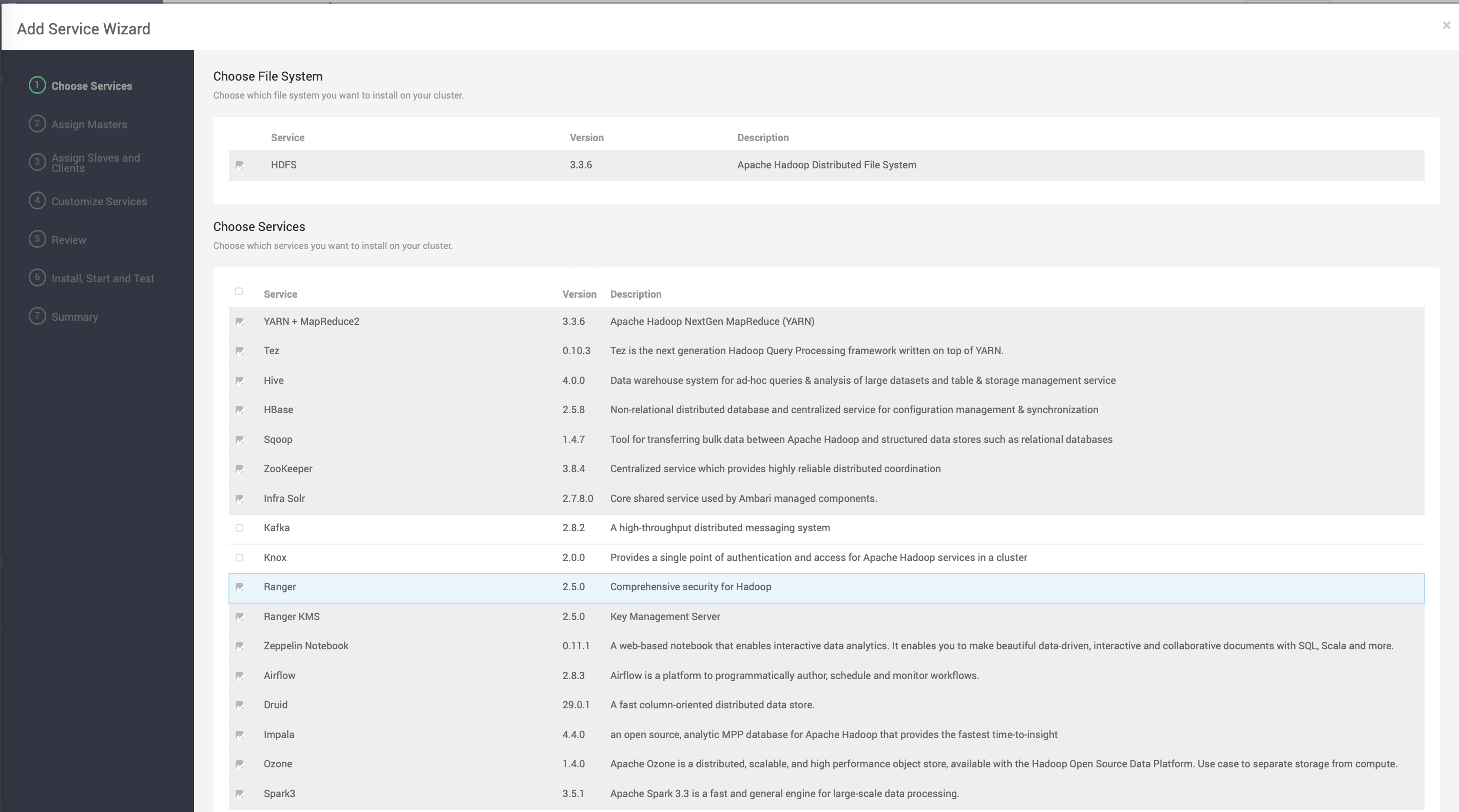
Based on the Stack chosen during the Select Stack step, you are presented with the choice of Services to install into the cluster. A Stack comprises many services. You may choose to install any other available services or to add services later. The Cluster Install wizard selects all available services for installation by default.
To choose the services that you want to deploy:
Steps
- Choose none to clear all selections, or choose all to select all listed services.
- Choose or clear individual checkboxes to define a set of services to install now.
- After selecting the services to install now, choose Next.
Type to search, ESC to discard
Last updated on Sep 9, 2024
Was this page helpful?
Next to read:
Master, Slave, and Client node AssignmentDiscard Changes
Do you want to discard your current changes and overwrite with the template?
Archive Synced Block
Message
Create new Template
What is this template's title?
Delete Template
Message