
You can use the steps below to configure NGINX as a reverse proxy that protects access to MLflow running on a node with basic authentication (username and password).
Access http://<your-server> and enter the username and password to reach the MLflow UI running on a node.
Steps to install
Install Nginx (if not already installed)
On Ubuntu/Debian:
On RHEL/CentOS:
Install apache2-utils to create .htpasswd.
Create the password file (.htpasswd).
You’ll be prompted to enter a password. Replace mlflowuser with your preferred username.
Configure Nginx reverse proxy with basic authentication.
Edit or create the file:
Paste this configuration:
Optional: Replace mlflow.local with your domain or server IP, or use _ to match all incoming requests.
Test and reload Nginx
(Optional) Add a hosts entry for mlflow.local.
If you're using a custom domain name like mlflow.local, add an entry on your local machine to map it to the MLflow server.
Open the hosts file:
Add the following line (replace with your server IP if different):
Save and close the file.
This is only needed if you're using a fake domain instead of the IP.
Secure MLflow with SSL (Optional but Recommended)
Generate a self-signed SSL certificate
Update your NGINX config to use SSL.
Open port 443 in the firewall.
Optional: Test Access Using curl
Run the following command to test basic authentication with your MLflow server.
Username - mlflowuser
Password - admin
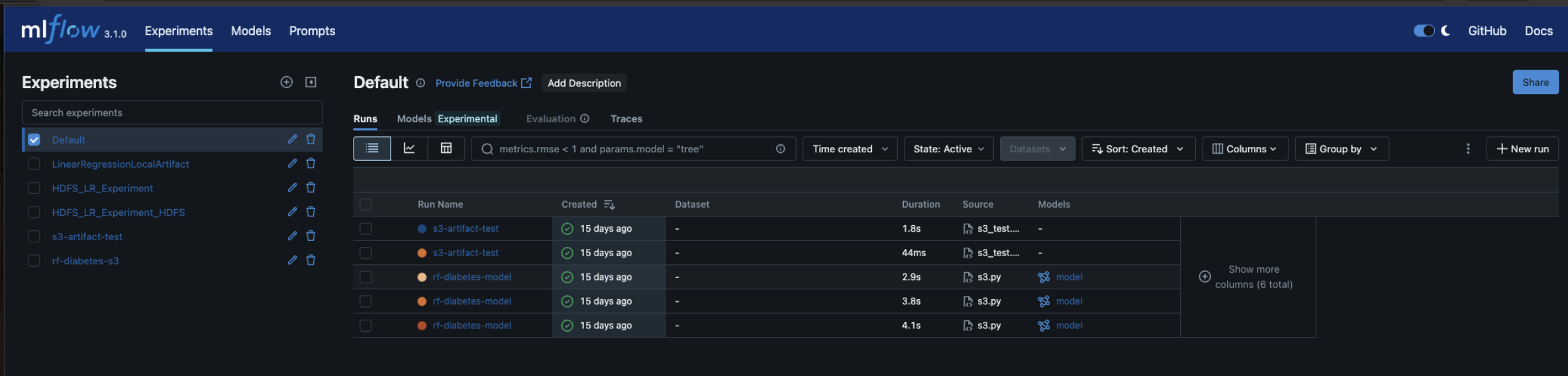
This verifies that the NGINX reverse proxy and basic authentication are working as expected.