
This page describes the list of issues and workarounds encountered during the upgrade process.
Oozie
Issue: After the Ambari upgrade, Oozie may require a restart and could fail with the following error:
Workaround:
In Oozie custom oozie-site configurations, add the following properties:
After adding these properties, restart the Oozie service. The restart should complete successfully.
Druid
Issue: If Druid fails to start after the upgrade, you may see the following error in the logs:
Workaround:
In Druid’s druid-env file, add the following line and restart the Druid service:
After adding the variable, restart Druid or resume the upgrade. The service should start successfully.
Kafka
Issue: If the Kafka broker starts failing because of MirrorMaker2 Jinja template changes.
Workaround:
In the Ambari UI, go to Kafka > Configs >
Custom kafka-mirrormaker2.Add the following property:
Key:
contentValue:
Set Property Type to TEXT.
Save the configuration and resume the upgrade.
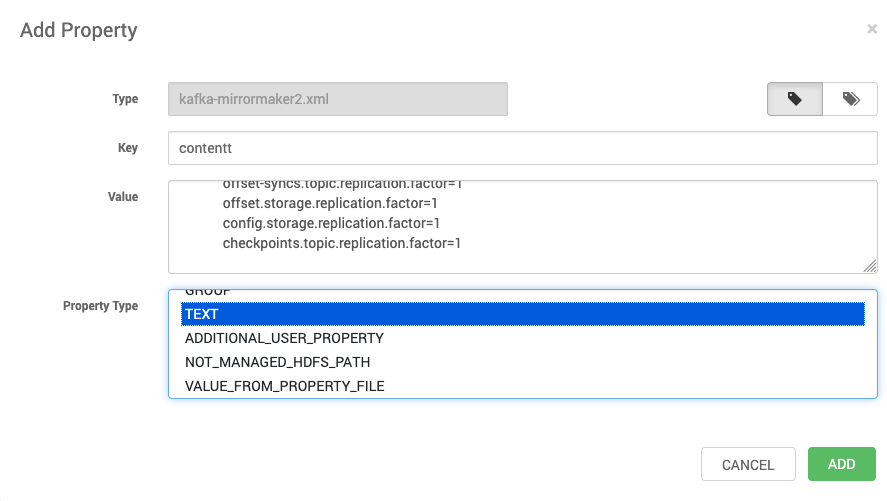
Restart the Kafka service. It should start successfully.
DataNode Fail to Restart
Update the ports below:
Tez Service Check Failure
Remove the property for
tez.history.logging.service.class