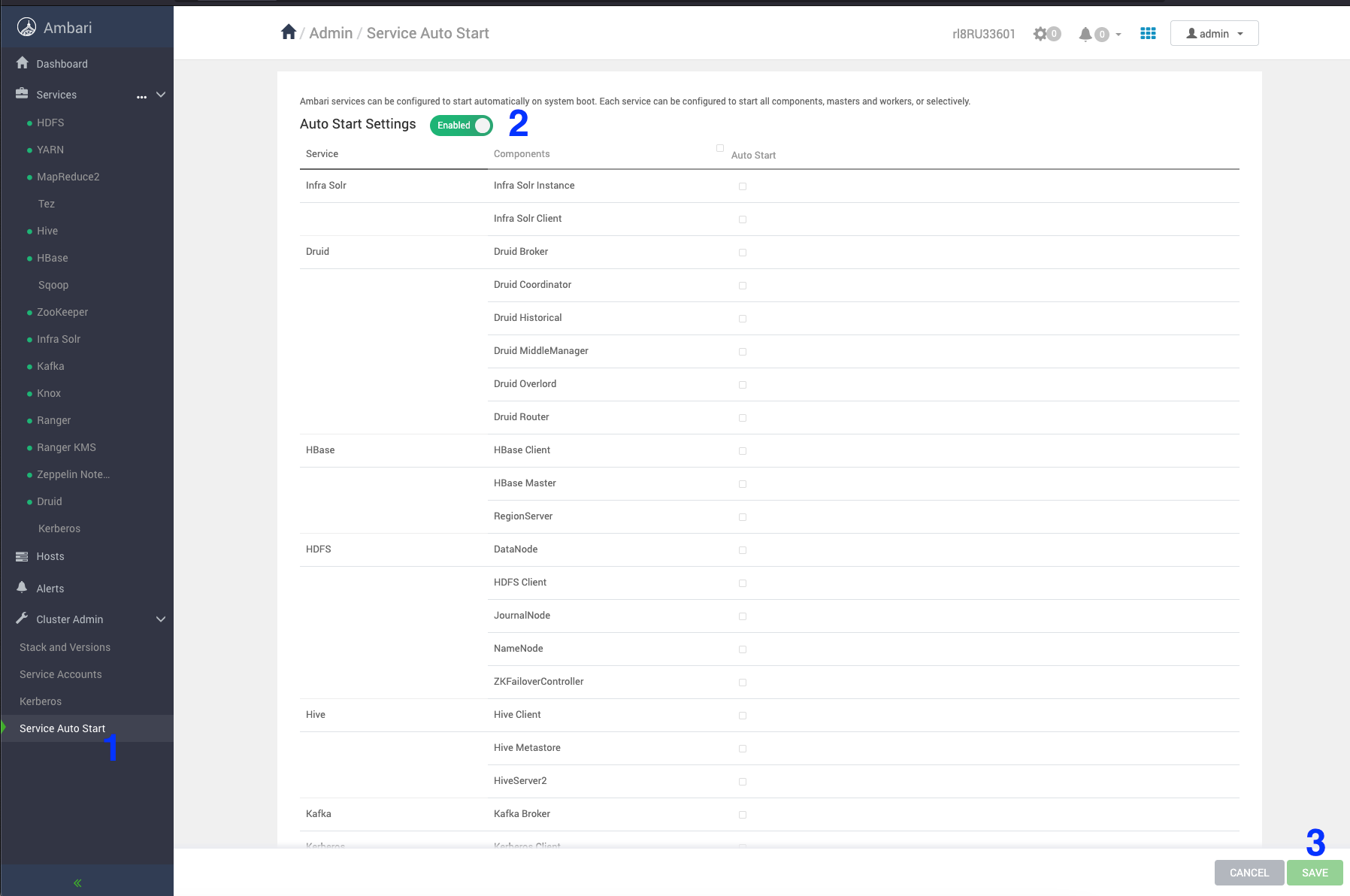
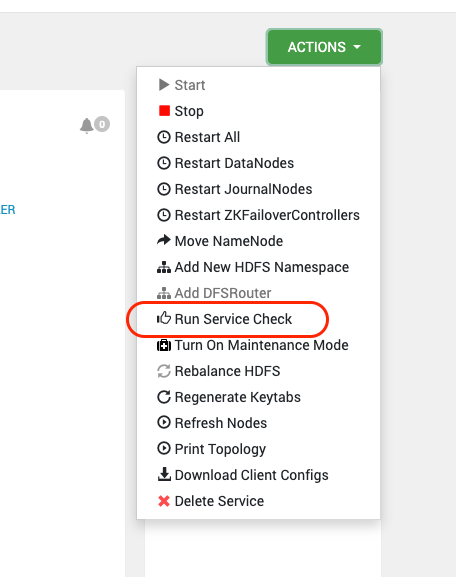
Follow the below steps for ODP rolling upgrade.
In case of Zookeeper service check failure, perform the following workaround.
16:06:04,811 |-ERROR in ch.qos.logback.core.FileAppender[TRACEFILE] - openFile(/var/log/zookeeper/zookeeper_trace.log,true) call failed. java.io.FileNotFoundException: /var/log/zookeeper/zookeeper_trace.log (Permission denied) at java.io.FileNotFoundException: /var/log/zookeeper/zookeeper_trace.log (Permission denied) 16:06:04,813 |-ERROR in ch.qos.logback.core.rolling.RollingFileAppender[RFAAUDIT] - openFile(/var/log/zookeeper/zookeeper_audit.log,true) call failed. java.io.FileNotFoundException: /var/log/zookeeper/zookeeper_audit.log (Permission denied) at java.io.FileNotFoundException: /var/log/zookeeper/zookeeper_audit.log (Permission denied) 16:06:05,789 |-ERROR in ch.qos.logback.core.FileAppender[TRACEFILE] - openFile(/var/log/zookeeper/zookeeper_trace.log,true) call failed. java.io.FileNotFoundException: /var/log/zookeeper/zookeeper_trace.log (Permission denied) at java.io.FileNotFoundException: /var/log/zookeeper/zookeeper_trace.log (Permission denied) 16:06:05,791 |-ERROR in ch.qos.logback.core.rolling.RollingFileAppender[RFAAUDIT] - openFile(/var/log/zookeeper/zookeeper_audit.log,true) call failed. java.io.FileNotFoundException: /var/log/zookeeper/zookeeper_audit.log (Permission denied) at java.io.FileNotFoundException: /var/log/zookeeper/zookeeper_audit.log (Permission denied)
Workaround
File Location zookeeper → configs → Advanced zookeeper-logback
Comment out the TRACEFILE and RFAAUDIT blocks.
<!--
<property name="zookeeper.tracelog.dir" value="{{zk_log_dir}}" />
<property name="zookeeper.tracelog.file" value="zookeeper_trace.log" />
<appender name="TRACEFILE" class="ch.qos.logback.core.FileAppender">
<File>${zookeeper.log.dir}/${zookeeper.tracelog.file}</File>
<encoder>
<pattern>%d{ISO8601} - %-5p [%t:%C{1}@%L] - %m%n</pattern>
</encoder>
<filter class="ch.qos.logback.classic.filter.ThresholdFilter">
<level>TRACE</level>
</filter>
</appender>
<property name="zookeeper.auditlog.file" value="zookeeper_audit.log" />
<property name="zookeeper.auditlog.threshold" value="INFO" />
<property name="audit.logger" value="INFO, RFAAUDIT" />
<appender name="RFAAUDIT" class="ch.qos.logback.core.rolling.RollingFileAppender">
<File>${zookeeper.log.dir}/${zookeeper.auditlog.file}</File>
<encoder>
<pattern>%d{ISO8601} %p %c{2}: %m%n</pattern>
</encoder>
<filter class="ch.qos.logback.classic.filter.ThresholdFilter">
<level>${zookeeper.auditlog.threshold}</level>
</filter>
<rollingPolicy class="ch.qos.logback.core.rolling.FixedWindowRollingPolicy">
<maxIndex>${zookeeper.log.maxbackupindex}</maxIndex>
<FileNamePattern>${zookeeper.log.dir}/${zookeeper.auditlog.file}.%i.%i</FileNamePattern>
</rollingPolicy>
<triggeringPolicy class="ch.qos.logback.core.rolling.SizeBasedTriggeringPolicy">
<MaxFileSize>${zookeeper.log.maxfilesize}</MaxFileSize>
</triggeringPolicy>
</appender>
<logger name="org.apache.zookeeper.audit.Slf4jAuditLogger" additivity="false" level="${audit.logger}">
<appender-ref ref="RFAAUDIT" />
</logger>
-->
Restart Zookeeper and verify the service check.
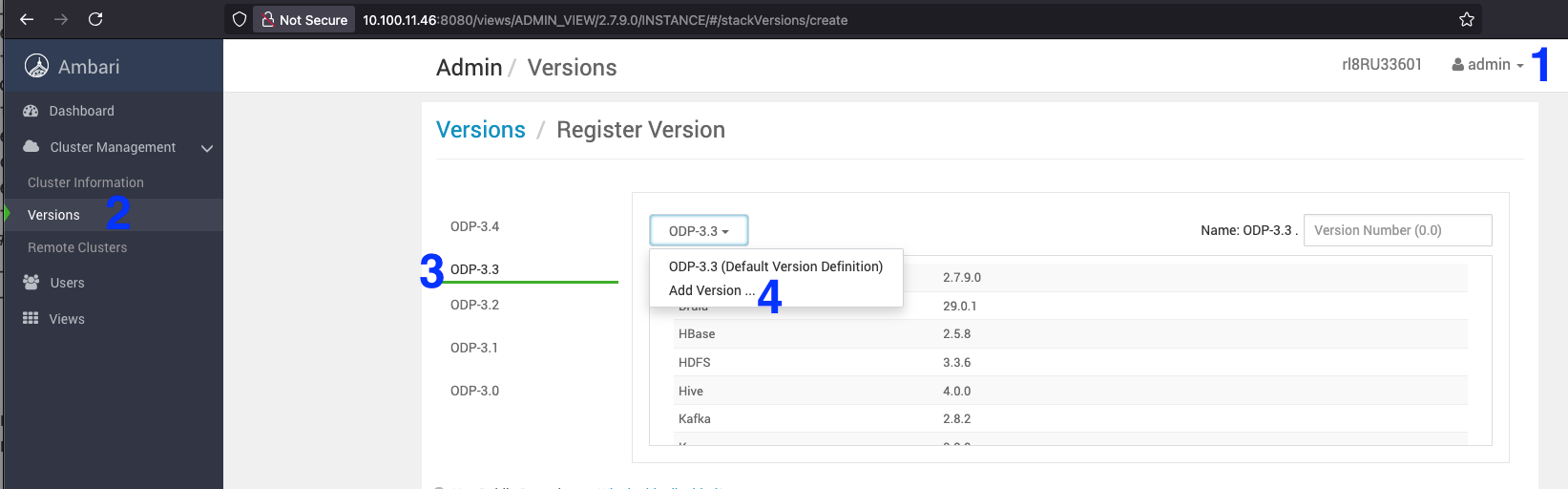
On the Ambari UI, navigate to Admin > Manage Ambari > Versions > select ODP 3-3.
Click ODP 3-3 and select the Add Version from the drop-down.
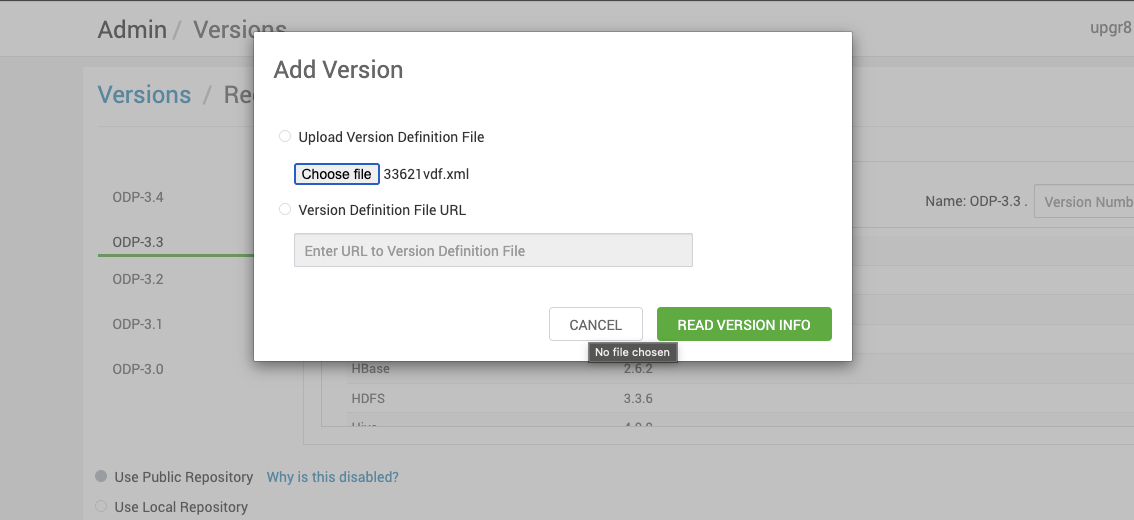
Upload the 3.3.6.2-1 VDF ODP file and click Read Version Info.
Sample VDF file
Refer the sample VDF file and copy it to a local machine to proceed further.
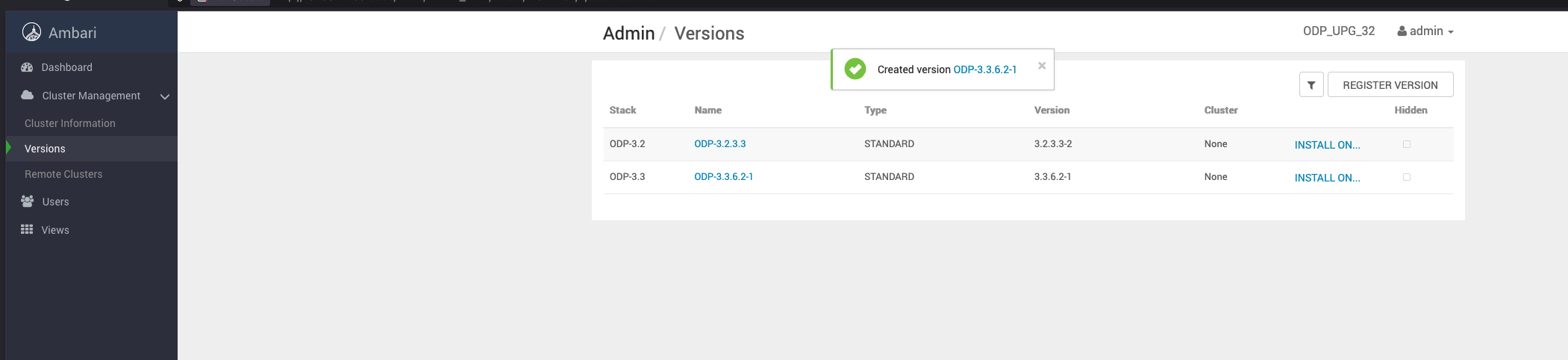
Save the ODP-3.3.6.2-1 details appearing on the screen. Once you save the details, you can see the screen as shown below.
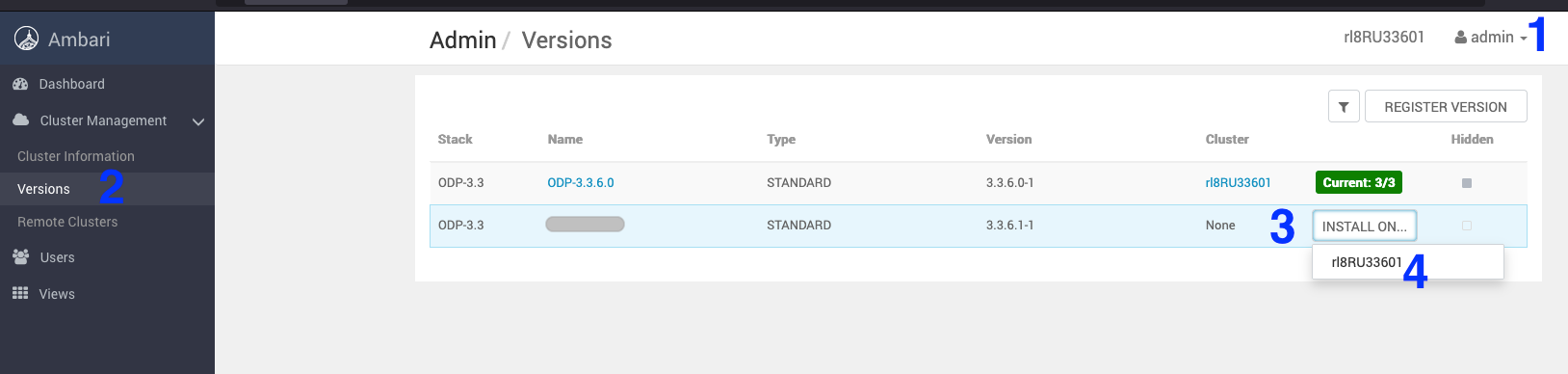
Navigate to Admin > Versions. On the Versions page, click install for ODP-3.3.6.2-1 to download the latest packages on the cluster.
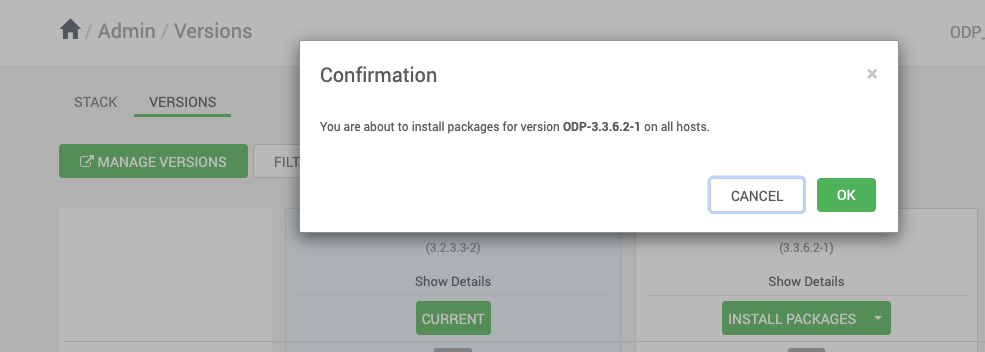
On the Versions page, click Install Packages for the version 3.3.6.2-1.
Click OK and confirm the installation package.
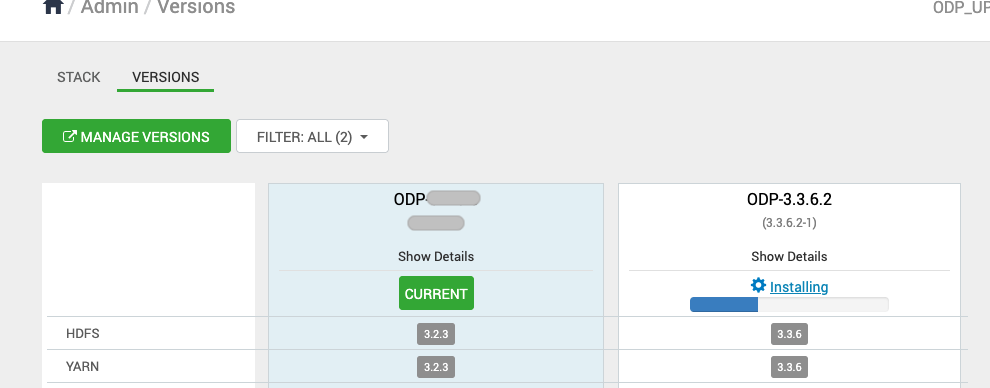
The screen below shows that the ODP-3.3.6.2-1 installation is in progress.
The screen below shows that the ODP-3.3.6.2-1 installation is in progress for the following hosts.
Once the installation of the ODP-3.3.6.2-1 package is complete, proceed with the upgrade process.
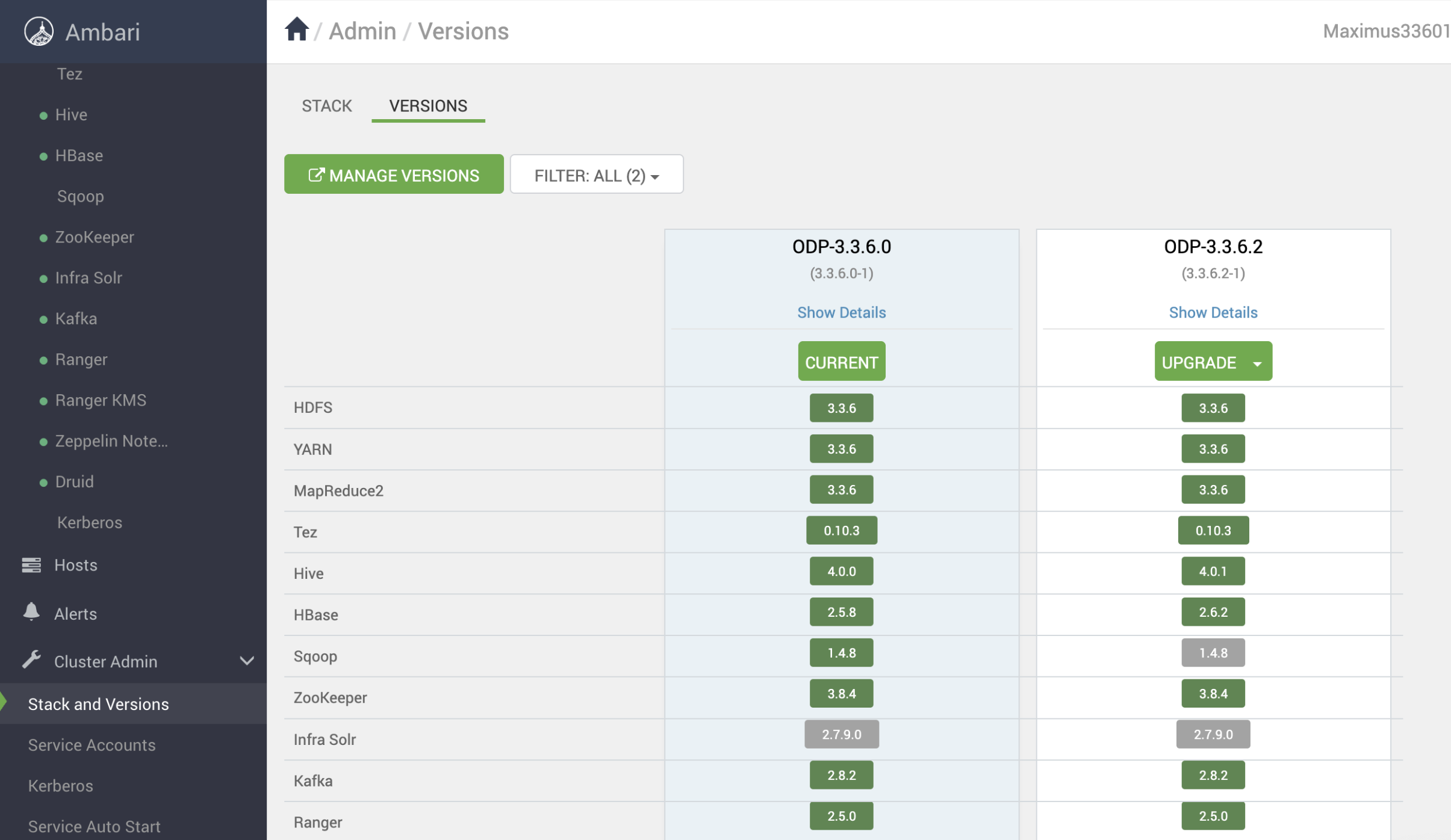
After the installation packages step is completed, you can see the Upgrade option. Click Upgrade to proceed further.
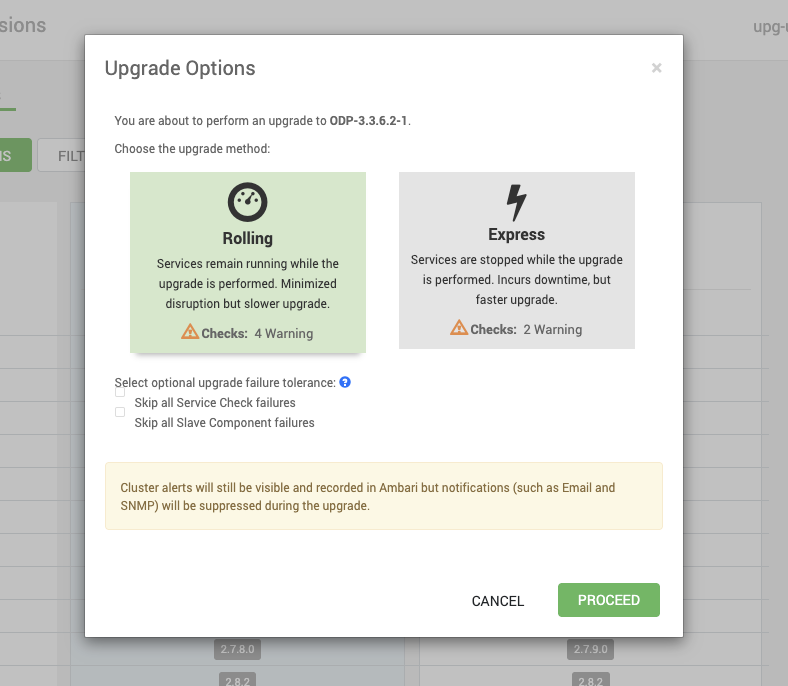
Upon clicking on Upgrade, you can see the two upgrade options: Rolling and Express. Choose the Rolling Upgrade option to continue with the upgrade process.
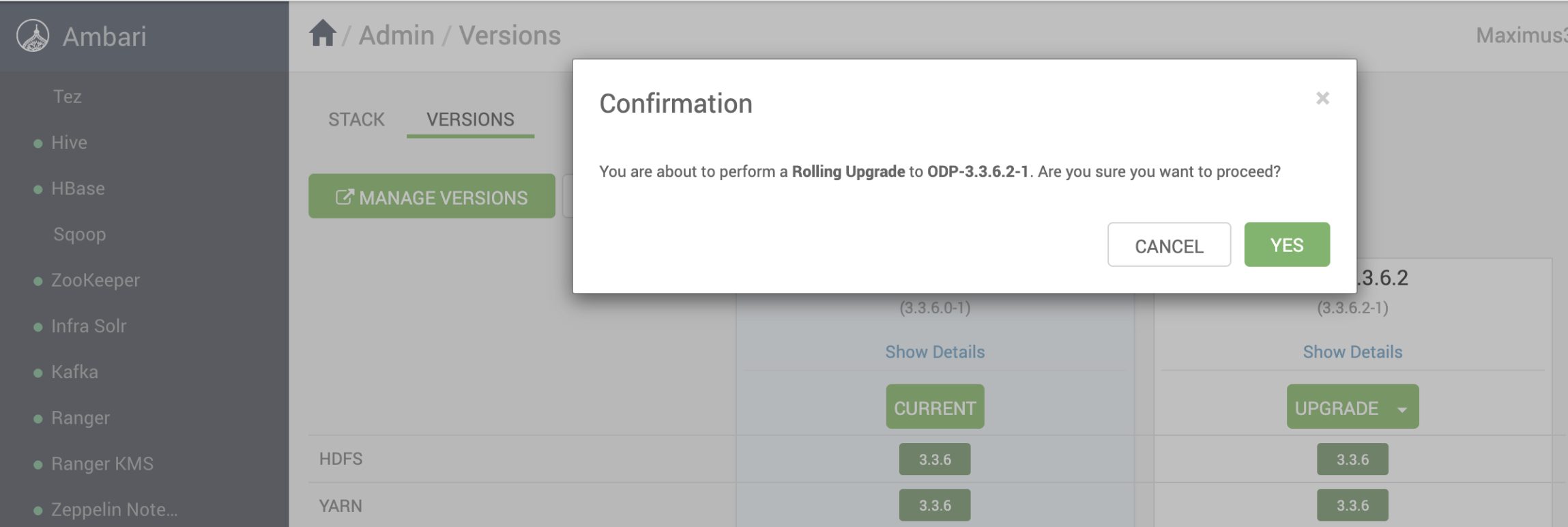
Select YES to confirm the Rolling Upgrade to ODP-3.3.6.2-1.
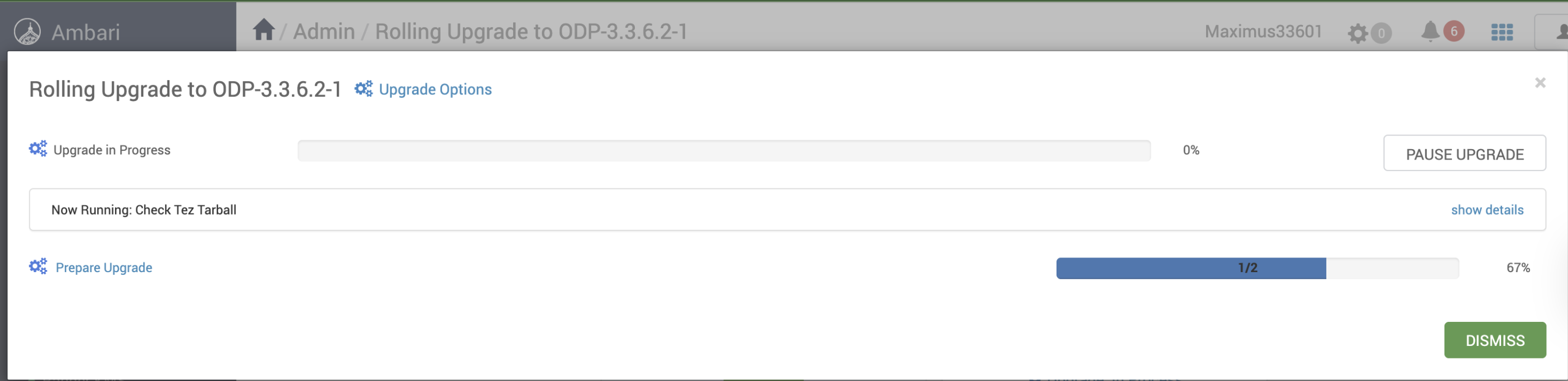
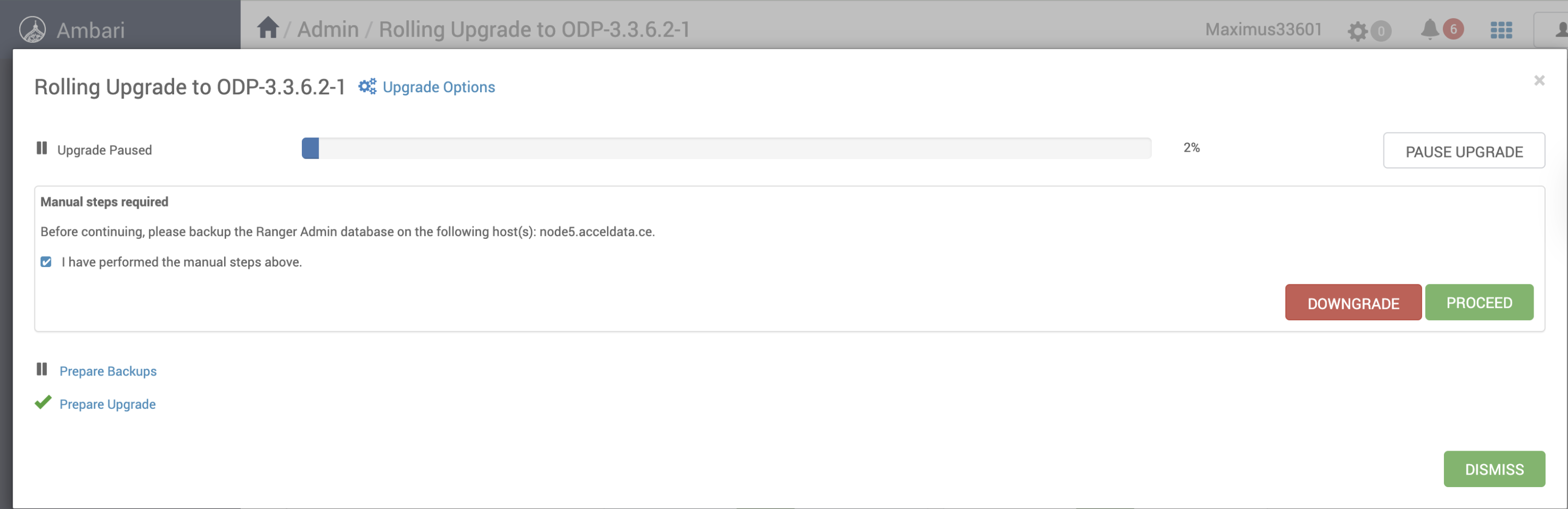
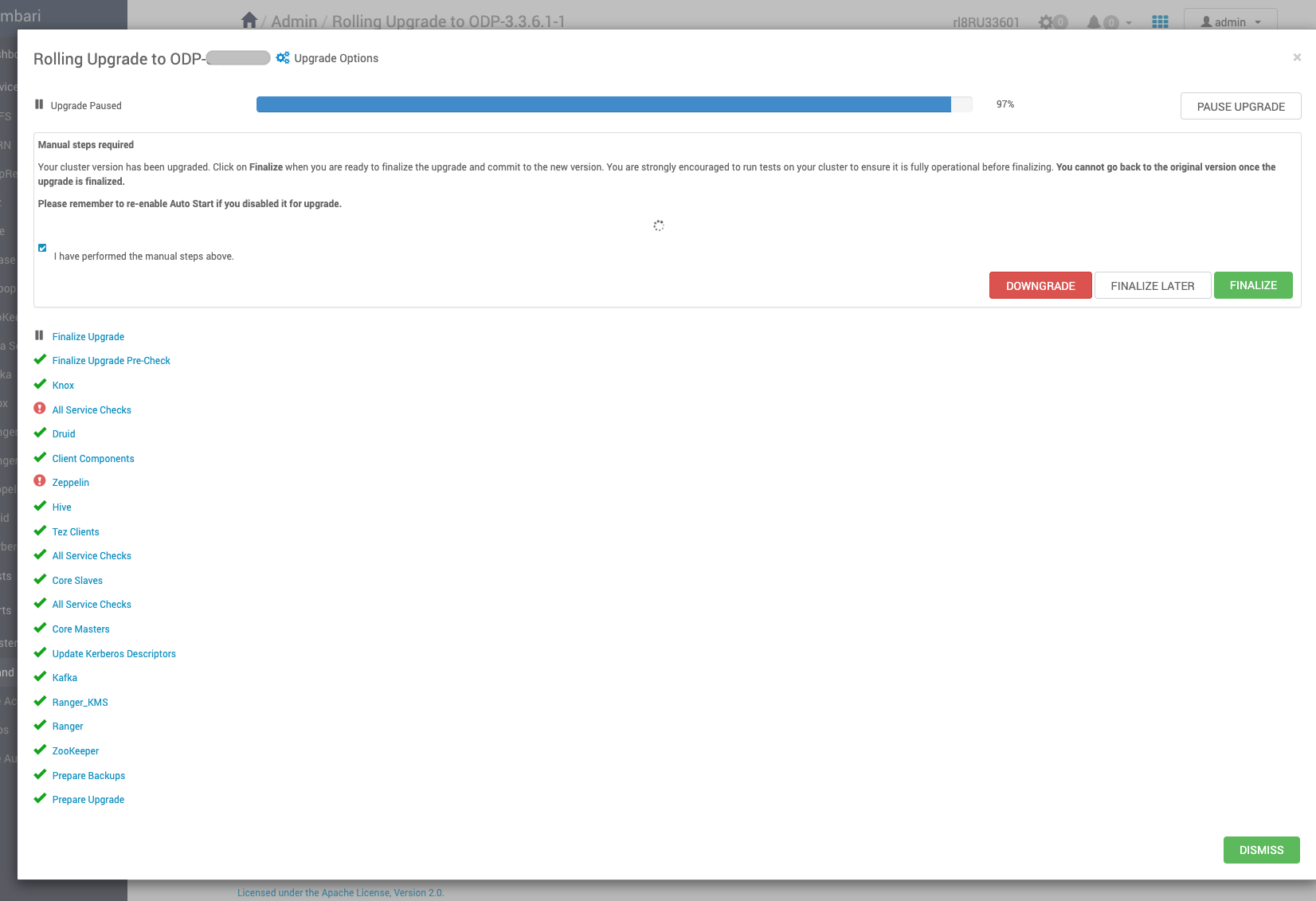
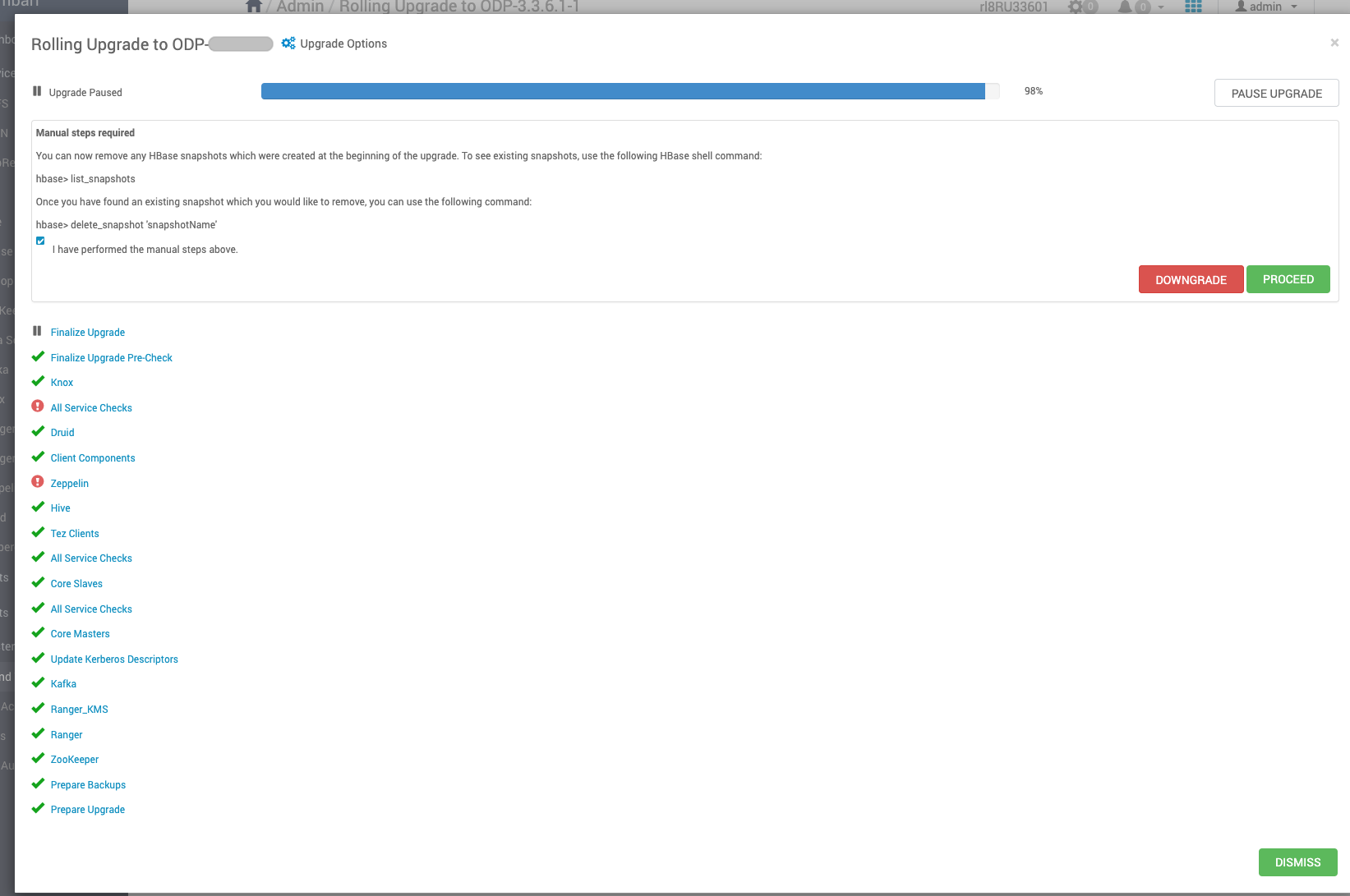
The screenshots below show the progress of the Rolling Upgrade.
Info
If required, pause the upgrade, restart the Zeppelin manually, and resume the upgrade.
Resume the upgrade (if paused), complete, and finalize it.
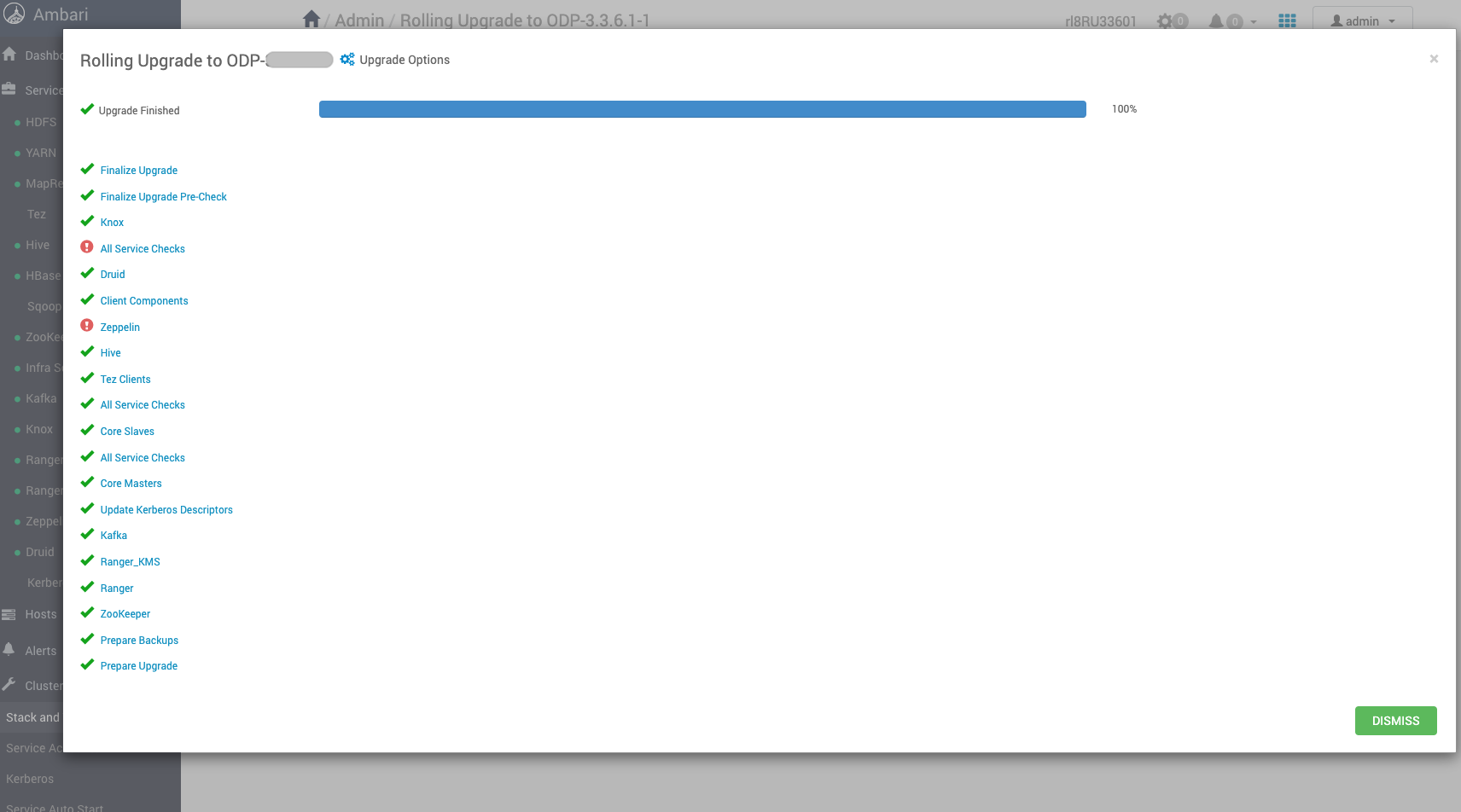
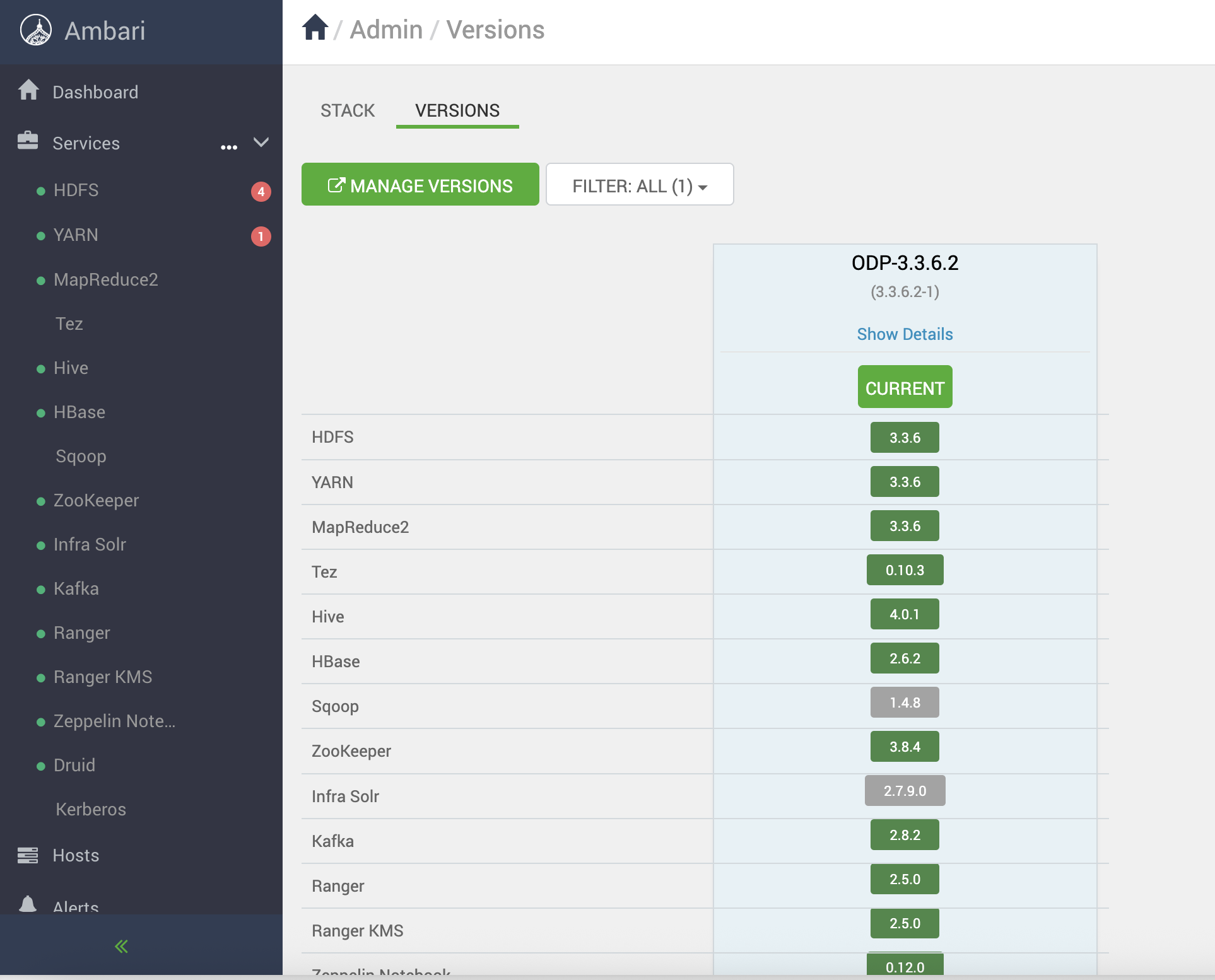
The screenshot below confirms the successful completion of the rolling upgrade to ODP version 3.3.6.2-1.
The screenshot below displays the current version of ODP, which is ODP-3.3.6.2-1.
Perform the following steps to restore Mpacks.
Install Mpacks on Ambari Server node.
ambari-server install-mpack --mpack=ambari-mpacks-airflow-2.8.3.tar.gz
ambari-server install-mpack --mpack=ambari-mpacks-impala-4.4.1.tar.gz
ambari-server install-mpack --mpack=ambari-mpacks-ozone-1.4.1.tar.gz
ambari-server install-mpack --mpack=ambari-mpacks-spark3-3.5.5.tar.gz
Install the services from Ambari.
Stop the Mpack services from ambari UI.
Restore the config at mysql DB.
Now restore the configuration backups for the mpacks that were taken during the upgrade prerequisites phase. For details, see Upgrade Prerequisites.
mysql> use ambari
Reading table information for completion of table and column names
You can turn off this feature to get a quicker startup with -A
Database changed
Run the following script.
mysql>
update clusterconfig a set config_data = (select config_data from service_conf_bck.configs_prior_patch b where a.type_name = b.type_name and version = (SELECT MAX(version) FROM service_conf_bck.configs_prior_patch WHERE service_name = 'AIRFLOW') and service_name = 'AIRFLOW'),
config_attributes = (select config_attributes from service_conf_bck.configs_prior_patch b where a.type_name = b.type_name and version = (SELECT MAX(version) FROM serviceconfig WHERE service_name = 'AIRFLOW') and service_name = 'AIRFLOW')
where config_id in (select config_id from serviceconfigmapping where service_config_id in (select service_config_id from serviceconfig where service_name = 'AIRFLOW' and version =
(select max(version) from serviceconfig where service_name = 'AIRFLOW')) );
Response:
Query OK, 3 rows affected (0.06 sec)
Rows matched: 27 Changed: 3 Warnings: 0
Run the following script.
update clusterconfig a set config_data = (select config_data from service_conf_bck.configs_prior_patch b where a.type_name = b.type_name and version = (SELECT MAX(version) FROM service_conf_bck.configs_prior_patch WHERE service_name = 'OZONE') and service_name = 'OZONE'),
config_attributes = (select config_attributes from service_conf_bck.configs_prior_patch b where a.type_name = b.type_name and version = (SELECT MAX(version) FROM serviceconfig WHERE service_name = 'OZONE') and service_name = 'OZONE')
where config_id in (select config_id from serviceconfigmapping where service_config_id in (select service_config_id from serviceconfig where service_name = 'OZONE' and version =
(select max(version) from serviceconfig where service_name = 'OZONE')) );
Response:
Query OK, 16 rows affected (0.06 sec)
Rows matched: 24 Changed: 16 Warnings: 0
Run the following script.
update clusterconfig a set config_data = (select config_data from service_conf_bck.configs_prior_patch b where a.type_name = b.type_name and version = (SELECT MAX(version) FROM service_conf_bck.configs_prior_patch WHERE service_name = 'IMPALA') and service_name = 'IMPALA'),
config_attributes = (select config_attributes from service_conf_bck.configs_prior_patch b where a.type_name = b.type_name and version = (SELECT MAX(version) FROM serviceconfig WHERE service_name = 'IMPALA') and service_name = 'IMPALA')
where config_id in (select config_id from serviceconfigmapping where service_config_id in (select service_config_id from serviceconfig where service_name = 'IMPALA' and version =
(select max(version) from serviceconfig where service_name = 'IMPALA')) );
Response:
Query OK, 1 row affected (0.04 sec)
Rows matched: 4 Changed: 1 Warnings: 0
Run the following script.
update clusterconfig a set config_data = (select config_data from service_conf_bck.configs_prior_patch b where a.type_name = b.type_name and version = (SELECT MAX(version) FROM service_conf_bck.configs_prior_patch WHERE service_name = 'KUDU') and service_name = 'KUDU'),
config_attributes = (select config_attributes from service_conf_bck.configs_prior_patch b where a.type_name = b.type_name and version = (SELECT MAX(version) FROM serviceconfig WHERE service_name = 'KUDU') and service_name = 'KUDU')
where config_id in (select config_id from serviceconfigmapping where service_config_id in (select service_config_id from serviceconfig where service_name = 'KUDU' and version =
(select max(version) from serviceconfig where service_name = 'KUDU')) );
Response:
Query OK, 1 row affected (0.03 sec)
Rows matched: 10 Changed: 1 Warnings: 0
Run the following script.
update clusterconfig a set config_data = (select config_data from service_conf_bck.configs_prior_patch b where a.type_name = b.type_name and version = (SELECT MAX(version) FROM service_conf_bck.configs_prior_patch WHERE service_name = 'SPARK3') and service_name = 'SPARK3'),
config_attributes = (select config_attributes from service_conf_bck.configs_prior_patch b where a.type_name = b.type_name and version = (SELECT MAX(version) FROM serviceconfig WHERE service_name = 'SPARK3') and service_name = 'SPARK3')
where config_id in (select config_id from serviceconfigmapping where service_config_id in (select service_config_id from serviceconfig where service_name = 'SPARK3' and version =
(select max(version) from serviceconfig where service_name = 'SPARK3')) );
Response:
Query OK, 1 row affected (0.03 sec)
Rows matched: 12 Changed: 1 Warnings: 0