
Documentation
ODP 3.3.6.2-1
Release Notes
What is ODP
Installation
Component User guide and Installation Instructions
Upgrade Instructions
Downgrade Instructions
Reference Guide
Security Guide
Troubleshooting Guide
Uninstall ODP
Title
Message
Create new category
What is the title of your new category?
Edit page index title
What is the title of the page index?
Edit category
What is the new title of your category?
Edit link
What is the new title and URL of your link?
Set up the Hive and Impala JDBC Connection
Summarize Page
Copy Markdown
Open in ChatGPT
Open in Claude
Connect to Cursor
Connect to VS Code
JDBC Uber Jar
You can use the provided JDBC driver to establish a connection with both Hive and Impala deployments. This driver includes all necessary dependencies required for connecting to any ODP (Open Data Platform) Hive or Impala deployments. For details, reach out to Acceldata Support.
The JDBC drivers are not different for different OS types, the JDBC jar remains the same across different OS types such as Windows, Linux, and Mac.
How to connect using DB Visualizer
To create a Hive JDBC connection from the local Mac DB Visualizer, perform the following steps:
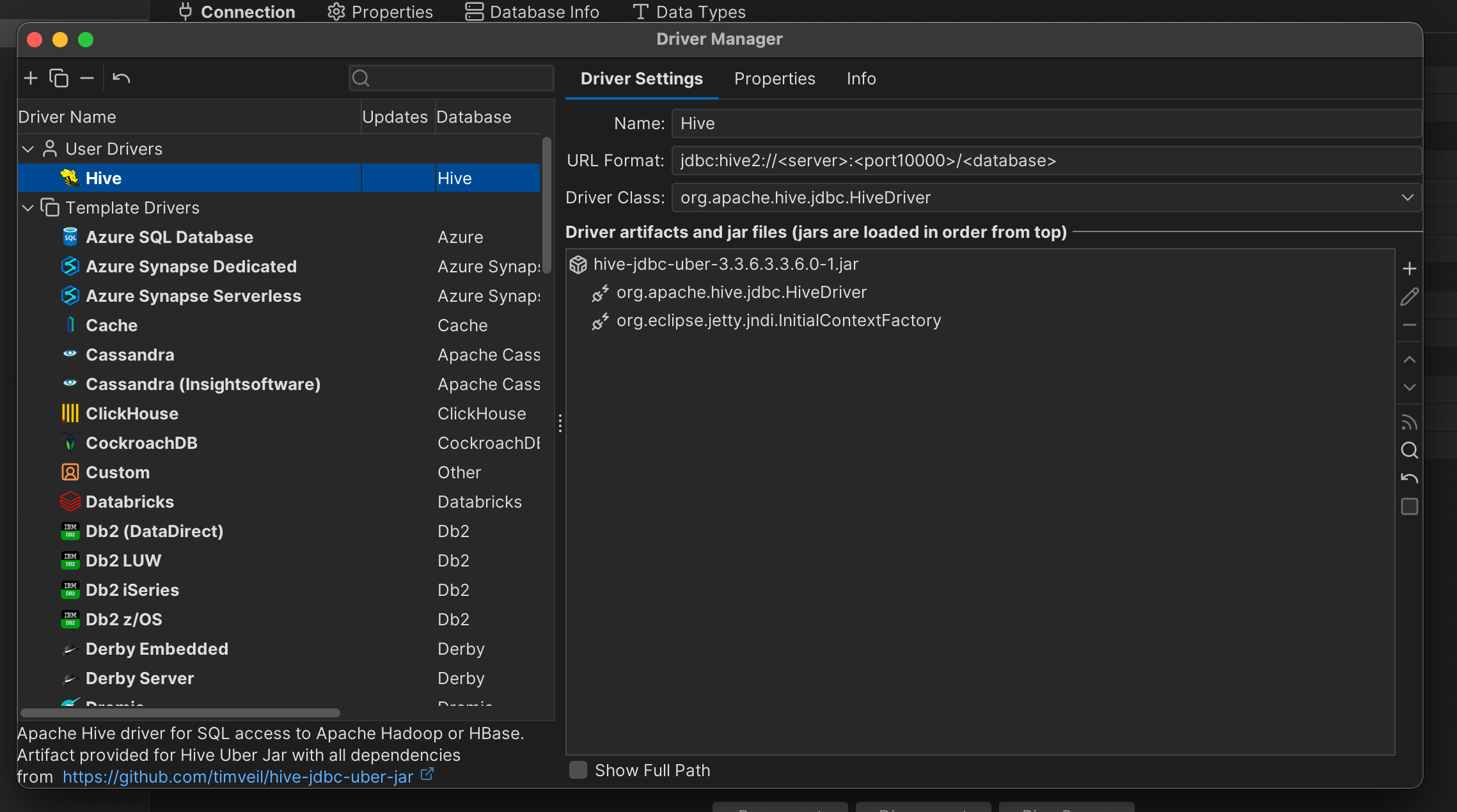
- Add the JDBC Uber jar in driver manager.
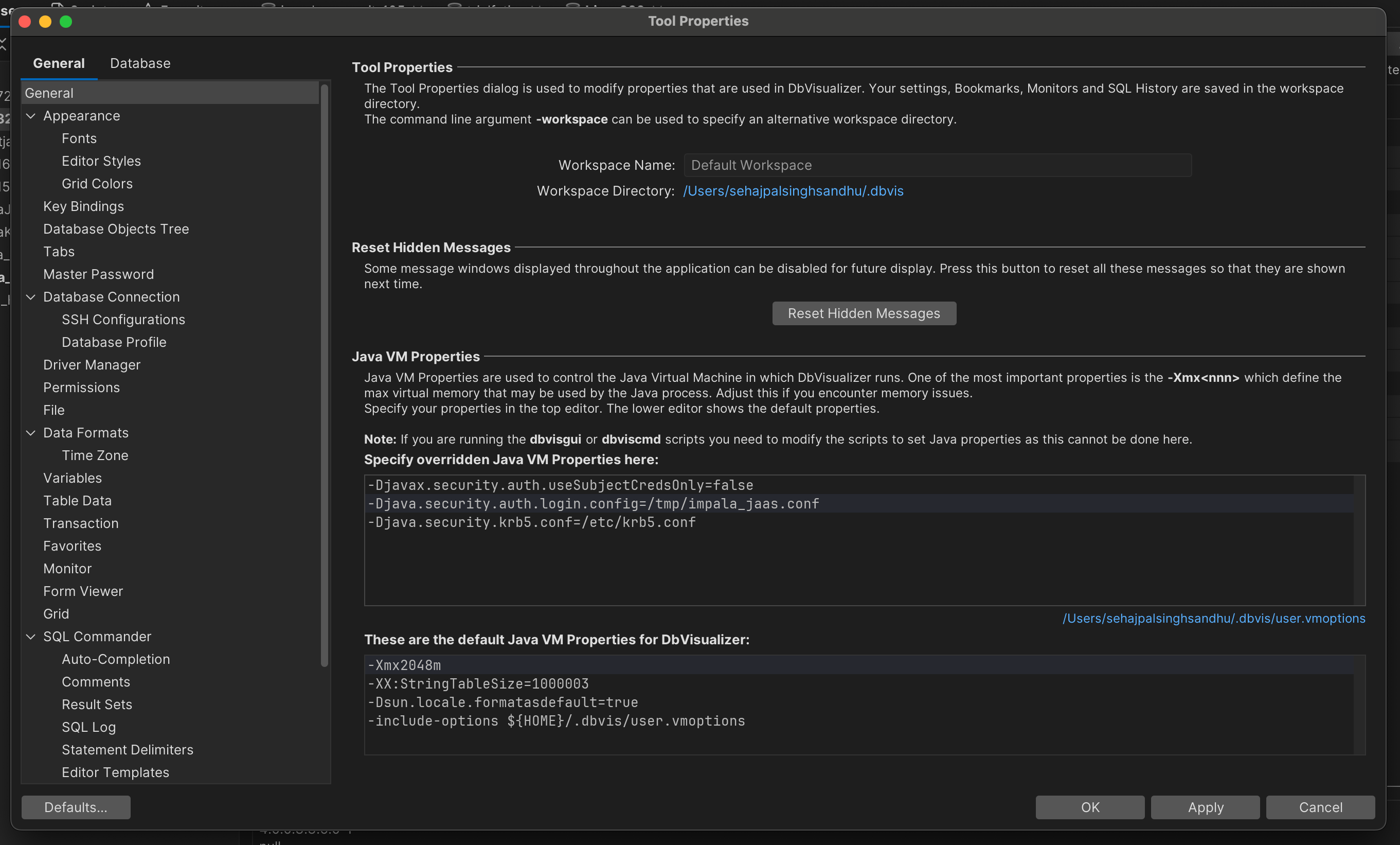
- Add the required kerberos properties and files in Tool Properties.
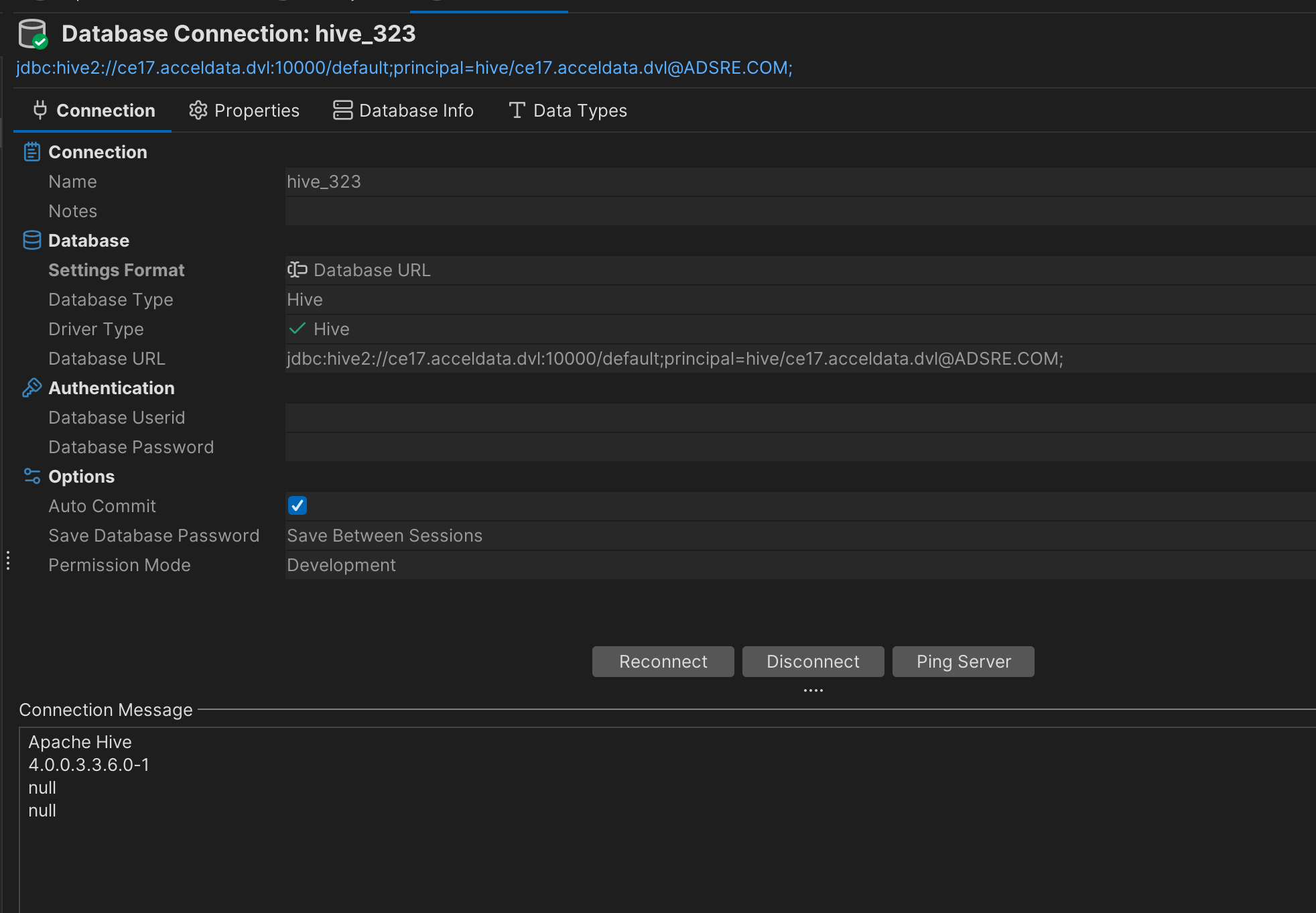
- Connect using your JDBC connection string.
Type to search, ESC to discard
Last updated on Oct 16, 2024
Was this page helpful?
Next to read:
Securing Hive with KNOXDiscard Changes
Do you want to discard your current changes and overwrite with the template?
Archive Synced Block
Message
Create new Template
What is this template's title?
Delete Template
Message