
To access a Kerberos-protected UI, Firefox must be configured to pass Kerberos credentials to the appropriate KDC (Key Distribution Center). Ensure you have the following prerequisites on your local machine:
krb5.conf (Kerberos configuration file)
Necessary keytab and principal for authentication
Follow these steps to configure Firefox:
Open Firefox Configuration:
In the Firefox address bar, type
about:configand press Enter.Accept any warning messages, if prompted.
Filter for Kerberos Settings:
In the search field, type
negotiateto filter the configuration list.
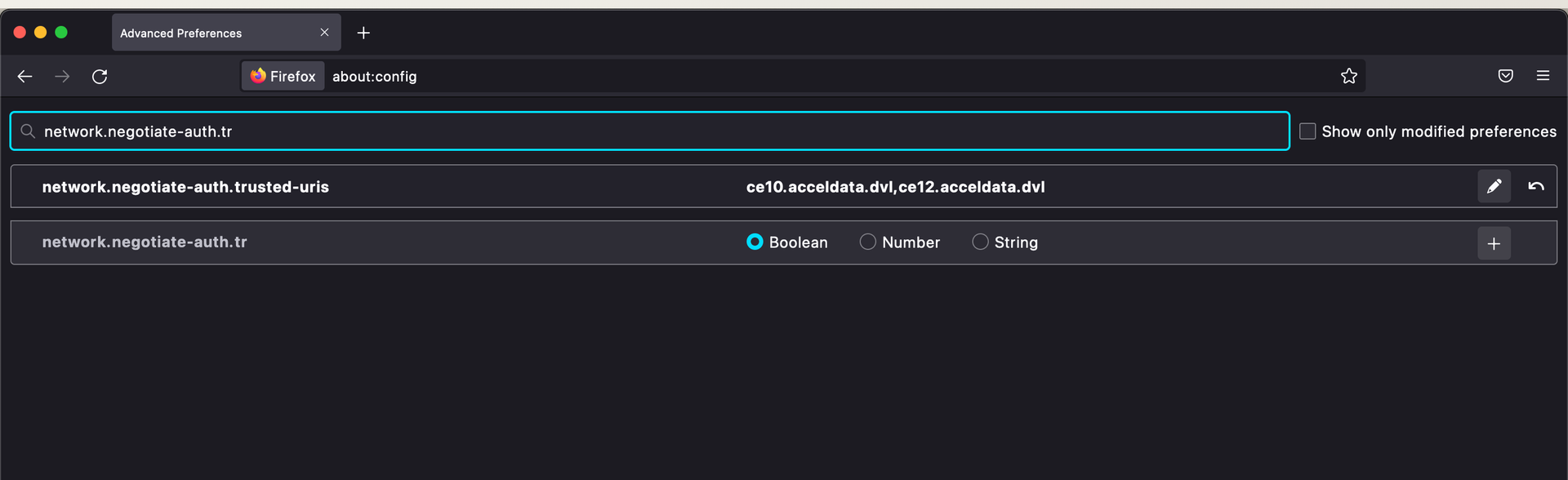
Set Trusted URIs:
Double-click on
network.negotiate-auth.trusted-uristo open the dialog box.Enter the domain(s) for which Kerberos authentication must be used (e.g.,
.example.com).
Restart Firefox:
After setting the trusted URIs, restart Firefox.
Authenticate with Kerberos:
Run
kinitwith the necessary keytab and principal.
Once authenticated, Firefox sends the Kerberos credentials to the domain specified, allowing access to the Kerberos-protected UI.