Installing Knox

After installing the KNOX service through the Ambari UI and enabling the Knox plugin in the Ranger, if not already done, the following steps can be performed to test the Knox functionality.

Installation and Configuration

Info

For the Python 3.11 clusters, make sure you have installed the pip3.11 package “lxml“, otherwise service advisories fail along with all its functions.

Demo LDAP Server

Start the demo Knox LDAP server from the actions menu in Knox.

Proxy Users in HDFS

Update the following configurations in the custom core-site in HDFS:

hadoop.proxyuser.knox.groups=* hadoop.proxyuser.knox.hosts=*

Try the given curl command.

Info

In the python3 clusters, the following command returns an http 404 error as advanced topology is not in the correct format (becomes a binary string, won't get parsed properly to the application). So perform step 4 now and then rerun the following, the result must be as expected.

[root@hue ~]# curl -iku admin:admin-password "https://$(hostname -f):8443/gateway/default/webhdfs/v1/?op=LISTSTATUS" HTTP/1.1 401 Unauthorized Date: Tue, 19 Mar 2024 13:19:46 GMT Set-Cookie: KNOXSESSIONID=node015oszyvvq0j24k2go0hp4367g0.node0; Path=/gateway/default; Secure; HttpOnly Expires: Thu, 01 Jan 1970 00:00:00 GMT Set-Cookie: rememberMe=deleteMe; Path=/gateway/default; Max-Age=0; Expires=Mon, 18-Mar-2024 13:19:47 GMT; SameSite=lax Pragma: no-cache X-Content-Type-Options: nosniff X-FRAME-OPTIONS: SAMEORIGIN X-XSS-Protection: 1; mode=block Cache-Control: must-revalidate,no-cache,no-store Content-Type: text/html;charset=iso-8859-1 Content-Length: 465 <html> <head> <meta http-equiv="Content-Type" content="text/html;charset=utf-8"/> <title>Error 401 Authentication required</title> </head> <body><h2>HTTP ERROR 401 Authentication required</h2> <table> <tr><th>URI:</th><td>/webhdfs/v1/</td></tr> <tr><th>STATUS:</th><td>401</td></tr> <tr><th>MESSAGE:</th><td>Authentication required</td></tr> <tr><th>SERVLET:</th><td>com.sun.jersey.spi.container.servlet.ServletContainer-409c54f</td></tr> </table> </body> </html>

This command is expected to fail unless you have disabled Audit to SOLR in the Knox configuration.

Disable Audit to SOLR

On disabling Audit to SOLR in the Knox configuration, the API calls must function as expected.

root@newreleaseub1:~# curl -iku admin:admin-password "https://$(hostname -f):8443/gateway/default/webhdfs/v1/?op=LISTSTATUS" HTTP/1.1 200 OK Date: Mon, 11 Dec 2023 19:32:31 GMT Set-Cookie: KNOXSESSIONID=node01mitiwazsjo0gskicoox7x3v933.node0; Path=/gateway/default; Secure; HttpOnly Expires: Thu, 01 Jan 1970 00:00:00 GMT Set-Cookie: rememberMe=deleteMe; Path=/gateway/default; Max-Age=0; Expires=Sun, 10-Dec-2023 19:32:31 GMT; SameSite=lax Date: Mon, 11 Dec 2023 19:32:31 GMT Cache-Control: no-cache Expires: Mon, 11 Dec 2023 19:32:31 GMT Date: Mon, 11 Dec 2023 19:32:31 GMT Pragma: no-cache X-Content-Type-Options: nosniff X-FRAME-OPTIONS: SAMEORIGIN X-XSS-Protection: 1; mode=block Content-Type: application/json;charset=utf-8 Transfer-Encoding: chunked {"FileStatuses":{"FileStatus":[{"accessTime":0,"blockSize":0,"childrenNum":3,"fileId":16395,"group":"hadoop","length":0,"modificationTime":1701708150259,"owner":"yarn","pathSuffix":"app-logs","permission":"1777","replication":0,"storagePolicy":0,"type":"DIRECTORY"},{"accessTime":0,"blockSize":0,"childrenNum":1,"fileId":17307,"group":"hdfs","length":0,"modificationTime":1701680533763,"owner":"hdfs","pathSuffix":"apps","permission":"755","replication":0,"storagePolicy":0,"type":"DIRECTORY"},{"accessTime":0,"blockSize":0,"childrenNum":2,"fileId":16392,"group":"hadoop","length":0,"modificationTime":1701680011525,"owner":"yarn","pathSuffix":"ats","permission":"755","replication":0,"storagePolicy":0,"type":"DIRECTORY"},{"accessTime":0,"blockSize":0,"childrenNum":1,"fileId":16415,"group":"hdfs","length":0,"modificationTime":1701680420023,"owner":"hdfs","pathSuffix":"atsv2","permission":"755","replication":0,"storagePolicy":0,"type":"DIRECTORY"},{"accessTime":0,"blockSize":0,"childrenNum":1,"fileId":16398,"group":"hdfs","length":0,"modificationTime":1701680020018,"owner":"mapred","pathSuffix":"mapred","permission":"755","replication":0,"storagePolicy":0,"type":"DIRECTORY"},{"accessTime":0,"blockSize":0,"childrenNum":2,"fileId":16400,"group":"hadoop","length":0,"modificationTime":1701680083247,"owner":"mapred","pathSuffix":"mr-history","permission":"777","replication":0,"storagePolicy":0,"type":"DIRECTORY"},{"accessTime":0,"blockSize":0,"childrenNum":1,"fileId":16404,"group":"hdfs","length":0,"modificationTime":1701680022069,"owner":"hdfs","pathSuffix":"odp","permission":"755","replication":0,"storagePolicy":0,"type":"DIRECTORY"},{"accessTime":0,"blockSize":0,"childrenNum":1,"fileId":16389,"group":"hdfs","length":0,"modificationTime":1701680004677,"owner":"hdfs","pathSuffix":"ranger","permission":"755","replication":0,"storagePolicy":0,"type":"DIRECTORY"},{"accessTime":0,"blockSize":0,"childrenNum":127,"fileId":17548,"group":"hadoop","length":0,"modificationTime":1701719034844,"owner":"spark","pathSuffix":"spark2-history","permission":"777","replication":0,"storagePolicy":0,"type":"DIRECTORY"},{"accessTime":0,"blockSize":0,"childrenNum":0,"fileId":21891,"group":"hdfs","length":0,"modificationTime":1701706404538,"owner":"hdfs","pathSuffix":"system","permission":"755","replication":0,"storagePolicy":0,"type":"DIRECTORY"},{"accessTime":0,"blockSize":0,"childrenNum":12,"fileId":16386,"group":"hdfs","length":0,"modificationTime":1701718929865,"owner":"hdfs","pathSuffix":"tmp","permission":"777","replication":0,"storagePolicy":0,"type":"DIRECTORY"},{"accessTime":0,"blockSize":0,"childrenNum":15,"fileId":16387,"group":"hdfs","length":0,"modificationTime":1702303725817,"owner":"hdfs","pathSuffix":"user","permission":"755","replication":0,"storagePolicy":0,"type":"DIRECTORY"},{"accessTime":0,"blockSize":0,"childrenNum":2,"fileId":17315,"group":"hdfs","length":0,"modificationTime":1701705629173,"owner":"hdfs","pathSuffix":"warehouse","permission":"755","replication":0,"storagePolicy":0,"type":"DIRECTORY"}]}}

Update Advanced Topology

In Knox configurations, update or add the URLs based on the hostname at the end for the services in advanced topology similar to as follows (please copy the entire block as the initial topology block is corrupted).

<topology> <gateway> <provider> <role>authentication</role> <name>ShiroProvider</name> <enabled>true</enabled> <param> <name>sessionTimeout</name> <value>30</value> </param> <param> <name>main.ldapRealm</name> <value>org.apache.hadoop.gateway.shirorealm.KnoxLdapRealm</value> </param> <param> <name>main.ldapRealm.userDnTemplate</name> <value>uid={0},ou=people,dc=hadoop,dc=apache,dc=org</value> </param> <param> <name>main.ldapRealm.contextFactory.url</name> <value>ldap://{{knox_host_name}}:33389</value> </param> <param> <name>main.ldapRealm.contextFactory.authenticationMechanism</name> <value>simple</value> </param> <param> <name>urls./**</name> <value>authcBasic</value> </param> </provider> <provider> <role>identity-assertion</role> <name>Default</name> <enabled>true</enabled> </provider> <provider> <role>authorization</role> <name>XASecurePDPKnox</name> <enabled>true</enabled> </provider> </gateway> <service> <role>NAMENODE</role> <url>{{namenode_address}}</url> </service> <service> <role>JOBTRACKER</role> <url>rpc://{{rm_host}}:{{jt_rpc_port}}</url> </service> <service> <role>WEBHDFS</role> {{webhdfs_service_urls}} </service> <service> <role>WEBHCAT</role> <url>http://{{webhcat_server_host}}:{{templeton_port}}/templeton</url> </service> <service> <role>WEBHBASE</role> <url>http://{{hbase_master_host}}:{{hbase_master_port}}</url> </service> <service> <role>HIVE</role> <url>http://{{hive_server_host}}:{{hive_http_port}}/{{hive_http_path}}</url> </service> <service> <role>RESOURCEMANAGER</role> <url>http://{{rm_host}}:{{rm_port}}/ws</url> </service> <service> <role>DRUID-COORDINATOR-UI</role> {{druid_coordinator_urls}} </service> <service> <role>DRUID-COORDINATOR</role> {{druid_coordinator_urls}} </service> <service> <role>DRUID-OVERLORD-UI</role> {{druid_overlord_urls}} </service> <service> <role>DRUID-OVERLORD</role> {{druid_overlord_urls}} </service> <service> <role>DRUID-ROUTER</role> {{druid_router_urls}} </service> <service> <role>DRUID-BROKER</role> {{druid_broker_urls}} </service> <service> <role>ZEPPELINUI</role> {{zeppelin_ui_urls}} </service> <service> <role>ZEPPELINWS</role> {{zeppelin_ws_urls}} </service> <!-- add from here --> <service> <role>YARNUI</role> <url>http://<hostname>:8088</url> </service> <service> <role>AMBARIUI</role> <version>3.0.0</version> <url>https://jdk17-test-1.acceldata.ce:8446</url> </service> <service> <role>AMBARIWS</role> <version>3.0.0</version> <url>ws://jdk17-test-1.acceldata.ce:8446</url> </service> <service> <role>RANGER</role> <url>http://<hostname>:6080</url> </service> <service> <role>RANGERUI</role> <url>http://<hostname>:6080</url> </service> <service> <role>HDFSUI</role> <version>2.7.0</version> <url>http://<hostname>:50070</url> </service> <!-- for ODP 3.3.6.4-1 --> <service> <role>SOLR</role> <version>6.0.0</version> <url>http://<hostname>:8886/solr</url> </service> <service> <role>HIVE</role> <url>http://<hostname>:10001/cliservice</url> </service> <!-- to here --> </topology>
Info

Change the hostnames according to your requirements.

For ODP 3.3.6.4-1, use the code block with Solr version 8.11.3.

Configuration to enable Knox on Hive

To enable Knox over Hive, configure as below in Hive Configurations > General.

To enable Knox over Hive, along with above service in Advanced-topology, configure as below in Hive Configurations > General.

hive.server2.transport.mode=http

Use the URL below for the Beeline connection.

beeline -u 'jdbc:hive2://<hostname>:8443/;sslTrustStore=/usr/odp/3.3.6.4-1/knox/data/security/keystores/gateway.jks;trustStorePassword=Acceldata@01;transportMode=http;httpPath=gateway/default/hive;ssl=true' -d org.apache.hive.jdbc.HiveDriver -n admin -p admin-password
Info

Additionally, modify the gateway.dispatch.whitelist in the Advanced gateway-site section of the Knox configuration to use regular expressions as illustrated below:

For hostnames resembling newreleaseub1.acceldata.ce:

^https?:\/\/(.+\.acceldata\.ce):[0-9]+\/?.*$

For hostnames resembling odp01.ubuntu.ce:

^https?:\/\/(.+\.ubuntu\.ce):[0-9]+\/?.*$

Set up the Ambari SSO

Generate the Certificate

root@newreleaseub1:/usr/odp/3.3.6.4-1/knox/bin# ./knoxcli.sh export-cert --type PEM SLF4J: Class path contains multiple SLF4J bindings. SLF4J: Found binding in [jar:file:/usr/odp/3.3.6.4-1/knox/bin/../dep/slf4j-reload4j-1.7.35.jar!/org/slf4j/impl/StaticLoggerBinder.class] SLF4J: Found binding in [jar:file:/usr/odp/3.3.6.4-1/knox/bin/../dep/slf4j-log4j12-1.7.30.jar!/org/slf4j/impl/StaticLoggerBinder.class] SLF4J: See http://www.slf4j.org/codes.html#multiple_bindings for an explanation. SLF4J: Actual binding is of type [org.slf4j.impl.Reload4jLoggerFactory] Certificate gateway-identity has been successfully exported to: /usr/odp/3.3.6.4-1/knox/data/security/keystores/gateway-identity.pem

Display the content using cat as you'll require them in the next step.

root@newreleaseub1:/usr/odp/3.3.6.4-1/knox/bin # cat /usr/odp/33.3.6.4-1/knox/data/security/keystores/gateway-identity.pem -----BEGIN CERTIFICATE----- MIIDjDCCAnSgAwIBAgIJAI3Nc0sM1HuuMA0GCSqGSIb3DQEBBQUAMHAxCzAJBgNVBAYTAlVTMQ0w CwYDVQQIEwRUZXN0MQ0wCwYDVQQHEwRUZXN0MQ8wDQYDVQQKEwZIYWRvb3AxDTALBgNVBAsTBFRl . . . Chd3qTNvU8y0Sbb7qEF8mxvqB9m/6MjzvWW5OMiJZ8YFGccKLGihG6ziJn/oir+i1fiB7j8LU5o/ P++SwUaEbq9/TX1ankw5CGvOUiPGzqk7aOwvwxMOwAh++PgVPW/nnqeCBNZYXdXeVwVrKMhGpoMP -----END CERTIFICATE-----

Ambari Server Setup SSO

root@newreleaseub1:/var/log/knox# ambari-server setup-sso Using python /usr/bin/python Setting up SSO authentication properties... Enter Ambari Admin login: admin Enter Ambari Admin password: SSO is currently not configured Do you want to configure SSO authentication [y/n] (y)? y Provider URL (https://knox.example.com:8443/gateway/knoxsso/api/v1/websso): https://newreleaseub1.acceldata.ce:8443/gateway/knoxsso/api/v1/websso Public Certificate PEM (empty line to finish input): -----BEGIN CERTIFICATE----- MIIDjDCCAnSgAwIBAgIJAI3Nc0sM1HuuMA0GCSqGSIb3DQEBBQUAMHAxCzAJBgNVBAYTAlVTMQ0w CwYDVQQIEwRUZXN0MQ0wCwYDVQQHEwRUZXN0MQ8wDQYDVQQKEwZIYWRvb3AxDTALBgNVBAsTBFRl . . . Chd3qTNvU8y0Sbb7qEF8mxvqB9m/6MjzvWW5OMiJZ8YFGccKLGihG6ziJn/oir+i1fiB7j8LU5o/ P++SwUaEbq9/TX1ankw5CGvOUiPGzqk7aOwvwxMOwAh++PgVPW/nnqeCBNZYXdXeVwVrKMhGpoMP -----END CERTIFICATE----- Use SSO for Ambari [y/n] (n)? y Manage SSO configurations for eligible services [y/n] (n)? y Use SSO for all services [y/n] (n)? y JWT Cookie name (hadoop-jwt): hadoop-jwt JWT audiences list (comma-separated), empty for any (): Ambari Server 'setup-sso' completed successfully.

Restart the Ambari server.

LDAP Setup and Sync

To setup LDAP, perform the following:

root@newreleaseub1:/var/log/knox# ambari-server setup-ldap --ldap-url=newreleaseub1.acceldata.ce:33389 Using python /usr/bin/python Currently 'no auth method' is configured, do you wish to use LDAP instead [y/n] (y)? Enter Ambari Admin login: admin Enter Ambari Admin password: Fetching LDAP configuration from DB. No configuration. Please select the type of LDAP you want to use [AD/IPA/Generic](Generic): Primary LDAP Host (ldap.ambari.apache.org): Primary LDAP Port (389): Secondary LDAP Host <Optional>: Secondary LDAP Port <Optional>: Use SSL [true/false] (false): User object class (posixUser): person User ID attribute (uid): uid Group object class (posixGroup): groupofnames Group name attribute (cn): cn Group member attribute (memberUid): member Distinguished name attribute (dn): Search Base (dc=ambari,dc=apache,dc=org): dc=hadoop,dc=apache,dc=org Referral method [follow/ignore] (follow): Bind anonymously [true/false] (false): Bind DN (uid=ldapbind,cn=users,dc=ambari,dc=apache,dc=org): uid=admin,ou=people,dc=hadoop,dc=apache,dc=org Enter Bind DN Password: Confirm Bind DN Password: Handling behavior for username collisions [convert/skip] for LDAP sync (skip): convert Force lower-case user names [true/false]:true Results from LDAP are paginated when requested [true/false]:true ==================== Review Settings ==================== Primary LDAP Host (ldap.ambari.apache.org): newreleaseub1.acceldata.ce Primary LDAP Port (389): 33389 Use SSL [true/false] (false): false User object class (posixUser): person User ID attribute (uid): uid Group object class (posixGroup): groupofnames Group name attribute (cn): cn Group member attribute (memberUid): member Distinguished name attribute (dn): dn Search Base (dc=ambari,dc=apache,dc=org): dc=hadoop,dc=apache,dc=org Referral method [follow/ignore] (follow): follow Bind anonymously [true/false] (false): false Handling behavior for username collisions [convert/skip] for LDAP sync (skip): convert Force lower-case user names [true/false]: true Results from LDAP are paginated when requested [true/false]: true ambari.ldap.connectivity.bind_dn: uid=admin,ou=people,dc=hadoop,dc=apache,dc=org ambari.ldap.connectivity.bind_password: ***** Save settings [y/n] (y)? y Saving LDAP properties... Saving LDAP properties finished Ambari Server 'setup-ldap' completed successfully.

Sync LDAP as shown below:

root@newreleaseub1:/var/log/knox# ambari-server sync-ldap --all Using python /usr/bin/python Syncing with LDAP... Enter Ambari Admin login: admin Enter Ambari Admin password: Fetching LDAP configuration from DB. Syncing all... Completed LDAP Sync. Summary: memberships: removed = 0 created = 4 users: skipped = 0 removed = 0 updated = 1 created = 3 groups: updated = 0 removed = 0 created = 3 Ambari Server 'sync-ldap' completed successfully.

Restart the Ambari server and clear all cookies after setting up LDAP or SSO in the browser.

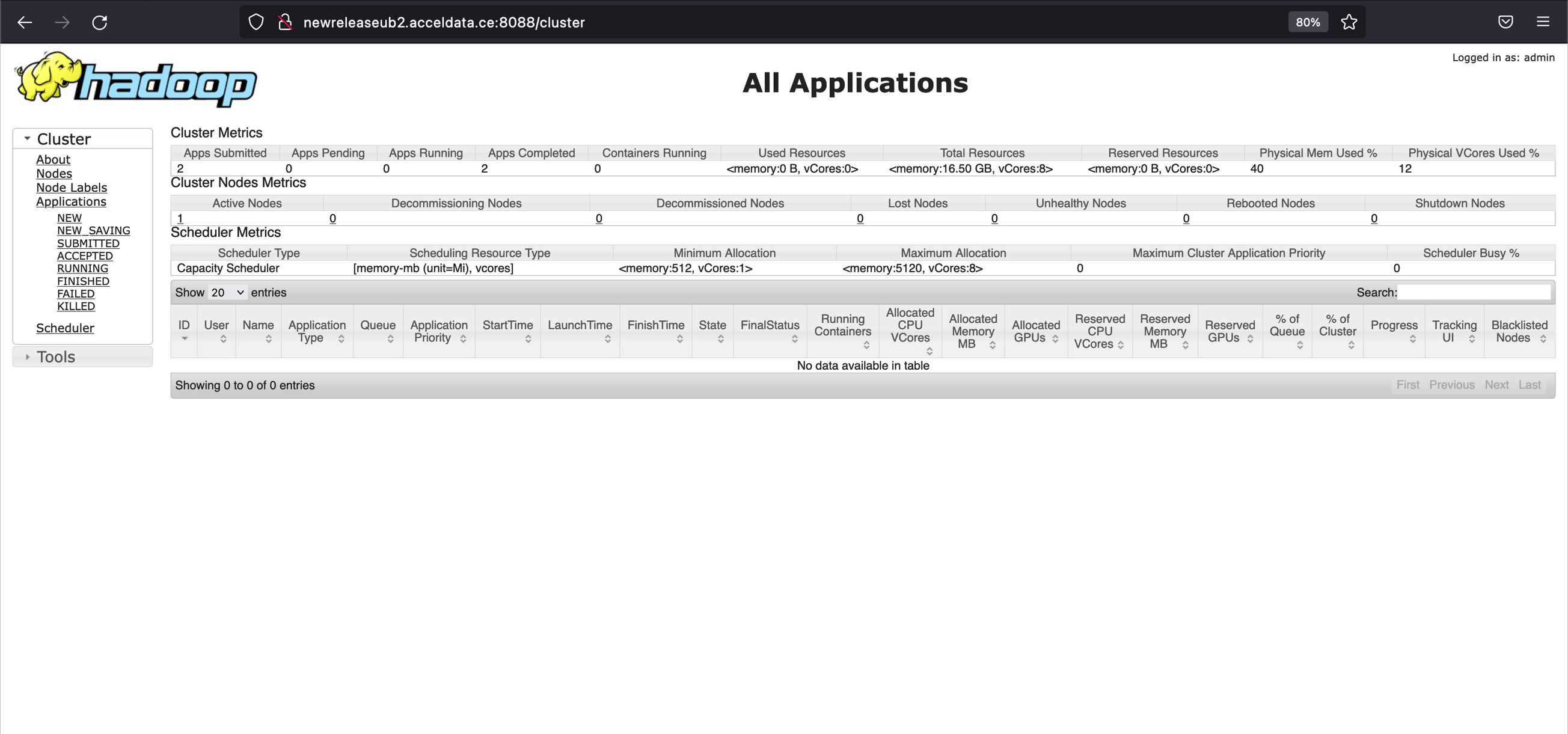
  1. Perform UI checks for the services: HDFS and YARN.

For details about configuring Okta SSO for Knox, see Configure Okta SSO for Apache Knox.

UI Checks

HDFS

HDFS UI URL
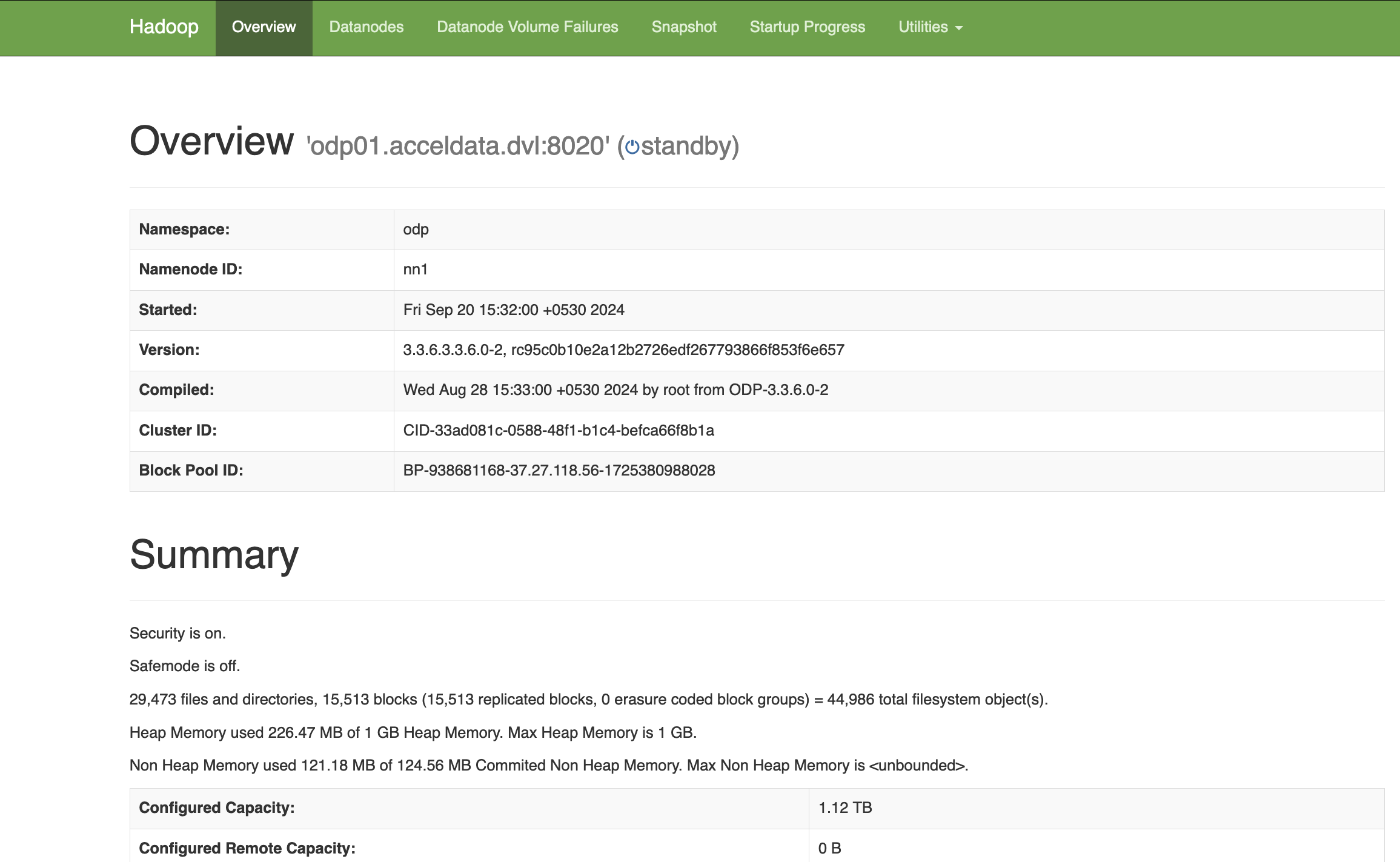
http://newreleaseub1.acceldata.ce:50070/dfshealth.html#tab-overview https://newreleaseub1.acceldata.ce:8443/gateway/default/hdfs/dfshealth.html#tab-overview

Yarn

Yarn UI URL

http://newreleaseub1.acceldata.ce:8088/ui2/#/cluster-overview https://newreleaseub1.acceldata.ce:8443/gateway/default/yarn

The following components have been successfully integrated with Apache Knox and thoroughly tested:

  • Hive

  • Ranger

  • Schema Registry (Schema-Reg)

  • Zeppelin

Troubleshooting

If the service UI, when accessed in incognito mode (similar to attempting to log in without cookies) in Chrome, redirects to the Knox login page again, include the following configuration (add the last parameter section) in the Advanced knoxsso-topology under the service attribute:

<param> <name>knoxsso.cookie.samesite</name> <value>Lax</value> </param>

This sets the cookie property as mentioned above. After restarting the service and clearing old cookies in the browser, the UIs must also function correctly in Chrome.

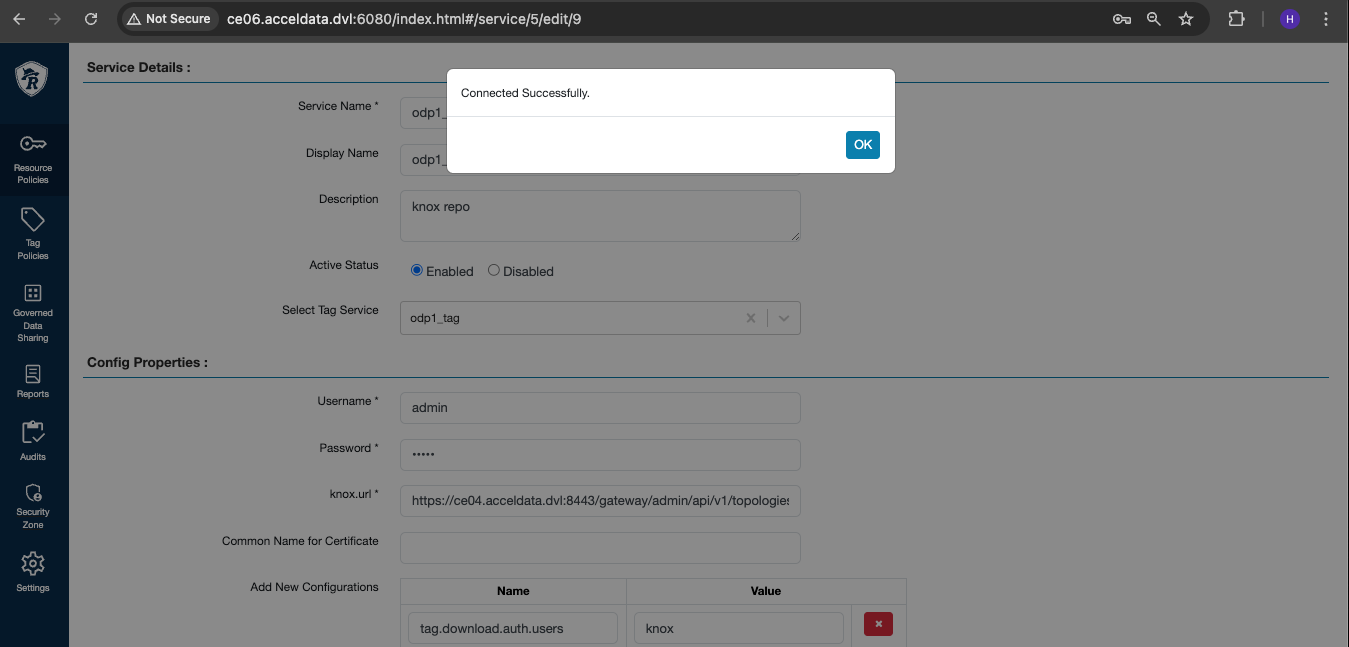
Knox Ranger Test Connection Failure

To fix the Knox Ranger test connection failure, perform the following steps on the Ranger Admin host.

## Get knox cert and store to tmp location echo -n | openssl s_client -connect ce04.acceldata.dvl:8443 | sed -ne '/-BEGIN CERTIFICATE-/,/-END CERTIFICATE-/p' > /tmp/knoxcert.crt ## Locate your java cacerts ll /etc/java/java-11-openjdk/java-11-openjdk-11.0.24.0.8-3.el8.x86_64/lib/security/cacerts ## Import knox cert to cacerts keytool -import -file /tmp/knoxcert.crt -keystore /etc/java/java-11-openjdk/java-11-openjdk-11.0.24.0.8-3.el8.x86_64/lib/security/cacerts -alias "knox-trust" ## default password : changeit

Add properties as shown below.


Verify the Knox policy test connection.

Knox Uninstallation

To uninstall Knox, perform the following:

  1. Disable SSO setup on Ambari by doing the following:

root@odp03:~# ambari-server setup-sso Using python /usr/bin/python Setting up SSO authentication properties... Enter Ambari Admin login: admin Enter Ambari Admin password: SSO is currently enabled Do you want to disable SSO authentication [y/n] (n)? y Ambari Server 'setup-sso' completed successfully.

Restart your Ambari server.

  1. Stop and delete the Knox service from the Ambari UI:

  2. To revert to the older quicklinks and other configurations added by Knox, the simplest approach is to roll back the version in the configurations of all services associated with Knox to an earlier version used just before Knox was introduced. Alternatively, if you have incorporated other required configurations into the service, you can remove these configurations by searching for the specified keywords in each of the services.

For HDFS, YARN, and MapReduce, navigate to Advanced Ambari configs and remove the following configurations:

# On hdfs,yarn, mapreduce goto advanced ambari configs remove below configuration: hadoop.http.authentication.public.key.pem hadoop.http.authentication.authentication.provider.url hadoop.http.authentication.type=org.apache.hadoop.security.authentication.server.JWTRedirectAuthenticationHandler proxyuser.knox.groups proxyuser.knox.hosts # On Ranger,goto advanced ambari configs remove below configuration: proxyuser.knox.groups proxyuser.knox.hosts proxyuser.knox.ip proxyuser.knox.users SSO public key SSO provider url Enable Ranger SSO - Set to False

Additionally, check other services where additional Knox configurations may have been added.

  Last updated