
Search
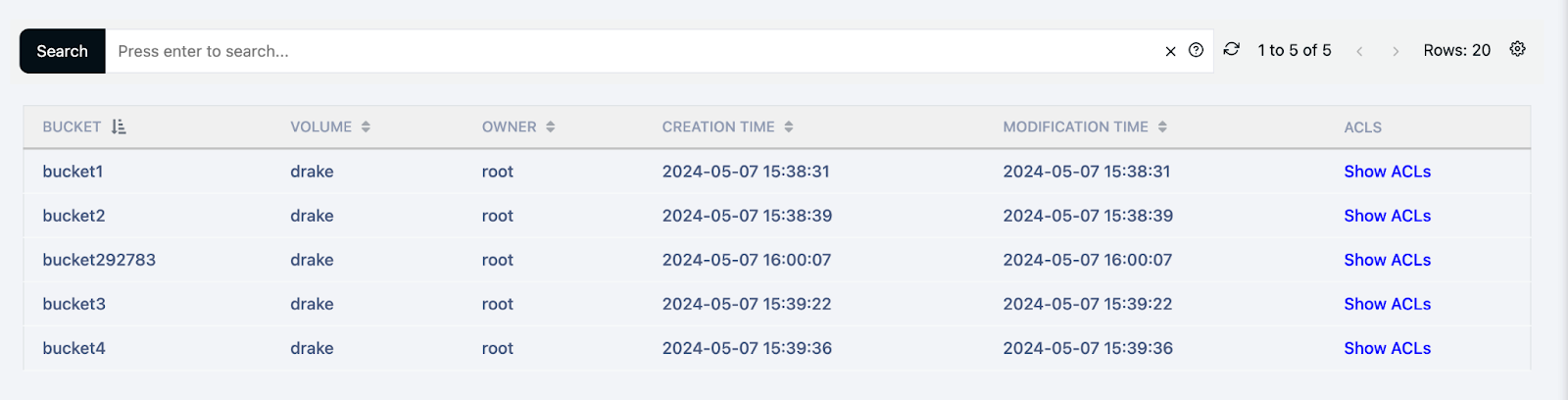
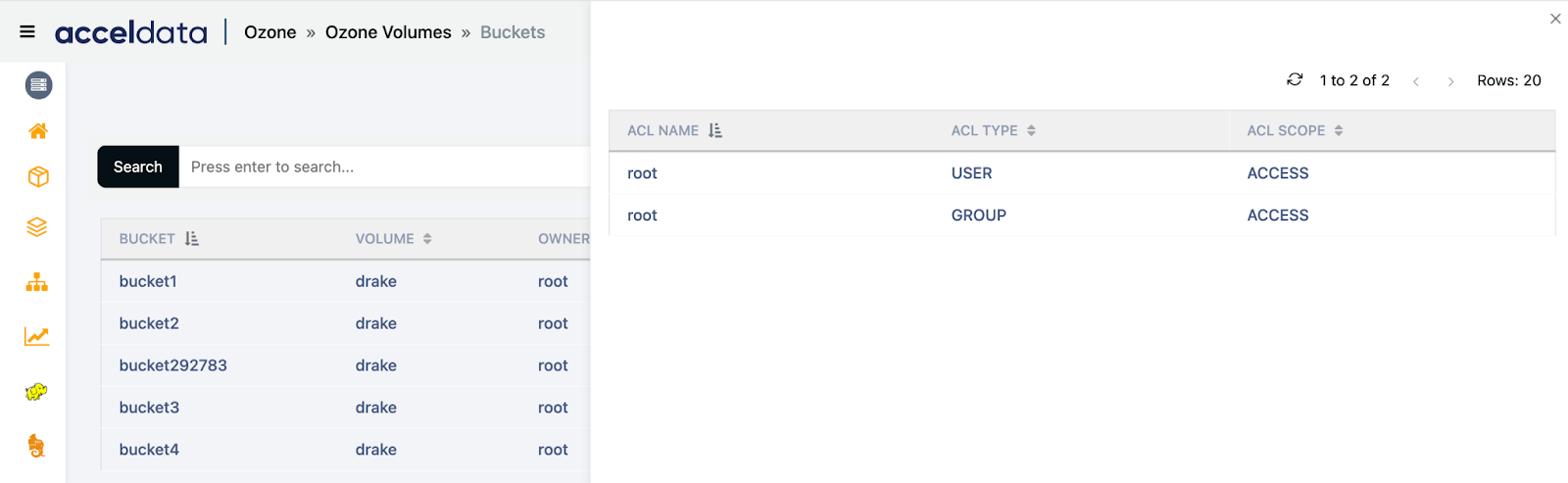
Ozone volumes are logical containers used to manage data in Ozone, a scalable, distributed storage system. Each volume serves as a namespace for buckets, which in turn contain keys representing actual data. The Ozone Volumes interface provides detailed information about each volume, including ownership, administrative details, creation and modification timestamps, and links to manage buckets and access control lists (ACLs).
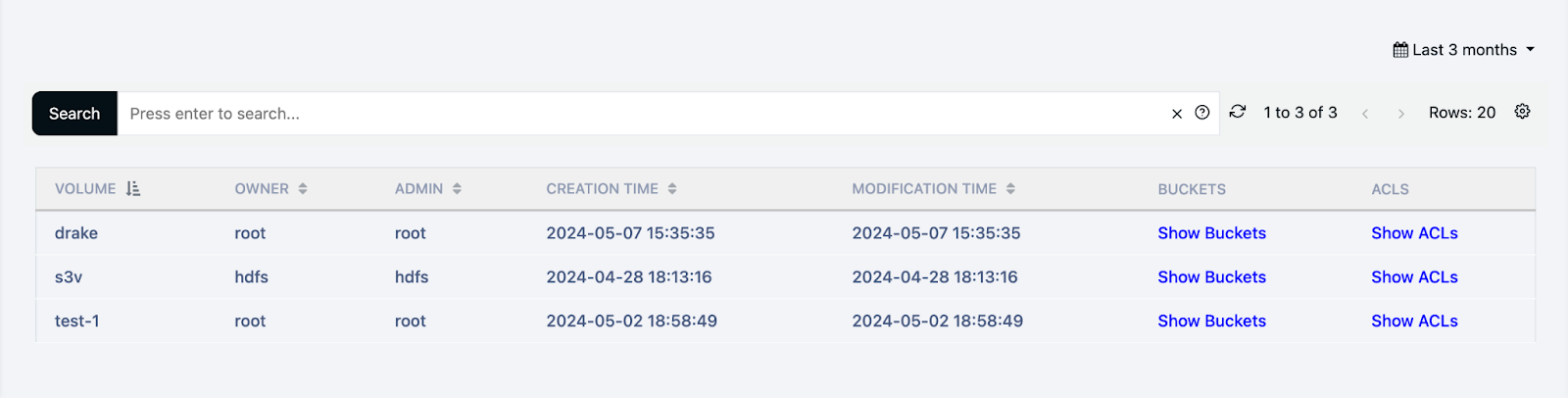
The following table describes key details regarding Ozone Volumes:
| Field | Description |
|---|---|
| VOLUME | The name of the volume. This is a unique identifier for each volume within the Ozone system. |
| OWNER | The owner of the volume. This indicates the user who created or currently owns the volume. |
| ADMIN | The administrator of the volume. This field shows the user with administrative rights over the volume. |
| CREATION TIME | The date and time when the volume was created. This is formatted as YYYY-MM-DD HH:MM:SS. |
| MODIFICATION TIME | The date and time when the volume was last modified. This timestamp is also formatted as YYYY-MM-DD HH:MM:SS and may match the creation time if no modifications have been made since creation. |
| BUCKETS | A link to view the buckets contained within the volume. Clicking Show Buckets will display a list of all buckets in the volume. |
| ACLS | A link to view the Access Control Lists (ACLs) associated with the volume. Clicking Show ACLs will display the permissions set for different users and groups. |
Was this page helpful?