
This page describes how to use the Pulse Public APIs to authenticate, obtain a JWT token, and access the GraphQL Playground for running API queries.
Obtain a JWT Token
To access the Pulse APIs, first obtain a JSON Web Token (JWT).
- Open your terminal or command prompt.
- Run the following command to log in and retrieve the JWT token and user role:
xxxxxxxxxxcurl -i 'http://<pulse url>/login' \-H 'accept: application/json, text/plain, */*' \-H 'content-type: application/json' \--data-raw '{"email":"<username>","password":"<base64 encoded password>"}'Replace the following placeholders:
<pulse_url>— the URL of your Pulse environment<username>— your registered Pulse user email<base64_encoded_password>— your base64-encoded password
Example:
xxxxxxxxxxcurl -i 'http://example.com/login' \-H 'accept: application/json, text/plain, */*' \-H 'content-type: application/json' \--data-raw '{"email":"john.doe@example.com","password":"<password_placeholder>"}'- After executing the command, you’ll receive a response similar to the following:
xxxxxxxxxxHTTP/2 200date: Thu, 13 Jun 2024 05:17:07 GMTcontent-type: application/json; charset=utf-8content-length: 63server: nginxaccess-control-allow-origin: *x-frame-options: DENYx-content-type-options: nosniffset-cookie: jwt=<jwt_token>; Max-Age=900; Path=/; Expires=Thu, 13 Jun 2024 05:32:07 GMTetag: W/"3f-Y6s9mpm2ANCRhWr9ueS4XY2nCP8" {"message":"Authentication successful!","data":{"role":"e30="}}- Copy the value of the JWT token and note down the role.
JWT Token Validity
The JWT token generated by the Login API is valid for 15 minutes. After the token expires, you must authenticate again by calling the Login API to obtain a new token before accessing protected APIs.
Set Up the Cookie Modifier Plugin
To use the GraphQL interface, configure your browser with the JWT token.
- Install a cookie modifier plugin (for example, EditThisCookie for Chrome or Cookie Manager+ for Firefox).
- Add the following cookies:
jwt: Paste the JWT token obtained from the login response.- Any additional cookies required for your Pulse setup.
Access the GraphQL Playground
- Open your web browser.
- Navigate to:
xxxxxxxxxxhttp://<pulse_url>/graphqlReplace <pulse_url> with your actual Pulse API URL.
If the cookies are valid, the GraphQL Playground opens successfully.
You can:
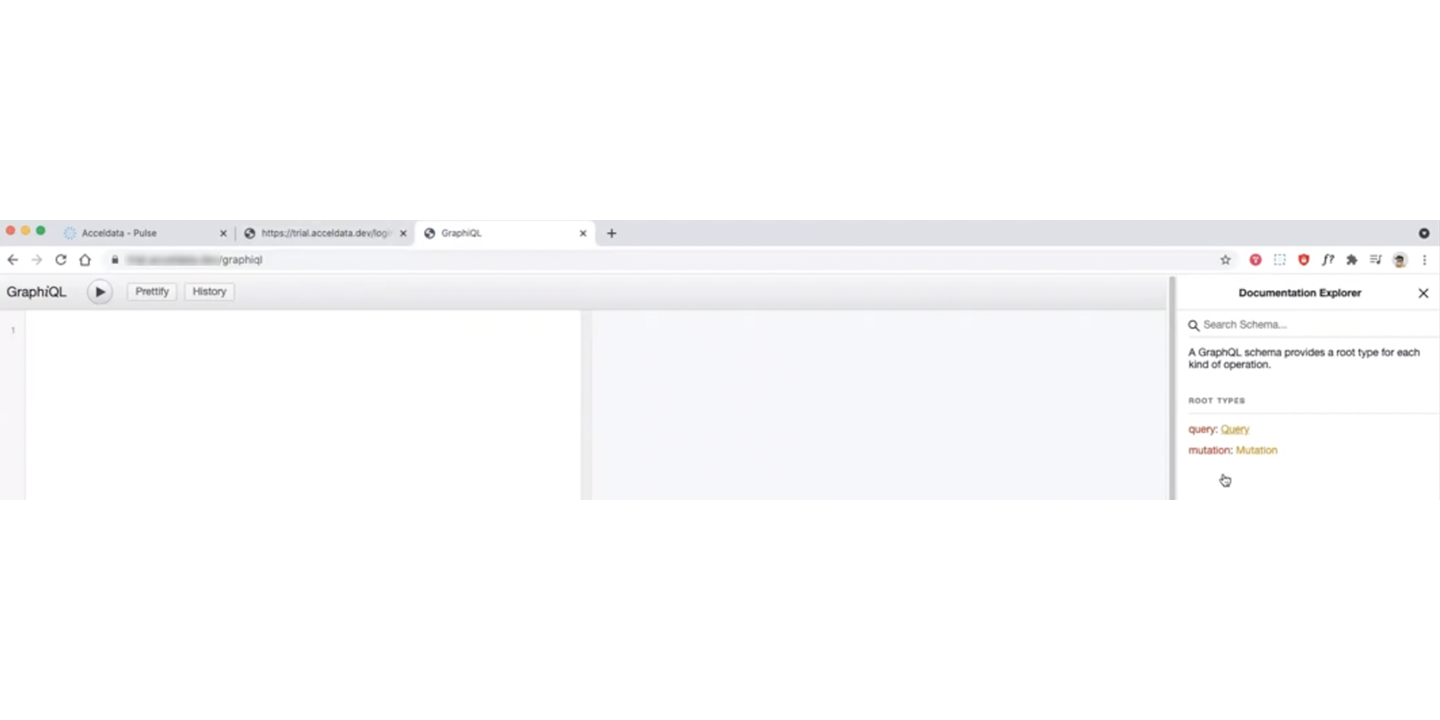
- Browse available queries using the Documentation Explorer panel on the right.
- Use the Search Schema bar to find specific queries.
- Click Query to view all available API endpoints.
Verify Access
If authentication is successful, you can interact with the Pulse APIs using GraphQL queries.
- Keep your JWT token secure and avoid sharing it.
- Tokens expire periodically; refresh them as required.
- You can also use browser-based tools such as ModHeader or JWT Inspector to inject the token as a request header.
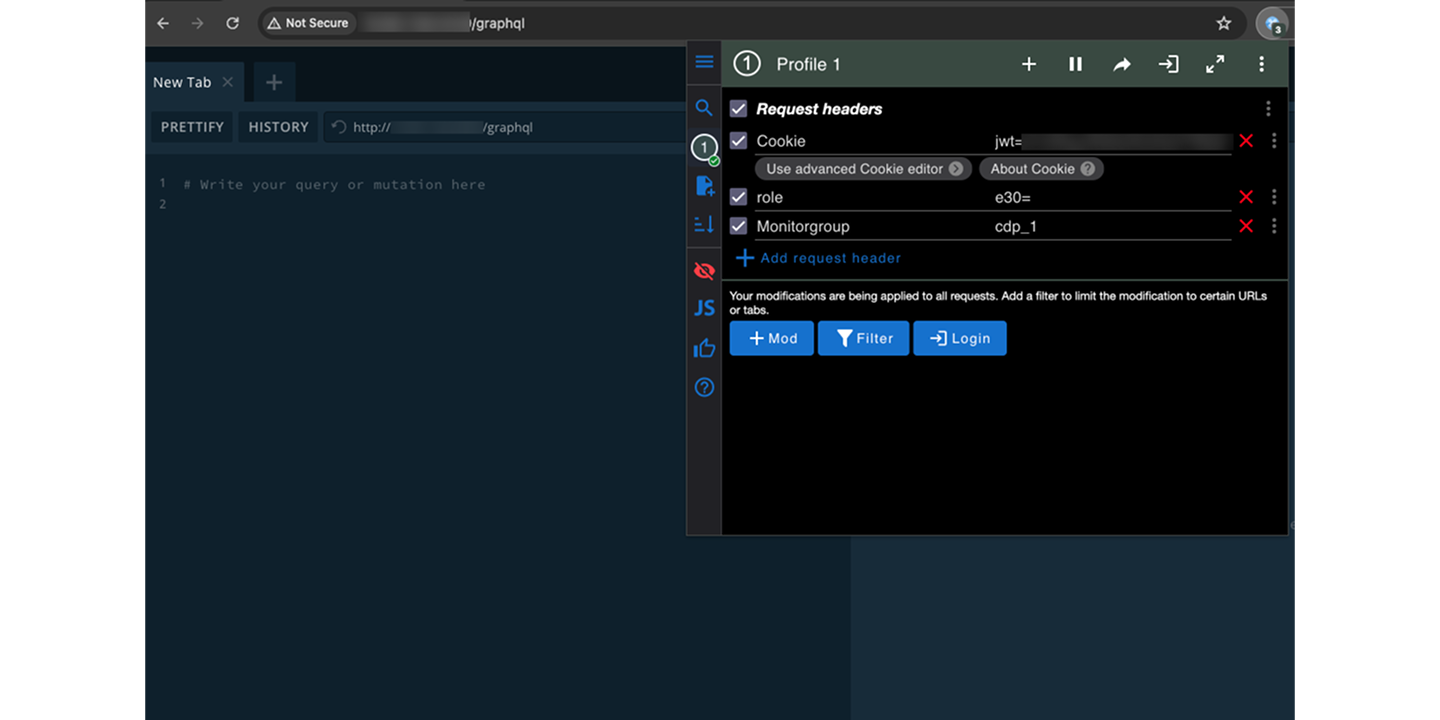
After adding or refreshing the JWT header, reload the page. The Documentation Explorer panel will appear.
Need Help?
If you encounter issues accessing the public APIs:
- Contact Acceldata Support at support@acceldata.io.
- Visit www.acceldata.force.com for assistance.