This document explains the details of the Event Definition window in Pipeline. The Event Definitions window displays a list of all events along with their details. The components of the Event Definitions window are as follows:
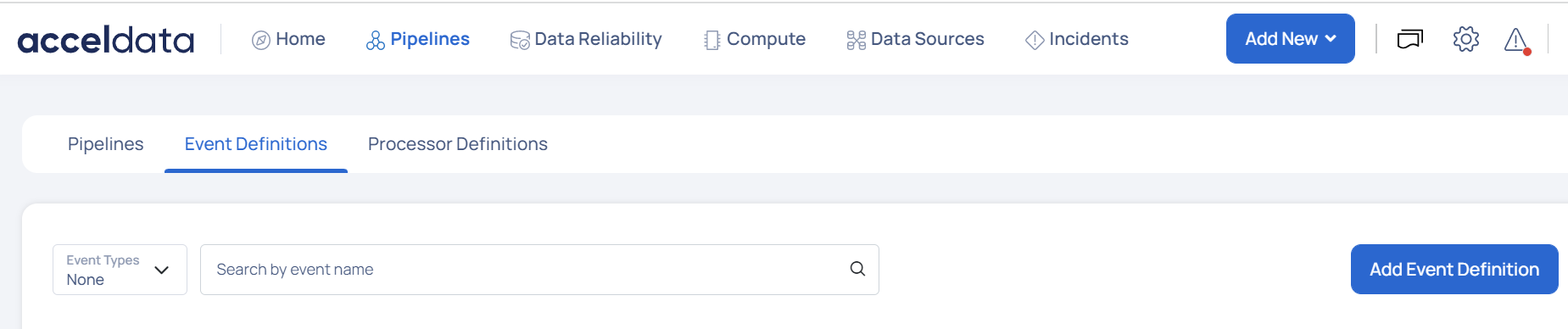
The following section describes the various components of the Event Definitions window:
Filter Panel
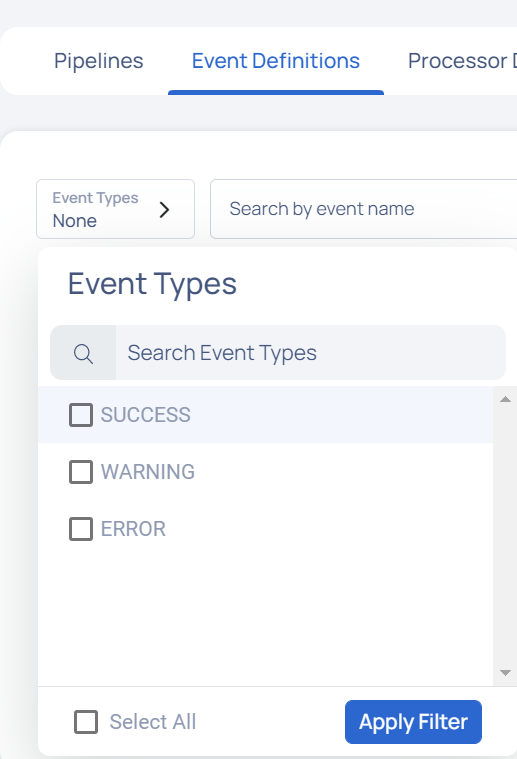
You can use the filter panel to filter events based on event status types. Torch has three event statuses; Success, Warning and Failure.
Search Bar
To search an event by its name, enter the event name in the search bar.
Event Definition List
Based on the filters added, a list of events is displayed. The following table describes the event details:
| Details | Description |
|---|---|
| Event Name | Name of the event. |
| Event UID | Displays the UID of the event. |
| Event Type | Displays the type of event i.e., SUCCESS, ERROR or WARNING. |
| Tags | Displays the tags associated with the event. |
| Updated At | Displays the date and time at which the event was last updated. |
| Action | Displays the |

Add Event Definition Button
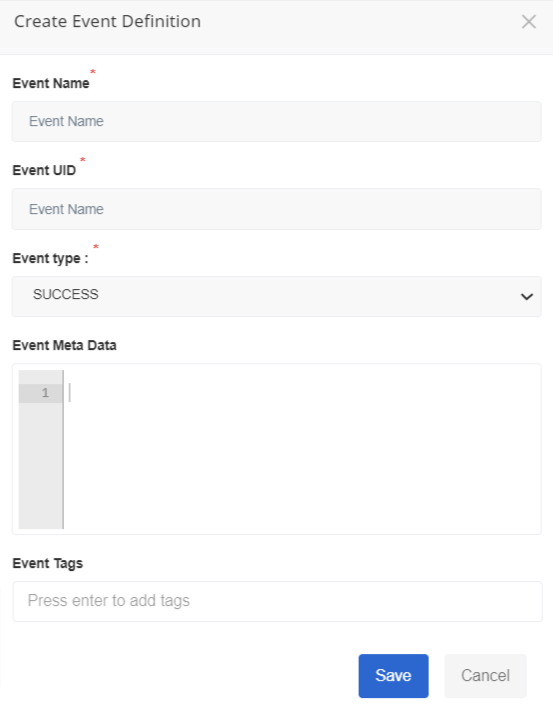
To add a new event click on Add Event Definition. The Create Event Definition wizard pops-up. Enter the following details to create a new event definition:
- Event Name: Name for the event
- Event UID: Unique Identifier for the event
- Event Type: Type of event i.e., SUCCESS, ERROR or WARNING
- Event Meta Data: Meta data describing the event
- Event Tags: Add tags to the event.
Click the Save button to save the event, else click Cancel.