
Explanation (Core Concepts)
What is an HDFS Fileset Catalog?
An HDFS fileset catalog registers a Hadoop Distributed File System location in xStore as a governed fileset catalog. After onboarding, you create schemas and filesets that point at HDFS paths, and linked compute engines read/write them. This guide covers the HDFS-specific backend (Kerberos + config files); the shared steps live in Fileset Catalogs.
This guide is written for the Platform Administrator. It assumes a running xStore (xstore-demo-doc-cluster) with a metalake (demometalake).
Security note: All screenshots mask the namenode host and Kerberos principal. Uploaded files show only their filenames (the keytab and config contents are never displayed).
Key Concepts
New to xStore catalogs? See Fileset Catalogs — Core Concepts for the shared model and the create-schema / create-fileset steps.
Concepts specific to HDFS:
Location: HDFS root,
hdfs://namenode:8020/path.Authentication: Simple (non-Kerberos) or Kerberos — a Kerberos Principal + uploaded keytab.
Configuration files: upload
core-site.xml,hdfs-site.xml, andkrb5.confso the dataplane uses your cluster's HDFS and Kerberos settings.Host aliases (cluster-level): the config files reference namenode/datanode hostnames. For the xStore pods to resolve them, add the IP→hostname host aliases on the xStore cluster's Network Settings — this is configured on the cluster, not in the catalog wizard.
Tutorial (Getting Started)
Prerequisites
A running xStore cluster and a metalake.
An HDFS cluster reachable from xStore; the namenode URL (e.g.
hdfs://namenode:8020).For Kerberos: a principal, its keytab, and the cluster's
core-site.xml,hdfs-site.xml, andkrb5.conf.Host aliases for the namenode/datanode hostnames added to the xStore cluster's Network Settings.
Administrative permissions on the xDP platform.
Minimum HDFS permissions
Access is enforced by HDFS (and Ranger, if deployed) for the Kerberos principal the catalog authenticates as (and, because compute queries run as the per-user identity, the principal those users map to). References: Apache Ranger · HDFS Permissions Guide.
Read-only:
r-xon the directory tree (read + traverse) andr--on the files you expose.Read-write:
rwxon the target directories andrw-on files (create / write / delete).The Kerberos principal must exist in the KDC and the keytab must be valid.
Prefer HDFS ACLs or a Ranger HDFS policy scoped to the principal over broad permission bits.
Steps
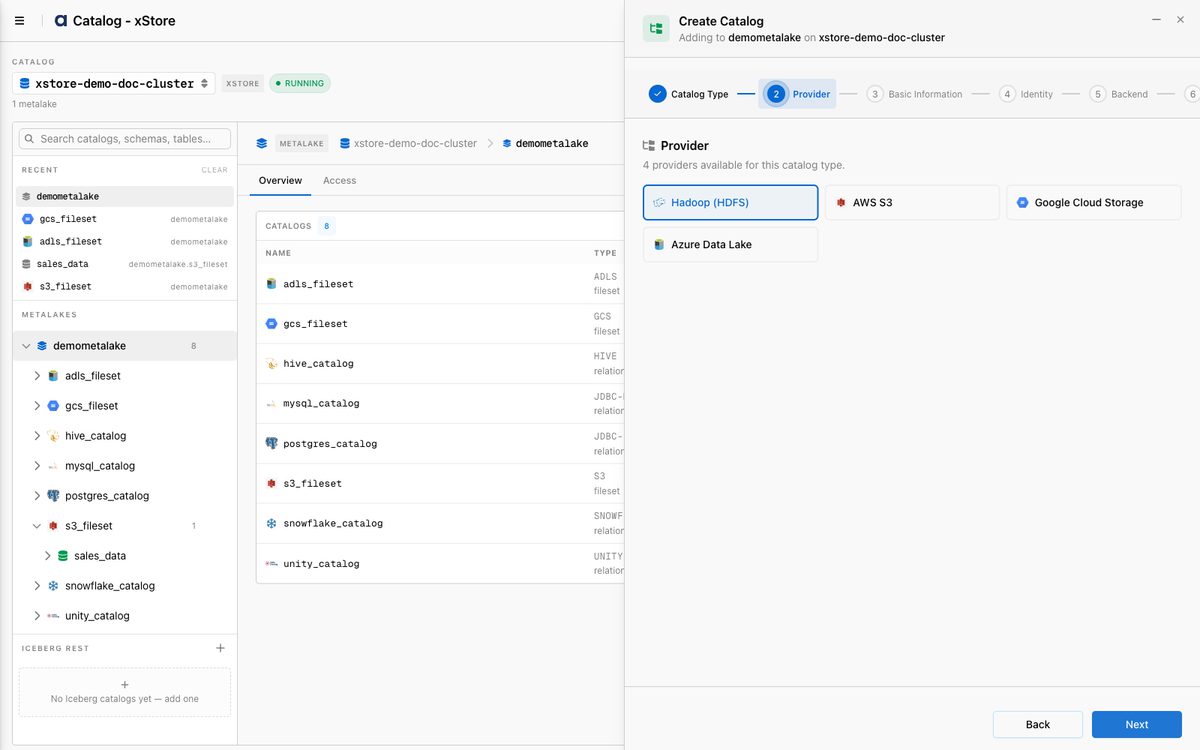
Follow the shared Create a Fileset Catalog wizard. Select Fileset → Hadoop (HDFS) as the provider:
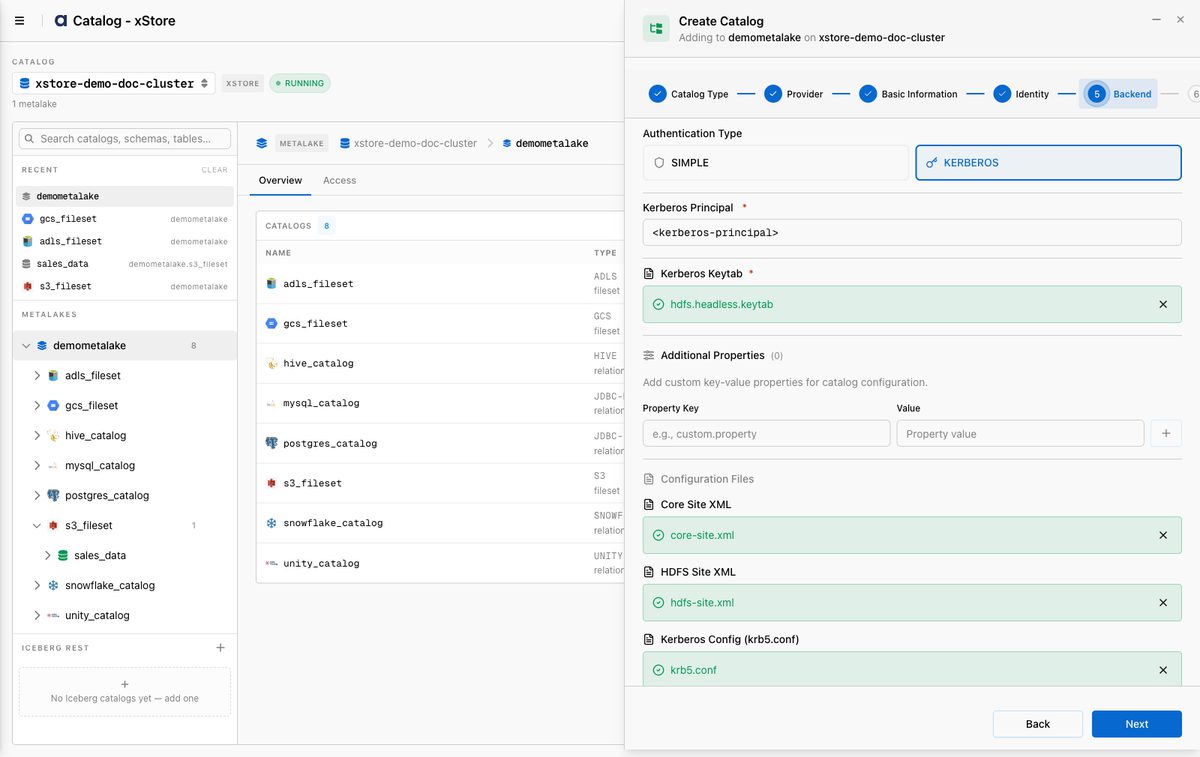
At the Backend step:
Location:
hdfs://<namenode>:8020/Authentication Type: KERBEROS
Kerberos Principal: e.g.
<principal>@<REALM>(masked below)Kerberos Keytab: upload the
.keytabfileConfiguration Files: upload
core-site.xml,hdfs-site.xml, andkrb5.conf
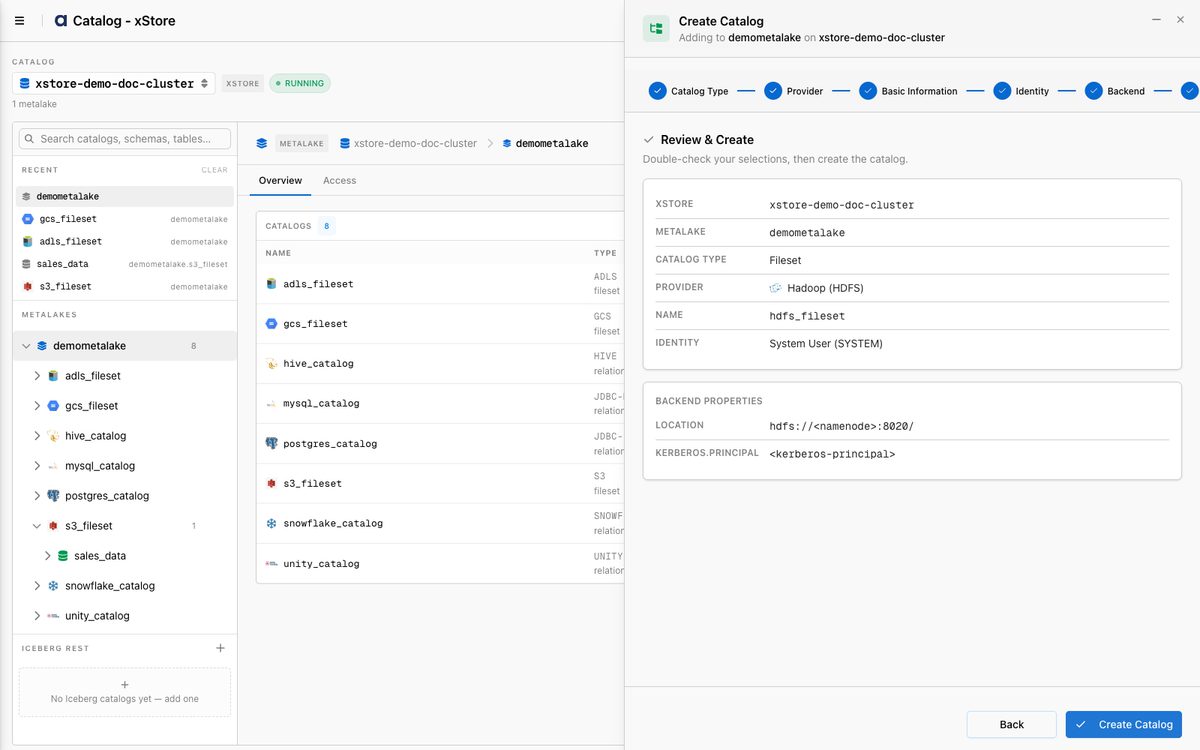
Review the summary (host and principal masked) and click Create Catalog:
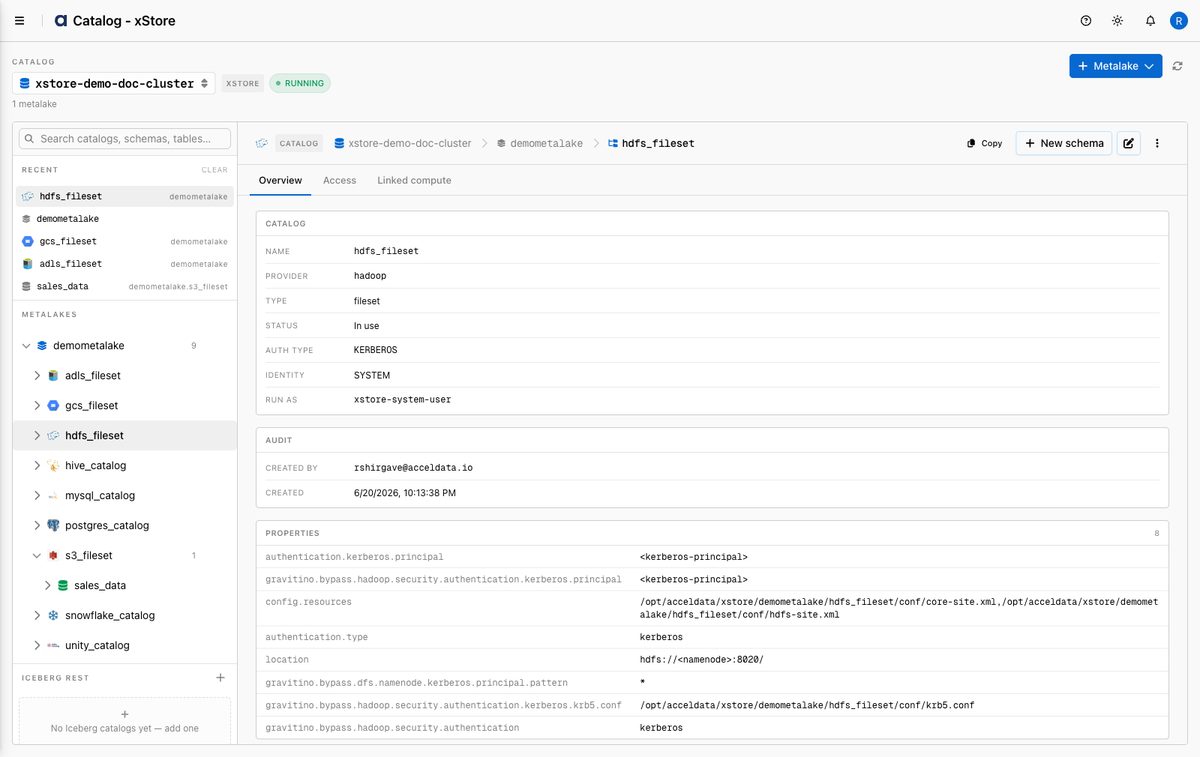
The catalog is created as a hadoop / fileset catalog with Kerberos authentication:
Then create a schema and filesets as described in Fileset Catalogs.
Reference
Backend fields
Field | Required | Description |
|---|---|---|
Location | Yes | HDFS root, |
Authentication Type | Yes |
|
Kerberos Principal | Kerberos | Principal xStore authenticates as, e.g. |
Kerberos Keytab | Kerberos | Uploaded |
Core Site XML | No | Uploaded |
HDFS Site XML | No | Uploaded |
Kerberos Config (krb5.conf) | Kerberos | Uploaded |
Minimum permissions
Mode | HDFS access (for the principal) |
|---|---|
Read-only |
|
Read-write |
|
Best Practices
Set host aliases on the cluster for every namenode/datanode hostname your config files reference, or HDFS connectivity will fail to resolve.
Scope HDFS/Ranger access to the directories you expose, for the catalog's principal.
Protect the keytab — xDP stores it as a secret file; never share it.
What's Next
Create schemas and filesets — see Fileset Catalogs.
Link an xCompute cluster so Spark/Trino can read/write the filesets.