
Leverage HDFS as Deep Storage for Real-Time Tables
Configure Hadoop Filesystem Settings
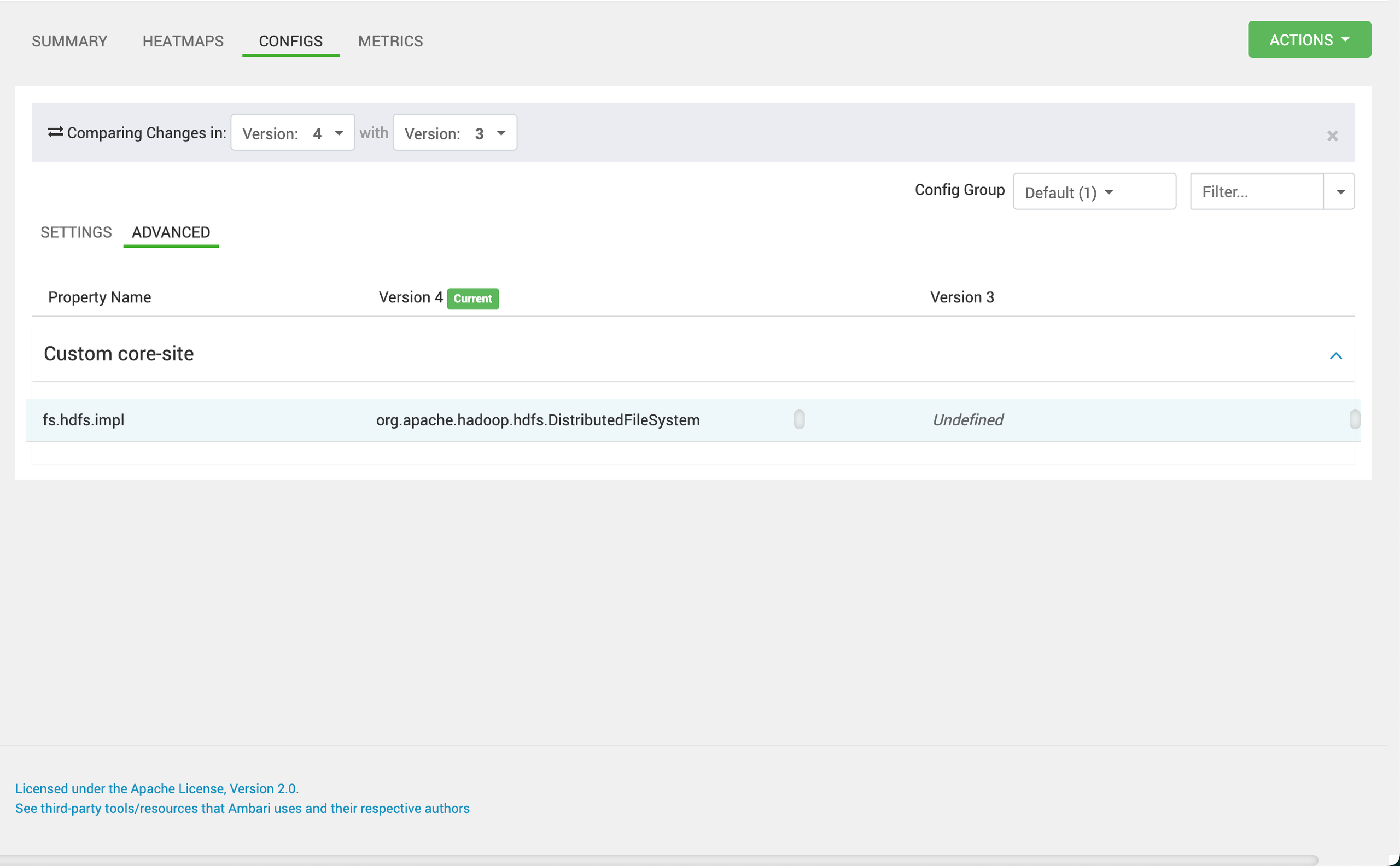
Ensure that the core-site.xmlhdfs-site.xml
fs.hdfs.impl=org.apache.hadoop.hdfs.DistributedFileSystem
Update Pinot Controller Configuration
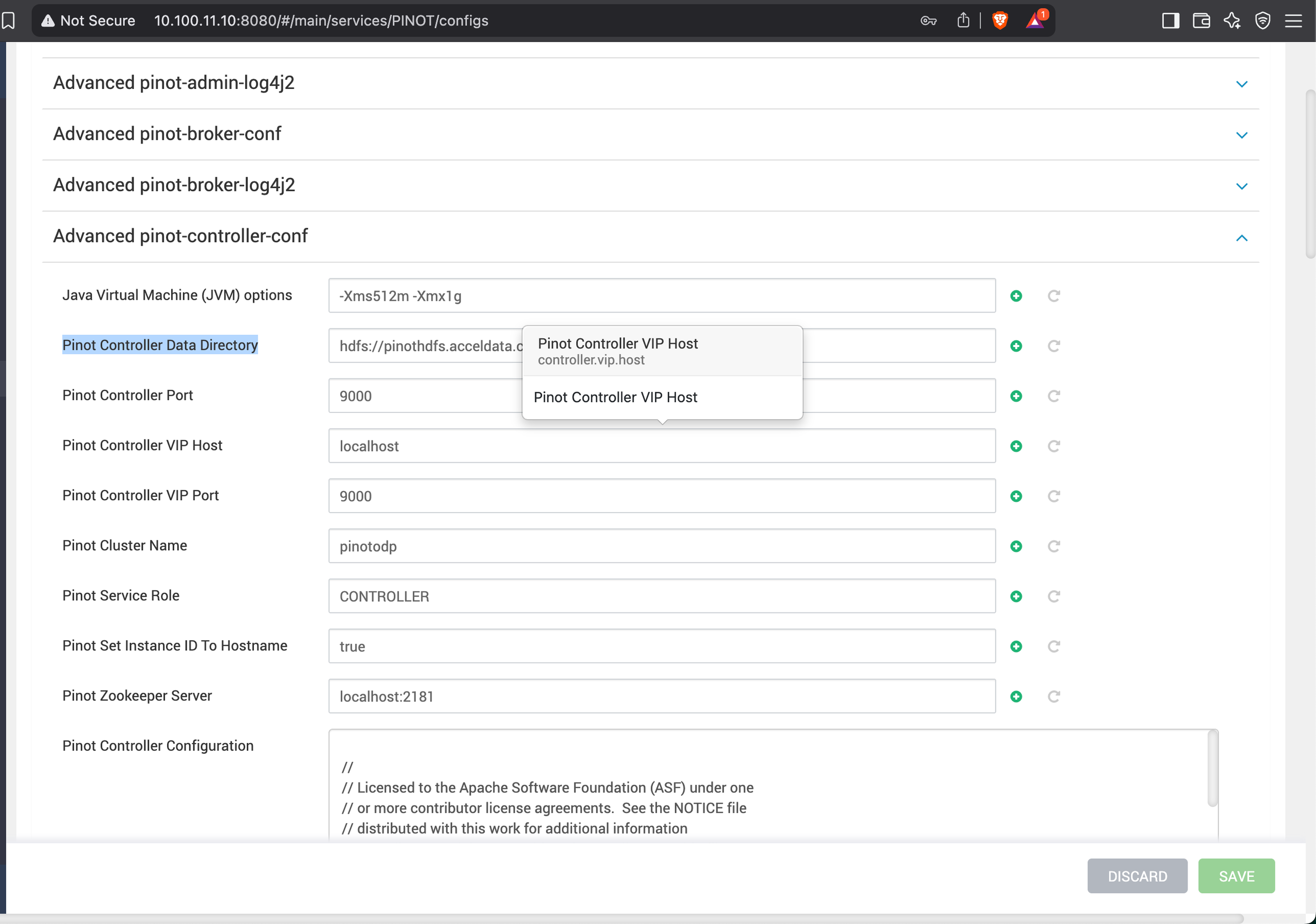
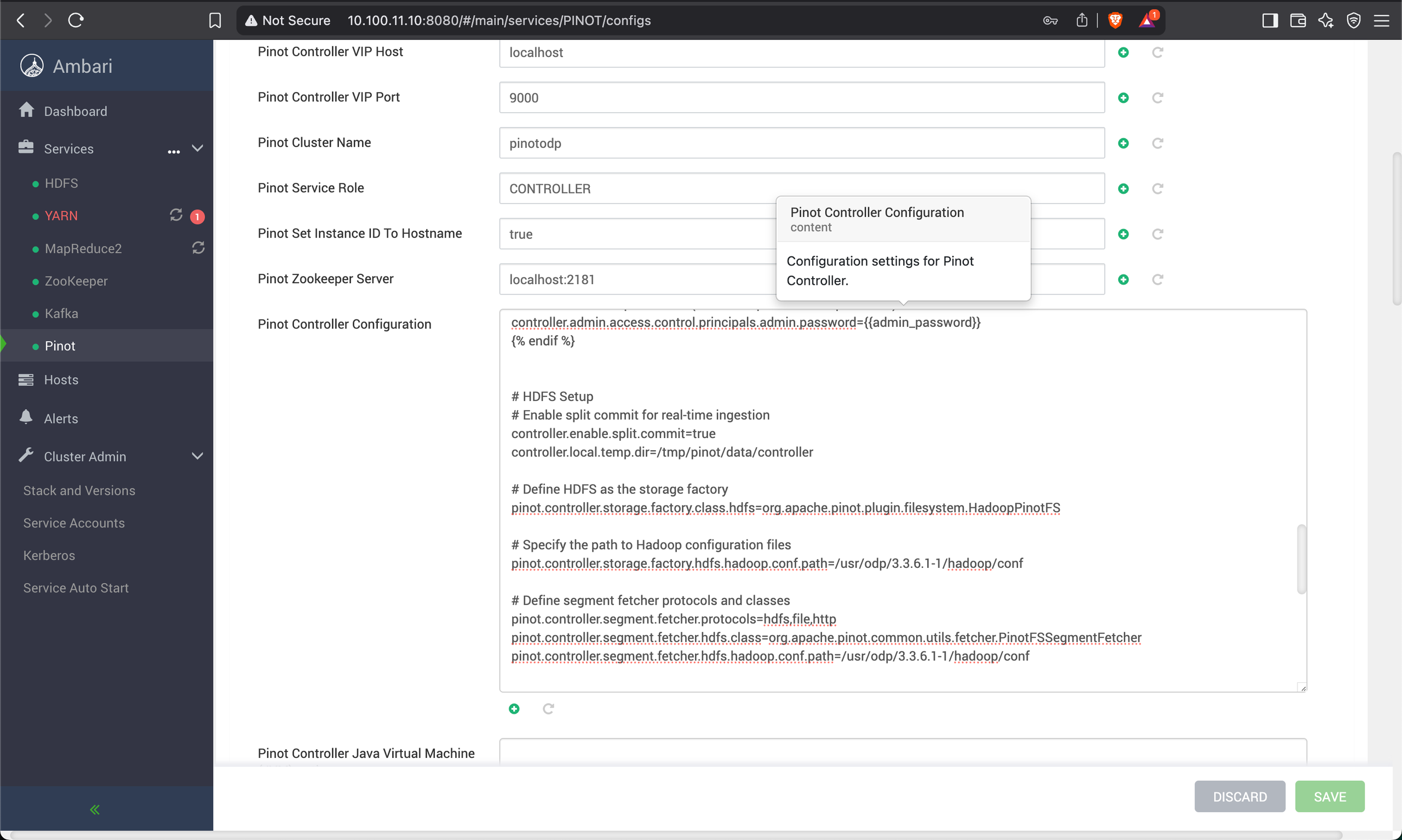
Modify the controller.conf
Pinot Controller Data Directory=hdfs://pinothdfs.acceldata.ce/pinot/segments
# HDFS Setup
# Enable split commit for real-time ingestion
controller.enable.split.commit=true
controller.local.temp.dir=/tmp/pinot/data/controller

# Define HDFS as the storage factory
pinot.controller.storage.factory.class.hdfs=org.apache.pinot.plugin.filesystem.HadoopPinotFS

# Specify the path to Hadoop configuration files
pinot.controller.storage.factory.hdfs.hadoop.conf.path=/usr/odp/3.3.6.2-1/hadoop/conf

# Define segment fetcher protocols and classes
pinot.controller.segment.fetcher.protocols=hdfs,file,http
pinot.controller.segment.fetcher.hdfs.class=org.apache.pinot.common.utils.fetcher.PinotFSSegmentFetcher
pinot.controller.segment.fetcher.hdfs.hadoop.conf.path=/usr/odp/3.3.6.2-1/hadoop/conf
Update Pinot Server Configuration
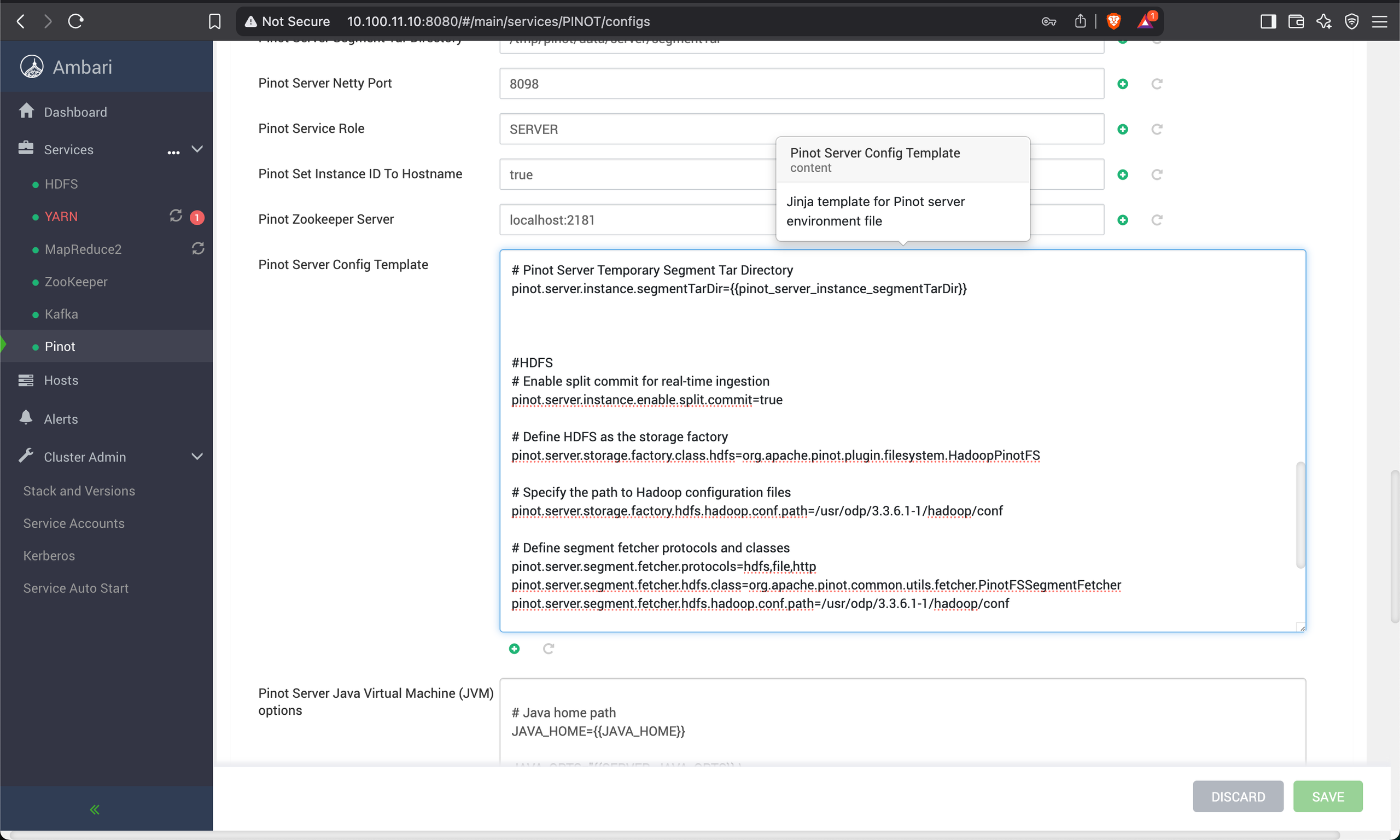
Modify the server.conf
#HDFS
# Enable split commit for real-time ingestion
pinot.server.instance.enable.split.commit=true
# Define HDFS as the storage factory
pinot.server.storage.factory.class.hdfs=org.apache.pinot.plugin.filesystem.HadoopPinotFS

# Specify the path to Hadoop configuration files
pinot.server.storage.factory.hdfs.hadoop.conf.path=/usr/odp/3.3.6.2-1/hadoop/conf

# Define segment fetcher protocols and classes
pinot.server.segment.fetcher.protocols=hdfs,file,http
pinot.server.segment.fetcher.hdfs.class=org.apache.pinot.common.utils.fetcher.PinotFSSegmentFetcher
pinot.server.segment.fetcher.hdfs.hadoop.conf.path=/usr/odp/3.3.6.2-1/hadoop/conf
Restart HDFS and Pinot
Create real-time table for KAFKA- Define Pinot Schema.
Create a file /tmp/pinot/schema-stream.json.
{
 "schemaName": "eventsnew",
 "dimensionFieldSpecs": [
 { "name": "uuid", "dataType": "STRING" }
 ],
 "metricFieldSpecs": [
 { "name": "count", "dataType": "INT" }
 ],
 "dateTimeFieldSpecs": [{
 "name": "ts",
 "dataType": "TIMESTAMP",
 "format": "1:MILLISECONDS:EPOCH",
 "granularity": "1:MILLISECONDS"
 }]
}
Define Pinot Table Config
Create a file /tmp/pinot/table-config-stream.json.
Update the following in table-config-stream.json:
- Table and Schema Names.
stream.kafka.broker.list
{
 "tableName": "eventsnew",
 "tableType": "REALTIME",
 "segmentsConfig": {
 "timeColumnName": "ts",
 "schemaName": "eventsnew",
 "replicasPerPartition": "1"
 },
 "tenants": {},
 "tableIndexConfig": {
 "loadMode": "MMAP",
 "streamConfigs": {
 "streamType": "kafka",
 "stream.kafka.consumer.type": "lowlevel",
 "stream.kafka.topic.name": "events",
 "stream.kafka.decoder.class.name": "org.apache.pinot.plugin.stream.kafka.KafkaJSONMessageDecoder",
 "stream.kafka.consumer.factory.class.name": "org.apache.pinot.plugin.stream.kafka20.KafkaConsumerFactory",
 "stream.kafka.broker.list": "{hostname}or{IP}:6667",
 "realtime.segment.flush.threshold.rows": "0",
 "realtime.segment.flush.threshold.time": "1m",
 "realtime.segment.flush.threshold.segment.size": "50M",
 "stream.kafka.consumer.prop.auto.offset.reset": "smallest"
 }
 },
 "metadata": {
 "customConfigs": {}
 }
}
Create Pinot Schema and Table
Run the following command:
bin/pinot-admin.sh AddTable -schemaFile /tmp/pinot/schema-stream.json -tableConfigFile /tmp/pinot/table-config-stream.json -controllerHost {hostname}or{IP} -controllerPort 9000 -exec
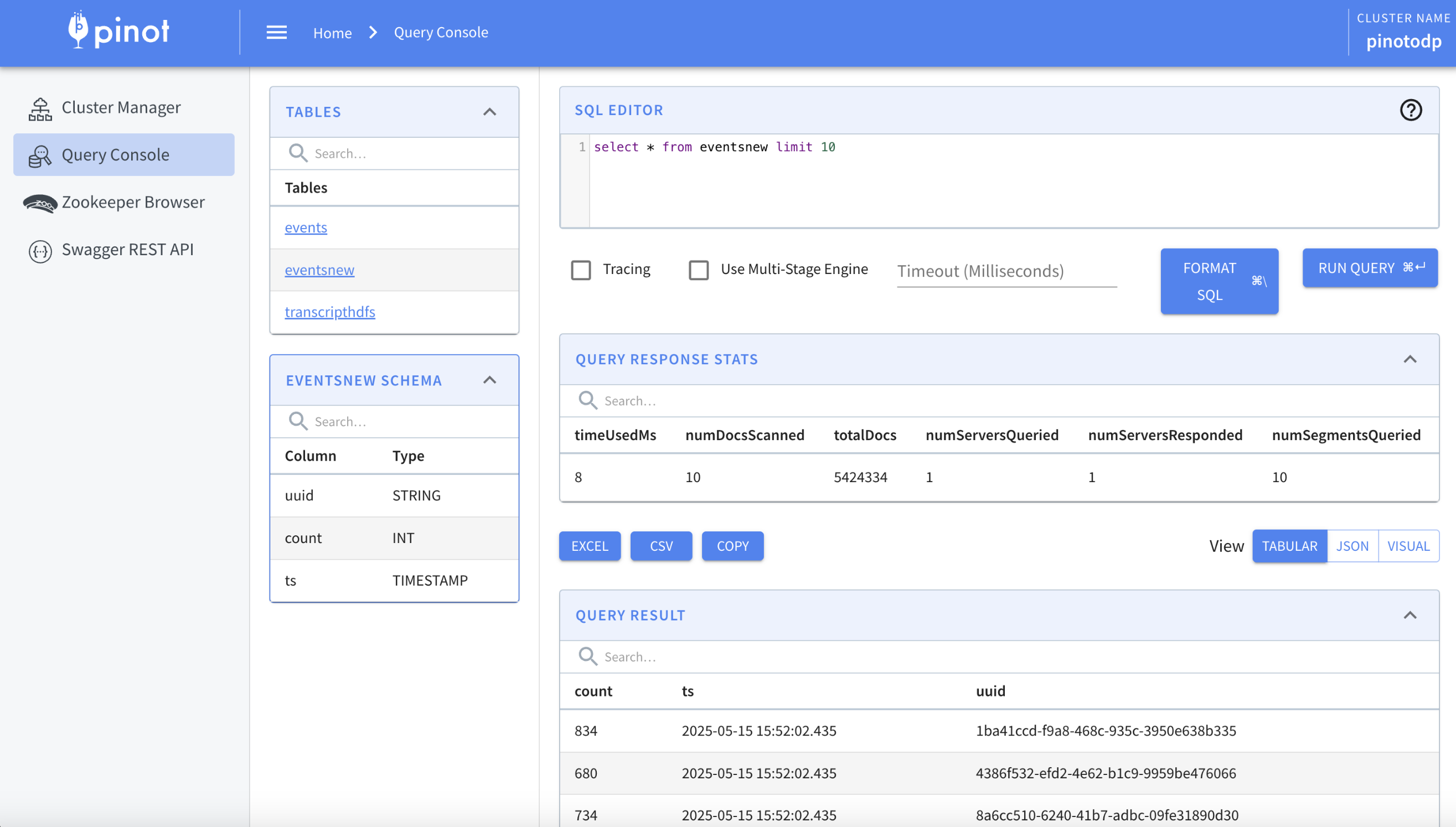
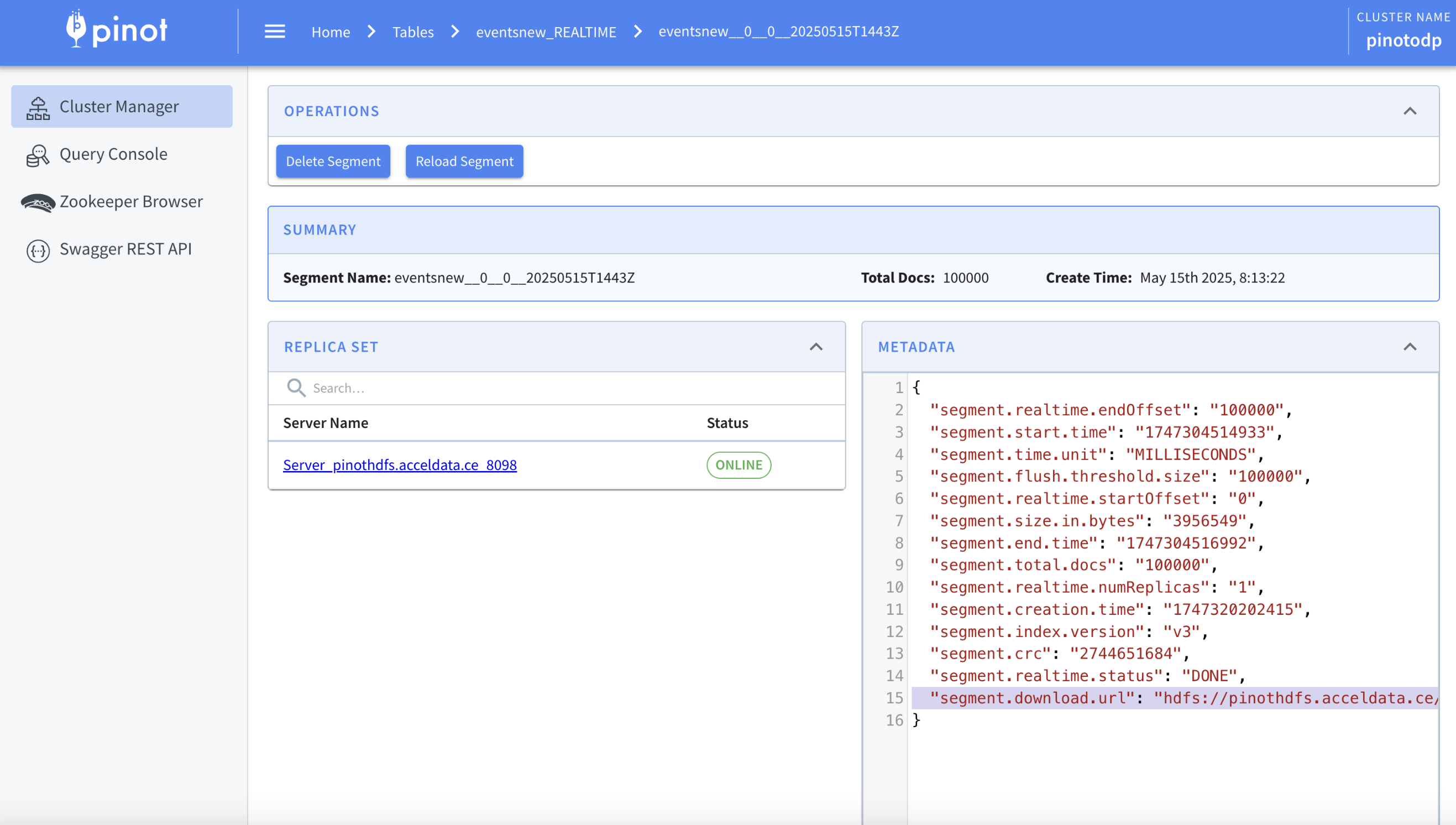
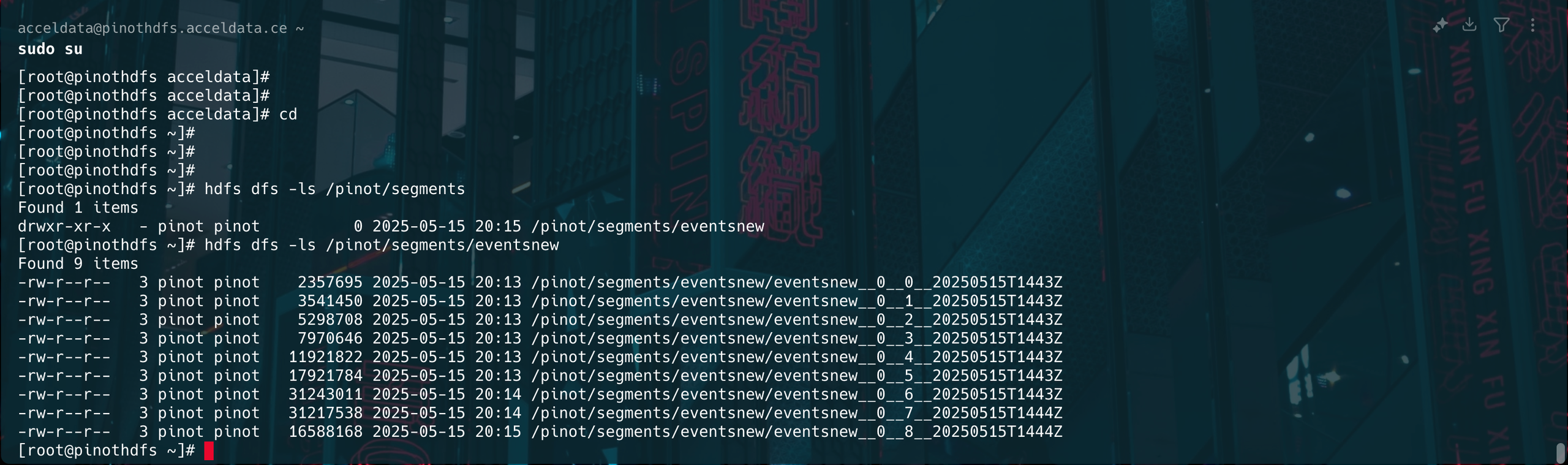
Verify the Segments on HDFS Path
The below image shows the segments of the HDFS path.
Have a suggestion?