
Upgrade: Known Issues
Finalize Upgrade Pre-Check” Step Fails During Stack Express Upgrade
Description: The “Finalize Upgrade Pre-Check” step may fail during stack express upgrade if Kafka add-ons (Cruise Control, Kafka Connect, Kafka MirrorMaker) are installed.
Workaround:
- Remove all Kafka add-ons before starting the upgrade.
- Proceed with the upgrade.
- Reinstall compatible Kafka add-ons after upgrade completion (if required).
Upgrade Service Configs Step Fails
- Workaround (Option 1): Run Ambari Upgrade Helper Script
git clone https://github.com/acceldata-io/ce-utils.git cd ce-utils cd ./odp-upgrade-to-3_3_6_3_1/ #
#Run pre-ambari upgrade script
bash ./upgrade_ambari_336.sh
- Workaround (Option 2): Select "Ignore and proceed."
Below instructions are applied for ODP-3.3.6.1-1 related upgrades
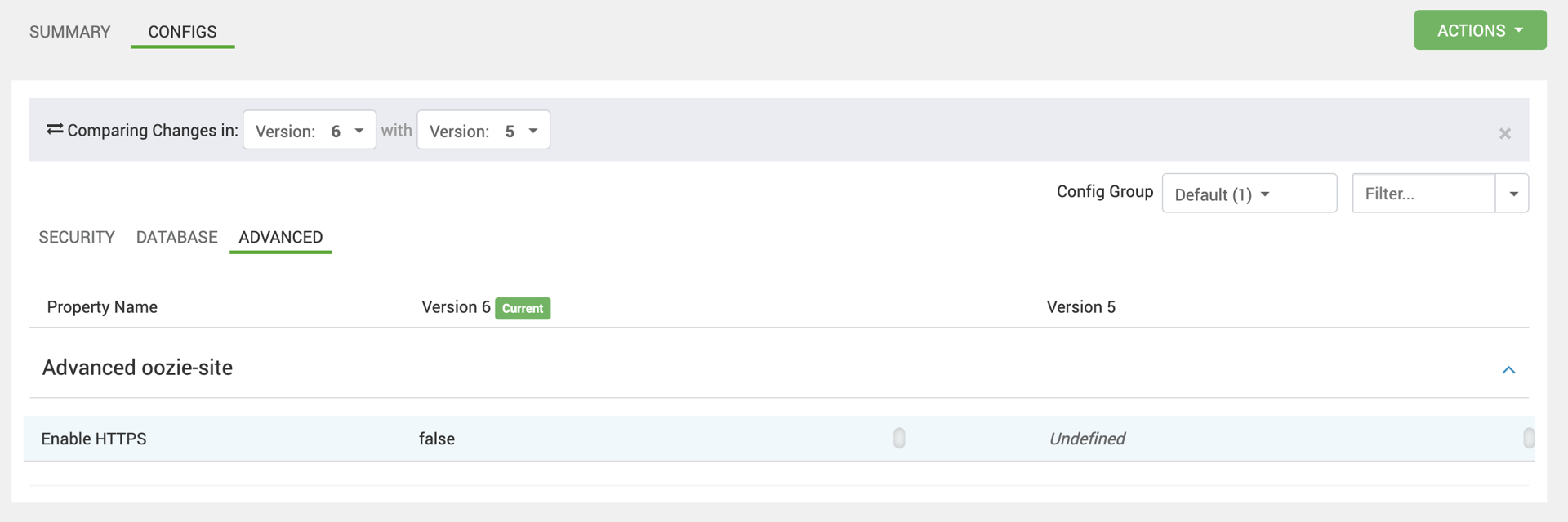
Oozie Restart Fails with “No Port in URL” for Non-SSL Clusters
- Stage: Post-Upgrade Validation / Service Restart
Error Observed:No Port in URL
- The configuration property
oozie.https.enabled - For existing non-SSL clusters, this property is missing, causing Oozie to fail during startup.
Workaround:
- In Ambari, navigate to Configs → Oozie → Custom oozie-site.
- Add the following property:
oozie.https.enabled = false
- Restart the Oozie service.
Druid Shuts Down After Ambari Upgrade to 3.0.0
Description: After upgrading Ambari to 3.0.0, the Druid service may shut down or fail to start.
Root Cause: The existing druid-env configuration is incompatible with Ambari 3.0.0. Required environment variables are missing or not exported correctly during service startup.
Workaround / Fix: Update Advanced → druid-env → druid-env template with the following content:
#!/bin/bash
 # Set DRUID specific environment variables here.
 # Define paths for the log files and heap dumps
 # The java implementation to use.
 export JAVA_HOME={{java8_home}}
 export PATH=$JAVA_HOME/bin:$PATH
 export DRUID_PID_DIR={{druid_pid_dir}}
 export DRUID_LOG_DIR={{druid_log_dir}}
 export DRUID_CONF_DIR={{druid_conf_dir}}
 export DRUID_LIB_DIR={{druid_home}}/lib
 export HADOOP_CONF_DIR={{hadoop_conf_dir}}
 ##export ssl password variables:
 export DRUID_CLIENT_HTTPS_TRUSTSTOREPASSWORD=`{{password_command}} -a "druid.client.https.trustStorePassword" `
 export DRUID_SERVER_HTTPS_KEYSTOREPASSWORD=`{{password_command}} -a "druid.server.https.keyStorePassword"`
 ##export metadata password variable:
 export DRUID_METADATA_STORAGE_CONNECTOR_PASSWORD=`{{password_command}} -a "druid.metadata.storage.connector.password"`
Have a suggestion?