
Search
Before starting the Ambari and ODP upgrade, ensure that all cluster services are healthy and functioning as expected.
Prerequisites
Before performing the backup, verify that you have access to the Ambari server and the required permissions to execute scripts.
Configuration backup
Clone the CE utilities repository:
git clone https://github.com/acceldata-io/ce-utils.git
Navigate to the ODP scripts directory and grant execute permission to the script.
cd ce-utils/ODP/scripts/
chmod +x config_backup_restore.sh
Run the configuration backup script.
./config_backup_restore.sh
Response
Usage: ./config_backup_restore.sh
Cluster Name: odp32332-exp
┌─────────────────────────────────────────────────┐
│ Select an option: │
├─────────────────────────────────────────────────┤
[1] 🔄 Backup individual service configurations │
[2] 🔄 Restore individual service configurations │
└─────────────────────────────────────────────────┘
Enter your choice [1-2]: 1
Choosen [1]
│ Backup Service Configurations │
└──────────────────────────────────────────────┘
1) 🎨 Hue
2) 🦌 Impala
3) ☕ Kafka
4) 🛡️ Ranger
5) 🔑 Ranger KMS
6) ⚡ Spark3
7) 🎛️ NiFi
8) 🏷️ NiFi Registry
9) 📜 Schema Registry
10) 📂 HTTPFS
11) 🐐 Kudu
12) 📓 Jupyter
13) 🦩 Flink
14) 🧙 Druid
15) 🌬️ Airflow
16) 🌍 Ozone
17) ☕ Kafka3
18) 🍷 Pinot
19) 🏦 ClickHouse
20) 🤖 MLflow
21) 🔄 All (Backup configurations of all services like Hue, Impala, Kafka, Ranger, Ranger KMS, NiFi, NiFi Registry, Schema Registry, HTTPFS, Kudu, Jupyter, Flink, Druid, Airflow, Ozone, Pinot, Kafka3, ClickHouse, MLflow)
Q) Quit
Enter your choice [1-22, Q]: 21
Choosen 'All':
The backup files are stored in the upgrade_backup/ directory under the current working directory.
Example:
ls -lrth upgrade_backup/
Response:
[root@expup01 scripts]# ls upgrade_backup/
admin-properties kudu-tablet-stable-advanced
airflow-admin-site kudu-unstable
airflow-api-site livy3-client-conf
airflow-atlas-site livy3-conf
airflow-celery-site livy3-env
airflow-cli-site livy3-log4j-properties
airflow-core-site livy3-spark-blacklist
airflow-dask-site llama-site
airflow-database-site log4j2
airflow-elasticsearch-site mlflow-conf
airflow-email-site nifi-ambari-config
airflow-env nifi-ambari-ssl-config
airflow-githubenterprise-site nifi-authorizers-env
airflow-hive-site nifi-bootstrap-env
airflow-kerberos-site nifi-bootstrap-notification-services-env
airflow-kubernetes_executor-site nifi-env
airflow-kubernetessecrets-site nifi-flow-env
airflow-kubernetes-site nifi-login-identity-providers-env
airflow-ldap-site nifi-properties
airflow-lineage-site nifi-registry-ambari-config
airflow-logging-site nifi-registry-ambari-ssl-config
airflow-mesos-site nifi-registry-authorizers-env
airflow-metrics-site nifi-registry-bootstrap-env
airflow-openlineage-site nifi-registry-env
airflow-operators-site nifi-registry-identity-providers-env
airflow-scheduler-site nifi-registry-logback-env
airflow-smtp-site nifi-registry-properties
airflow-webserver-site nifi-registry-providers-env
atlas-tagsync-ssl nifi-state-management-env
clickhouse-application ozone-core-site
clickhouse-client-config ozone-env
clickhouse-enable-keeper ozone-log4j-datanode
clickhouse-env ozone-log4j-om
clickhouse-keeper-config ozone-log4j-properties
clickhouse-macros ozone-log4j-recon
clickhouse-network-and-logging ozone-log4j-s3g
clickhouse-remote-servers ozone-log4j-scm
clickhouse-server-config ozone-site
clickhouse-use-keeper ozone-ssl-client
clickhouse-users pinot-admin-log4j2
cruise-control3 pinot-broker-conf
cruise-control3-capacity pinot-broker-log4j2
cruise-control3-capacityCores pinot-controller-conf
cruise-control3-capacityJBOD pinot-controller-log4j2
cruise-control3-clusterConfigs pinot-env
..
..
..
Backup Backend Databases
Before upgrading, create backups of all related service databases.
## for ambari
mysqldump --databases ambari > ambari_mysql_db_backup.sql
## for hive
mysqldump --databases hive > hive_mysql_db_backup.sql
## for oozie
mysqldump --databases oozie > oozie_mysql_db_backup.sql
## for ranger
mysqldump --databases ranger > ranger_mysql_db_backup.sql
## for rangerkms
mysqldump --databases rangerkms > rangerkms_mysql_db_backup.sql
## for druid
mysqldump --databases druid > druid_mysql_db_backup.sql
## for registry
mysqldump --databases registry > registry_mysql_db_backup.sql
Example:
[root@expup01 ODP-server_db_bckp]# ls -lrth
total 64M
-rw-r--r-- 1 root root 56M Nov 4 12:15 ambari_mysql_db_backup.sql
-rw-r--r-- 1 root root 266K Nov 4 12:15 hive_mysql_db_backup.sql
-rw-r--r-- 1 root root 18K Nov 4 12:15 oozie_mysql_db_backup.sql
-rw-r--r-- 1 root root 8.6M Nov 4 12:15 ranger_mysql_db_backup.sql
-rw-r--r-- 1 root root 5.6K Nov 4 12:15 rangerkms_mysql_db_backup.sql
-rw-r--r-- 1 root root 11K Nov 4 12:16 druid_mysql_db_backup.sql
-rw-r--r-- 1 root root 777 Nov 4 12:16 nifi_mysql_db_backup.sql
-rw-r--r-- 1 root root 14K Nov 4 12:17 registry_mysql_db_backup.sql
Remove Mpack Services from Ambari
Info
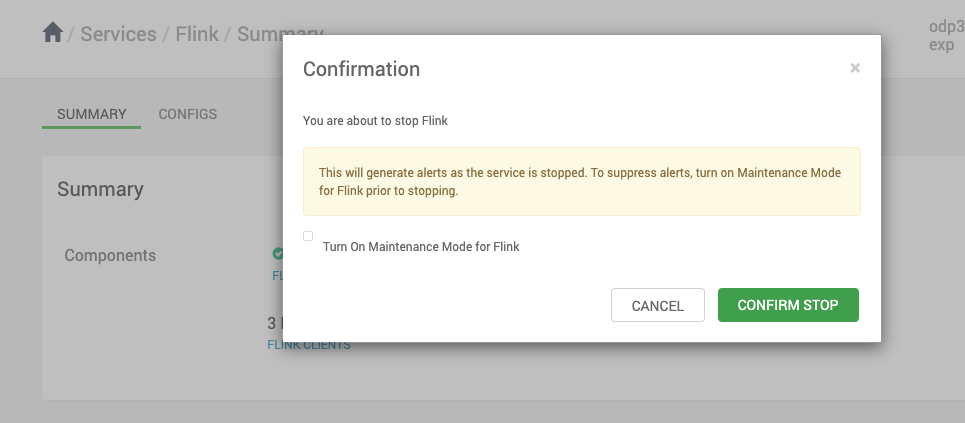
Ensure to stop and delete all Mpack services from Ambari before the upgrade.
Stop and Delete Mpack Services
Was this page helpful?