Backup Mpack Configuration

Before starting the Ambari and ODP upgrade, ensure that all cluster services are healthy and functioning as expected.

Prerequisites

Before performing the backup, verify that you have access to the Ambari server and the required permissions to execute scripts.

Configuration backup

  1. Clone the CE utilities repository:

git clone https://github.com/acceldata-io/ce-utils.git
  1. Navigate to the ODP scripts directory and grant execute permission to the script.

cd ce-utils/ODP/scripts/ chmod +x config_backup_restore.sh
  1. Run the configuration backup script.

./config_backup_restore.sh

Response

Usage: ./config_backup_restore.sh Cluster Name: odp32332-exp ┌─────────────────────────────────────────────────┐ │ Select an option: │ ├─────────────────────────────────────────────────┤ [1] 🔄 Backup individual service configurations │ [2] 🔄 Restore individual service configurations │ └─────────────────────────────────────────────────┘ Enter your choice [1-2]: 1

Choosen [1]

│ Backup Service Configurations │ └──────────────────────────────────────────────┘ 1) 🎨 Hue 2) 🦌 Impala 3) ☕ Kafka 4) 🛡️ Ranger 5) 🔑 Ranger KMS 6) ⚡ Spark3 7) 🎛️ NiFi 8) 🏷️ NiFi Registry 9) 📜 Schema Registry 10) 📂 HTTPFS 11) 🐐 Kudu 12) 📓 Jupyter 13) 🦩 Flink 14) 🧙 Druid 15) 🌬️ Airflow 16) 🌍 Ozone 17) ☕ Kafka3 18) 🍷 Pinot 19) 🏦 ClickHouse 20) 🤖 MLflow 21) 🔄 All (Backup configurations of all services like Hue, Impala, Kafka, Ranger, Ranger KMS, NiFi, NiFi Registry, Schema Registry, HTTPFS, Kudu, Jupyter, Flink, Druid, Airflow, Ozone, Pinot, Kafka3, ClickHouse, MLflow) Q) Quit Enter your choice [1-22, Q]: 21

Choosen 'All':

The backup files are stored in the upgrade_backup/ directory under the current working directory.

Example:

ls -lrth upgrade_backup/

Response:

[root@expup01 scripts]# ls upgrade_backup/ admin-properties kudu-tablet-stable-advanced airflow-admin-site kudu-unstable airflow-api-site livy3-client-conf airflow-atlas-site livy3-conf airflow-celery-site livy3-env airflow-cli-site livy3-log4j-properties airflow-core-site livy3-spark-blacklist airflow-dask-site llama-site airflow-database-site log4j2 airflow-elasticsearch-site mlflow-conf airflow-email-site nifi-ambari-config airflow-env nifi-ambari-ssl-config airflow-githubenterprise-site nifi-authorizers-env airflow-hive-site nifi-bootstrap-env airflow-kerberos-site nifi-bootstrap-notification-services-env airflow-kubernetes_executor-site nifi-env airflow-kubernetessecrets-site nifi-flow-env airflow-kubernetes-site nifi-login-identity-providers-env airflow-ldap-site nifi-properties airflow-lineage-site nifi-registry-ambari-config airflow-logging-site nifi-registry-ambari-ssl-config airflow-mesos-site nifi-registry-authorizers-env airflow-metrics-site nifi-registry-bootstrap-env airflow-openlineage-site nifi-registry-env airflow-operators-site nifi-registry-identity-providers-env airflow-scheduler-site nifi-registry-logback-env airflow-smtp-site nifi-registry-properties airflow-webserver-site nifi-registry-providers-env atlas-tagsync-ssl nifi-state-management-env clickhouse-application ozone-core-site clickhouse-client-config ozone-env clickhouse-enable-keeper ozone-log4j-datanode clickhouse-env ozone-log4j-om clickhouse-keeper-config ozone-log4j-properties clickhouse-macros ozone-log4j-recon clickhouse-network-and-logging ozone-log4j-s3g clickhouse-remote-servers ozone-log4j-scm clickhouse-server-config ozone-site clickhouse-use-keeper ozone-ssl-client clickhouse-users pinot-admin-log4j2 cruise-control3 pinot-broker-conf cruise-control3-capacity pinot-broker-log4j2 cruise-control3-capacityCores pinot-controller-conf cruise-control3-capacityJBOD pinot-controller-log4j2 cruise-control3-clusterConfigs pinot-env .. .. ..

Backup Backend Databases

Before upgrading, create backups of all related service databases.

## for ambari mysqldump --databases ambari > ambari_mysql_db_backup.sql ## for hive mysqldump --databases hive > hive_mysql_db_backup.sql ## for oozie mysqldump --databases oozie > oozie_mysql_db_backup.sql ## for ranger mysqldump --databases ranger > ranger_mysql_db_backup.sql ## for rangerkms mysqldump --databases rangerkms > rangerkms_mysql_db_backup.sql ## for druid mysqldump --databases druid > druid_mysql_db_backup.sql ## for registry mysqldump --databases registry > registry_mysql_db_backup.sql

Example:

[root@expup01 ODP-server_db_bckp]# ls -lrth total 64M -rw-r--r-- 1 root root 56M Nov 4 12:15 ambari_mysql_db_backup.sql -rw-r--r-- 1 root root 266K Nov 4 12:15 hive_mysql_db_backup.sql -rw-r--r-- 1 root root 18K Nov 4 12:15 oozie_mysql_db_backup.sql -rw-r--r-- 1 root root 8.6M Nov 4 12:15 ranger_mysql_db_backup.sql -rw-r--r-- 1 root root 5.6K Nov 4 12:15 rangerkms_mysql_db_backup.sql -rw-r--r-- 1 root root 11K Nov 4 12:16 druid_mysql_db_backup.sql -rw-r--r-- 1 root root 777 Nov 4 12:16 nifi_mysql_db_backup.sql -rw-r--r-- 1 root root 14K Nov 4 12:17 registry_mysql_db_backup.sql

Remove Mpack Services from Ambari

Info

Ensure to stop and delete all Mpack services from Ambari before the upgrade.

Stop the Service

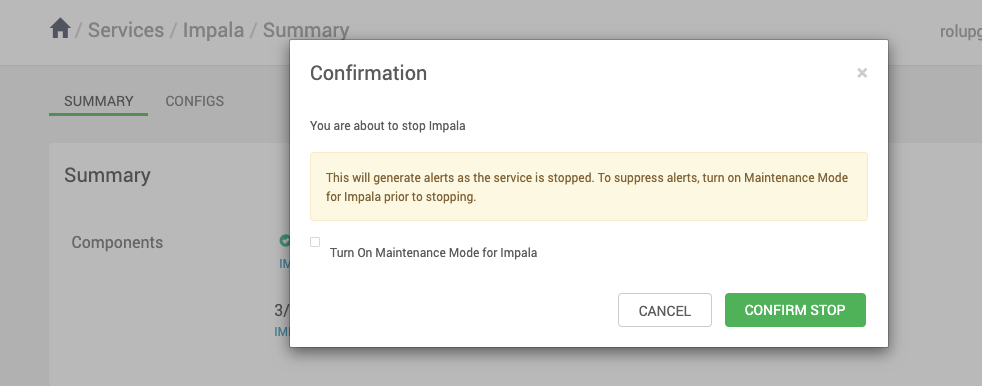
In the Ambari UI, select a service from the left pane, go to Actions, and click Stop.

Delete the Service

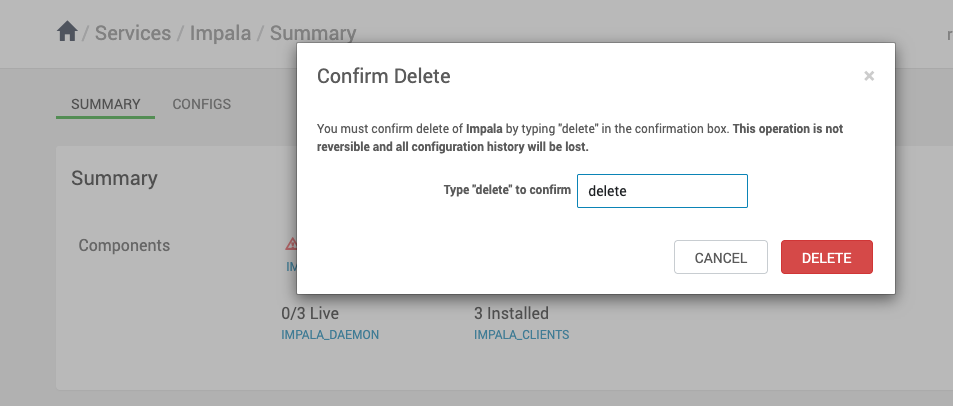
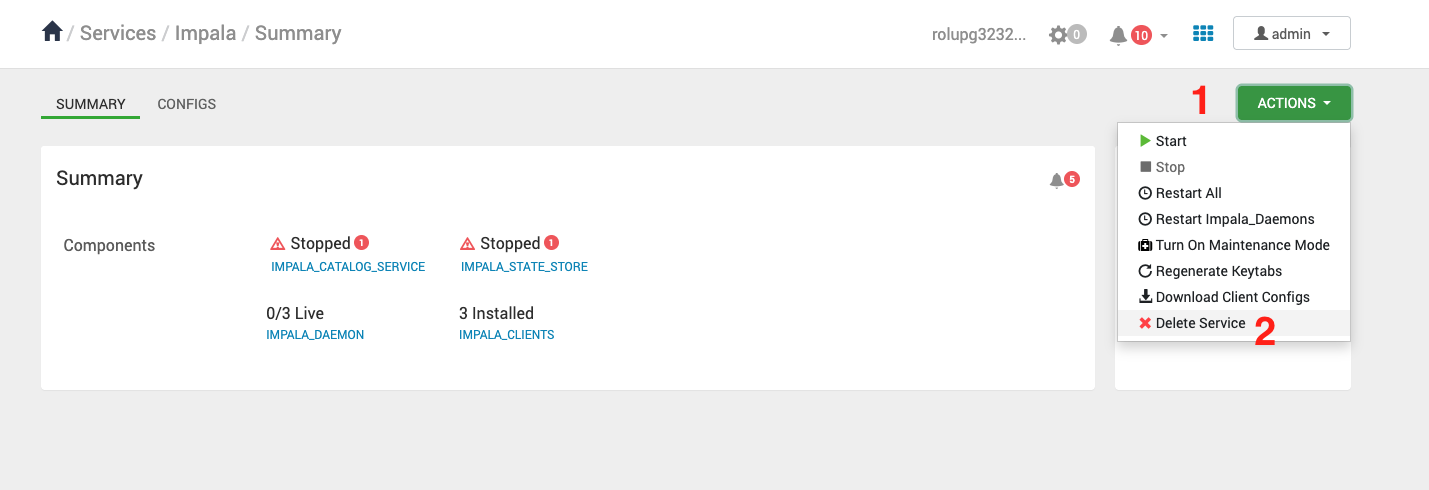
In the Ambari UI, select a service from the left pane, go to Actions, and click Delete Service.


  Last updated