Adding a New Node to the ODP Cluster

You can follow the steps below to add a new node to the ODP cluster.

Add the Amabri Repository

It must be the same as the existing cluster.

cat /etc/yum.repos.d/ambari.repo

[ambari] async = 1 baseurl = https://mirror.odp.acceldata.dev/AMBARI/RHEL/3.0.0.1-1/ gpgcheck = 0 name = ambari Version - ambari-3.0.0.1-1

Add Prerequisites

Make sure to meet the following prerequisites on each cluster node.

Make sure to link ODP on Hetzner.

  1. Configure the host file using the following command.

vim /etc/hosts
  1. Set the hostname using the following command.

hostnamectl set-hostname ce05.acceldata.dvl
  1. Run the command vim /etc/resolv.conf and configure as below.

search acceldata.dvl nameserver <ip-address>
  1. Run the command vim /etc/selinux/config and disable SELinux.

SELINUX=disabled

Install the Agent

yum clean all yum install ambari-agent* -y

Add the Server details to the Agent

vim /etc/ambari-agent/conf/ambari-agent.ini

[server] hostname=ce04.acceldata.dvl

Start the Agent

ambari-agent start ambari-agent status

<Running>

Install Java

yum install java-11*

Install Python

[root@ce16 ~]# python -V -bash: python: command not found
yum install python3.11 -y
update-alternatives --config python
[root@ce16 ~]# update-alternatives --config python There are 3 programs which provide 'python'. Selection Command ----------------------------------------------- * 1 /usr/libexec/no-python 2 /usr/bin/python3 + 3 /usr/bin/python3.11 Enter to keep the current selection[+], or type selection number: 3 Skip Users and Group creation

Skip Users and Group Creation

Follow from the Ambari server node:

Template:

/var/lib/ambari-server/resources/scripts/configs.py --unsafe --user=[user-name] --password=[password] --port=[PORT] --protocol=[http | https] --action=get --host=[Ambari-server-hostname-FQDN] --cluster=[CLUSTER_NAME] --config-type=cluster-env /var/lib/ambari-server/resources/scripts/configs.py --unsafe --user=[user-name] --password=[password] --port=[PORT] --protocol=[http | https] --action=set --host=[Ambari-server-hostname-FQDN] --cluster=[CLUSTER_NAME] --config-type=cluster-env --key=sysprep_skip_create_users_and_groups --value=false /var/lib/ambari-server/resources/scripts/configs.py --unsafe --user=[user-name] --password=[password] --port=[PORT] --protocol=[http | https] --action=set --host=[Ambari-server-hostname-FQDN] --cluster=[CLUSTER_NAME] --config-type=cluster-env --key=ignore_groupsusers_create --value=false

Example:

/var/lib/ambari-server/resources/scripts/configs.py --unsafe --user=admin --password=admin --port=8080 --protocol=http --action=get --host=ce04.acceldata.dvl --cluster=ODP_322_darth --config-type=cluster-env /var/lib/ambari-server/resources/scripts/configs.py --unsafe --user=admin --password=admin --port=8080 --protocol=http --action=set --host=ce04.acceldata.dvl --cluster=ODP_322_darth --config-type=cluster-env --key=sysprep_skip_create_users_and_groups --value=false /var/lib/ambari-server/resources/scripts/configs.py --unsafe --user=admin --password=admin --port=8080 --protocol=http --action=set --host=ce04.acceldata.dvl --cluster=ODP_322_darth --config-type=cluster-env --key=ignore_groupsusers_create --value=false

Response:

[root@ce04 resources]# /var/lib/ambari-server/resources/scripts/configs.py --unsafe --user=admin --password=admin --port=8080 --protocol=http --action=set --host=ce04.acceldata.dvl --cluster=ODP_322_darth --config-type=cluster-env --key=sysprep_skip_create_users_and_groups --value=false 2024-09-19 13:00:12,742 INFO ### Performing "set": 2024-09-19 13:00:12,742 INFO ### new property - "sysprep_skip_create_users_and_groups":"false" 2024-09-19 13:00:12,755 INFO ### on (Site:cluster-env, Tag:70e63be9-dc4e-4116-a2f7-58911eea52e5) 2024-09-19 13:00:12,762 INFO ### PUTting json into: doSet_version1726743612762815.json 2024-09-19 13:00:12,778 INFO ### NEW Site:cluster-env, Tag:version1726743612762815

and

[root@ce04 resources]# /var/lib/ambari-server/resources/scripts/configs.py --unsafe --user=admin --password=admin --port=8080 --protocol=http --action=set --host=ce04.acceldata.dvl --cluster=ODP_322_darth --config-type=cluster-env --key=ignore_groupsusers_create --value=false 2024-09-19 13:00:29,339 INFO ### Performing "set": 2024-09-19 13:00:29,339 INFO ### new property - "ignore_groupsusers_create":"false" 2024-09-19 13:00:29,351 INFO ### on (Site:cluster-env, Tag:70e63be9-dc4e-4116-a2f7-58911eea52e5) 2024-09-19 13:00:29,358 INFO ### PUTting json into: doSet_version1726743629358720.json 2024-09-19 13:00:29,368 INFO ### NEW Site:cluster-env, Tag:version1726743629358720

Install ODP Select manually on a New Host

Add the ODP-Repository

cat /etc/yum.repos.d/ambari-odp-1.repo

[ODP-3.6-repo-1] name=ODP-3.6-repo-1 baseurl=https://mirror.odp.acceldata.dev/ODP/centos/3.3.6.3-1/ path=/ enabled=1 gpgcheck=0 [ODP-UTILS-1.1.0.22-repo-1] name=ODP-UTILS-1.1.0.22-repo-1 baseurl=https://mirror.odp.acceldata.dev/ODP/centos/ODP-UTILS-1.1.0.22/rhel8/9/ path=/ enabled=1

Install the ODP-Select

yum install odp-select* -y

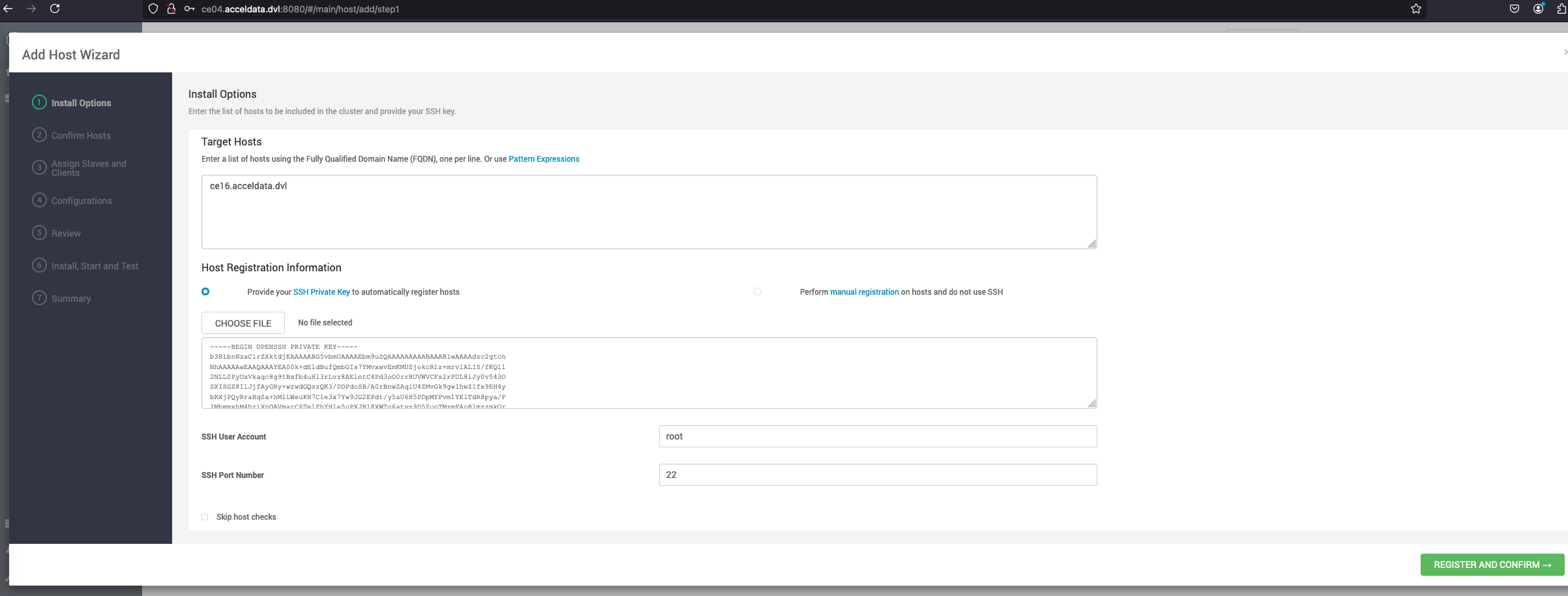
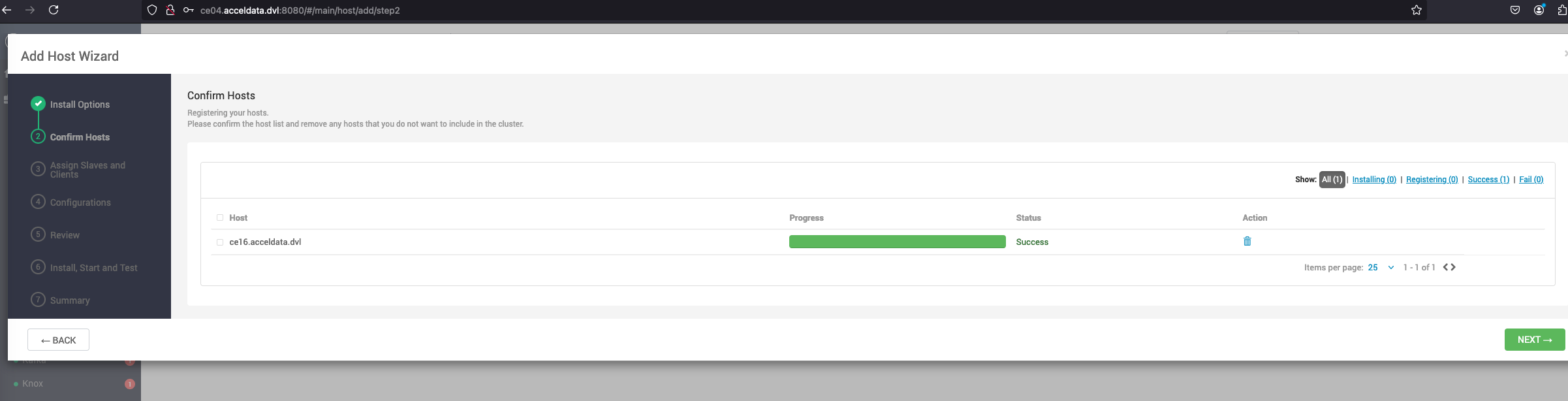
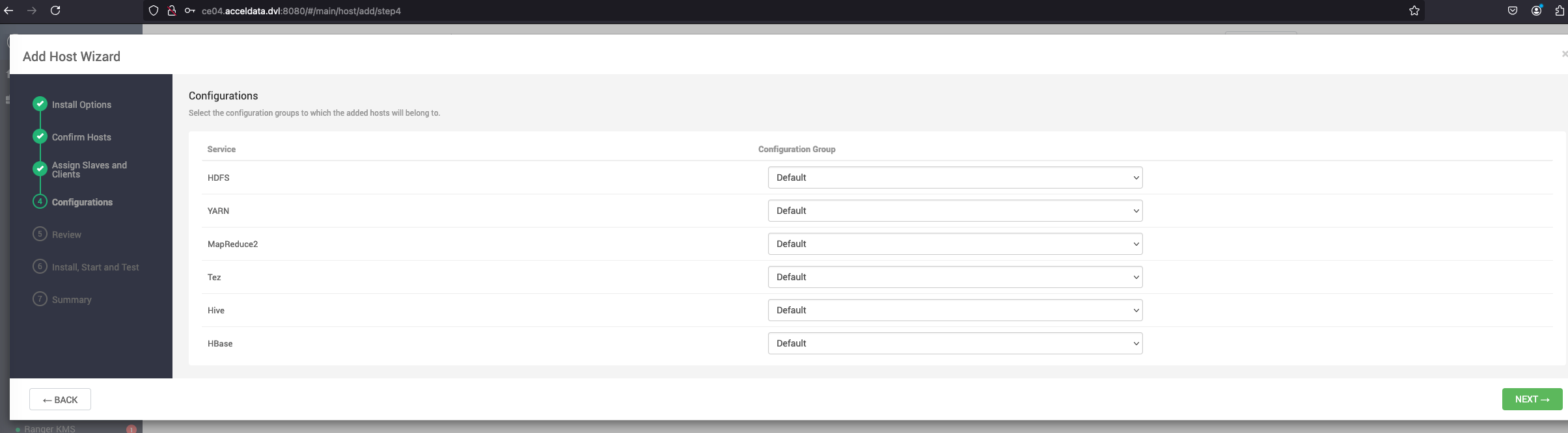
Add an Agent from the Amabri UI


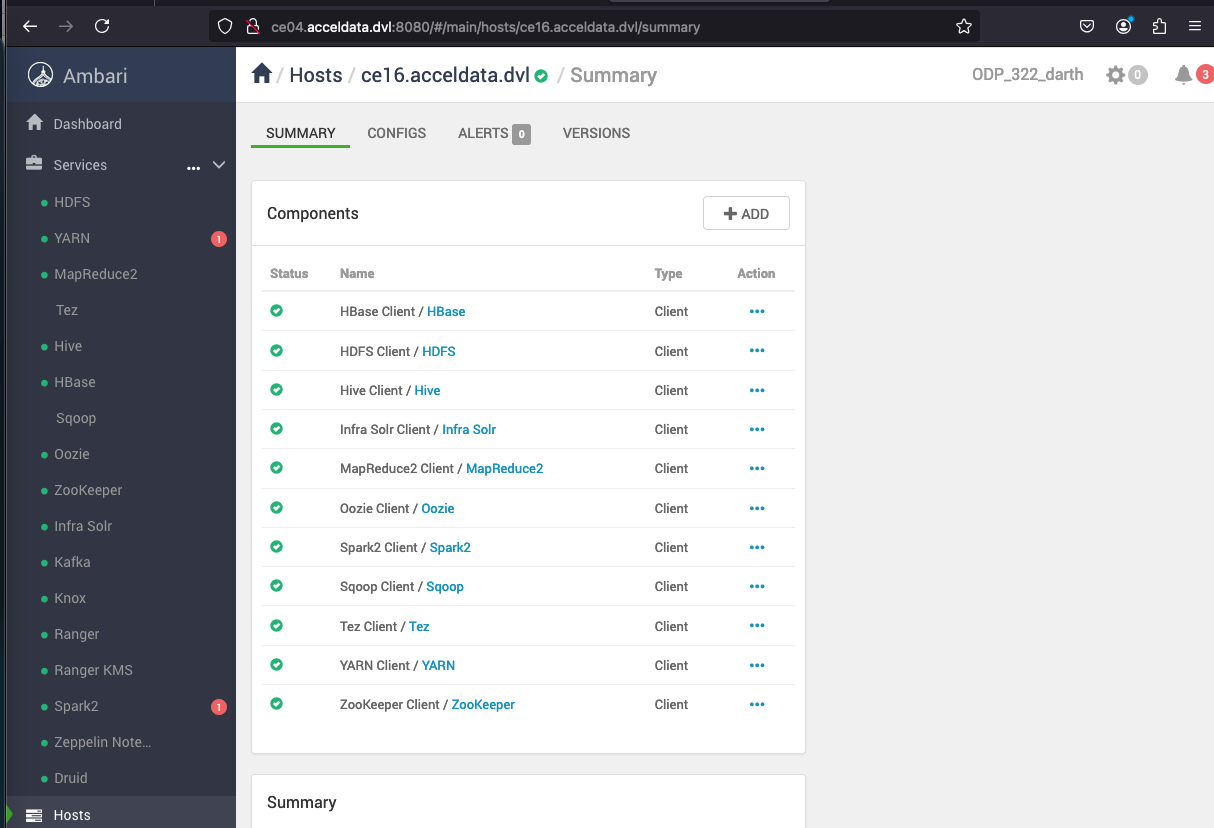
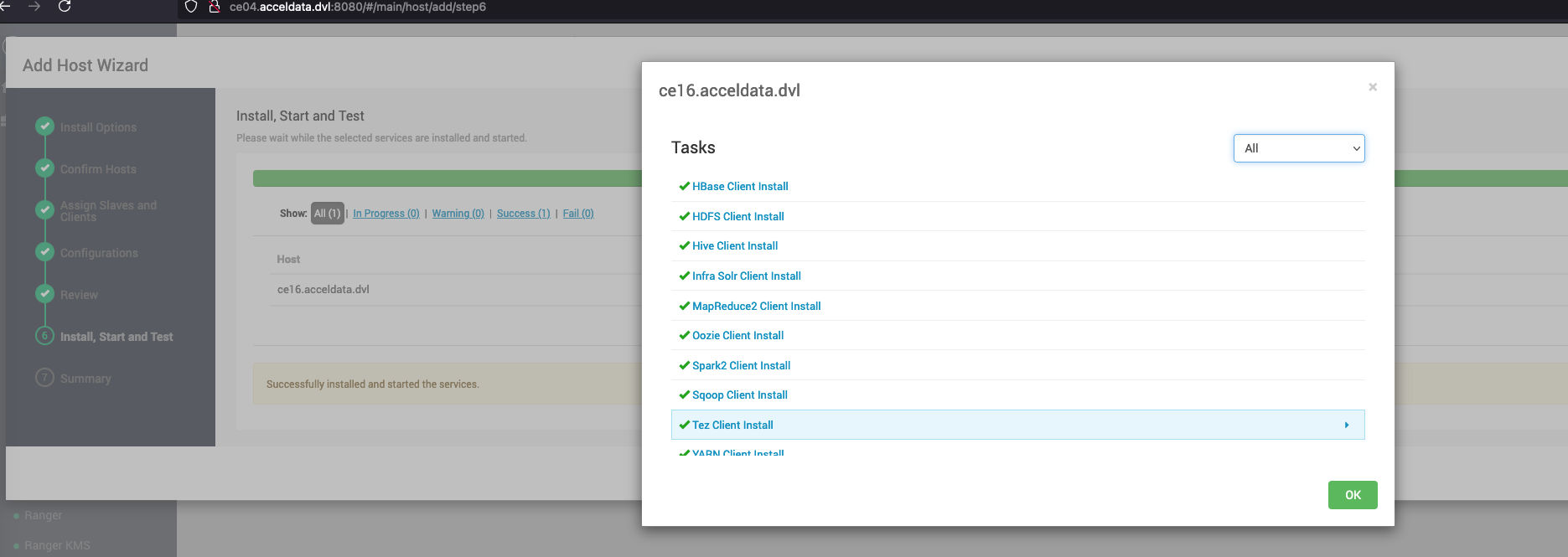
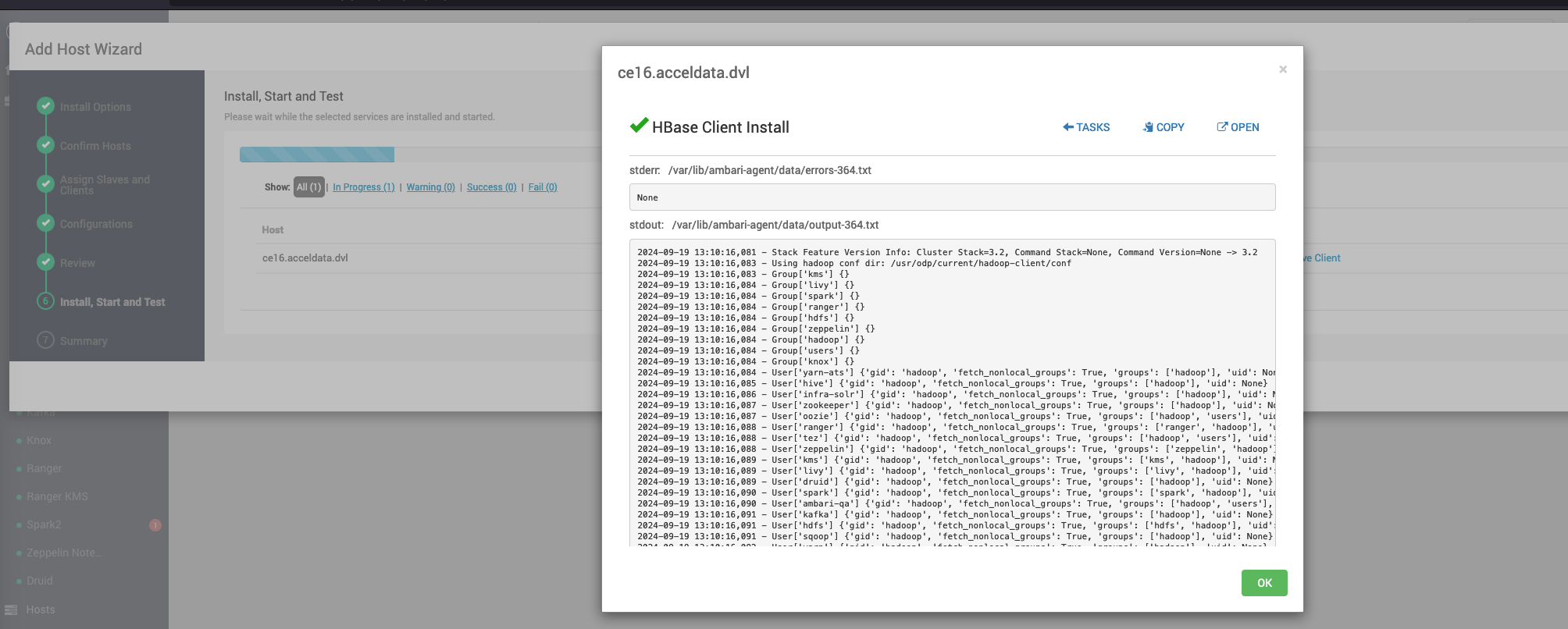
Install the Clients


Troubleshooting Steps

Issue-1

If the user and group creation skipping is not performed, the following error appears.

Error

File "/var/lib/ambari-agent/cache/stack-hooks/before-ANY/scripts/shared_initialization.py", line 50, in setup_users groups = params.user_to_groups_dict[user], KeyError: hbase' Error: Error: Unable to run the custom hook script ['/usr/bin/python', '/var/lib/ambari-agent/cache/stack-hooks/before-ANY/scripts/hook.py', 'ANY', '/var/lib/ambari-agent/data/command-63224.json', '/var/lib/ambari-agent/cache/stack-hooks/before-ANY', '/var/lib/ambari-agent/data/structured-out-63224.json', 'INFO', '/var/lib/ambari-agent/tmp', 'PROTOCOL_TLSv1_ 2', '']

Solution: Perform as suggested in Skip Users and Group Creation.

Issue-2

If odp-select is installed on a new node before adding it to the cluster, the following error appears.

Error

Unable to query for supported packages using /usr/bin/odp-select.

Solution: Add a repository as mentioned in Install ODP Select manually on a New Host.

Issue-3

Distro Module adding

==================== Traceback (most recent call last): File "/usr/lib/ambari-agent/lib/ambari_agent/main.py", line 33, in <module> from ambari_agent import AmbariConfig File "/usr/lib/ambari-agent/lib/ambari_agent/AmbariConfig.py", line 30, in <module> from ambari_commons.os_family_impl import OsFamilyFuncImpl, OsFamilyImpl File "/usr/lib/ambari-agent/lib/ambari_commons/init.py", line 21, in <module> from ambari_commons.os_check import OSCheck, OSConst File "/usr/lib/ambari-agent/lib/ambari_commons/os_check.py", line 25, in <module> import distro ModuleNotFoundError: No module named 'distro'

Solution:

curl https://bootstrap.pypa.io/get-pip.py -o get-pip.py /usr/bin/python3.11 get-pip.py /usr/bin/python3.11 -m pip install distro /usr/bin/python3.11 -c "import distro"


  Last updated