Documentation
ODP 3.3.6.4-1
Release Notes
What is ODP
Installation
Component User guide and Installation Instructions
Upgrade Instructions
Downgrade Instructions
Reference Guide
Security Guide
Troubleshooting Guide
Uninstall ODP
Title
Message
Create new category
What is the title of your new category?
Edit page index title
What is the title of the page index?
Edit category
What is the new title of your category?
Edit link
What is the new title and URL of your link?
Create and Update VDF File
Summarize Page
Copy Markdown
Open in ChatGPT
Open in Claude
Connect to Cursor
Connect to VS Code
This page helps you create and update the VDF file.
Create a local VDF file (odp-33641.xml)
Use the following command to create the file with the specified content (update the links to the latest repository URLs as needed):
| OS | Version Number | Repo Name | Format | URL |
|---|---|---|---|---|
| RHEL 8/9/Ubuntu /20/22 | ODP-3.3.6.4-1 | ODP-VDF | ODP VDF | https://mirror.odp.acceldata.dev/ODP/ODP-VDF/ODP-3.3.6.4-1.xml |
Update the VDF file from Ambari UI
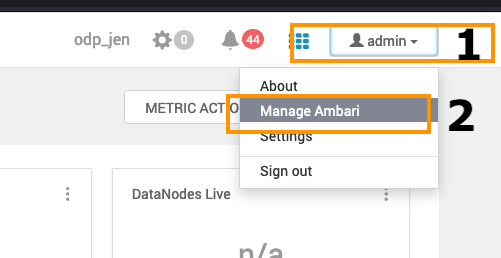
- Add the VDF file: Go to the Admin section on the top right and click on the Manage Ambari option in the menu.
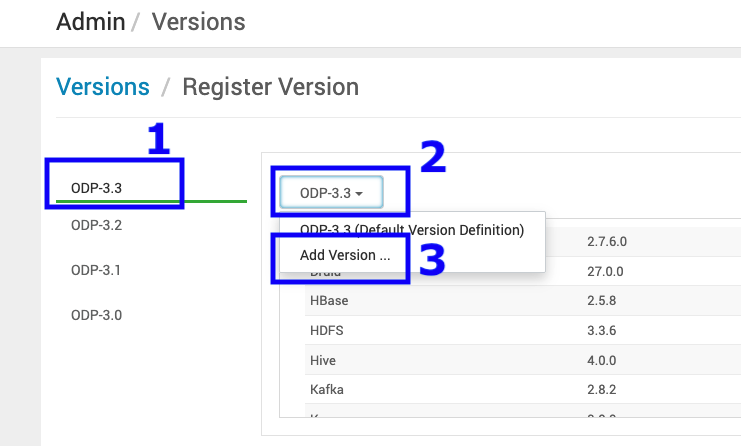
- Navigate to the Versions option on the left side and click REGISTER VERSION to add a new ODP Release.
- Add a new ODP version.

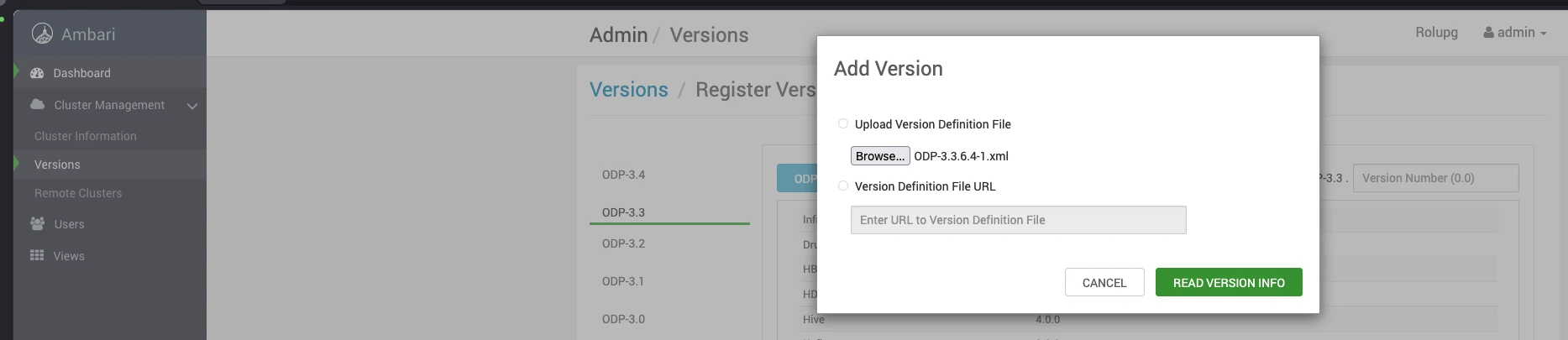
- Upload the 3.3.6.4-1 VDF ODP file and click Read Version Info.
Sample VDF File
Refer to the sample VDF file and copy it to a local machine to proceed further.
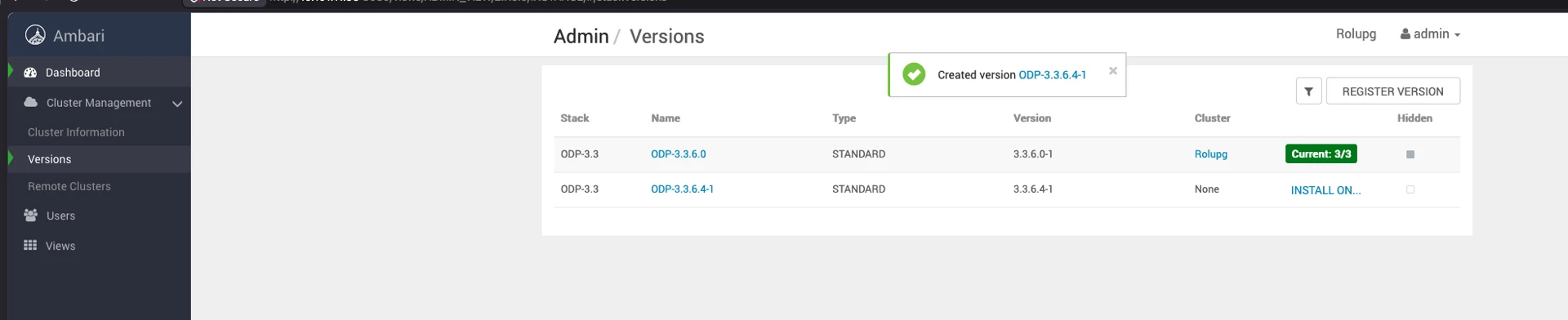
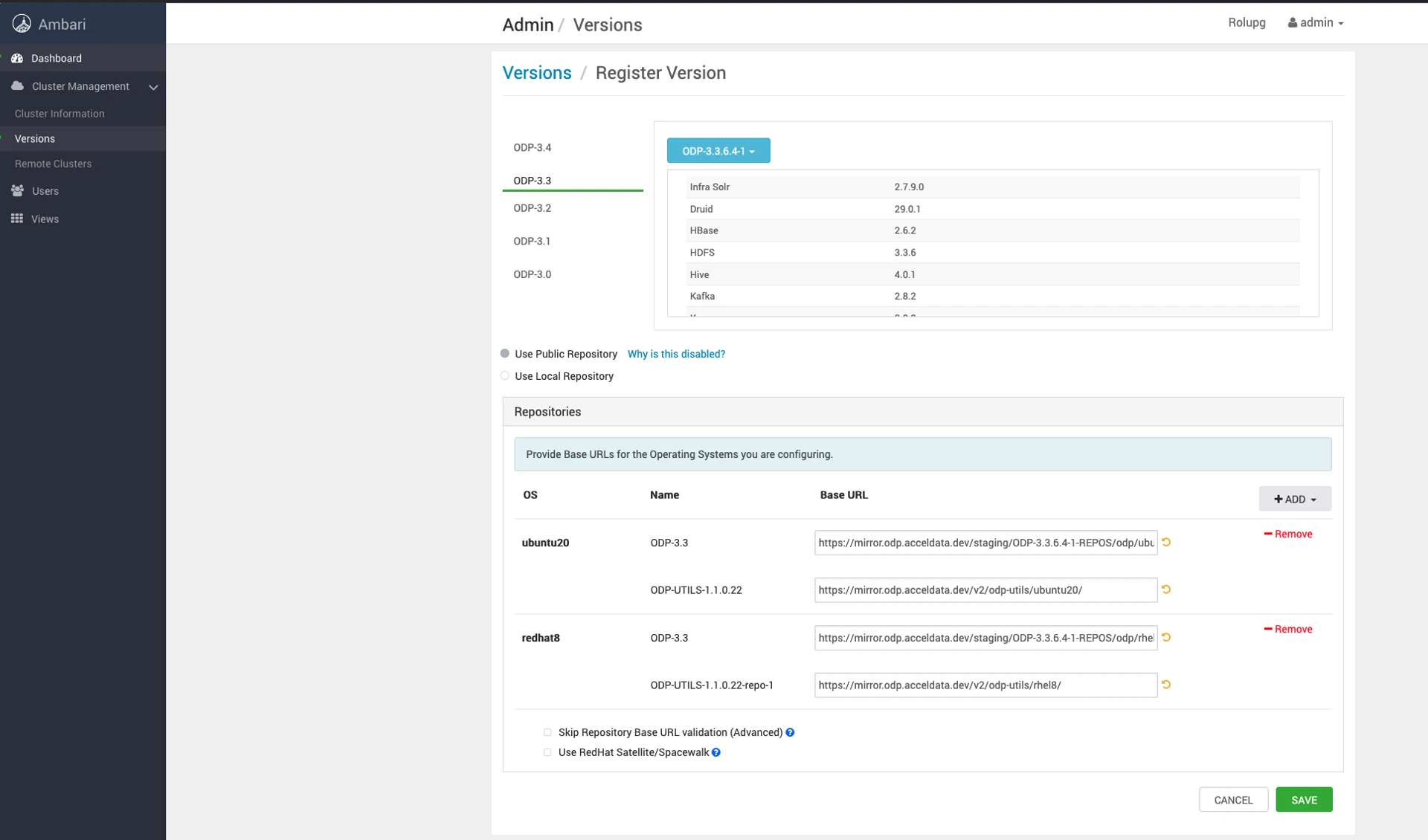
- Save the ODP-3.3.6.4-1 details appearing on the screen. Once you save the details, you can see the screen as shown below.
Type to search, ESC to discard
Last updated on May 15, 2026
Was this page helpful?
Next to read:
Configure Backup for Stack Componentsnull
Discard Changes
Do you want to discard your current changes and overwrite with the template?
Archive Synced Block
Message
Create new Template
What is this template's title?
Delete Template
Message