
This page describes key security, availability, and backup considerations when removing or recovering a Kudu Master in a multi-master deployment.
Security and Permissions
Run all command-line operations as the Kudu UNIX user (typically
kudu).If your cluster is secure, authenticate as the Kudu service user before running commands.
High Availability Impact
After removal, the cluster now operates with two masters instead of three, resulting in reduced fault tolerance.
With two masters, the cluster can tolerate the loss of only one additional master.
If high availability is critical, plan to add a replacement master to restore redundancy.
Backup Recommendations
Ensure you have recent backups before making configuration changes.
Consider taking a snapshot of the current cluster state before proceeding.
Recover from a Dead Kudu Master in a Multi-Master Deployment
If a Kudu Master is determined to be dead:
Prevent the dead master from running again
Ensure the affected master is not running and cannot be restarted at any point during the replacement process.
Accidentally starting the dead master can lead to corruption.
Allocate at least one hour to complete this process.
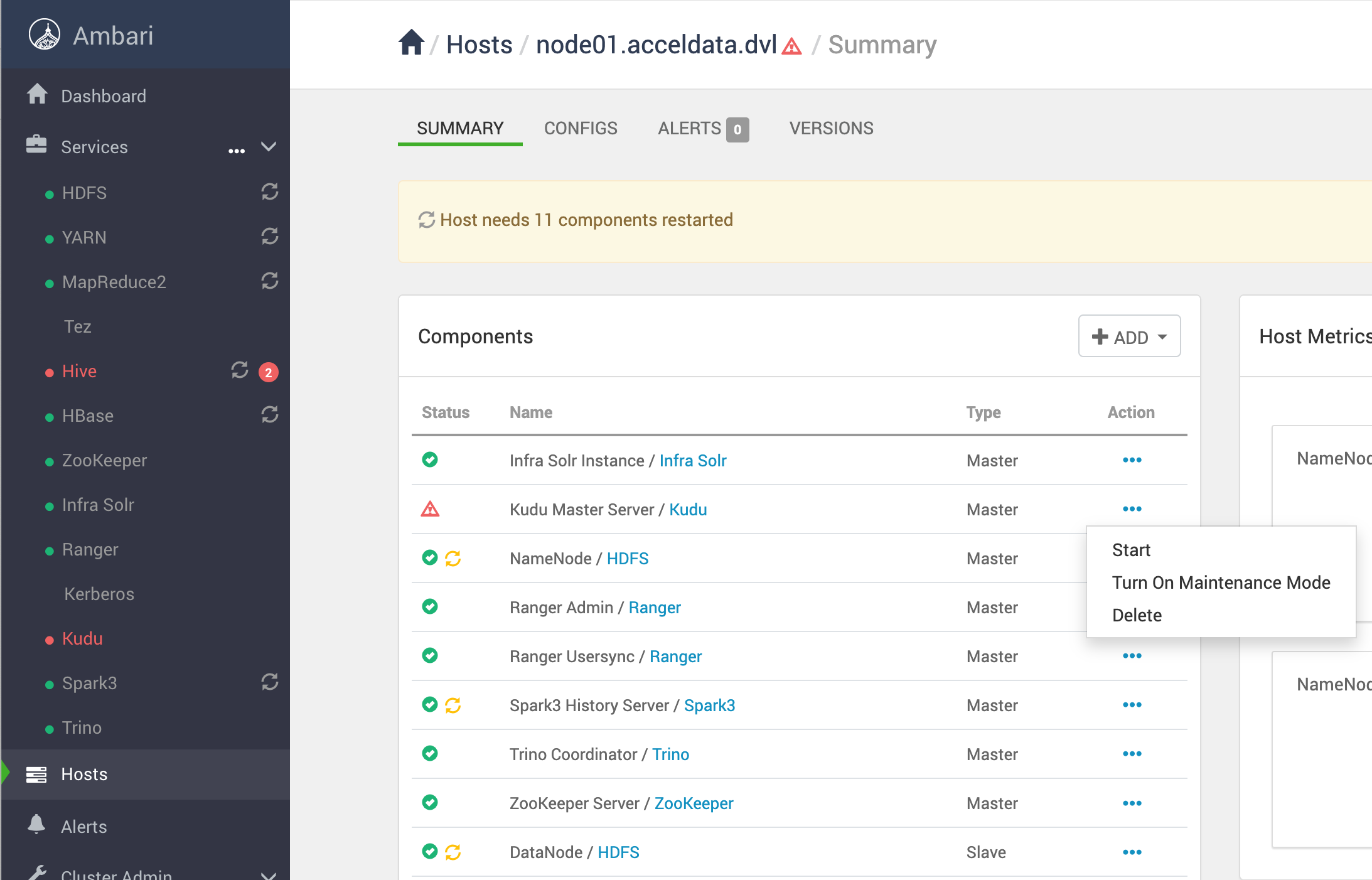
Delete the affected master in Ambari
In the Ambari UI, delete the Kudu Master component on the affected host.
Example:
Remove master configuration and WAL data from the affected host
These steps ensure the affected master cannot accidentally be restarted.
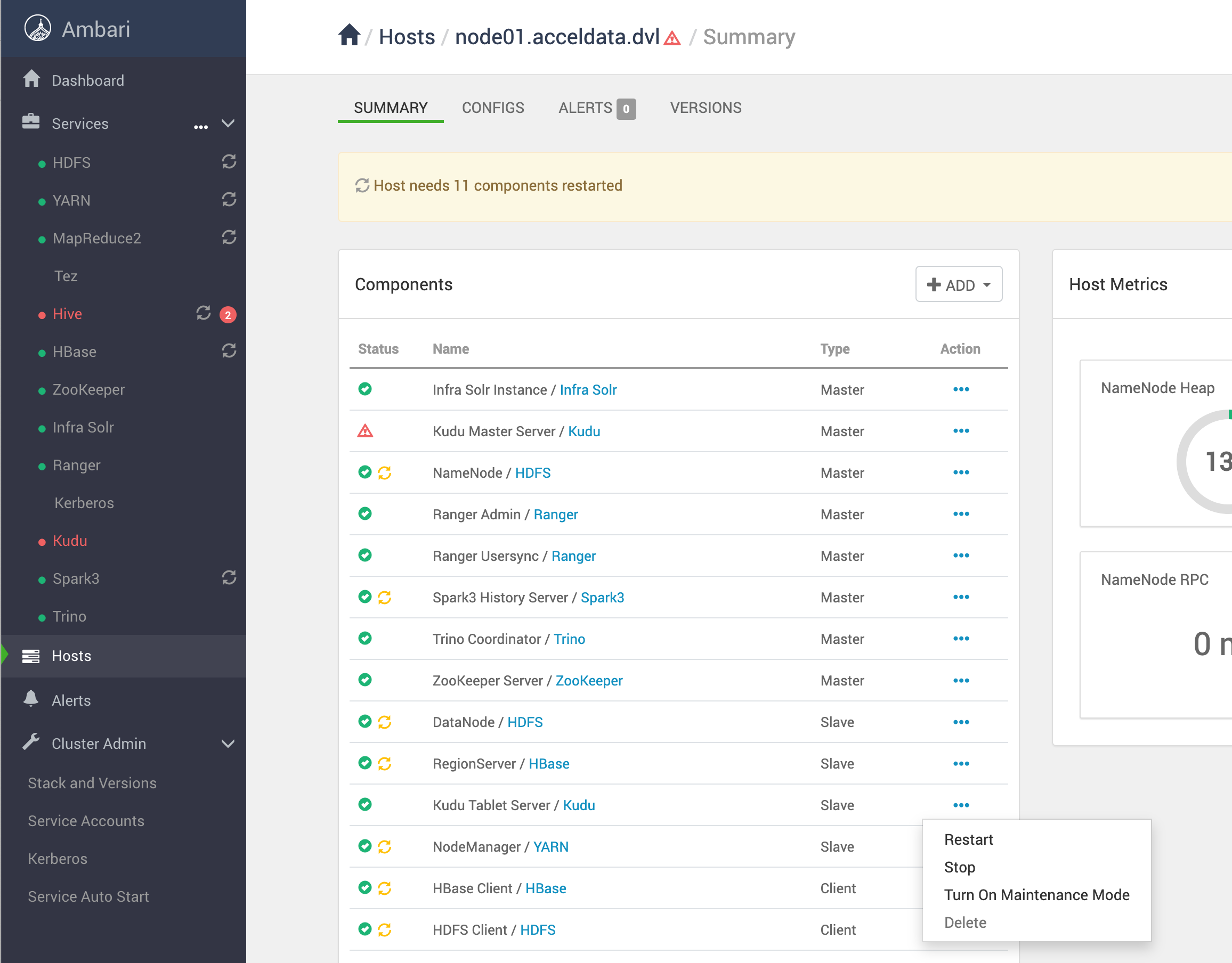
Stop all tablet servers in the cluster
Use the Ambari UI to stop tablets individually for each host that has a tablet.
Example:
For more details, see Apache Documentation.