
Search
This page describes how to enable the NiFi API Summary Dashboard.
Steps:
Open the
nifi.propertiesfile and make the following changes. Take a backup of the existing file if needed.
nifi.web.request.log.format="%{client}a - %u %t "%r" %s %O "%{Referer}i" "%{User-Agent}i" %{ms}T"
Restart NiFi by running the following command (it might be some UI, if you’re using CDP or HDP).
nifi.sh restart
Perform the following changes on a SA NiFi cluster.
bash-4.4# pwd
/opt/nifi-1.23.2/conf
bash-4.4# ../bin/nifi.sh restart
nifi.sh: JAVA_HOME not set; results may vary
Java home:
NiFi home: /opt/nifi-1.23.2
Bootstrap Config File: /opt/nifi-1.23.2/conf/bootstrap.conf
2024-12-15 22:26:08,703 INFO [main] org.apache.nifi.bootstrap.Command Apache NiFi has accepted the Shutdown Command and is shutting down now
2024-12-15 22:26:08,718 INFO [main] org.apache.nifi.bootstrap.Command NiFi PID [1984851] shutdown in progress...
2024-12-15 22:26:10,726 INFO [main] org.apache.nifi.bootstrap.Command NiFi PID [1984851] shutdown in progress...
2024-12-15 22:26:12,736 INFO [main] org.apache.nifi.bootstrap.Command NiFi PID [1984851] shutdown completed
Java home:
NiFi home: /opt/nifi-1.23.2
Bootstrap Config File: /opt/nifi-1.23.2/conf/bootstrap.conf
bash-4.4# ../bin/nifi.sh status
nifi.sh: JAVA_HOME not set; results may vary
Java home:
NiFi home: /opt/nifi-1.23.2
Bootstrap Config File: /opt/nifi-1.23.2/conf/bootstrap.conf
2024-12-15 22:26:27,878 INFO [main] org.apache.nifi.bootstrap.Command Apache NiFi is currently running, listening to Bootstrap on port 44497, PID=3647031
Check
nifi-request.log, it must print the time taken to process requests. The following changes need to be made on all nodes of the NiFi cluster.
"10.100.4.80 - admin [15/Dec/2024:18:12:17 +0000] "GET /nifi-api/flow/cluster/summary HTTP/1.1" 200 105 "-" "curl/7.29.0" 220"
"10.100.4.80 - admin [15/Dec/2024:18:12:47 +0000] "GET /nifi-api/flow/cluster/summary HTTP/1.1" 200 105 "-" "curl/7.29.0" 10"
"10.100.4.81 - - [15/Dec/2024:18:13:10 +0000] "GET / HTTP/1.1" 200 410 "-" "okhttp/4.10.0" 1"
"10.100.4.80 - admin [15/Dec/2024:18:13:17 +0000] "GET /nifi-api/flow/cluster/summary HTTP/1.1" 200 105 "-" "curl/7.29.0" 5"
"10.100.4.80 - admin [15/Dec/2024:18:13:47 +0000] "GET /nifi-api/flow/cluster/summary HTTP/1.1" 200 105 "-" "curl/7.29.0" 6"
Create a file called
override.ymlin this location:$AcceloHome/work/<cluster_name>.Add the following section to the file.
log_locations:
nifi_request:
- path: /var/log/nifi/nifi-request.log
type: DEFAULT
extra_plugins:
eventtail:
- yarn_resourcemanager
- nifi_request
Save your changes and run the following command.
accelo reconfig cluster
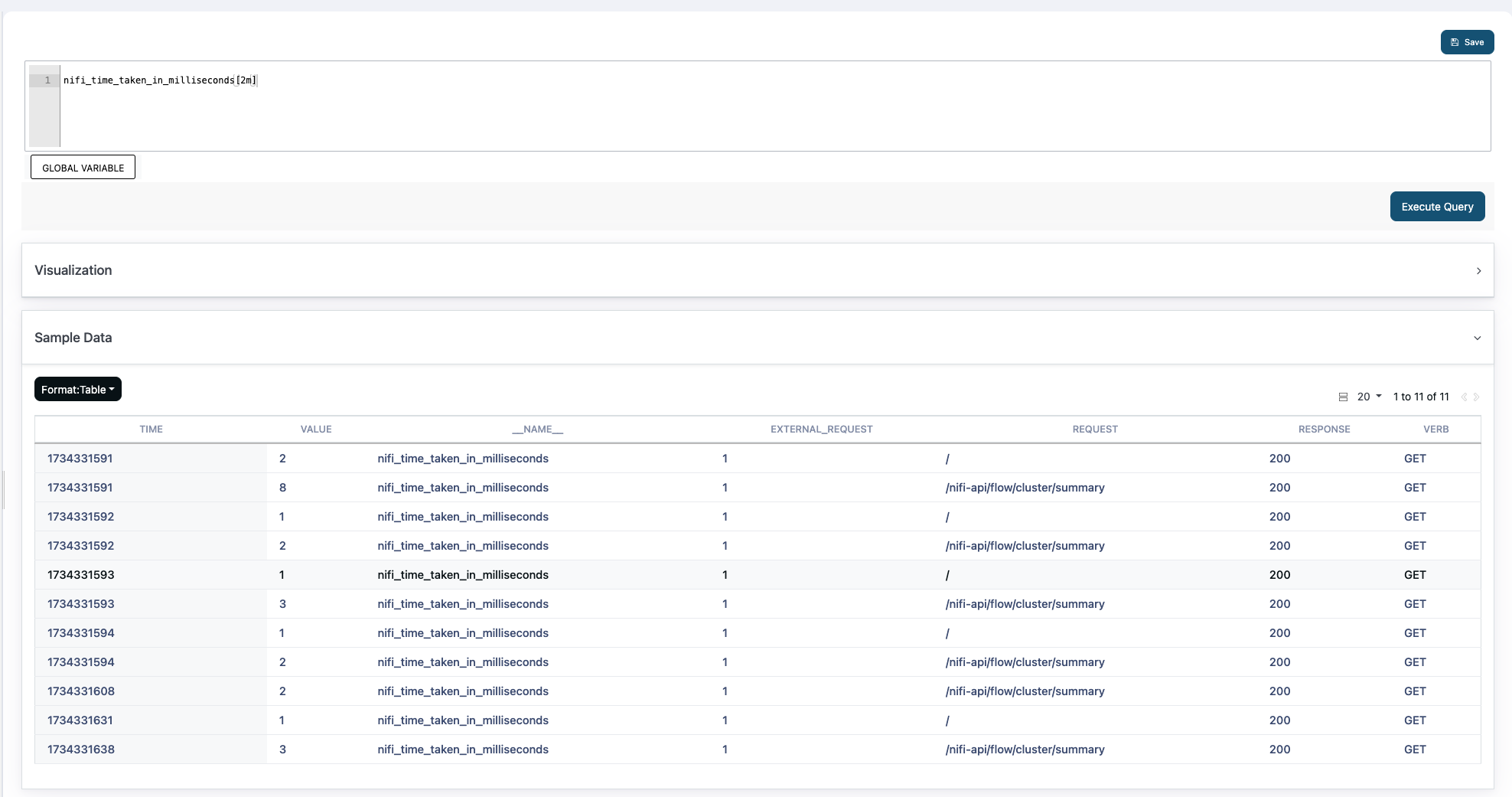
After performing the steps, you can see the following metrics in Pulse.
Was this page helpful?