
Click Tez --> Tables to view the list of tables. By default, the list of tables is sorted in order of highest number of queries that utilized this table in the given timeframe.
Click a table to view more details about a table in the Tez Table Details page.
Column Name | Description |
|---|---|
ID | The name of the table. |
Query Count | The number of queries running on the table. |
Row Count | The cumulative number of rows fetched by a set of queries. |
# of Join Cols | The number of joins at column level. |
Last User | The last user to access the table. |
Last Accessed | The time at which the table was last accessed. |
Last Query Run | The ID of the last query executed on the table. |
Search Option
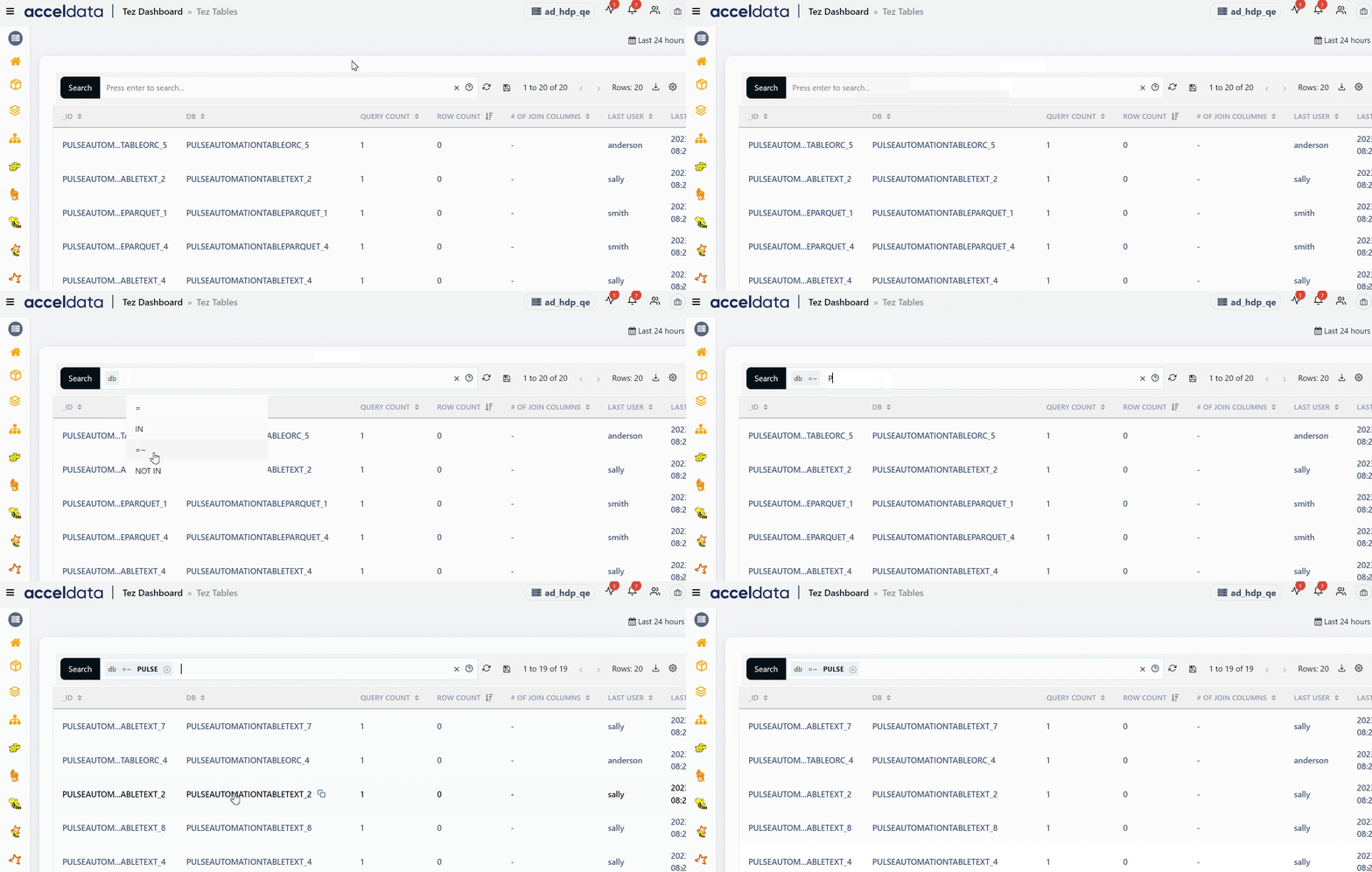
Perform the following steps to search for a record in the search bar.
Select a search parameter. Pulse provides you multiple search parameters.
Select a suitable operator for your parameter.
Enter the search term and hit the enter key.
Important
For String Data type fields, you can use the =~ operator. This operator allows you to search strings by entering partial string. You can also use regular expressions to search a required value.
Applying Filter
You can apply filter to the name of the table. To apply filter to the name of the table or ID, perform the following:
Click ID, drop-down list is displayed with the list of the table names.
Select the name of the table. You can select one or more than one. The table details for the selected table are displayed.
(Optional) To search the ID from the list, type the name in the search box.
(Optional) Click Reset to remove the applied filter.