
Documentation
ODP 3.3.6.3-1
Release Notes
What is ODP
Installation
Component User guide and Installation Instructions
Upgrade Instructions
Downgrade Instructions
Reference Guide
Security Guide
Troubleshooting Guide
Uninstall ODP
Title
Message
Create new category
What is the title of your new category?
Edit page index title
What is the title of the page index?
Edit category
What is the new title of your category?
Edit link
What is the new title and URL of your link?
Accessing a Kerberized UI Firefox
Summarize Page
Copy Markdown
Open in ChatGPT
Open in Claude
Connect to Cursor
Connect to VS Code
To access a Kerberos-protected UI, Firefox must be configured to pass Kerberos credentials to the appropriate KDC (Key Distribution Center). Ensure you have the following prerequisites on your local machine:
- krb5.conf (Kerberos configuration file)
- Necessary keytab and principal for authentication
Follow these steps to configure Firefox:
Open Firefox Configuration:
- In the Firefox address bar, type
about:configand press Enter. - Accept any warning messages, if prompted.
- In the Firefox address bar, type
Filter for Kerberos Settings:
- In the search field, type
negotiateto filter the configuration list.
- In the search field, type
Set Trusted URIs:
- Double-click on
network.negotiate-auth.trusted-uristo open the dialog box. - Enter the domain(s) for which Kerberos authentication must be used (e.g.,
.example.com).
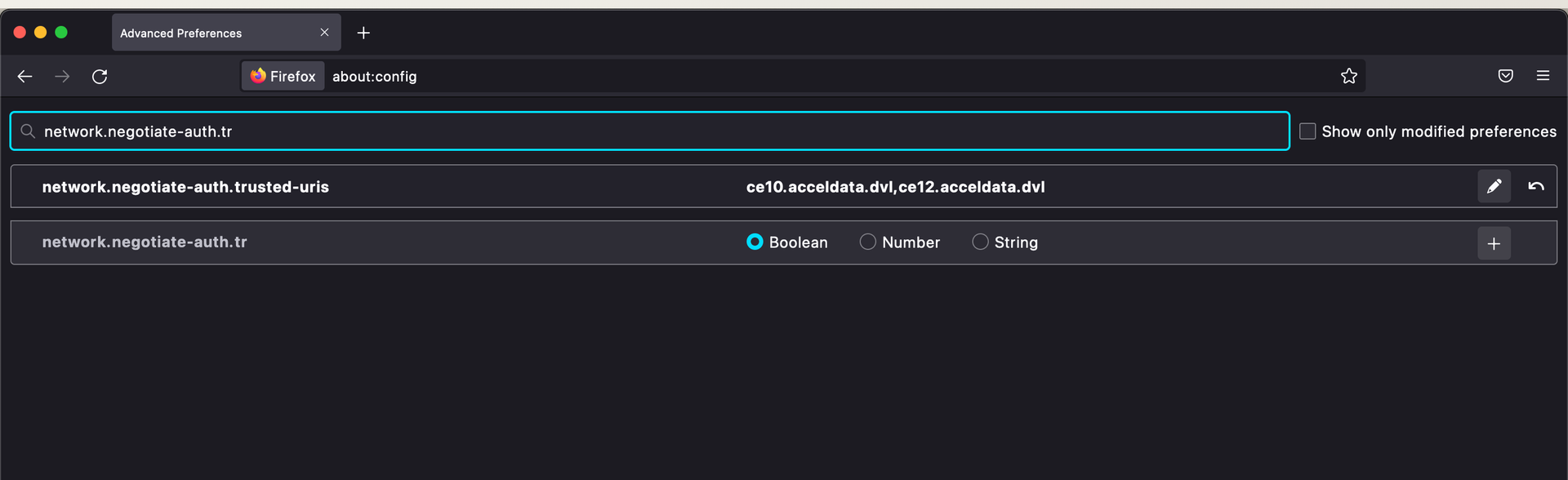
- Double-click on

Restart Firefox:
- After setting the trusted URIs, restart Firefox.
Authenticate with Kerberos:
- Run
kinitwith the necessary keytab and principal.
- Run
Bash
kinit -kt example.keytab example@EXAMPLE.COMOnce authenticated, Firefox sends the Kerberos credentials to the domain specified, allowing access to the Kerberos-protected UI.
Type to search, ESC to discard
Last updated on Oct 16, 2024
Was this page helpful?
Discard Changes
Do you want to discard your current changes and overwrite with the template?
Archive Synced Block
Message
Create new Template
What is this template's title?
Delete Template
Message