Run MLflow in Local or Remote Mode

This page provides two example MLflow workflows using scikit-learn linear regression models in a JupyterHub Notebook environment—one runs locally with the MLflow UI, and the other logs experiments to a remote MLflow tracking server.


Scenario 1: Local MLflow Tracking and UI Launch

Set up your environment

Install the required Python packages, if not installed.

pip install mlflow scikit-learn pandas

Run a complete MLflow workflow

  1. Generate synthetic data using sklearn.datasets.make_regression.

  2. Split the data into training and test sets.

  3. Train a Linear Regression model using sklearn.linear_model.LinearRegression.

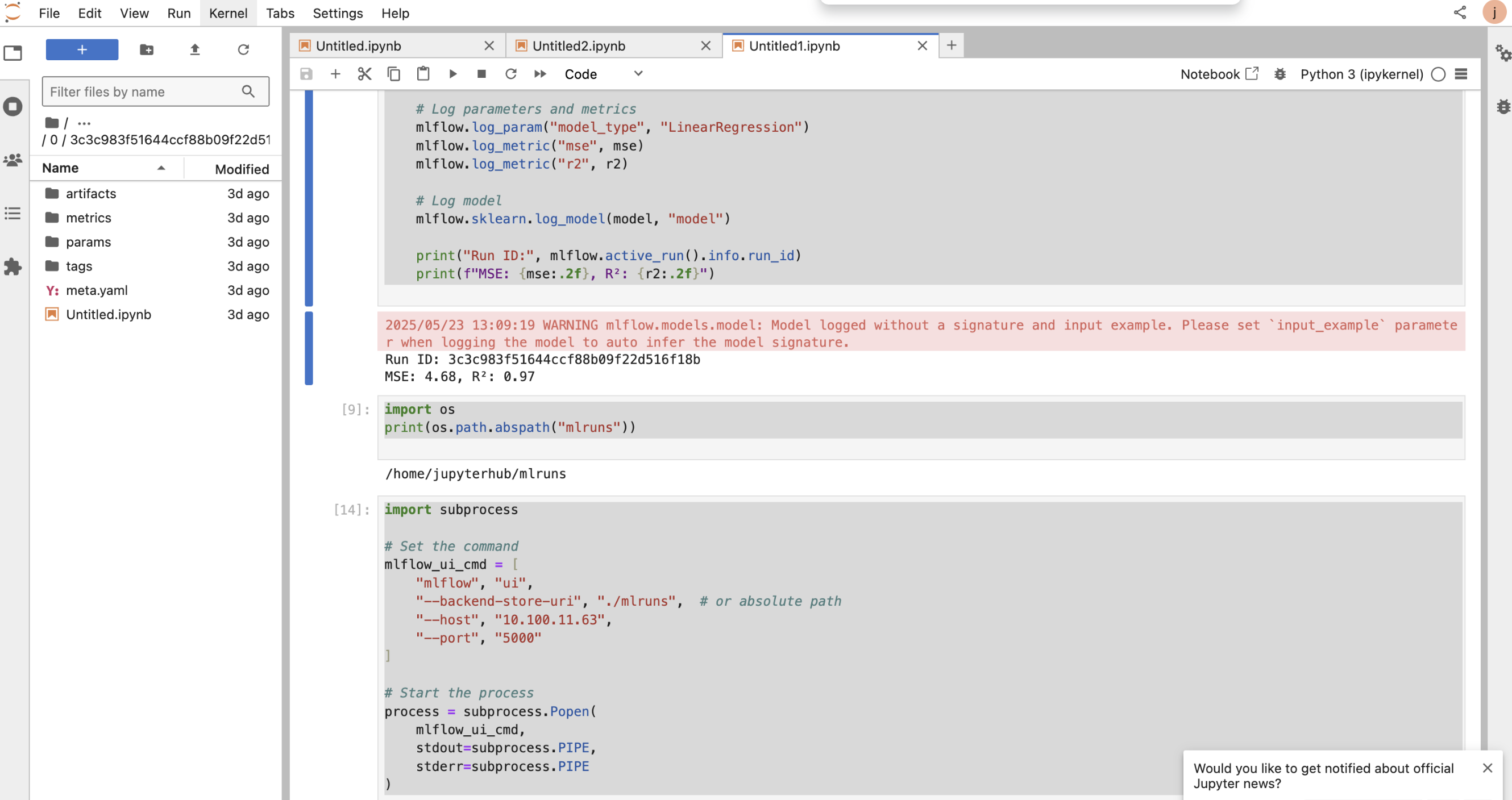
  4. Log model parameters, metrics, and the model to the local MLflow tracking server.

  5. Print the run ID and evaluation metrics for quick reference.

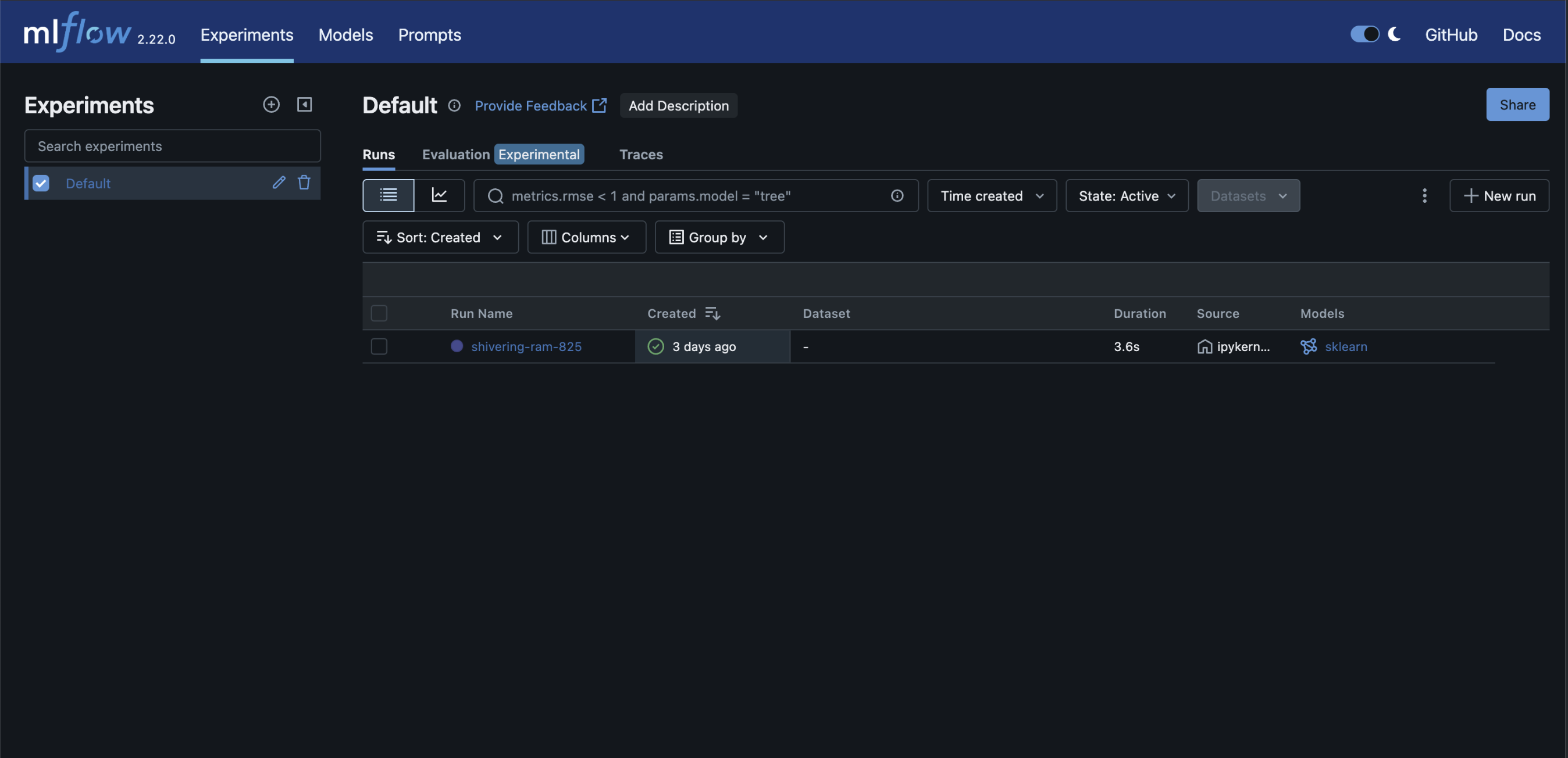
  6. Launch the MLflow UI to explore logged runs:

mlflow ui

Access the UI at http://localhost:5000 to view experiment results, compare runs, and manage artifacts.

Key Code Snippet

import subprocess import mlflow import mlflow.sklearn from sklearn.linear_model import LinearRegression from sklearn.metrics import mean_squared_error, r2_score from sklearn.model_selection import train_test_split import numpy as np np.random.seed(42) X = np.random.rand(100, 1) * 10 y = 3.5 * X.squeeze() + np.random.randn(100) * 2 X_train, X_test, y_train, y_test = train_test_split(X, y, test_size=0.2) with mlflow.start_run(): model = LinearRegression() model.fit(X_train, y_train) predictions = model.predict(X_test) mse = mean_squared_error(y_test, predictions) r2 = r2_score(y_test, predictions) mlflow.log_param("model_type", "LinearRegression") mlflow.log_metric("mse", mse) mlflow.log_metric("r2", r2) mlflow.sklearn.log_model(model, "model") print("Run ID:", mlflow.active_run().info.run_id) print(f"MSE: {mse:.2f}, R²: {r2:.2f}") # Launch MLflow UI server mlflow_ui_cmd = [ "mlflow", "ui", "--backend-store-uri", "./mlruns", "--host", "10.100.11.63", "--port", "5000" ] process = subprocess.Popen(mlflow_ui_cmd, stdout=subprocess.PIPE, stderr=subprocess.PIPE)

Notes

  • Local tracking data stored in ./mlruns.

  • MLflow UI accessible at <MLflow_URL>.


Scenario 2: Remote MLflow Server with Custom Artifact Location

Set up your environment

Make sure MLflow and required dependencies are installed:

pip install mlflow scikit-learn

Run a remote MLflow workflow

  1. Set the tracking URI to point to your remote MLflow server.

mlflow.set_tracking_uri("http://<remote-host>:5000")
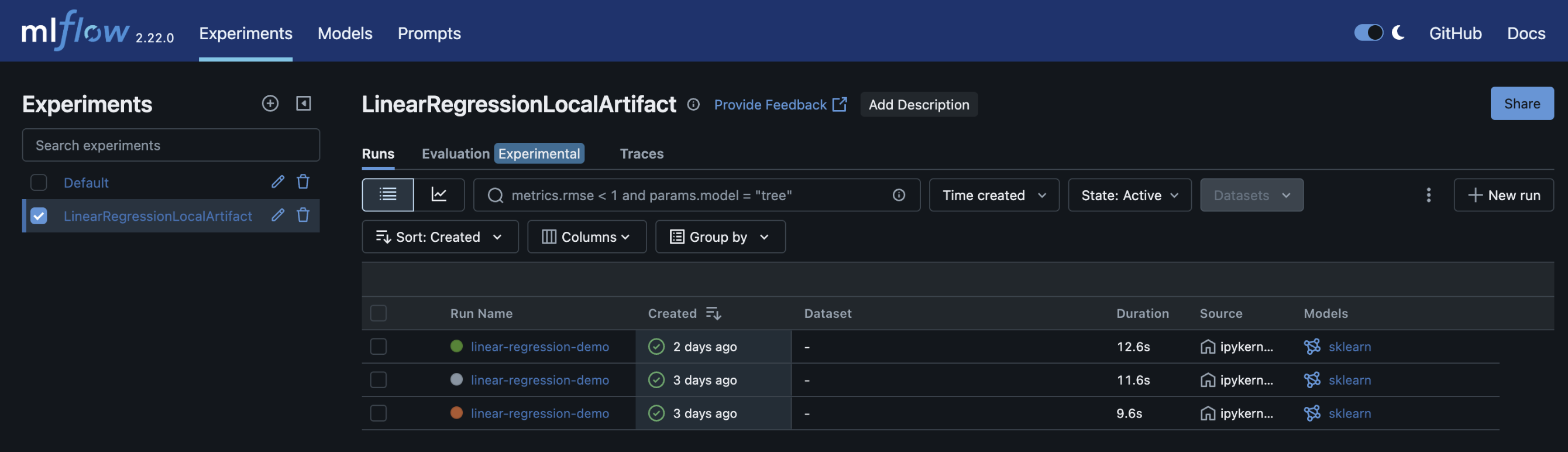
  1. Create or use an existing experiment and define the artifact location (e.g., S3, NFS):

mlflow.set_experiment("my-experiment")
  1. Train a Linear Regression model using sklearn.linear_model.LinearRegression.

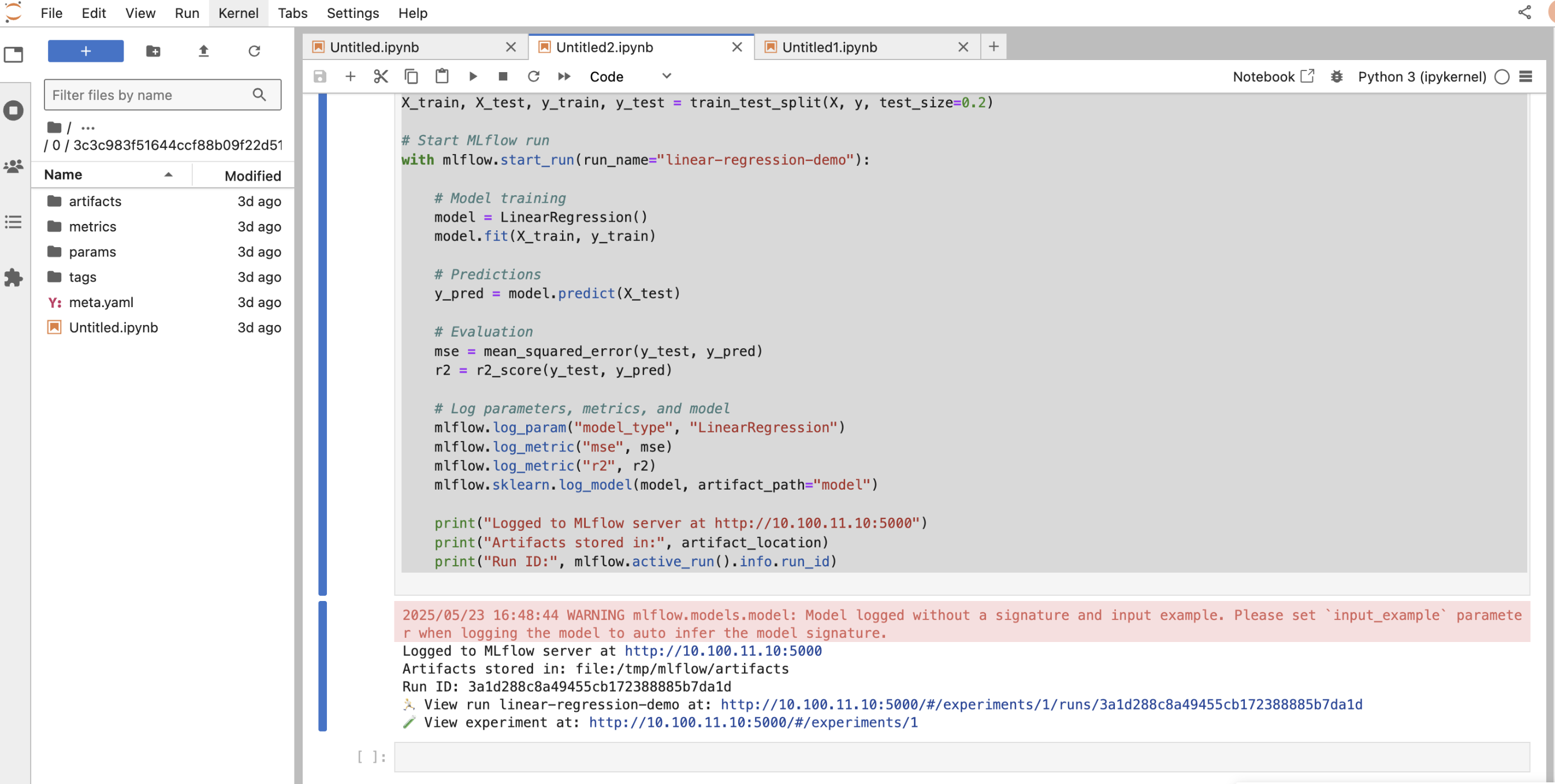
  2. Log parameters, metrics, and the model to the remote MLflow tracking server.

  3. Print run details such as run ID and metrics for quick access.

This setup allows centralized tracking, easier collaboration, and persistent storage of experiments.

Key Code Snippet

import mlflow import mlflow.sklearn from sklearn.linear_model import LinearRegression from sklearn.model_selection import train_test_split from sklearn.metrics import mean_squared_error, r2_score import numpy as np mlflow.set_tracking_uri("http://10.100.11.10:5000") experiment_name = "LinearRegressionLocalArtifact" artifact_location = "file:/tmp/mlflow/artifacts" if not mlflow.get_experiment_by_name(experiment_name): mlflow.create_experiment(name=experiment_name, artifact_location=artifact_location) mlflow.set_experiment(experiment_name) np.random.seed(42) X = np.random.rand(100, 1) * 10 y = 3.5 * X.squeeze() + np.random.randn(100) * 2 X_train, X_test, y_train, y_test = train_test_split(X, y, test_size=0.2) with mlflow.start_run(run_name="linear-regression-demo"): model = LinearRegression() model.fit(X_train, y_train) y_pred = model.predict(X_test) mse = mean_squared_error(y_test, y_pred) r2 = r2_score(y_test, y_pred) mlflow.log_param("model_type", "LinearRegression") mlflow.log_metric("mse", mse) mlflow.log_metric("r2", r2) mlflow.sklearn.log_model(model, artifact_path="model") print("Logged to MLflow server at http://10.100.11.10:5000") print("Artifacts stored in:", artifact_location) print("Run ID:", mlflow.active_run().info.run_id)

Notes

  • Artifacts stored at the configured remote location.

  • Update the tracking URI and artifact location as needed.


Summary

These examples show how to:

  • Run MLflow Tracking and UI locally

  • Log experiments to a remote MLflow server with custom artifact storage

  • Train, evaluate, and log models to ensure reproducibility

Use these templates to seamlessly integrate MLflow into your machine learning projects for effective experiment tracking and model management.


  Last updated