Make sure you have Kafka (used kafka3 here), Pinot (1.4.0), and Superset running.
export PINOT_HOST=$(hostname -f)
export KAFKA_BROKERS="newsuper-0.newsuper.harshith.svc.cluster.local:6669,newsuper-1.newsuper.harshith.svc.cluster.local:6669,newsuper-2.newsuper.harshith.svc.cluster.local:6669"
Set up Kafka
Client.properties for krb auth
[root@newsuper-2 kafka3]# cat client.properties
security.protocol=SASL_PLAINTEXT
sasl.mechanism=GSSAPI
sasl.kerberos.service.name=kafka
sasl.jaas.config=com.sun.security.auth.module.Krb5LoginModule required \
useKeyTab=true \
keyTab="/etc/security/keytabs/kafka.service.keytab" \
storeKey=true \
useTicketCache=false \
principal="kafka/newsuper-2.newsuper.harshith.svc.cluster.local@ADSRE.COM";
Create a Topic
bin/kafka-topics.sh --create \
--topic flight-events \
--bootstrap-server $KAFKA_BROKERS \
--partitions 3 \
--replication-factor 3 \
--command-config client.properties
bin/kafka-topics.sh --list \
--bootstrap-server $KAFKA_BROKERS \
--command-config client.properties
bin/kafka-topics.sh --describe \
--topic flight-events \
--bootstrap-server $KAFKA_BROKERS \
--command-config client.properties
Producer Script to Ingest Data
#!/bin/bash
PINOT_HOST=$(hostname -f)
KAFKA_BROKERS="newsuper-0.newsuper.harshith.svc.cluster.local:6669,newsuper-1.newsuper.harshith.svc.cluster.local:6669,newsuper-2.newsuper.harshith.svc.cluster.local:6669"
KAFKA_HOME="${KAFKA_HOME:-.}"
KAFKA_BROKERS="${KAFKA_BROKERS:-localhost:9092}"
TOPIC="flight-events"
CLIENT_CONFIG="client.properties"
CARRIERS=("AA" "UA" "DL" "WN" "AS" "B6" "NK" "F9" "G4" "HA")
ORIGINS=("SFO" "LAX" "JFK" "ORD" "DFW" "ATL" "SEA" "BOS" "MIA" "DEN")
DESTS=("SFO" "LAX" "JFK" "ORD" "DFW" "ATL" "SEA" "BOS" "MIA" "DEN")
echo "Publishing flight events to $TOPIC..."
echo "Press Ctrl+C to stop"
# Generate messages and pipe to a single producer instance
while true; do
TIMESTAMP=$(date +%s000)
CARRIER=${CARRIERS[$RANDOM % ${#CARRIERS[@]}]}
ORIGIN=${ORIGINS[$RANDOM % ${#ORIGINS[@]}]}
DEST=${DESTS[$RANDOM % ${#DESTS[@]}]}
while [ "$ORIGIN" == "$DEST" ]; do
DEST=${DESTS[$RANDOM % ${#DESTS[@]}]}
done
FLIGHT_NUM=$((RANDOM % 9000 + 1000))
ARR_DELAY=$((RANDOM % 120 - 30))
DEP_DELAY=$((RANDOM % 60 - 15))
AIR_TIME=$((RANDOM % 300 + 60))
DISTANCE=$((RANDOM % 2500 + 200))
echo "{\"timestamp\":${TIMESTAMP},\"Carrier\":\"${CARRIER}\",\"FlightNum\":${FLIGHT_NUM},\"Origin\":\"${ORIGIN}\",\"Dest\":\"${DEST}\",\"ArrDelay\":${ARR_DELAY},\"DepDelay\":${DEP_DELAY},\"AirTime\":${AIR_TIME},\"Distance\":${DISTANCE}}"
sleep 1
done | ${KAFKA_HOME}/bin/kafka-console-producer.sh \
--bootstrap-server $KAFKA_BROKERS \
--topic $TOPIC \
--producer.config $CLIENT_CONFIG
Set up Pinot Injestion
Create Pinot Realtime Table
Create Schema
cat > flightEvents_schema.json << 'EOF'
{
"schemaName": "flightEvents",
"dimensionFieldSpecs": [
{"name": "Carrier", "dataType": "STRING"},
{"name": "FlightNum", "dataType": "INT"},
{"name": "Origin", "dataType": "STRING"},
{"name": "Dest", "dataType": "STRING"}
],
"metricFieldSpecs": [
{"name": "ArrDelay", "dataType": "INT"},
{"name": "DepDelay", "dataType": "INT"},
{"name": "AirTime", "dataType": "INT"},
{"name": "Distance", "dataType": "INT"}
],
"dateTimeFieldSpecs": [
{
"name": "timestamp",
"dataType": "LONG",
"format": "1:MILLISECONDS:EPOCH",
"granularity": "1:MILLISECONDS"
}
]
}
EOF
Create Table Config
cat > flightEvents_realtime_table_config.json << 'EOF'
{
"tableName": "flightEvents",
"tableType": "REALTIME",
"segmentsConfig": {
"timeColumnName": "timestamp",
"timeType": "MILLISECONDS",
"schemaName": "flightEvents",
"replicasPerPartition": "1"
},
"tenants": {},
"tableIndexConfig": {
"loadMode": "MMAP",
"streamConfigs": {
"streamType": "kafka",
"stream.kafka.consumer.type": "lowlevel",
"stream.kafka.topic.name": "flight-events",
"stream.kafka.decoder.class.name": "org.apache.pinot.plugin.stream.kafka.KafkaJSONMessageDecoder",
"stream.kafka.consumer.factory.class.name": "org.apache.pinot.plugin.stream.kafka20.KafkaConsumerFactory",
"stream.kafka.broker.list": "newsuper-0.newsuper.harshith.svc.cluster.local:6669,newsuper-1.newsuper.harshith.svc.cluster.local:6669,newsuper-2.newsuper.harshith.svc.cluster.local:6669",
"security.protocol": "SASL_PLAINTEXT",
"sasl.mechanism": "GSSAPI",
"sasl.kerberos.service.name": "kafka",
"sasl.jaas.config": "com.sun.security.auth.module.Krb5LoginModule required useKeyTab=true keyTab=\"/etc/security/keytabs/pinot.headless.keytab\" storeKey=true useTicketCache=false principal=\"pinot-odp_quantum@ADSRE.COM\";",
"realtime.segment.flush.threshold.rows": "10000",
"realtime.segment.flush.threshold.time": "1h"
}
},
"metadata": {
"customConfigs": {}
}
}
EOF
cat > /usr/odp/3.3.6.3-101/pinot/pinot_jaas.conf << 'EOF'
KafkaClient {
com.sun.security.auth.module.Krb5LoginModule required
useKeyTab=true
keyTab="/etc/security/keytabs/pinot.headless.keytab"
storeKey=true
useTicketCache=false
principal="pinot-odp_quantum@ADSRE.COM";
};
Client {
com.sun.security.auth.module.Krb5LoginModule required
useKeyTab=true
keyTab="/etc/security/keytabs/pinot.headless.keytab"
storeKey=true
useTicketCache=false
principal="pinot-odp_quantum@ADSRE.COM";
};
EOF
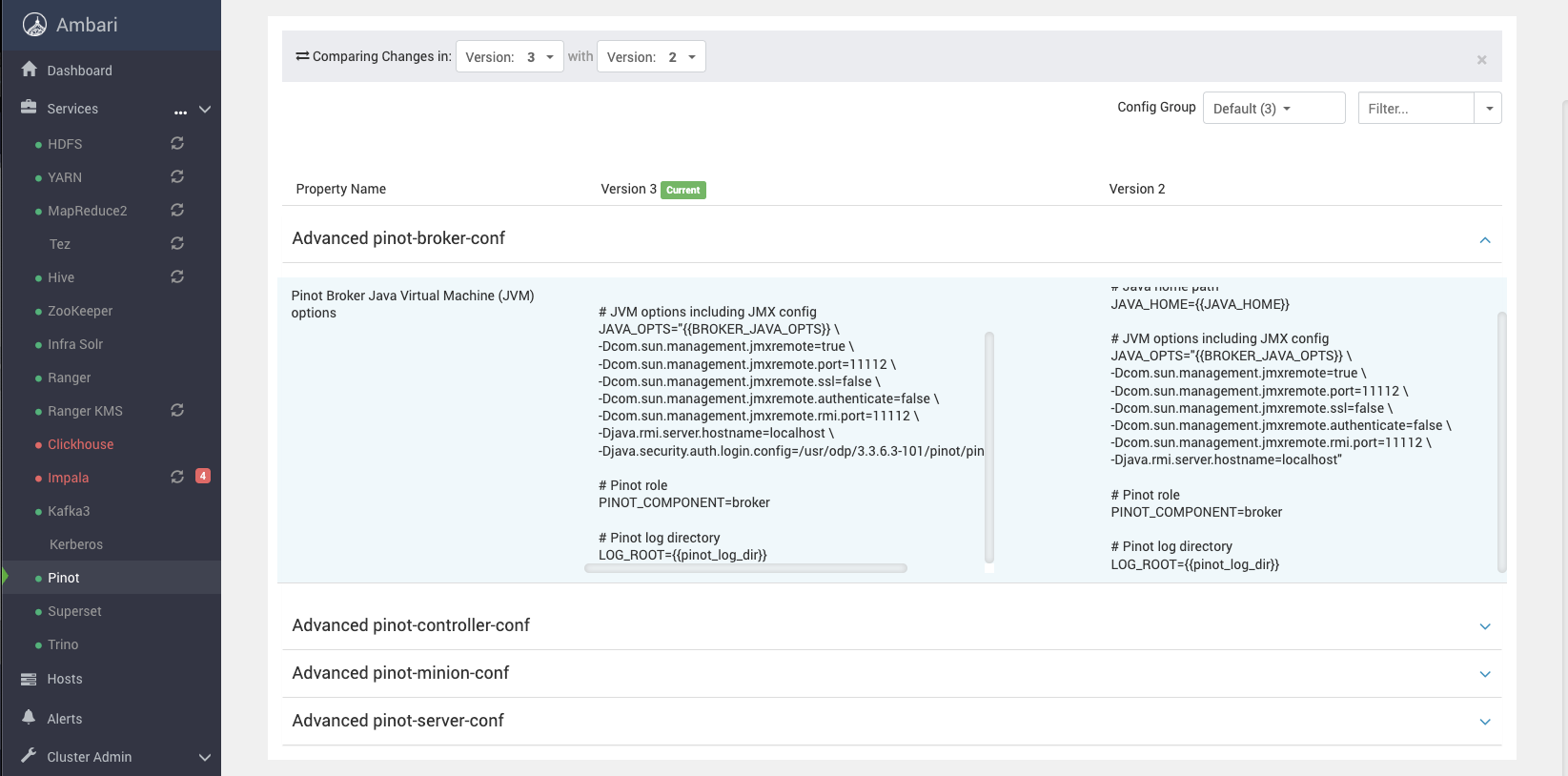
Add this to Pinot JVM args,
-Djava.security.auth.login.config=/usr/odp/3.3.6.3-101/pinot/pinot_jaas.conf
like the following, for all components of Pinot.
Info
If you see failures related to auth, you can try adding -Dsun.security.krb5.debug=true to above and see some logs.
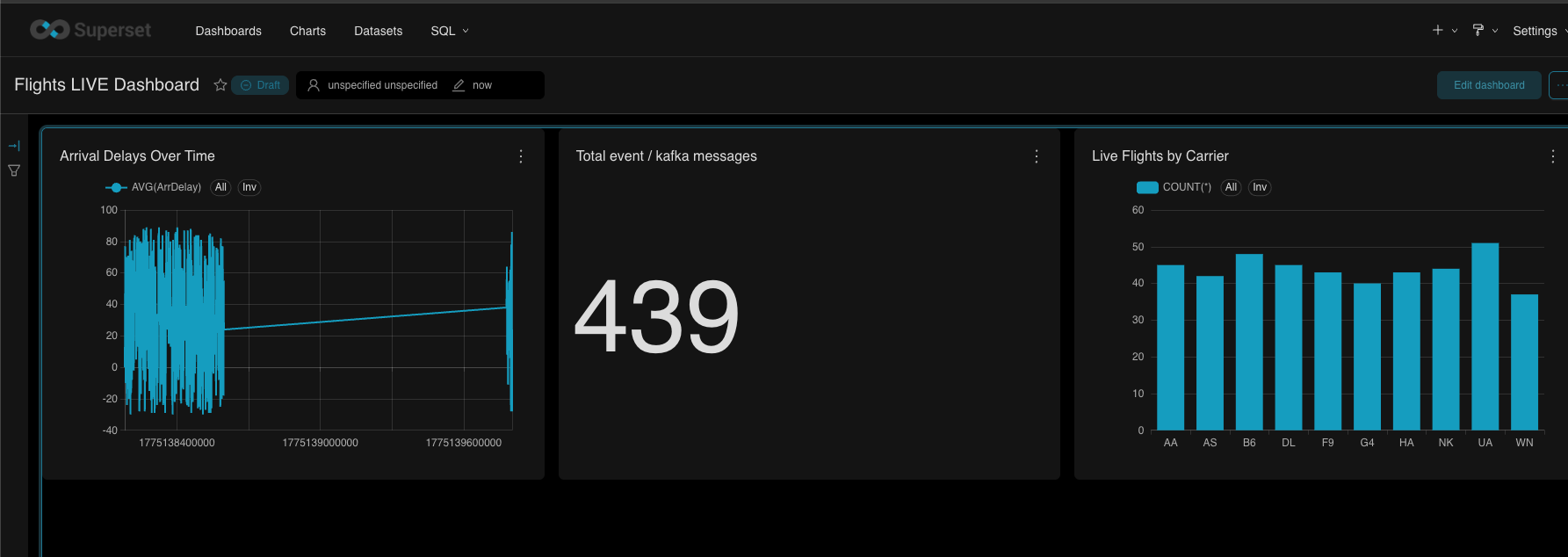
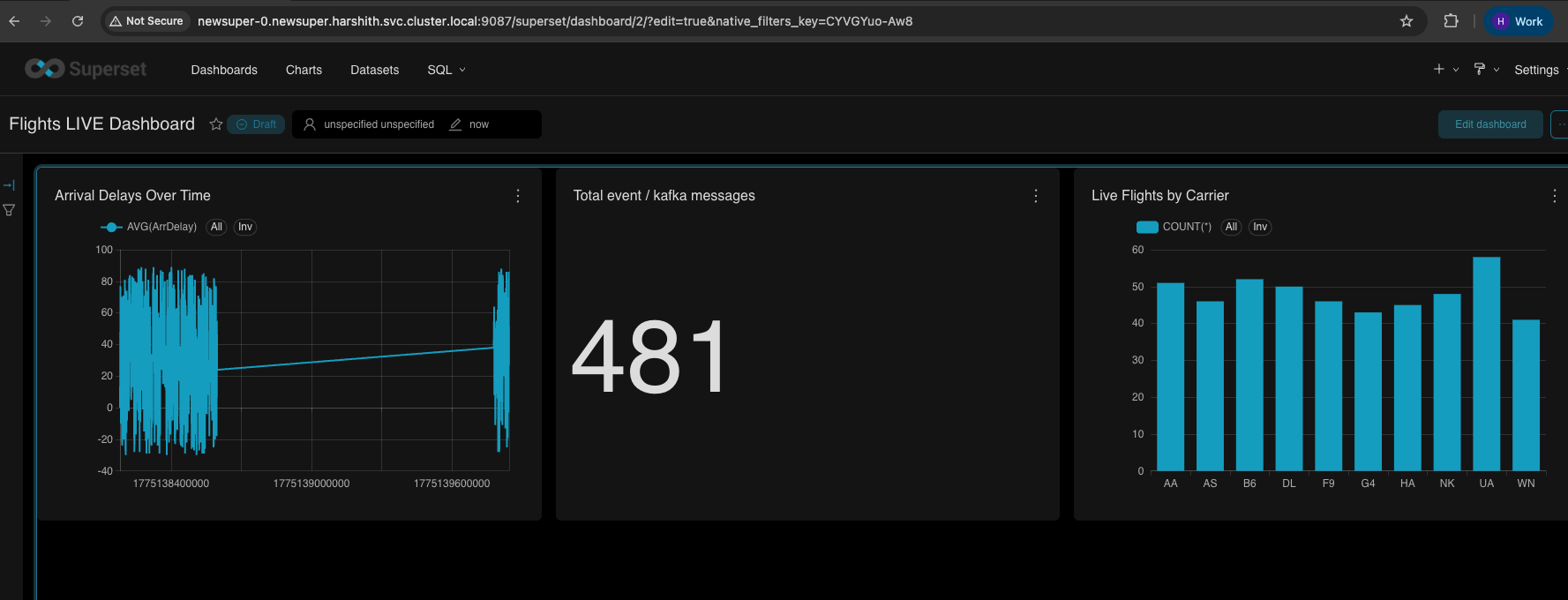
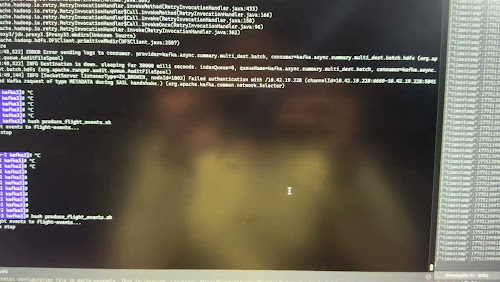
[Kafka topic is still active, and messages are being pushed and consumed by Pinot Live]
And once that's done, as we have already connected Pinot to Kafka from previous testing, we should see a new table in Superset.
Create Charts
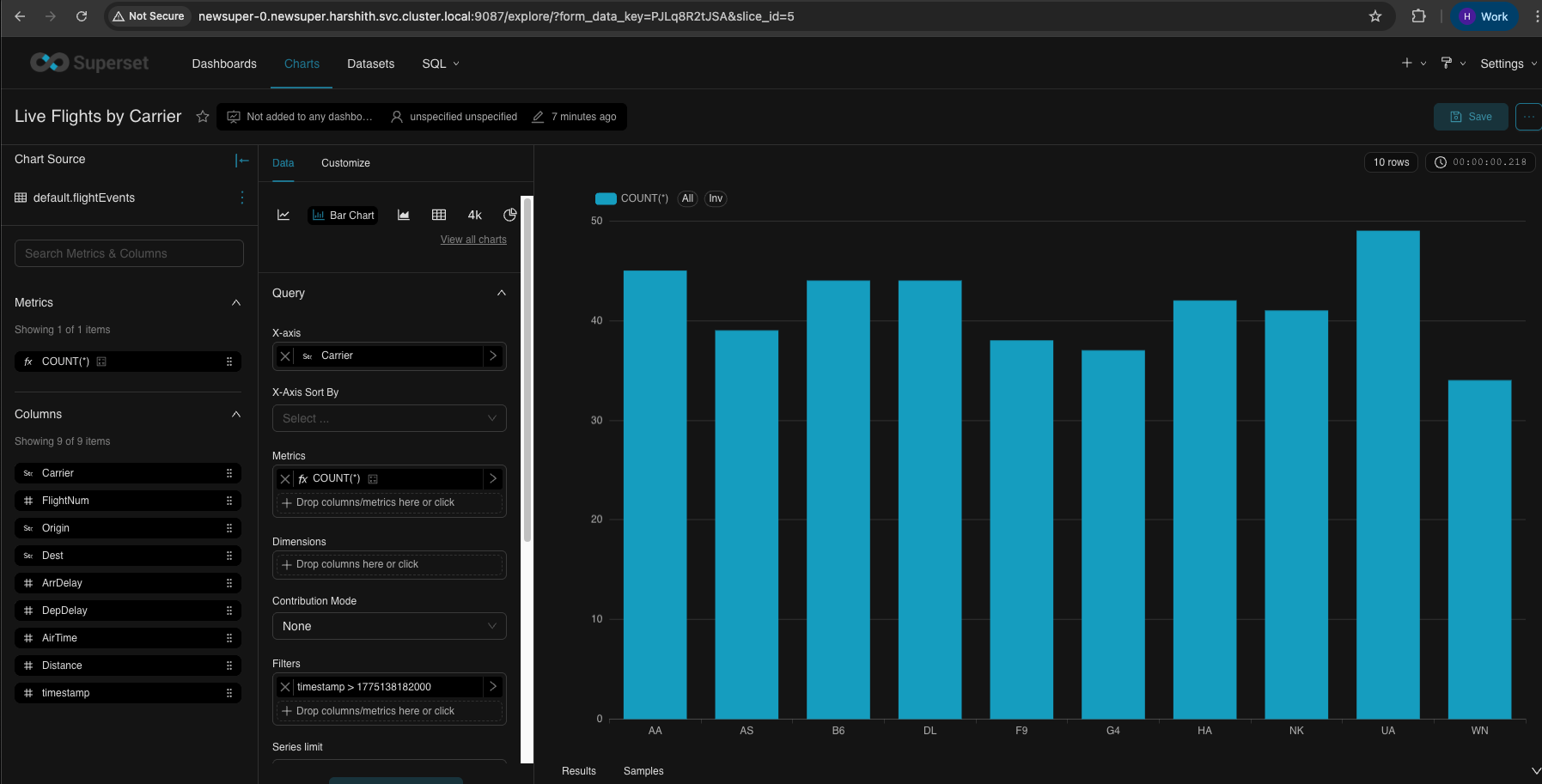
Bar Chart - Live Flights by Carrier
| Field | Value | Description |
|-------|-------|-------------|
| X-Axis | `Carrier` | Airline carrier codes on horizontal axis |
| Metrics | `COUNT(*)` | Number of flight events (bar height) |
| Dimensions | *(leave empty)* | Not needed for simple bar chart |
| Time Range | `Last hour` | Filter to recent data |
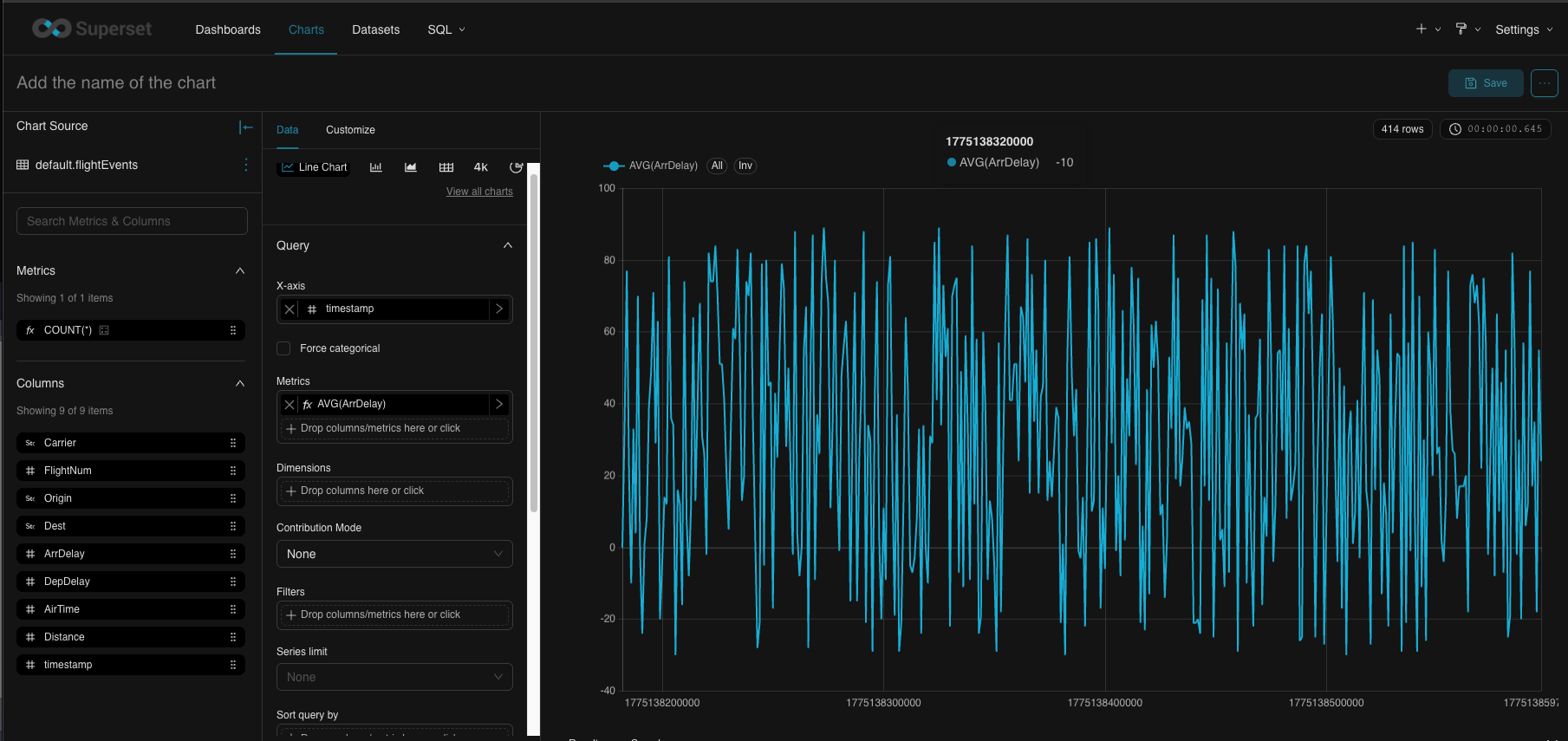
Line Chart - Arrival Delays Over Time
| Field | Value | Description |
|-------|-------|-------------|
| X-Axis | `timestamp` | Time on horizontal axis |
| Time Grain | `minute` | Aggregate by minute |
| Metrics | `AVG(ArrDelay)` | Average arrival delay (line value) |
| Dimensions | *(leave empty)* | Single line for all carriers |
| Time Range | `Last hour` | Show last hour of data |
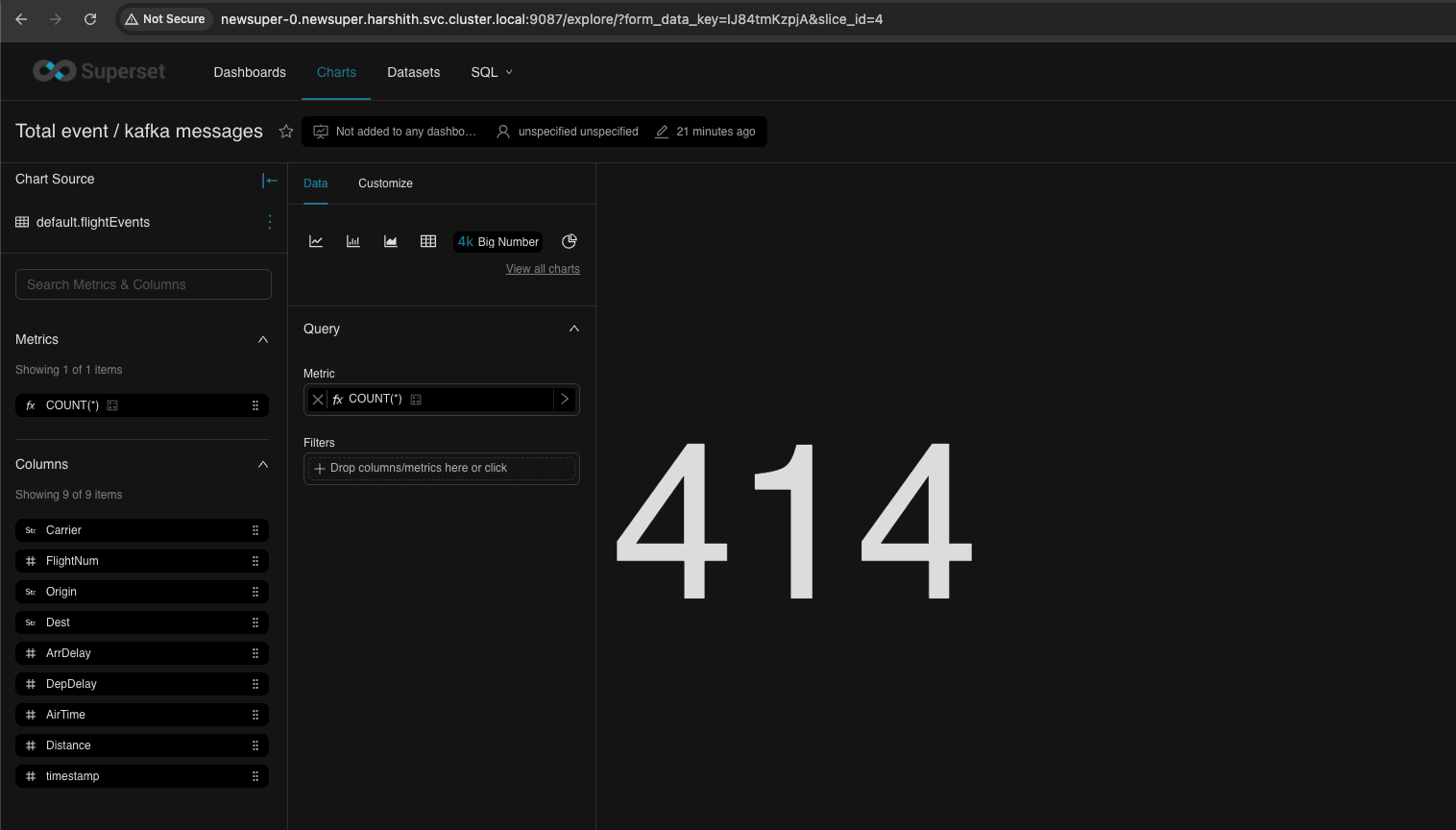
Big Number - Total Events
| Field | Value | Description |
|-------|-------|-------------|
| Chart Type | `Big Number` | Single large metric display |
| Metric | `COUNT(*)` | Total event count |
Dashboard
Video live refresh for the Dashboard
The following is a quick video showing autorefresh.