You can update the Java options for the services through the Ambari UI.
Below are detailed, service-wise details for all services supported by the JMX agent.
Ensure to update the ODP Services with JMX settings before proceeding. For details, see Configure ODP Cluster Services for Pulse.
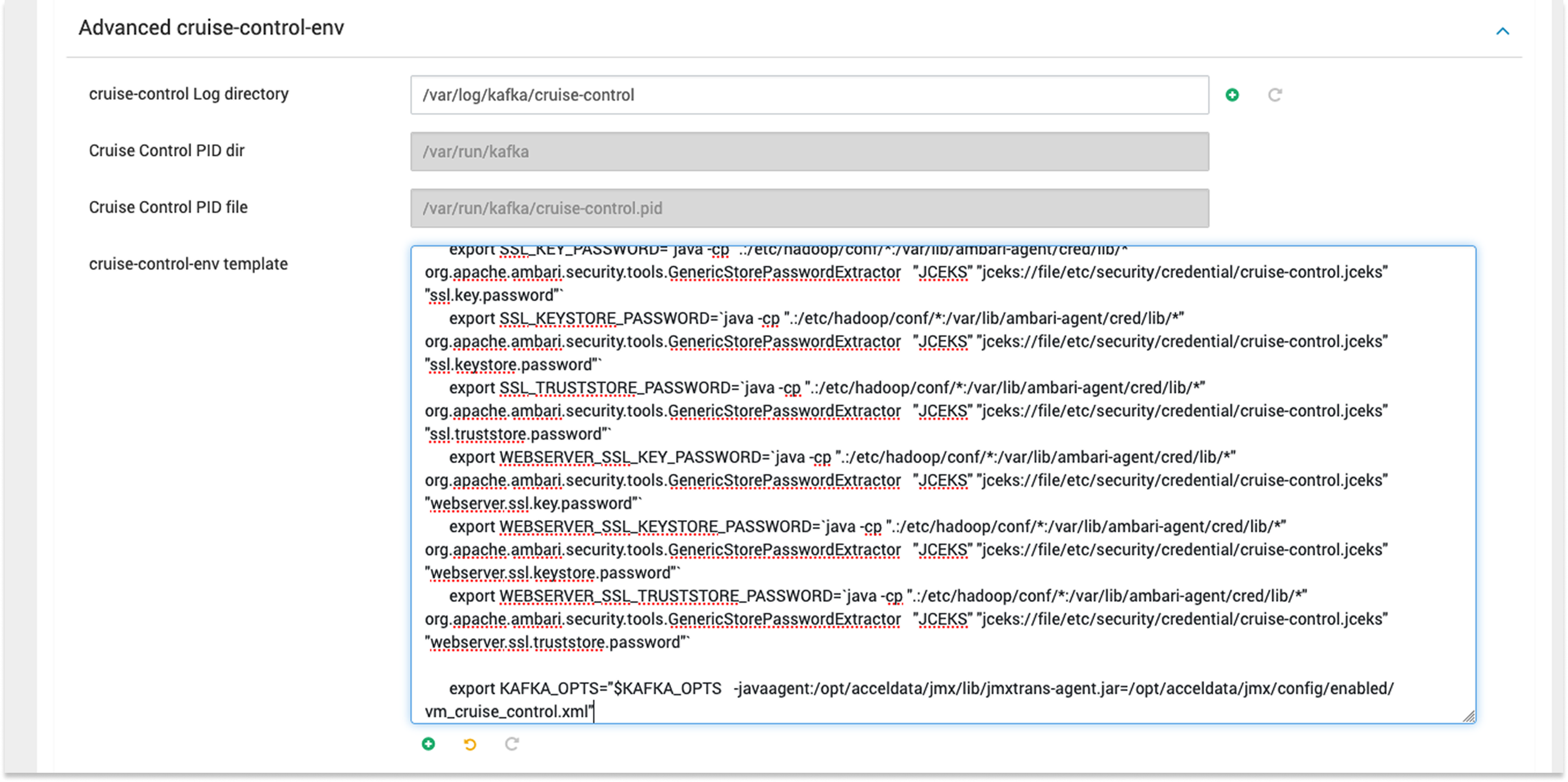
In the Ambari UI, go to Kafka → Advanced → cruise-control-env template.
Add the following line at the end of the template:
export KAFKA_OPTS="$KAFKA_OPTS -javaagent:/opt/acceldata/jmx/lib/jmxtrans-agent.jar=/opt/acceldata/jmx/config/enabled/vm_cruise_control.xml"
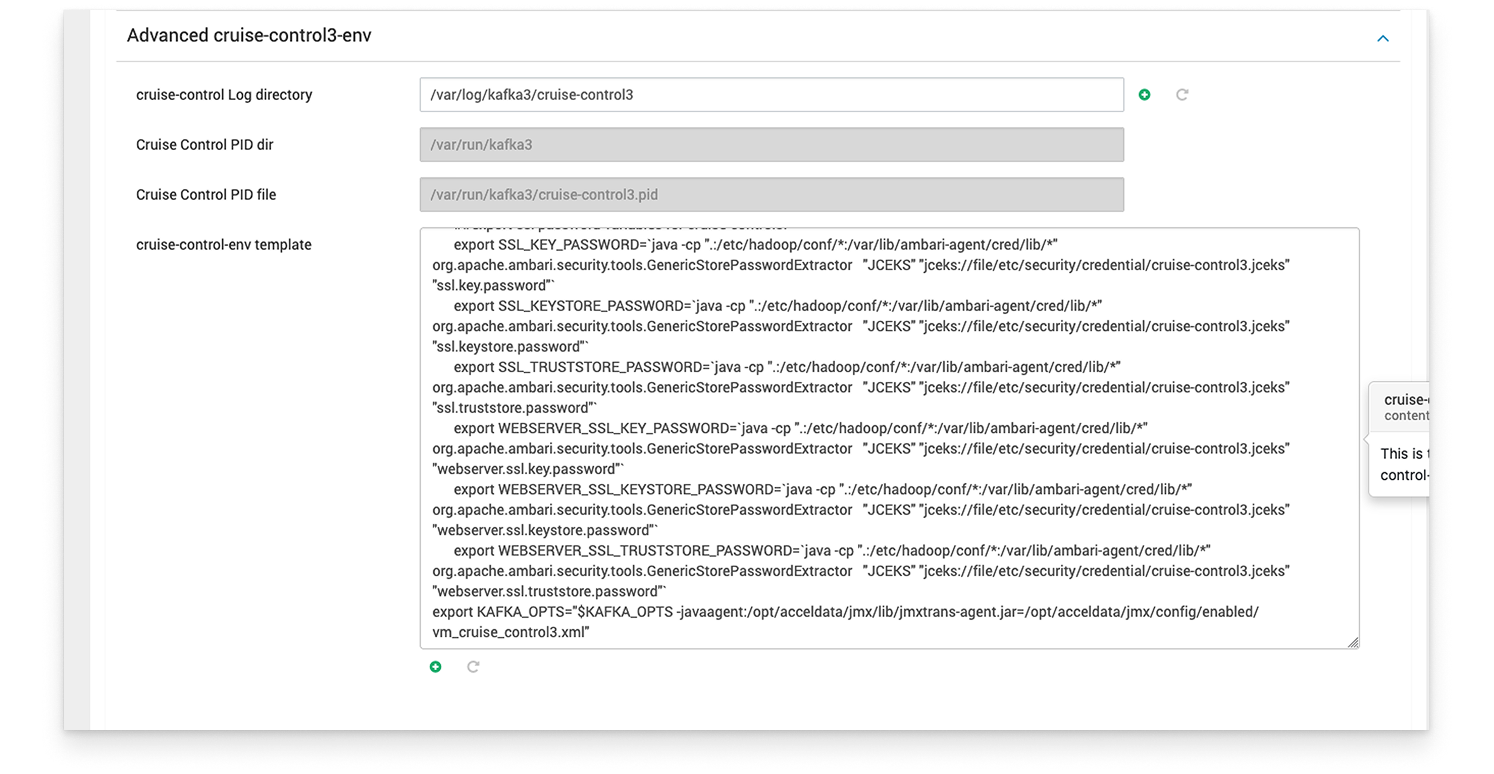
In the Ambari UI, go to Kafka3 → Advanced → cruise-control3-env template.
Add the following line at the end of the template:
export KAFKA_OPTS="$KAFKA_OPTS -javaagent:/opt/acceldata/jmx/lib/jmxtrans-agent.jar=/opt/acceldata/jmx/config/enabled/vm_cruise_control3.xml
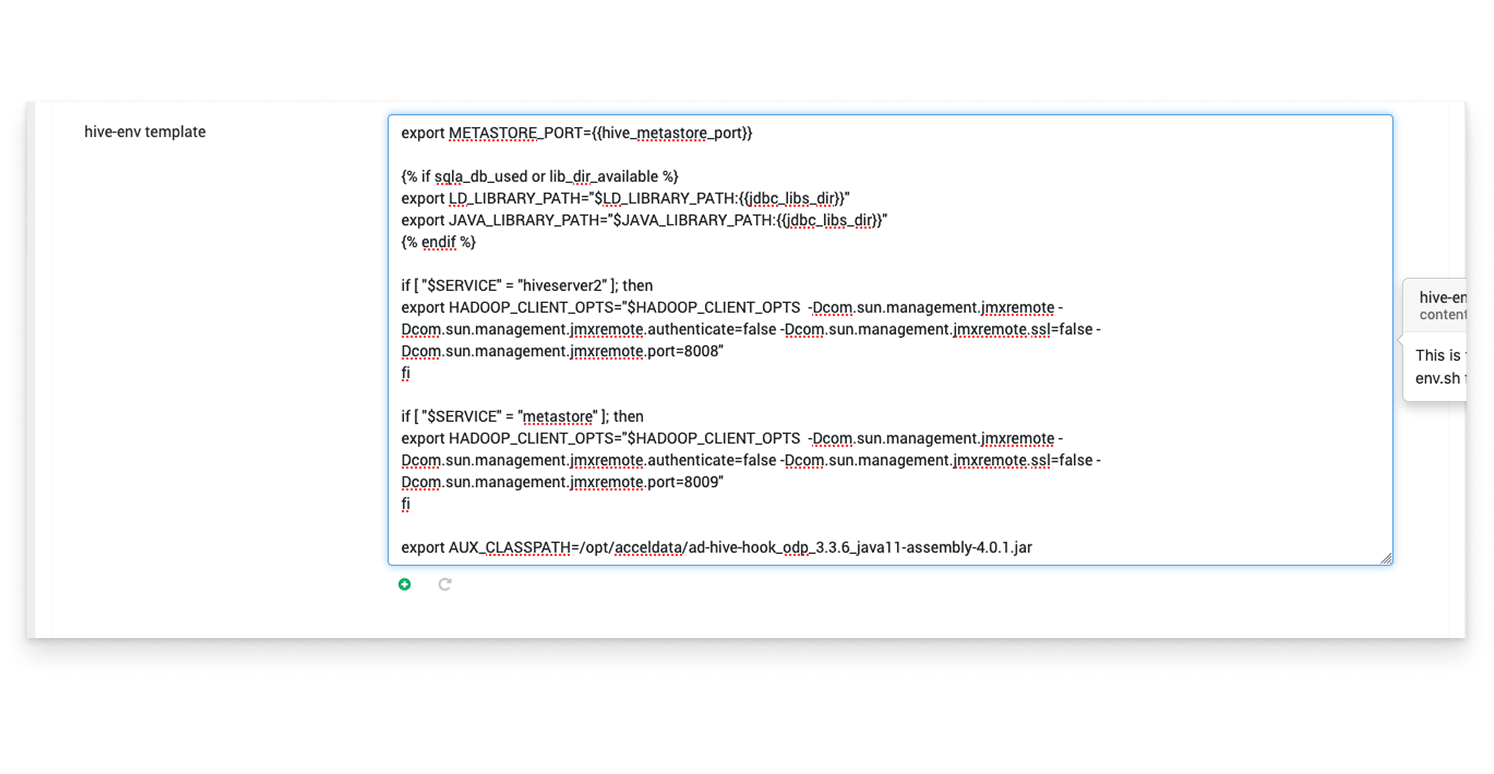
In the Ambari UI, go to Hive → Advanced → hive-env template
Add the following line inside the section: if [ "$SERVICE" = "metastore" ].
export HADOOP_OPTS="$HADOOP_OPTS -javaagent:/opt/acceldata/jmx/lib/jmxtrans-agent.jar=/opt/acceldata/jmx/config/enabled/vm_hive_metastore.xml"
In the Ambari UI, go to Hive → Advanced → hive-env template.
Add the following line inside the section: if [ "$SERVICE" = "hiveserver2" ].
export HADOOP_OPTS="$HADOOP_OPTS -javaagent:/opt/acceldata/jmx/lib/jmxtrans-agent.jar=/opt/acceldata/jmx/config/enabled/vm_hive_server.xml"
If Kafka Connect is NOT enabled:
Go to Kafka → Advanced → kafka-env template
Add the following line at the end:
export KAFKA_OPTS="$KAFKA_OPTS -javaagent:/opt/acceldata/jmx/lib/jmxtrans-agent.jar=/opt/acceldata/jmx/config/enabled/vm_kafka.xml"
If Kafka Connect is enabled:
Add the following snippet at the end of the kafka-env template:
AGENT_PATH="/opt/acceldata/jmx/lib/jmxtrans-agent.jar"
if [[ "$KAFKA_OPTS" != *"$AGENT_PATH"* ]]; then
if [[ "$KAFKA_LOG4J_OPTS" == *"connect-log4j.properties"* ]]; then
export KAFKA_OPTS="$KAFKA_OPTS -javaagent:$AGENT_PATH=/opt/acceldata/jmx/config/enabled/vm_kafka_connect.xml"
else
export KAFKA_OPTS="$KAFKA_OPTS -javaagent:$AGENT_PATH=/opt/acceldata/jmx/config/enabled/vm_kafka.xml"
fi
fi
If Kafka Connect is NOT enabled:
Go to Kafka3 → Advanced → kafka-env template
Add the following line at the end:
export KAFKA_OPTS="$KAFKA_OPTS -javaagent:/opt/acceldata/jmx/lib/jmxtrans-agent.jar=/opt/acceldata/jmx/config/enabled/vm_kafka3.xml"
If Kafka Connect is enabled:
Add the following snippet:
AGENT_PATH="/opt/acceldata/jmx/lib/jmxtrans-agent.jar"
if [[ "$KAFKA_OPTS" != *"$AGENT_PATH"* ]]; then
CURRENT_CMD_STRING=$(ps -p $$ -o args=)
if [[ "$CURRENT_CMD_STRING" == *"kafka-connect"* ]]; then
export KAFKA_OPTS="$KAFKA_OPTS -javaagent:$AGENT_PATH=/opt/acceldata/jmx/config/enabled/vm_kafka3_connect.xml"
elif [[ "$CURRENT_CMD_STRING" == *"kafka3 start"* ]] || [[ "$CURRENT_CMD_STRING" == *"kafka-server-start"* ]]; then
export KAFKA_OPTS="$KAFKA_OPTS -javaagent:$AGENT_PATH=/opt/acceldata/jmx/config/enabled/vm_kafka3.xml"
fi
fi
Go to Kafka → Advanced → kafka-env template
Add the following snippet at the end:
AGENT_PATH="/opt/acceldata/jmx/lib/jmxtrans-agent.jar"
if [[ "$KAFKA_OPTS" != *"$AGENT_PATH"* ]]; then
if [[ "$KAFKA_LOG4J_OPTS" == *"connect-log4j.properties"* ]]; then
export KAFKA_OPTS="$KAFKA_OPTS -javaagent:$AGENT_PATH=/opt/acceldata/jmx/config/enabled/vm_kafka_connect.xml"
else
export KAFKA_OPTS="$KAFKA_OPTS -javaagent:$AGENT_PATH=/opt/acceldata/jmx/config/enabled/vm_kafka.xml"
fi
fi
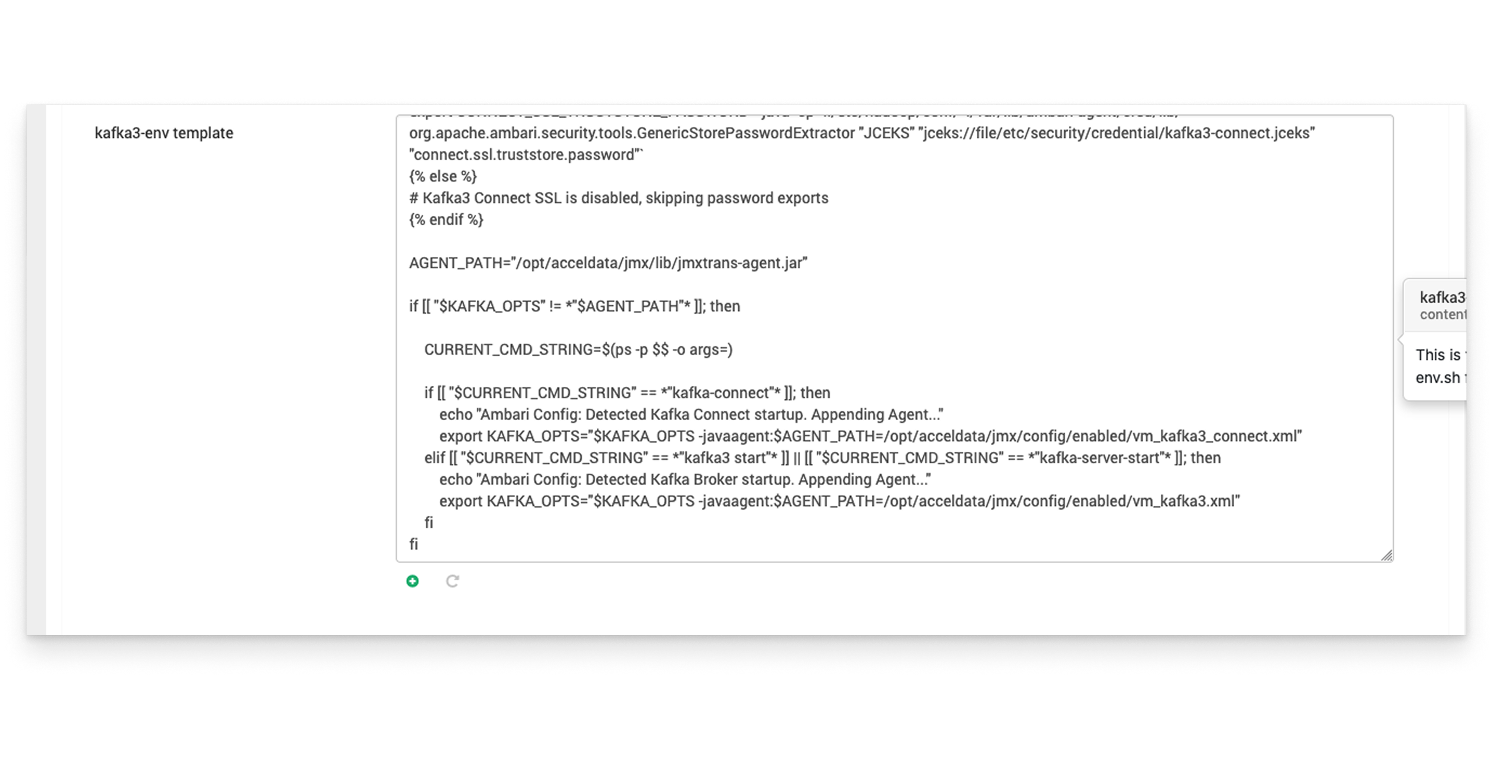
Go to Kafka3 → Advanced → kafka3-env template.
Add the following snippet at the end:
AGENT_PATH="/opt/acceldata/jmx/lib/jmxtrans-agent.jar"
if [[ "$KAFKA_OPTS" != *"$AGENT_PATH"* ]]; then
CURRENT_CMD_STRING=$(ps -p $$ -o args=)
if [[ "$CURRENT_CMD_STRING" == *"kafka-connect"* ]]; then
export KAFKA_OPTS="$KAFKA_OPTS -javaagent:$AGENT_PATH=/opt/acceldata/jmx/config/enabled/vm_kafka3_connect.xml"
elif [[ "$CURRENT_CMD_STRING" == *"kafka3 start"* ]] || [[ "$CURRENT_CMD_STRING" == *"kafka-server-start"* ]]; then
export KAFKA_OPTS="$KAFKA_OPTS -javaagent:$AGENT_PATH=/opt/acceldata/jmx/config/enabled/vm_kafka3.xml"
fi
fi
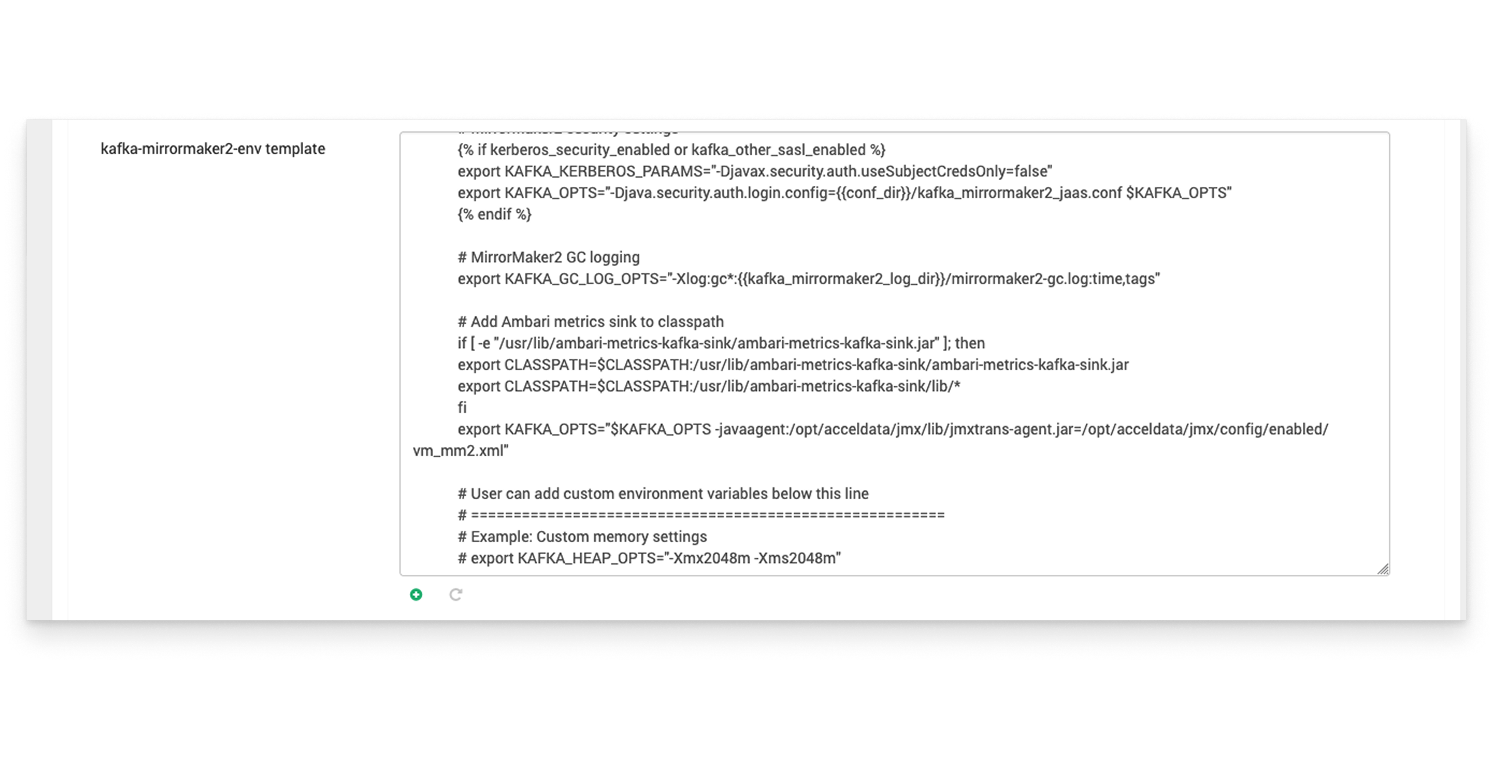
Go to Kafka → Advanced → kafka-mirrormaker2-env
Add the following line at the end:
export KAFKA_OPTS="$KAFKA_OPTS -javaagent:/opt/acceldata/jmx/lib/jmxtrans-agent.jar=/opt/acceldata/jmx/config/enabled/vm_mm2.xml"
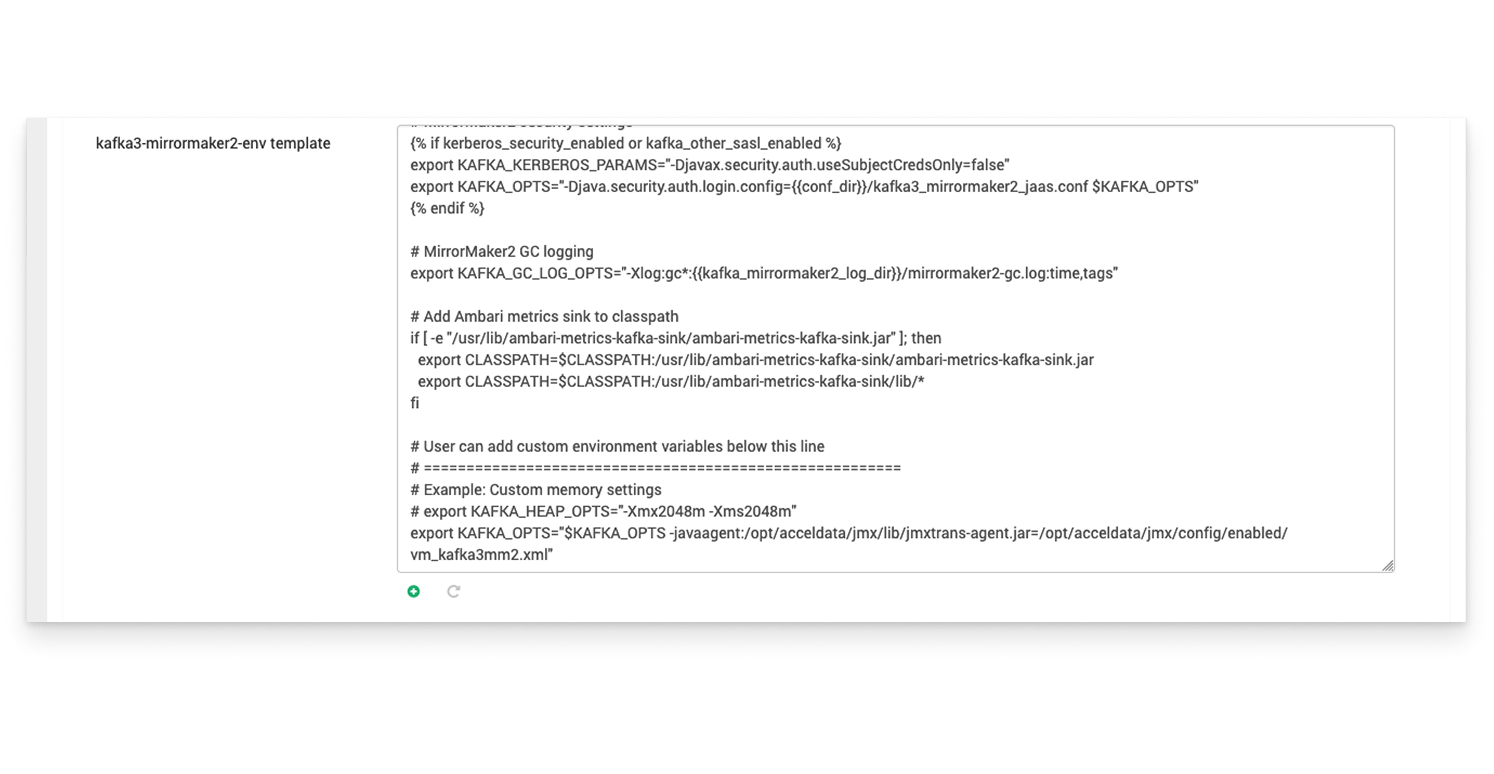
Go to Kafka3 → Advanced → kafka-mirrormaker2-env
Add the following line at the end:
export KAFKA_OPTS="$KAFKA_OPTS -javaagent:/opt/acceldata/jmx/lib/jmxtrans-agent.jar=/opt/acceldata/jmx/config/enabled/vm_kafka3mm2.xml"
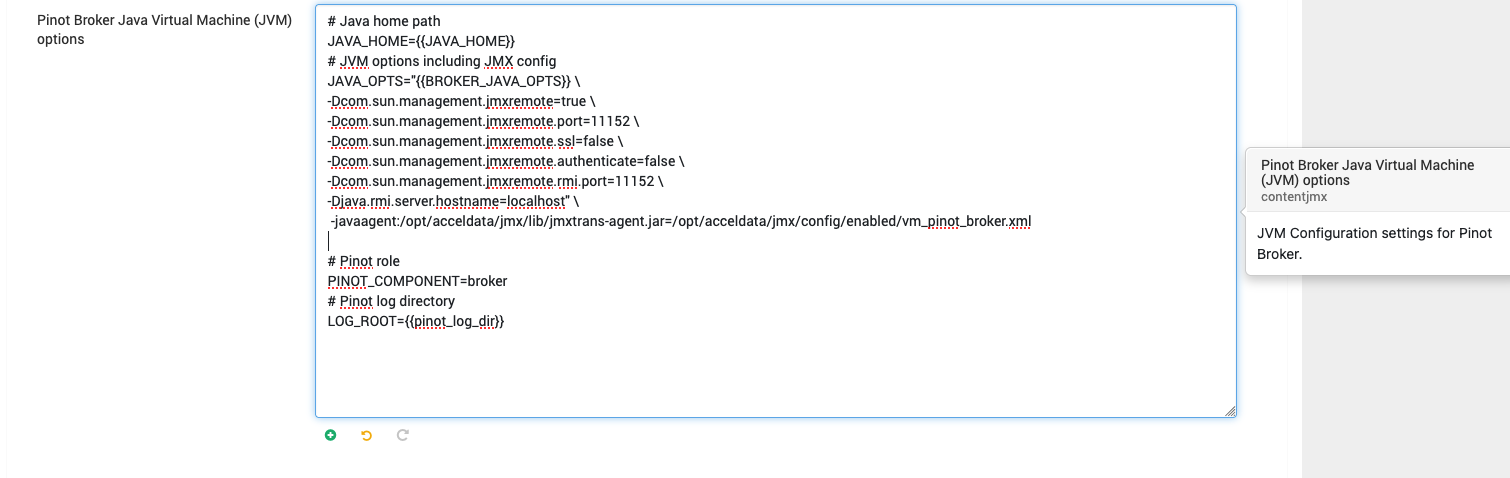
Go to Pinot Broker → Java Virtual Machine (JVM) Options
Add the below line to existing java opts.
-javaagent:/opt/acceldata/jmx/lib/jmxtrans-agent.jar=/opt/acceldata/jmx/config/enabled/vm_pinot_broker.xml
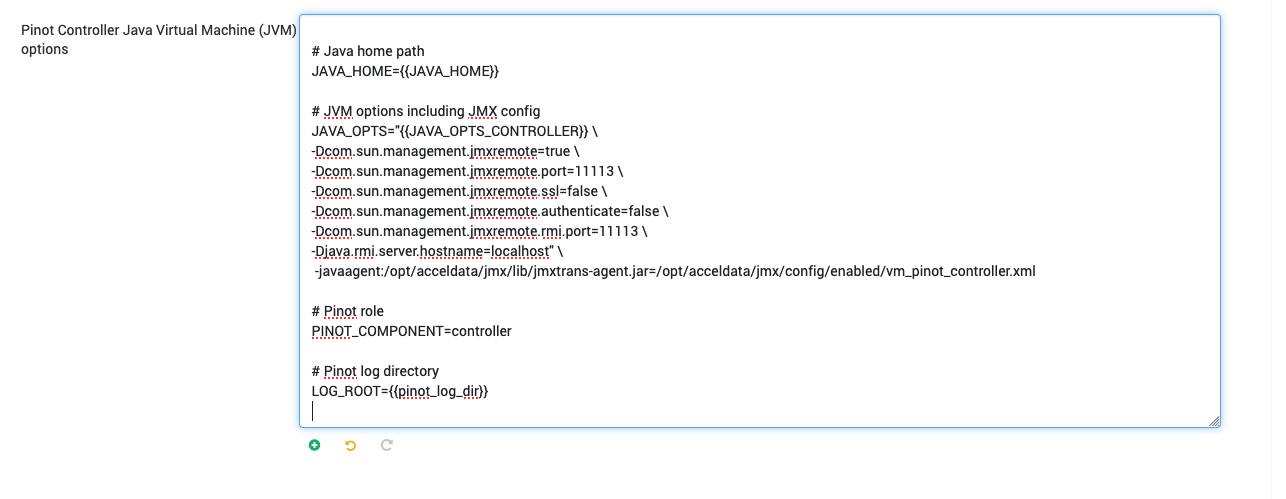
Go to Pinot Controller → Java Virtual Machine (JVM) Options
Add the below line to existing java opts.
-javaagent:/opt/acceldata/jmx/lib/jmxtrans-agent.jar=/opt/acceldata/jmx/config/enabled/vm_pinot_controller.xml
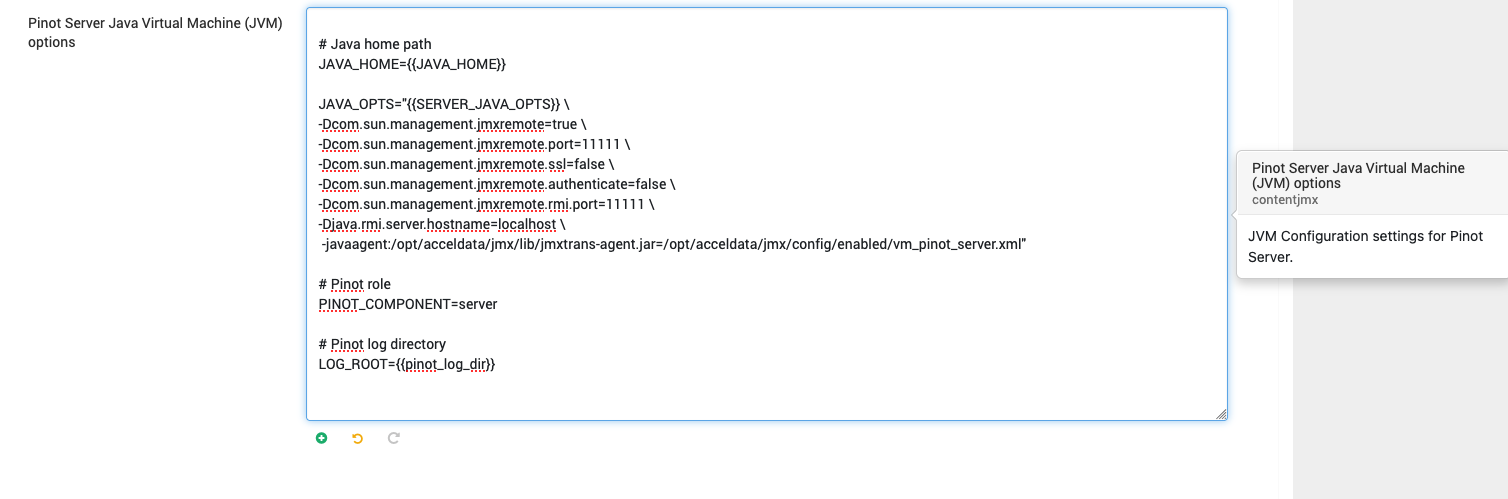
Go to Pinot Server → Java Virtual Machine (JVM) Options
Add the below line to existing java opts.
-javaagent:/opt/acceldata/jmx/lib/jmxtrans-agent.jar=/opt/acceldata/jmx/config/enabled/vm_pinot_server.xml
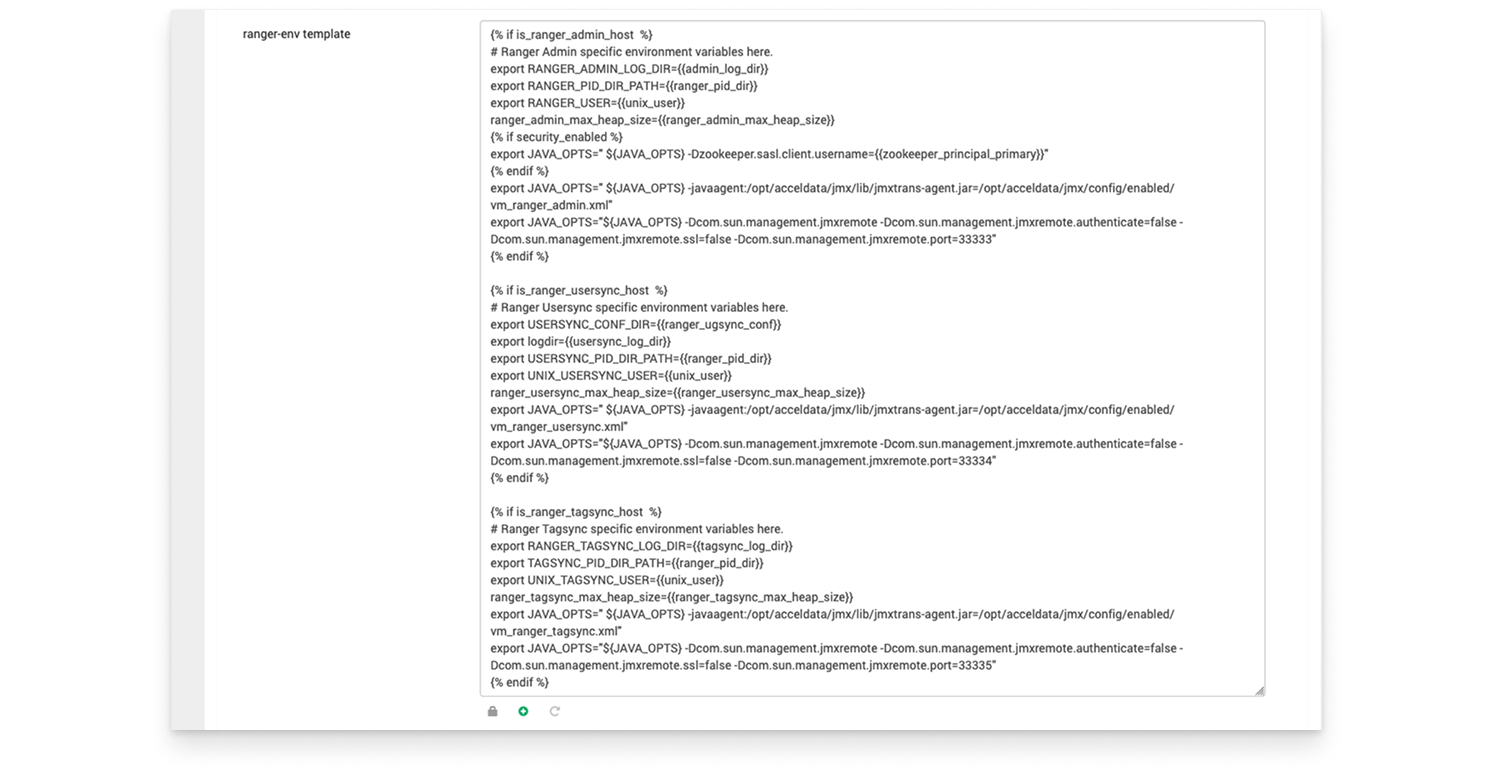
Go to Ranger → Advanced → ranger-env template
Ranger Admin
Add the line below in the {% if is_ranger_admin_host %} section:
export JAVA_OPTS="${JAVA_OPTS} -javaagent:/opt/acceldata/jmx/lib/jmxtrans-agent.jar=/opt/acceldata/jmx/config/enabled/vm_ranger_admin.xml"
Ranger Tagsync
For Tagsync, add the below line in the {% if is_ranger_tagsync_host %} section:
export JAVA_OPTS="${JAVA_OPTS} -javaagent:/opt/acceldata/jmx/lib/jmxtrans-agent.jar=/opt/acceldata/jmx/config/enabled/vm_ranger_tagsync.xml"
Ranger Usersync
For Usersync, add the line below in the {% if is_ranger_usersync_host %} section:
export JAVA_OPTS=" ${JAVA_OPTS} -javaagent:/opt/acceldata/jmx/lib/jmxtrans-agent.jar=/opt/acceldata/jmx/config/enabled/vm_ranger_usersync.xml"
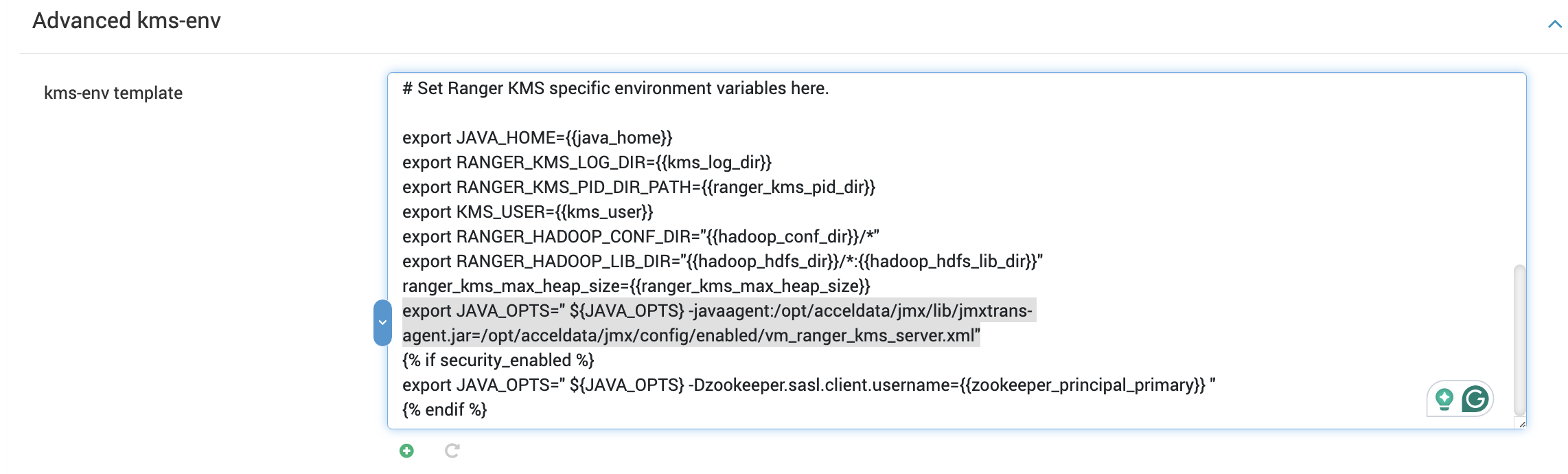
In the Ambari UI, go to Ranger KMS → Advanced kms-env-> kms-env template
Update the kms-env template with the following values.
export JAVA_OPTS=" ${JAVA_OPTS} -javaagent:/opt/acceldata/jmx/lib/jmxtrans-agent.jar=/opt/acceldata/jmx/config/enabled/vm_ranger_kms_server.xml"
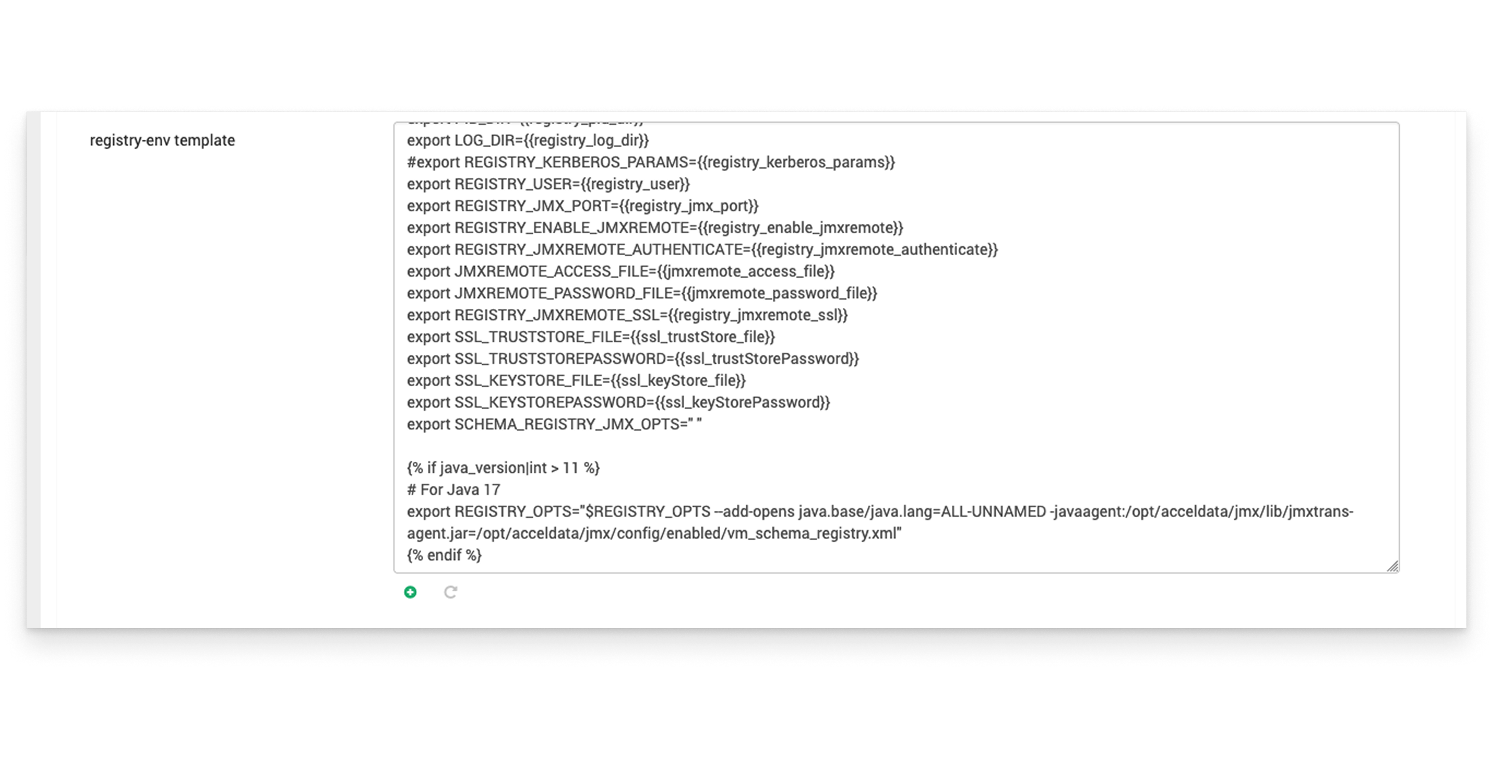
Go to Schema Registry → registry-env template
Add the following line at the end:
export REGISTRY_OPTS="$REGISTRY_OPTS -javaagent:/opt/acceldata/jmx/lib/jmxtrans-agent.jar=/opt/acceldata/jmx/config/enabled/vm_schema_registry.xml"
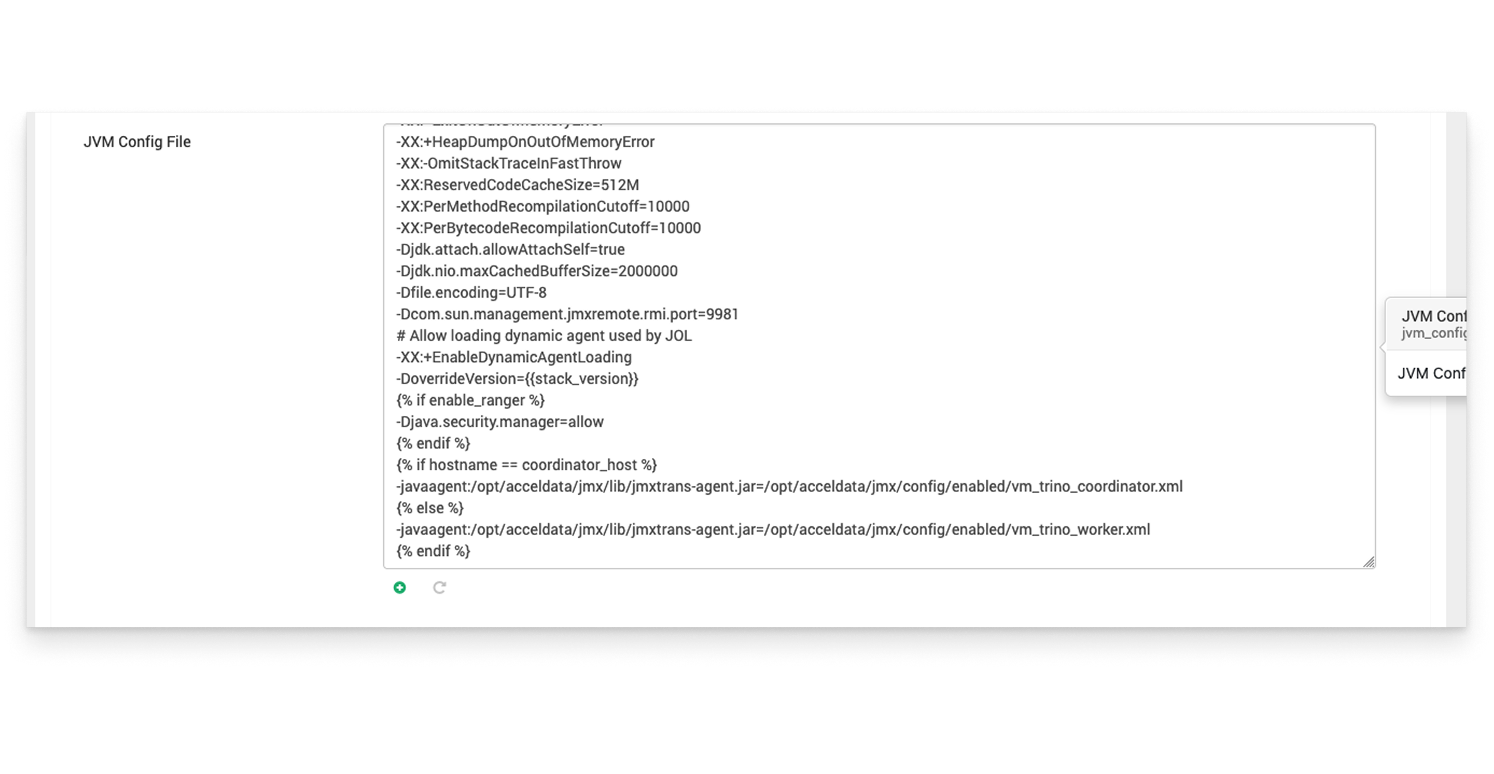
Go to Trino → JVM Config file
Add the following snippet at the end:
{% if hostname == coordinator_host %}
-javaagent:/opt/acceldata/jmx/lib/jmxtrans-agent.jar=/opt/acceldata/jmx/config/enabled/vm_trino_coordinator.xml
{% else %}
-javaagent:/opt/acceldata/jmx/lib/jmxtrans-agent.jar=/opt/acceldata/jmx/config/enabled/vm_trino_worker.xml
{% endif %}
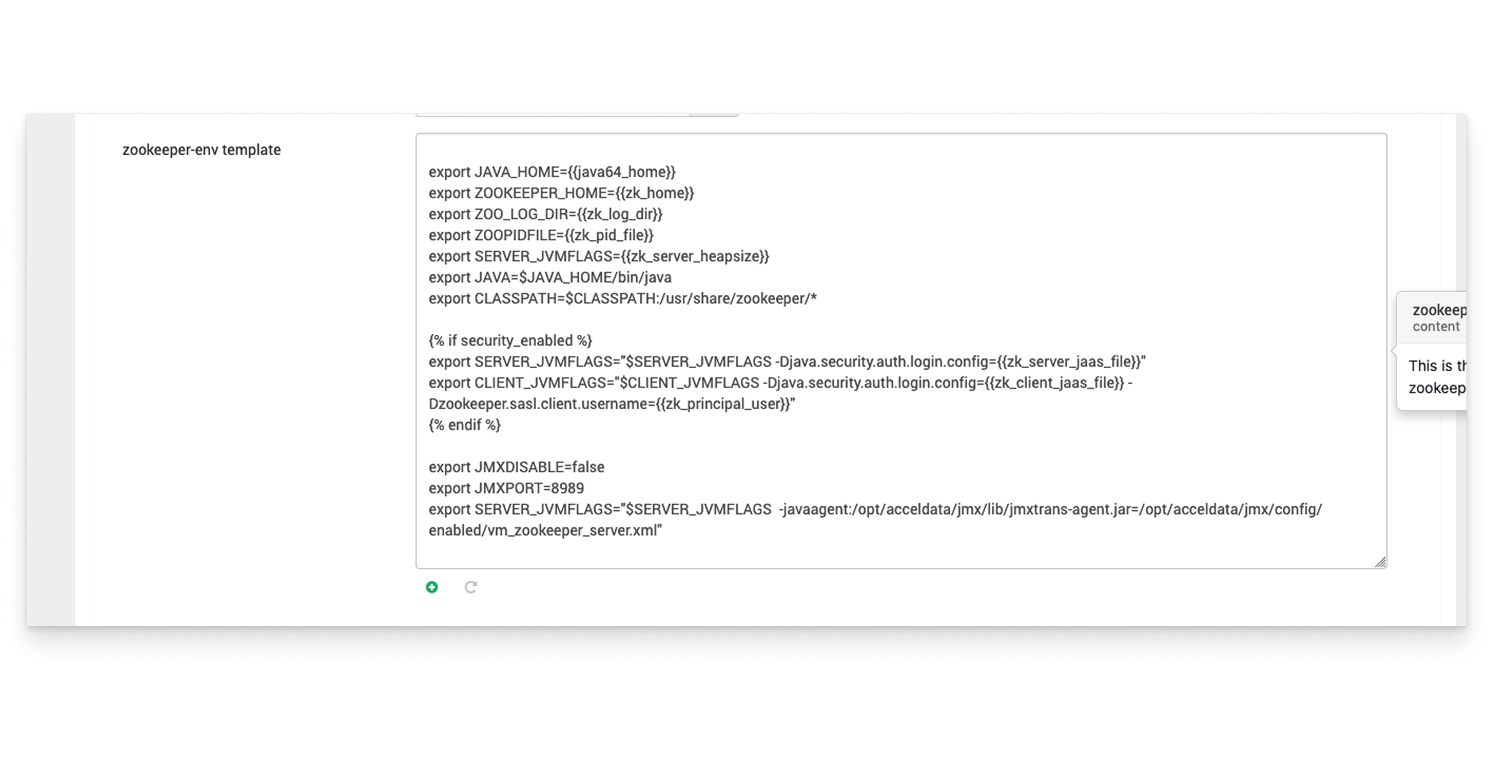
Go to Zookeeper → Advanced → zookeeper-env template
Add the following line at the end:
export SERVER_JVMFLAGS="$SERVER_JVMFLAGS -javaagent:/opt/acceldata/jmx/lib/jmxtrans-agent.jar=/opt/acceldata/jmx/config/enabled/vm_zookeeper_server.xml"
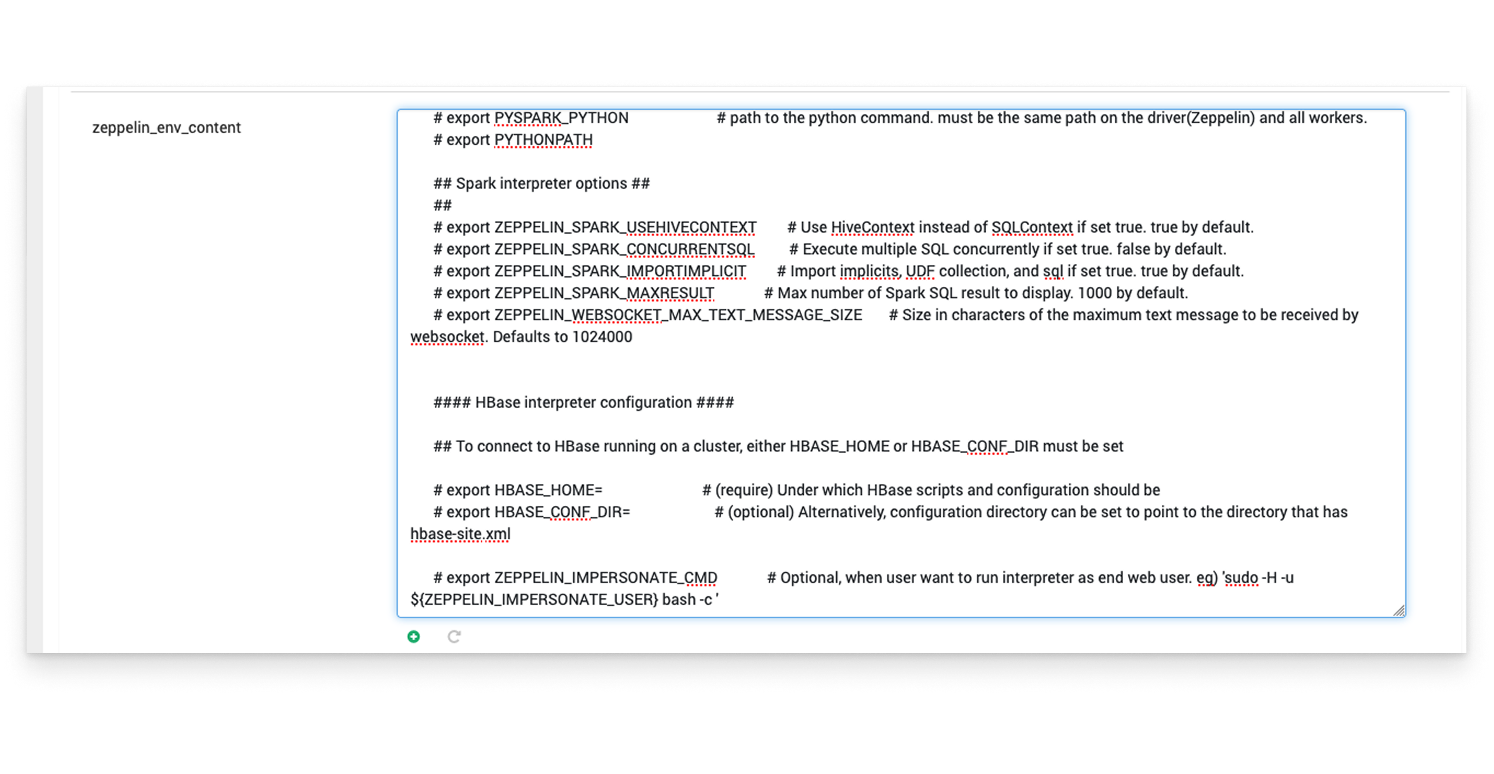
Go to Zeppelin → zeppelin_env_content
Add the following line at the end:
export ZEPPELIN_JAVA_OPTS="$ZEPPELIN_JAVA_OPTS -javaagent:/opt/acceldata/jmx/lib/jmxtrans-agent.jar=/opt/acceldata/jmx/config/enabled/vm_zeppelin_master.xml"