
Enabling the NiFi API Summary Dashboard
You can follow the below steps to enable the NiFi API summary dashboard.
- Open the
nifi.properties
nifi.web.request.log.format="%{client}a - %u %t "%r" %s %O "%{Referer}i" "%{User-Agent}i" %{ms}T"
- Restart NiFi by running the following command (it might be some UI, if you’re using CDP or HDP).
nifi.sh restart
- Perform the following changes on a SA NiFi cluster.
bash-4.4# pwd
/opt/nifi-1.23.2/conf
bash-4.4# ../bin/nifi.sh restart
nifi.sh: JAVA_HOME not set; results may vary
Java home:
NiFi home: /opt/nifi-1.23.2
Bootstrap Config File: /opt/nifi-1.23.2/conf/bootstrap.conf
2024-12-15 22:26:08,703 INFO [main] org.apache.nifi.bootstrap.Command Apache NiFi has accepted the Shutdown Command and is shutting down now
2024-12-15 22:26:08,718 INFO [main] org.apache.nifi.bootstrap.Command NiFi PID [1984851] shutdown in progress...
2024-12-15 22:26:10,726 INFO [main] org.apache.nifi.bootstrap.Command NiFi PID [1984851] shutdown in progress...
2024-12-15 22:26:12,736 INFO [main] org.apache.nifi.bootstrap.Command NiFi PID [1984851] shutdown completed
Java home:
NiFi home: /opt/nifi-1.23.2
Bootstrap Config File: /opt/nifi-1.23.2/conf/bootstrap.conf
bash-4.4# ../bin/nifi.sh status
nifi.sh: JAVA_HOME not set; results may vary
Java home:
NiFi home: /opt/nifi-1.23.2
Bootstrap Config File: /opt/nifi-1.23.2/conf/bootstrap.conf
2024-12-15 22:26:27,878 INFO [main] org.apache.nifi.bootstrap.Command Apache NiFi is currently running, listening to Bootstrap on port 44497, PID=3647031
- Check
nifi-request.log
"10.100.4.80 - admin [15/Dec/2024:18:12:17 +0000] "GET /nifi-api/flow/cluster/summary HTTP/1.1" 200 105 "-" "curl/7.29.0" 220"
"10.100.4.80 - admin [15/Dec/2024:18:12:47 +0000] "GET /nifi-api/flow/cluster/summary HTTP/1.1" 200 105 "-" "curl/7.29.0" 10"
"10.100.4.81 - - [15/Dec/2024:18:13:10 +0000] "GET / HTTP/1.1" 200 410 "-" "okhttp/4.10.0" 1"
"10.100.4.80 - admin [15/Dec/2024:18:13:17 +0000] "GET /nifi-api/flow/cluster/summary HTTP/1.1" 200 105 "-" "curl/7.29.0" 5"
"10.100.4.80 - admin [15/Dec/2024:18:13:47 +0000] "GET /nifi-api/flow/cluster/summary HTTP/1.1" 200 105 "-" "curl/7.29.0" 6"
- Create an
override.ymlvars.yml - Create a file called
override.yml$AcceloHome/work/<cluster_name> - Add the following section to the file.
log_locations:
 nifi_request:
 - path: /var/log/nifi/nifi-request.log
 type: DEFAULT
extra_plugins:
 eventtail:
 - yarn_resourcemanager
 - nifi_request
- Save your changes and run the following command.
accelo reconfig cluster
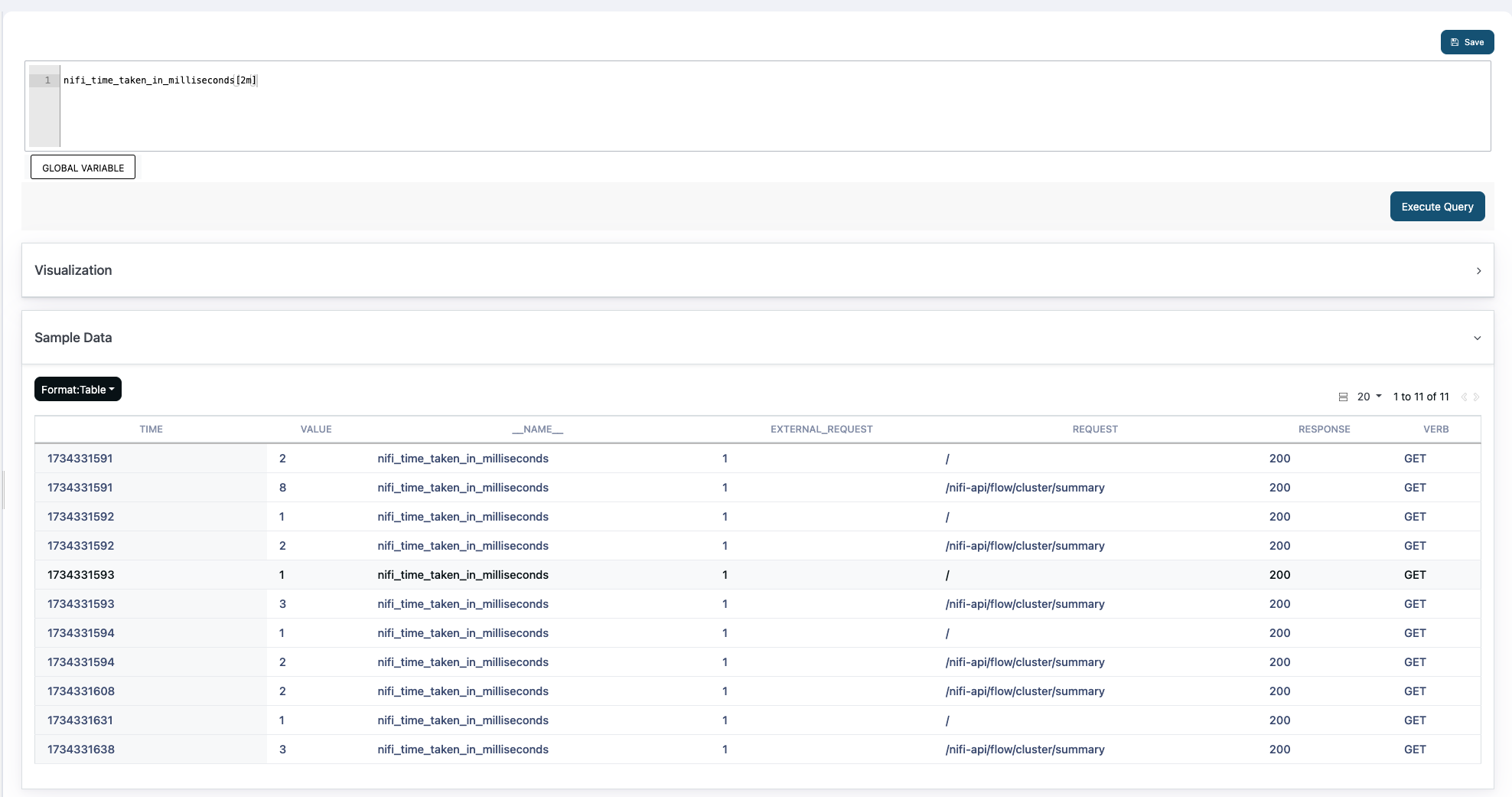
After performing the steps, you can see the following metrics in Pulse.
Have a suggestion?