
How to Use Pulse Public APIs
This page describes how to use the Pulse Public APIs to authenticate, obtain a JWT token, and access the GraphQL Playground for running API queries.
Obtain a JWT Token
To access the Pulse APIs, first obtain a JSON Web Token (JWT).
- Open your terminal or command prompt.
- Run the following command to log in and retrieve the JWT token and user role:
curl -i 'http://<pulse url>/login' \
-H 'accept: application/json, text/plain, */*' \
-H 'content-type: application/json' \
--data-raw '{"email":"<username>","password":"<base64 encoded password>"}'
Replace the following placeholders:
<pulse_url><username><base64_encoded_password>
Example:
curl -i 'http://example.com/login' \
-H 'accept: application/json, text/plain, */*' \
-H 'content-type: application/json' \
--data-raw '{"email":"john.doe@example.com","password":"<password_placeholder>"}'
- After executing the command, you’ll receive a response similar to the following:
HTTP/2 200
date: Thu, 13 Jun 2024 05:17:07 GMT
content-type: application/json; charset=utf-8
content-length: 63
server: nginx
access-control-allow-origin: *
x-frame-options: DENY
x-content-type-options: nosniff
set-cookie: jwt=<jwt_token>; Max-Age=900; Path=/; Expires=Thu, 13 Jun 2024 05:32:07 GMT
etag: W/"3f-Y6s9mpm2ANCRhWr9ueS4XY2nCP8"
{"message":"Authentication successful!","data":{"role":"e30="}}
- Copy the value of the JWT token and note down the role.
Set Up the Cookie Modifier Plugin
To use the GraphQL interface, configure your browser with the JWT token.
- Install a cookie modifier plugin (for example, EditThisCookie for Chrome or Cookie Manager+ for Firefox).
- Add the following cookies:
jwt- Any additional cookies required for your Pulse setup.
Access the GraphQL Playground
- Open your web browser.
- Navigate to:
http://<pulse_url>/graphql
Replace <pulse_url>
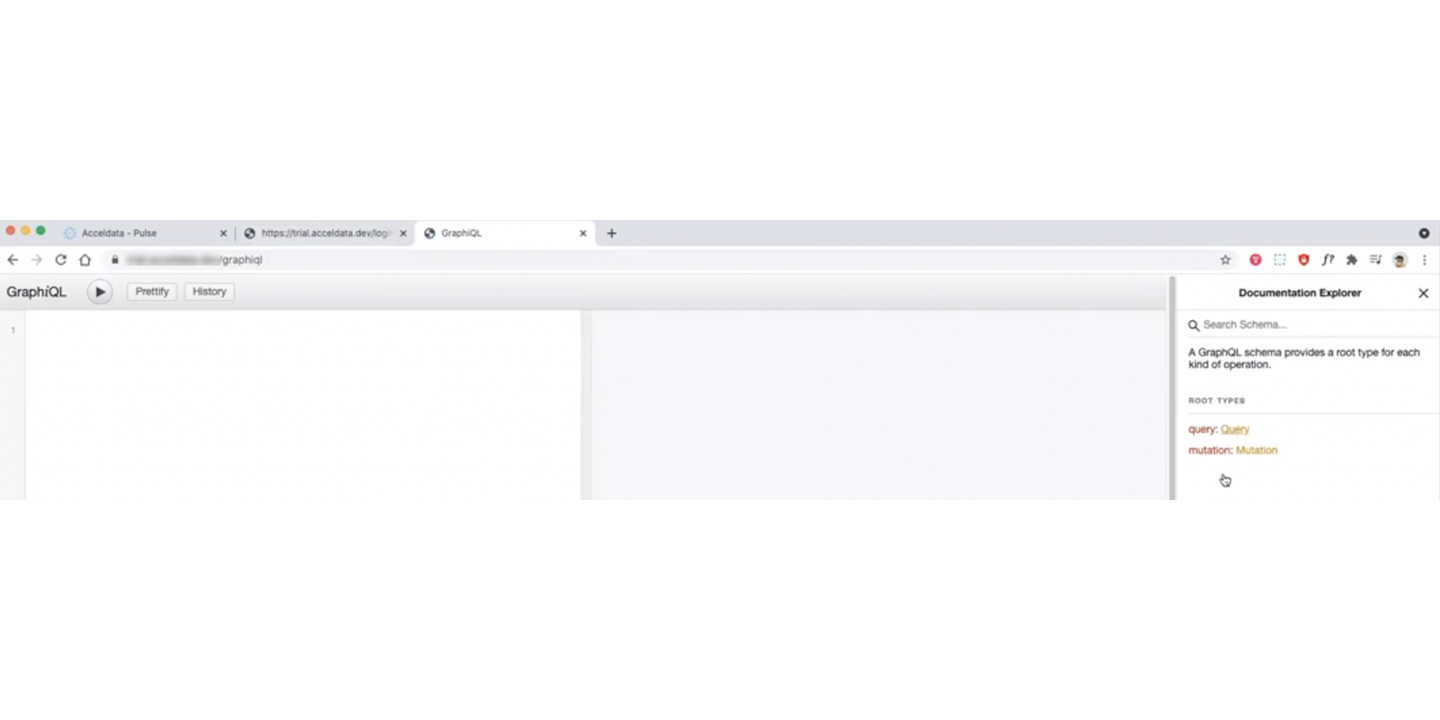
If the cookies are valid, the GraphQL Playground opens successfully.
You can:
- Browse available queries using the Documentation Explorer panel on the right.
- Use the Search Schema bar to find specific queries.
- Click Query to view all available API endpoints.
Verify Access
If authentication is successful, you can interact with the Pulse APIs using GraphQL queries.
- Keep your JWT token secure and avoid sharing it.
- Tokens expire periodically; refresh them as required.
- You can also use browser-based tools such as ModHeader or JWT Inspector to inject the token as a request header.
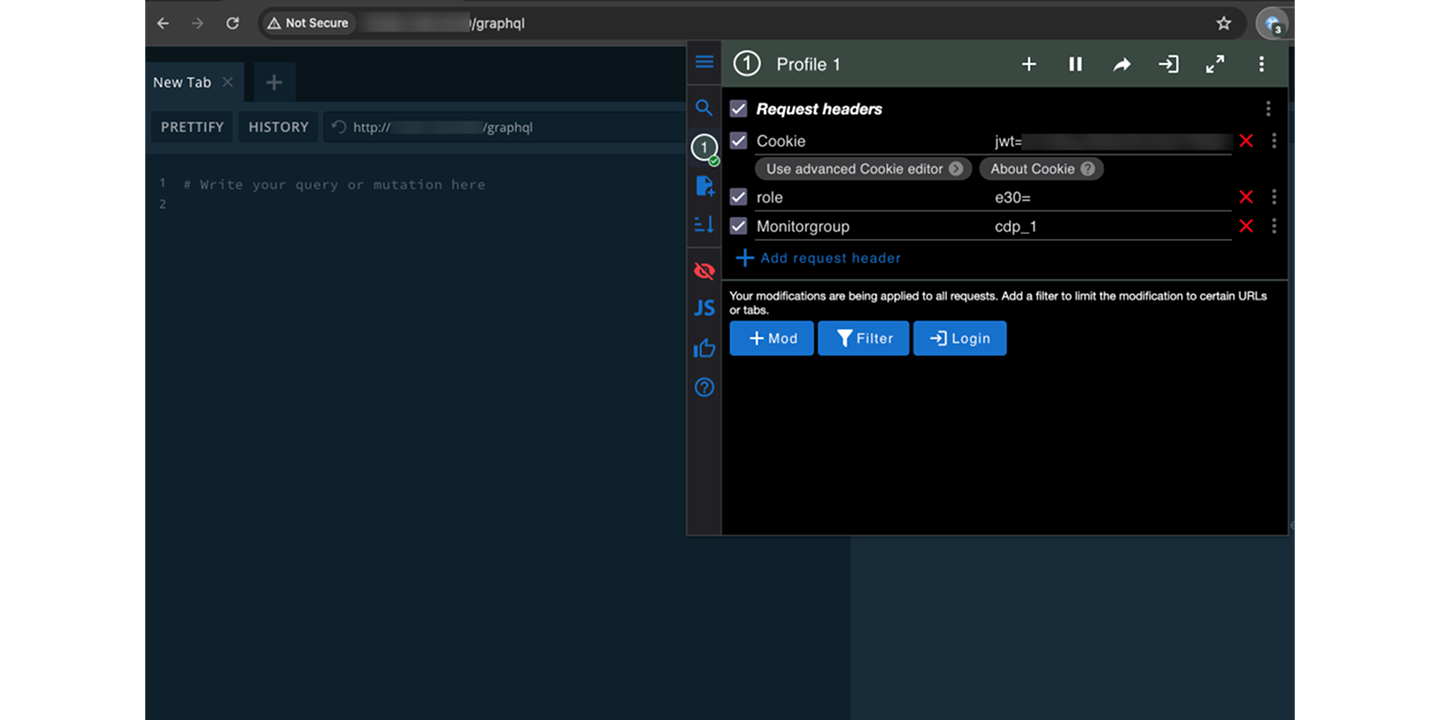
After adding or refreshing the JWT header, reload the page. The Documentation Explorer panel will appear.
Need Help?
If you encounter issues accessing the public APIs:
- Contact Acceldata Support at support@acceldata.io.
- Visit www.acceldata.force.com for assistance.
Have a suggestion?