
Monitor NiFi Process Groups
The NiFi Process Groups page provides visibility into data flow activity and performance across NiFi process groups. It displays metrics related to active threads, data ingestion, processing, queuing, and transfer operations.
Use this page to monitor process group activity, track FlowFile movement, identify processing delays, and analyze data flow performance.
View NiFi Process Groups
- In the xObserve UI, navigate to NiFi > Process Groups.
- Select the required NiFi cluster from the NiFi Clusters panel.
- Select the required time period to analyze process group activity.
- Expand a process group to view its nested process groups and associated metrics.
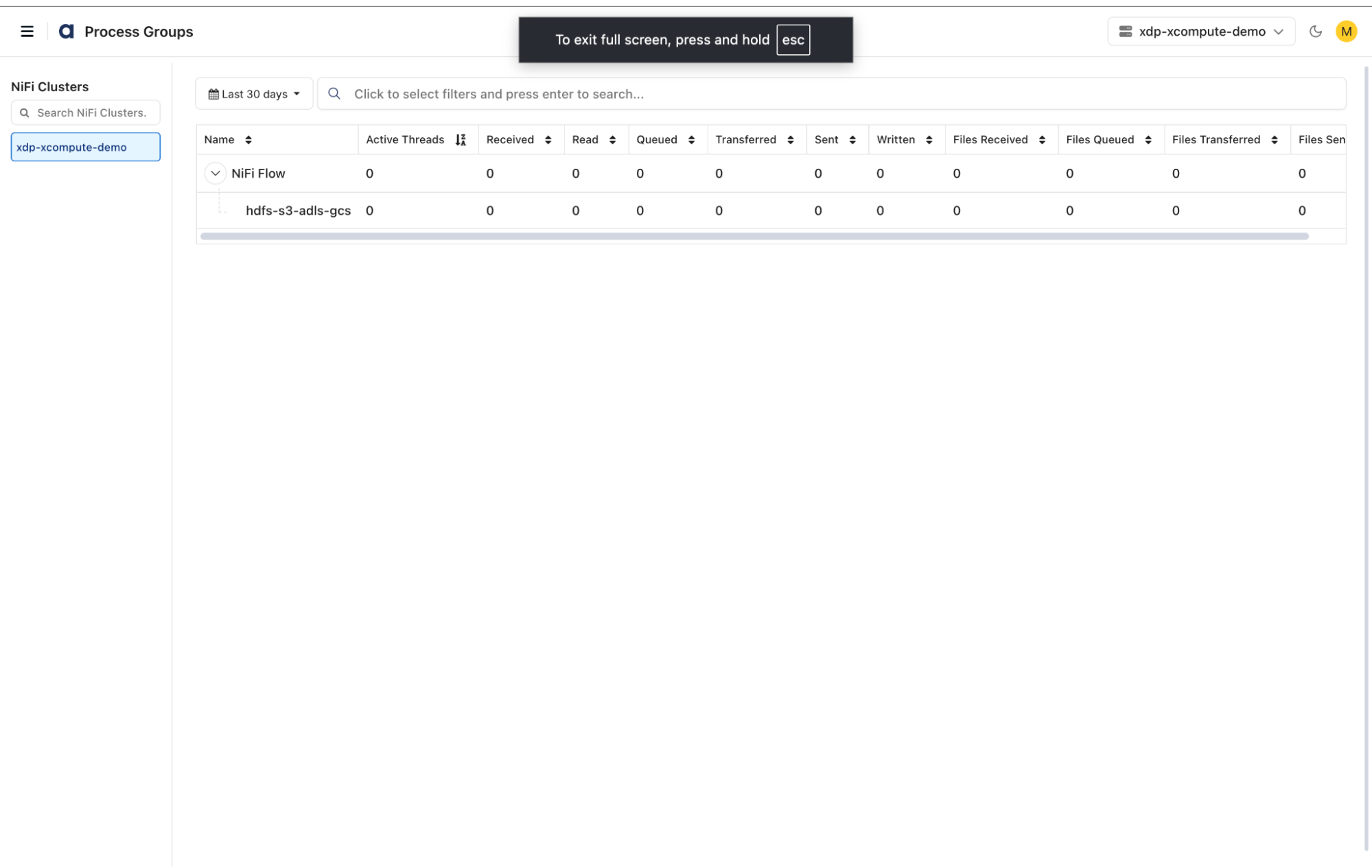
Dashboard Controls
Use the following controls to filter and manage process group information:
- Cluster Selection: Select a NiFi cluster from the NiFi Clusters panel.
- Search NiFi Clusters: Search for a specific NiFi cluster.
- Time Period Selection: Select a monitoring window to analyze process group activity and performance.
- Search: Search for specific process groups using the available filters.
- Expand/Collapse: Expand a process group to view its nested process groups or collapse it to return to the parent process group.
Process Group Metrics
The Process Groups dashboard displays the following metrics.
Process Group Information
- Name: Displays the name of the NiFi process group. Expand a process group to view its nested process groups.
Processing Activity
- Active Threads: Displays the number of threads actively executing tasks within the process group.
Data Ingestion and Processing
- Received: Displays the amount of data received by the process group.
- Read: Displays the amount of data read during processing.
- Written: Displays the amount of data written during processing.
Data Queuing and Transfer
- Queued: Displays the amount of data currently queued within the process group.
- Transferred: Displays the amount of data transferred between components.
- Sent: Displays the amount of data sent from the process group.
FlowFile Metrics
- Files Received: Displays the number of FlowFiles received by the process group.
- Files Queued: Displays the number of FlowFiles currently queued.
- Files Transferred: Displays the number of FlowFiles transferred between components.
- Files Sent: Displays the number of FlowFiles sent from the process group.
Use these metrics to monitor data flow activity, identify queue buildup, and investigate processing bottlenecks across NiFi process groups.
Have a suggestion?