
This guide explains how to enable OpenLineage for an AWS Glue Spark job by adding the OpenLineage Spark agent JAR and the required Spark configuration parameters.
Tested configurations
This setup has been tested and verified with the following AWS Glue job configurations:
AWS Glue 4.0 (Spark 3.3, Scala 2.12, Python 3)
AWS Glue 5.0 (Spark 3.5, Scala 2.12, Python 3)
AWS Glue 5.1 (Spark 3.5, Scala 2.12, Python 3)
Prerequisites
An AWS Glue Spark job.
Access to an S3 bucket.
An OpenLineage Spark agent JAR compatible with the Glue runtime.
The ADOC Control Plane URL, access key, and secret key for your tenant.
Step 1: Add the OpenLineage Spark JAR
Download the OpenLineage Spark agent JAR from Maven Central. Select the version built for Scala 2.12 — AWS Glue Spark compiles with Scala 2.12, and version 2.13 is incompatible.
Upload the JAR to an S3 location.
In the AWS Glue Console, open your Glue job, go to Job details, then navigate to Advanced properties → Libraries → Dependent Jars path and enter the S3 path where you uploaded the JAR.
Step 2: Add OpenLineage configuration in job parameters
Add a job parameter with the key
--conf.Provide the value using the format
param1=value1 --conf param2=value2 ... --conf paramN=valueN.Specify only the first parameter without a leading
--conf; prefix every subsequent parameter with--conf.
Example configuration value:
Replace the URL and authentication values with those for your OpenLineage backend.
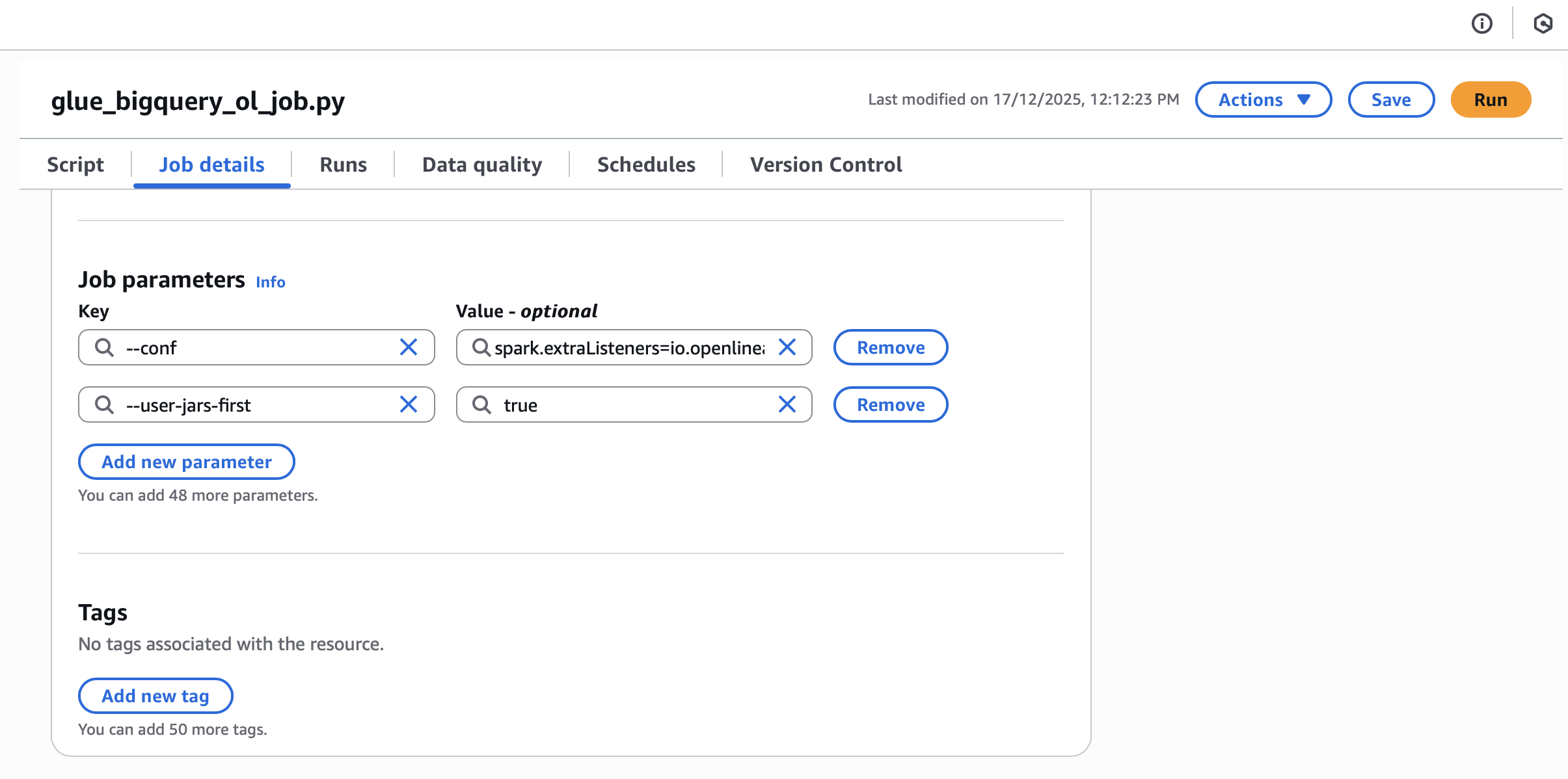
Step 3: Set the user jars first parameter
To ensure the OpenLineage JAR loads correctly, add this job parameter:
Step 4: Verify the configuration
Run the Glue job and check the CloudWatch logs. If OpenLineage is configured correctly, the logs include:

This confirms the OpenLineage Spark listener registered successfully and lineage events are being emitted.
What’s next
To confirm your Glue datasets link correctly to Catalog assets, see Asset correlation for Redshift, Glue, Pub/Sub, and Iceberg.
For an overview of how ADOC interprets Spark OpenLineage events, see Spark OpenLineage Integration.