Title
Create new category
Edit page index title
Edit category
Edit link
Jupyterhub with Multi Spark and Additional Kernals
Until now, JupyterHub has supported only a single kernel, i.e., IPython, which primarily enables Python-based workflows. Running other technologies or connecting to services such as ODP Spark required additional prerequisites and manual configuration steps, as described here: Documentation for Spark Notebook Examples.
This release introduces improvements aimed at simplifying and expanding the JupyterHub experience by providing additional kernels that support multiple languages, connectors, libraries, and frameworks. This documentation/task specifically focuses on the addition of these new kernels.
Navigation
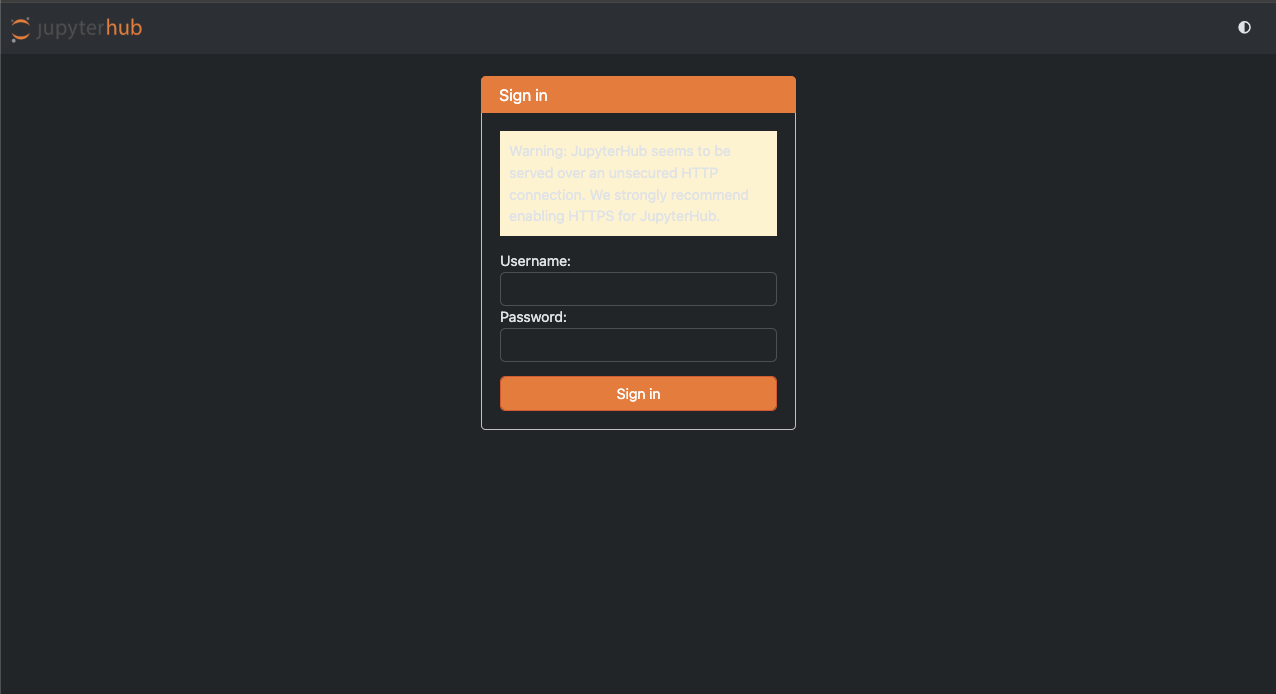
- Login to Jupyterhub.

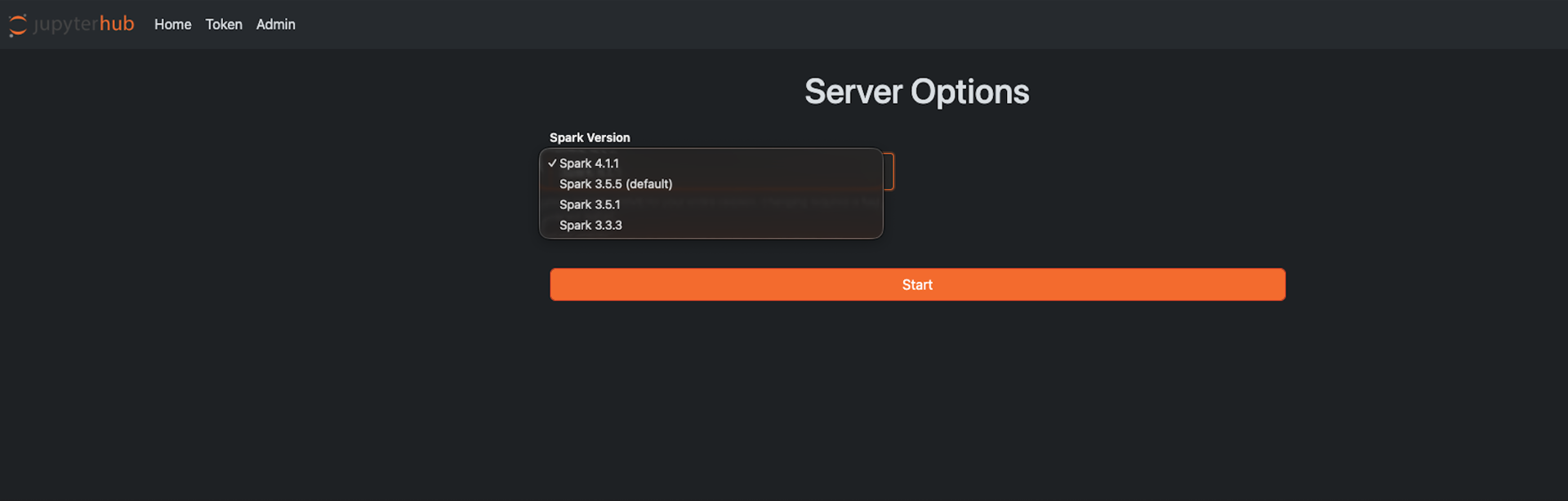
- Select the Spark version.

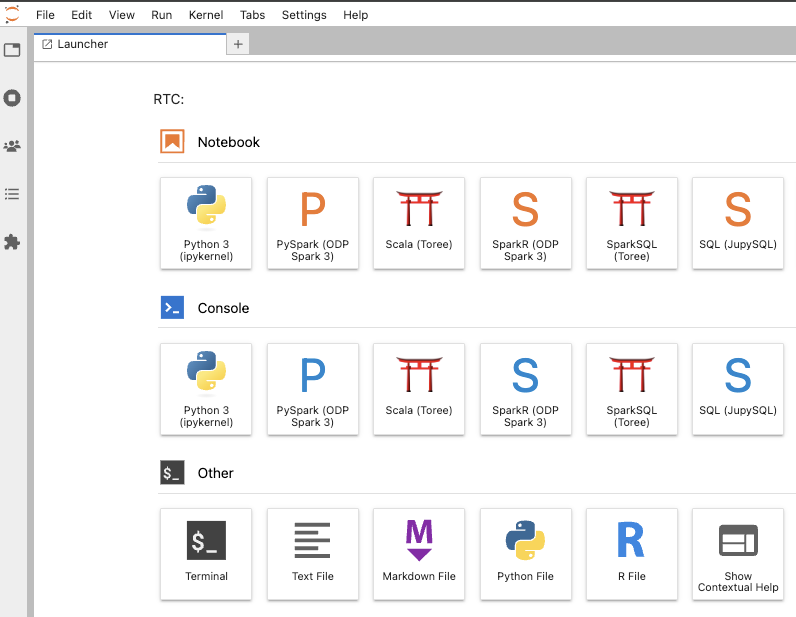
- The Launcher UI is displayed with Notebooks, Consoles and other configurations.
Kernel support with Spark 4 is currently limited. While PySpark and SparkR kernels are fully supported and function as expected, the Scala kernel in JupyterHub is currently known to be incompatible with Spark 4. Support for the Scala kernel with Spark 4 will be addressed in a future release.
Kernels / Interpreters
The following kernels are available in JupyterHub and can be used with the selected ODP Spark 3 environment (with Spark 4 support coming soon) after the user logs in.
PySpark
Example Job:
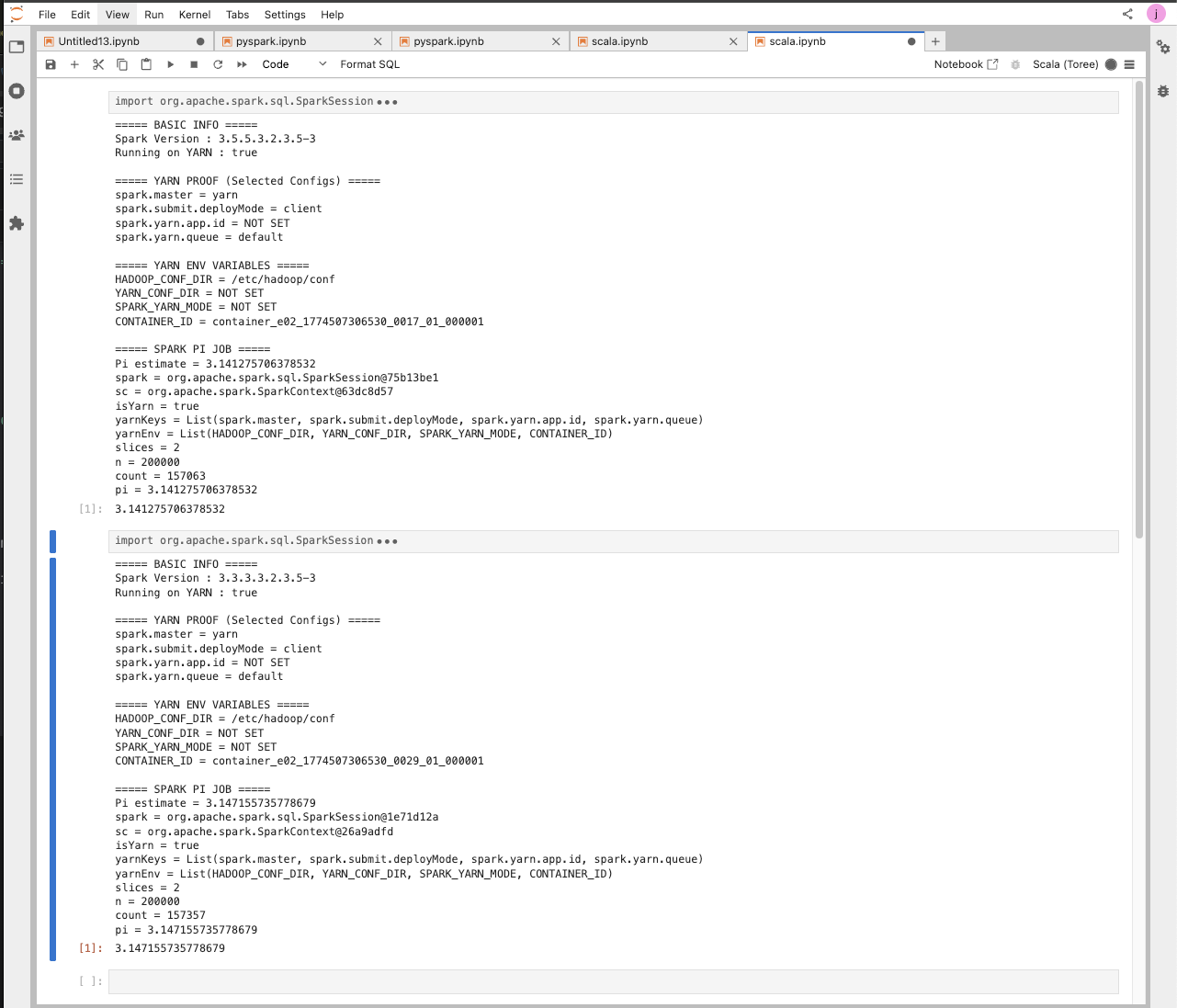
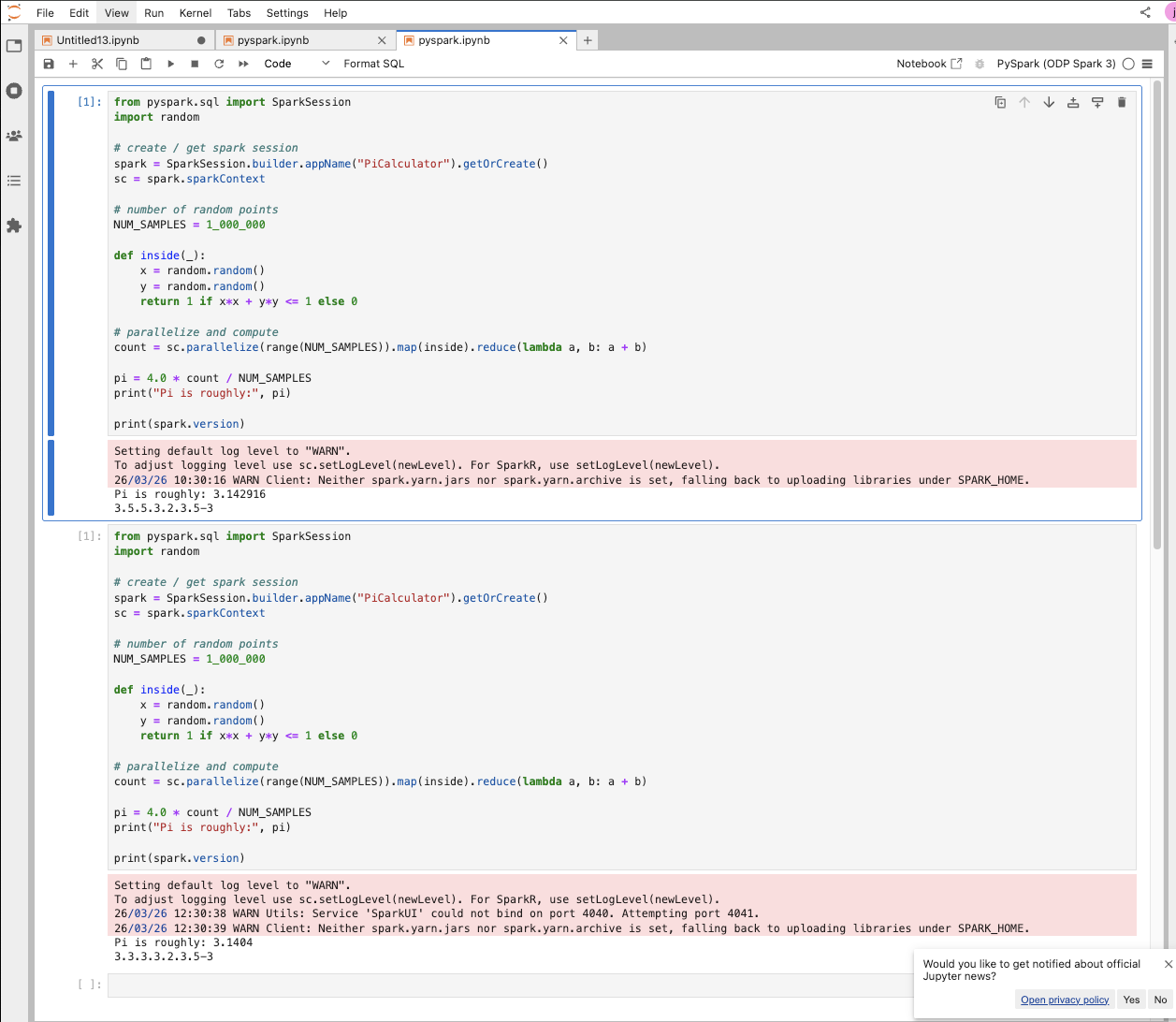
xxxxxxxxxxfrom pyspark.sql import SparkSessionimport random # create / get spark sessionspark = SparkSession.builder.appName("PiCalculator").getOrCreate()sc = spark.sparkContext # number of random pointsNUM_SAMPLES = 1_000_000 def inside(_): x = random.random() y = random.random() return 1 if x*x + y*y <= 1 else 0 # parallelize and computecount = sc.parallelize(range(NUM_SAMPLES)).map(inside).reduce(lambda a, b: a + b) pi = 4.0 * count / NUM_SAMPLESprint("Pi is roughly:", pi) print(spark.version)The following screenshot shows the output from the above run. As shown, different Spark versions were printed because the user stopped the server and restarted it after switching the Spark version.
Example Runs:
Scala Spark
Example Job:
xxxxxxxxxximport org.apache.spark.sql.SparkSessionimport scala.util.Random val spark = SparkSession.builder().getOrCreate()val sc = spark.sparkContext println("===== BASIC INFO =====")println(s"Spark Version : ${sc.version}") // Detect deploy modeval isYarn = sc.master.startsWith("yarn") || sc.getConf.get("spark.master", "").contains("yarn") println(s"Running on YARN : $isYarn") println("\n===== YARN PROOF (Selected Configs) =====")val yarnKeys = Seq( "spark.master", "spark.submit.deployMode", "spark.yarn.app.id", "spark.yarn.queue") yarnKeys.foreach { key => val value = sc.getConf.getOption(key).getOrElse("NOT SET") println(s"$key = $value")} println("\n===== YARN ENV VARIABLES =====")val yarnEnv = Seq( "HADOOP_CONF_DIR", "YARN_CONF_DIR", "SPARK_YARN_MODE", "CONTAINER_ID") yarnEnv.foreach { key => val value = sys.env.getOrElse(key, "NOT SET") println(s"$key = $value")} println("\n===== SPARK PI JOB =====") val slices = 2val n = math.min(100000L * slices, Int.MaxValue).toInt val count = sc.parallelize(1 until n, slices).map { _ => val x = Random.nextDouble() val y = Random.nextDouble() if (x*x + y*y <= 1) 1 else 0}.reduce(_ + _) val pi = 4.0 * count / (n - 1) println(s"Pi estimate = $pi")Example Runs:

Spark R
Example Job:
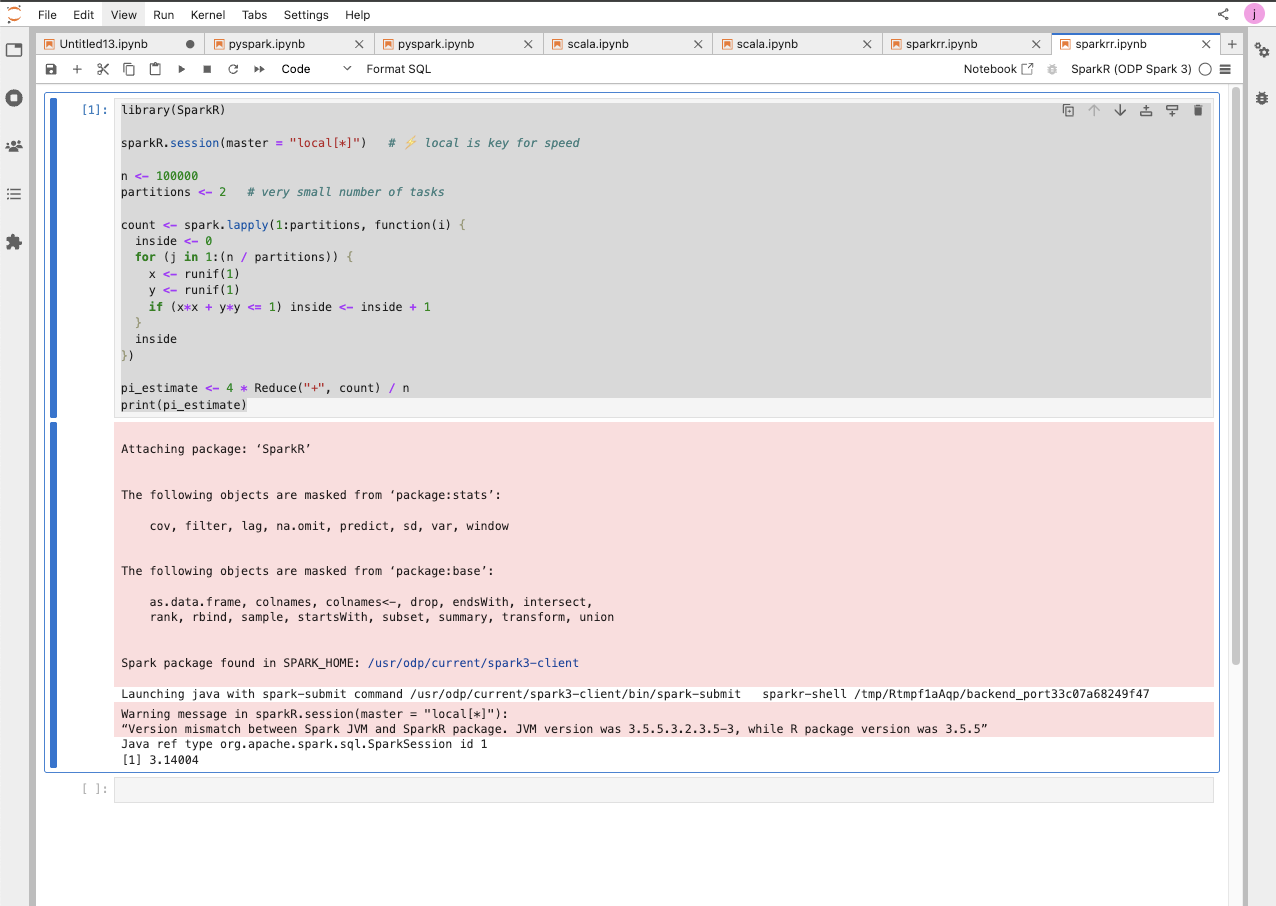
xxxxxxxxxxlibrary(SparkR) sparkR.session(master = "local[*]") n <- 100000partitions <- 2 # very small number of tasks count <- spark.lapply(1:partitions, function(i) { inside <- 0 for (j in 1:(n / partitions)) { x <- runif(1) y <- runif(1) if (x*x + y*y <= 1) inside <- inside + 1 } inside}) pi_estimate <- 4 * Reduce("+", count) / nprint(pi_estimate)Example Runs:

Spark SQL
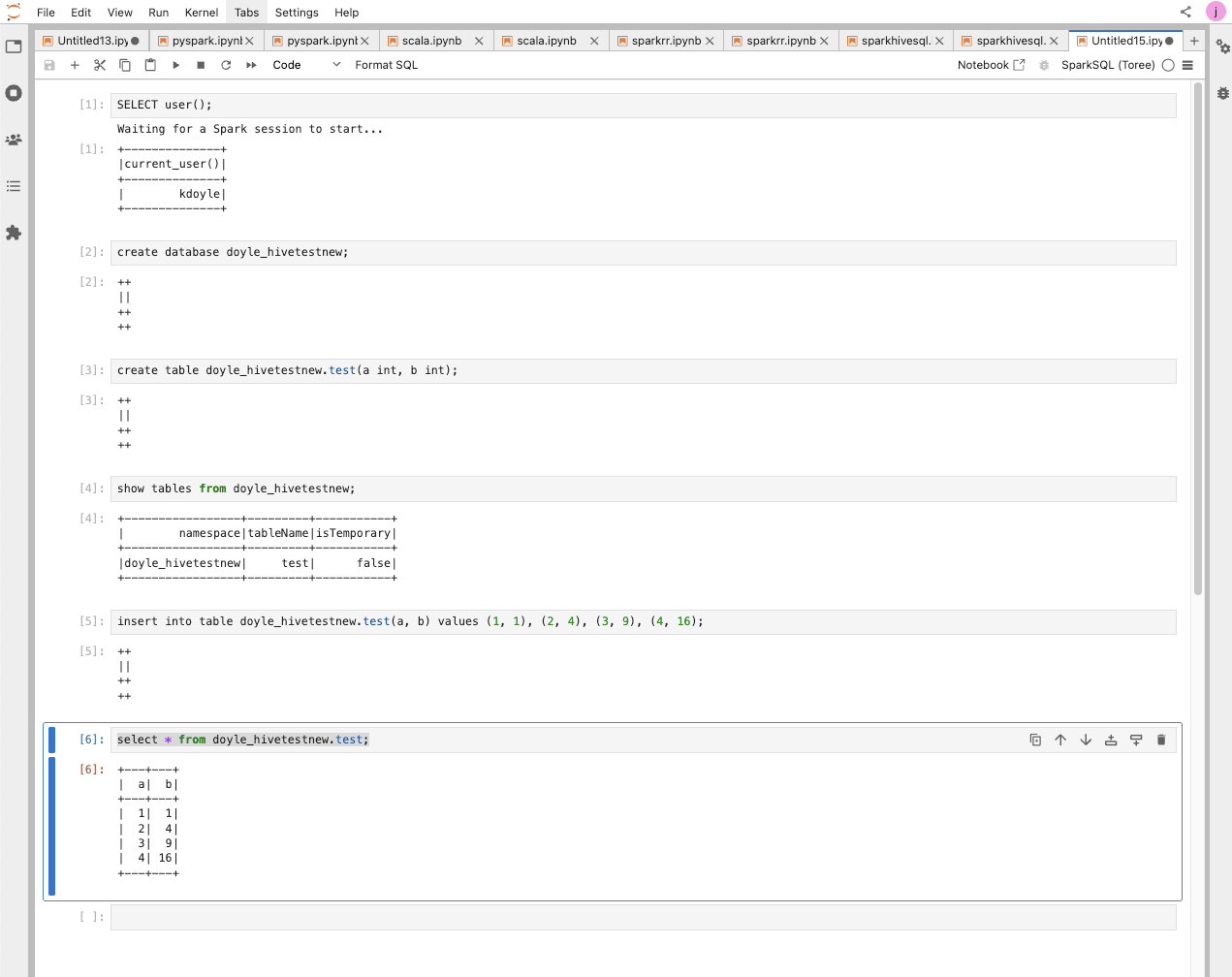
Example Jobs:
xxxxxxxxxxSELECT user();create database doyle_hivetestnew;create table doyle_hivetestnew.test(a int, b int);show tables from doyle_hivetestnew;insert into table doyle_hivetestnew.test(a, b) values (1, 1), (2, 4), (3, 9), (4, 16);select * from doyle_hivetestnew.test;Example Runs:

[root@newjupfin-0 ~]# beeline -u "jdbc:hive2://newjupfin-1.newjupfin.harshith.svc.cluster.local:10000/default" -n "kdoyle" -p "passw0rd"Connecting to jdbc:hive2://newjupfin-1.newjupfin.harshith.svc.cluster.local:10000/defaultConnected to: Apache Hive (version 3.1.4.3.2.3.5-3)Driver: Hive JDBC (version 3.1.4.3.2.3.5-3)Transaction isolation: TRANSACTION_REPEATABLE_READBeeline version 3.1.4.3.2.3.5-3 by Apache Hive0: jdbc:hive2://newjupfin-1.newjupfin.harshit>0: jdbc:hive2://newjupfin-1.newjupfin.harshit>0: jdbc:hive2://newjupfin-1.newjupfin.harshit> select * from doyle_hivetestnew.test;INFO : Compiling command(queryId=hive_20260330151157_87ca9eab-9dc4-43bd-99fc-d8ce18bd398b): select * from doyle_hivetestnew.testINFO : No Stats for doyle_hivetestnew@test, Columns: a, bINFO : Semantic Analysis Completed (retrial = false)INFO : Created Hive schema: Schema(fieldSchemas:[FieldSchema(name:test.a, type:int, comment:null), FieldSchema(name:test.b, type:int, comment:null)], properties:null)INFO : Completed compiling command(queryId=hive_20260330151157_87ca9eab-9dc4-43bd-99fc-d8ce18bd398b); Time taken: 0.117 secondsINFO : Operation QUERY obtained 0 locksINFO : Executing command(queryId=hive_20260330151157_87ca9eab-9dc4-43bd-99fc-d8ce18bd398b): select * from doyle_hivetestnew.testINFO : Completed executing command(queryId=hive_20260330151157_87ca9eab-9dc4-43bd-99fc-d8ce18bd398b); Time taken: 0.002 seconds+---------+---------+| test.a | test.b |+---------+---------+| 1 | 1 || 2 | 4 || 3 | 9 || 4 | 16 |+---------+---------+4 rows selected (0.211 seconds)0: jdbc:hive2://newjupfin-1.newjupfin.harshit>0: jdbc:hive2://newjupfin-1.newjupfin.harshit> Closing: 0: jdbc:hive2://newjupfin-1.newjupfin.harshith.svc.cluster.local:10000/default[root@newjupfin-0 ~]#JupySQL
Trino
Create a connection.
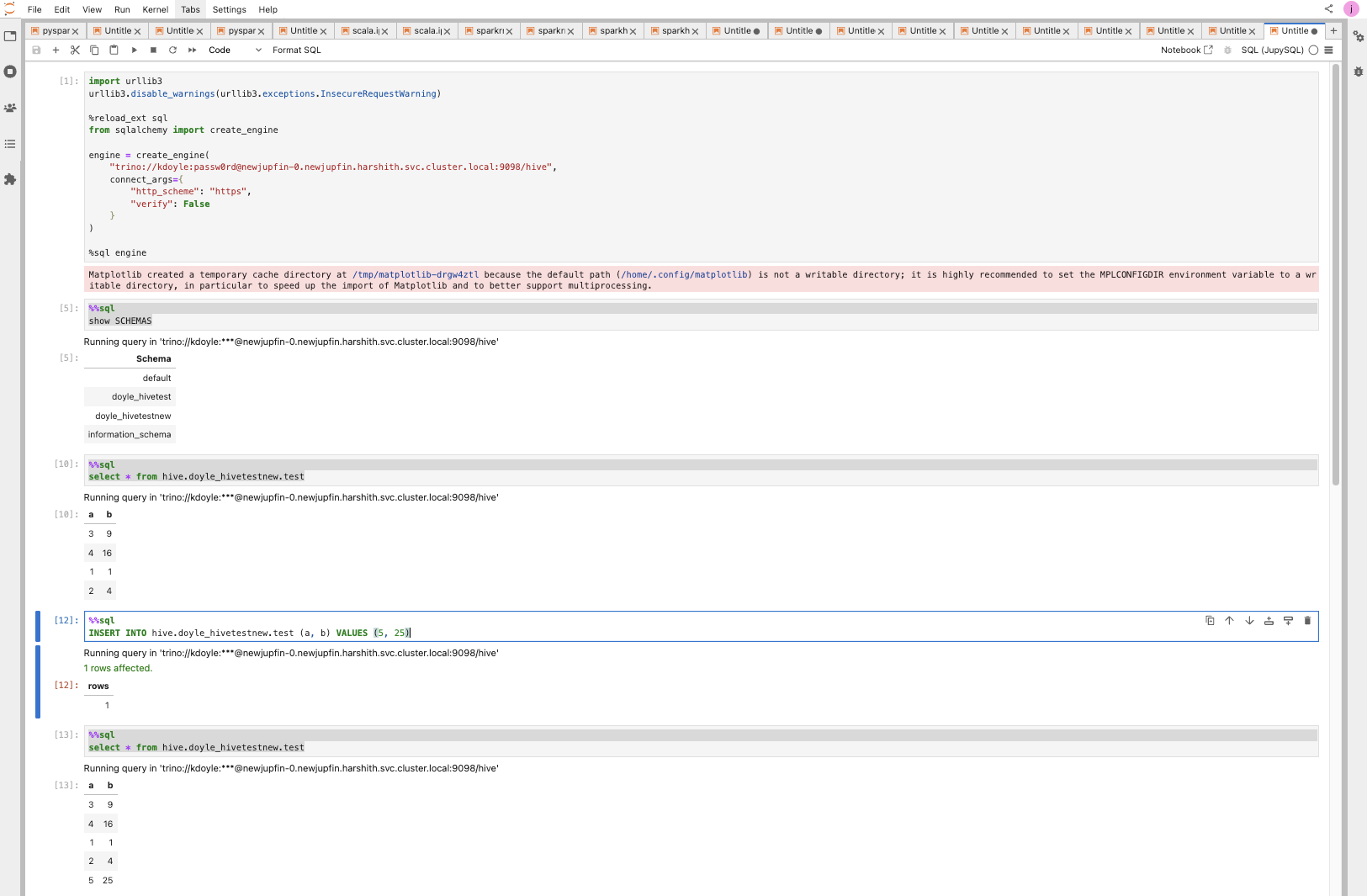
xxxxxxxxxximport urllib3urllib3.disable_warnings(urllib3.exceptions.InsecureRequestWarning) %reload_ext sqlfrom sqlalchemy import create_engine engine = create_engine( "trino://kdoyle:passw0rd@newjupfin-0.newjupfin.harshith.svc.cluster.local:9098/hive", connect_args={ "http_scheme": "https", "verify": False }) %sql engineYou should now be able to access a Trino SQL–like shell by simply adding %%sql at the top of each notebook cell, for example:
xxxxxxxxxx%%sqlshow SCHEMAS # ---- seperate cell ----# %%sqlselect * from hive.doyle_hivetestnew.test # ---- seperate cell ----# %%sqlINSERT INTO hive.doyle_hivetestnew.test (a, b) VALUES (5, 25) # ---- seperate cell ----# %%sqlselect * from hive.doyle_hivetestnew.testExample Run:

This can be extended to any sqlalchemy compatible connector or database.