
Search
This release adds PyTorch CPU packages to JupyterHub, so you can start using PyTorch in your notebooks without any additional setup.
The JupyterHub environment now includes the core PyTorch CPU packages commonly used for model development and inference, including torch, torchvision, and torchaudio.
Example
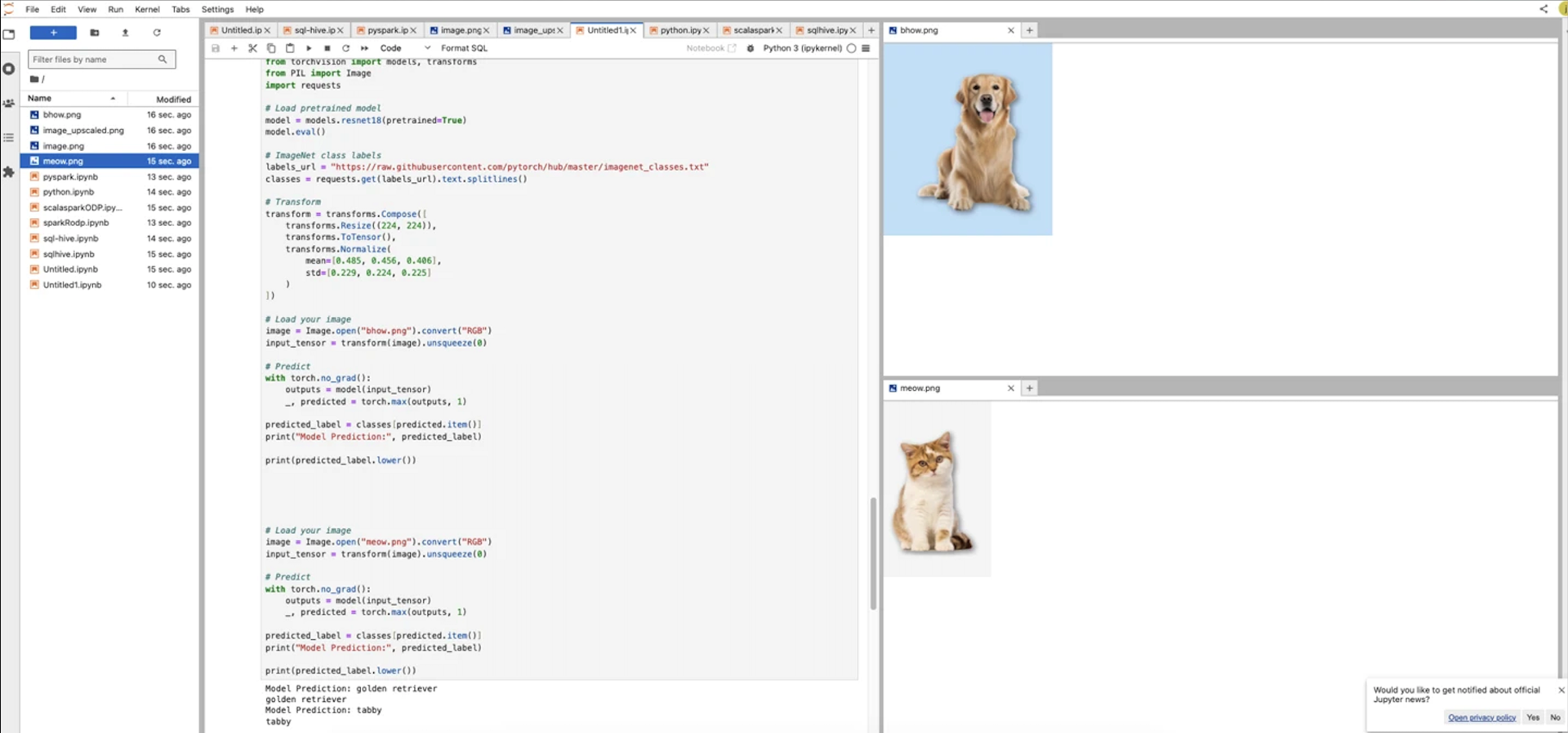
The following example loads a pretrained image classification model with torchvision, runs inference on uploaded images, and prints the predicted class:
import torch
from torchvision import models, transforms
from PIL import Image
import requests
model = models.resnet18(pretrained=True)
model.eval()
labels_url = "https://raw.githubusercontent.com/pytorch/hub/master/imagenet_classes.txt"
classes = requests.get(labels_url).text.splitlines()
transform = transforms.Compose([
transforms.Resize((224, 224)),
transforms.ToTensor(),
transforms.Normalize(
mean=[0.485, 0.456, 0.406],
std=[0.229, 0.224, 0.225]
)
])
image = Image.open("example.png").convert("RGB")
input_tensor = transform(image).unsqueeze(0)
with torch.no_grad():
outputs = model(input_tensor)
_, predicted = torch.max(outputs, 1)
print("Model prediction:", classes[predicted.item()])
To try this yourself, upload an image file to your JupyterHub workspace and update the filename in the example code.
Example output in JupyterHub is shown below.
Info
If you are working with GPU-based hardware, you can still install the appropriate PyTorch GPU packages as usual for your environment.
Was this page helpful?