
LDAP support in Trino Gateway is only used to authenticate users who will be logging into Trino Gateway to view information such as which cluster a query was routed to, rules, etc., and is not needed when setting up authentication for Trino. Trino Gateway will pass through credentials to the Trino cluster it connects to.
To set up LDAP specifically for connecting to Trino Gateway’s UI, you can configure your settings under ‘Advanced trino-gateway-ldap'.
Configuring LDAP
Configure LDAP settings under:
The generated configuration file is:
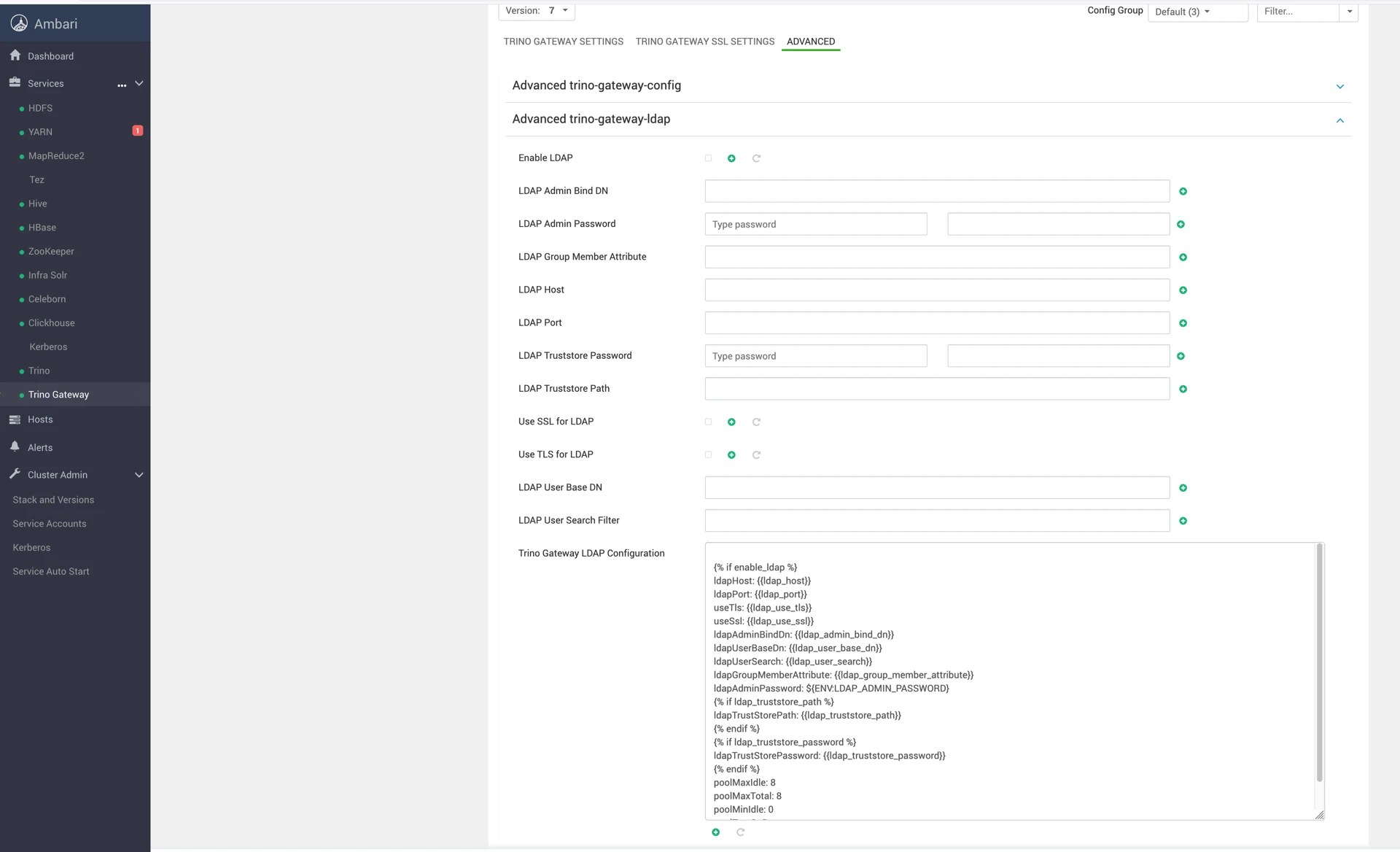
The configuration file that will be created by the mpack is ‘Trino Gateway LDAP Configuration’, so if there are any configurations not addressed in ‘Advanced trino-gateway-ldap’, you can set them in the Jinja2 template.
LDAP Role Assignment
Role assignment is based on regex matching against LDAP groups.
Matching uses the value configured in:
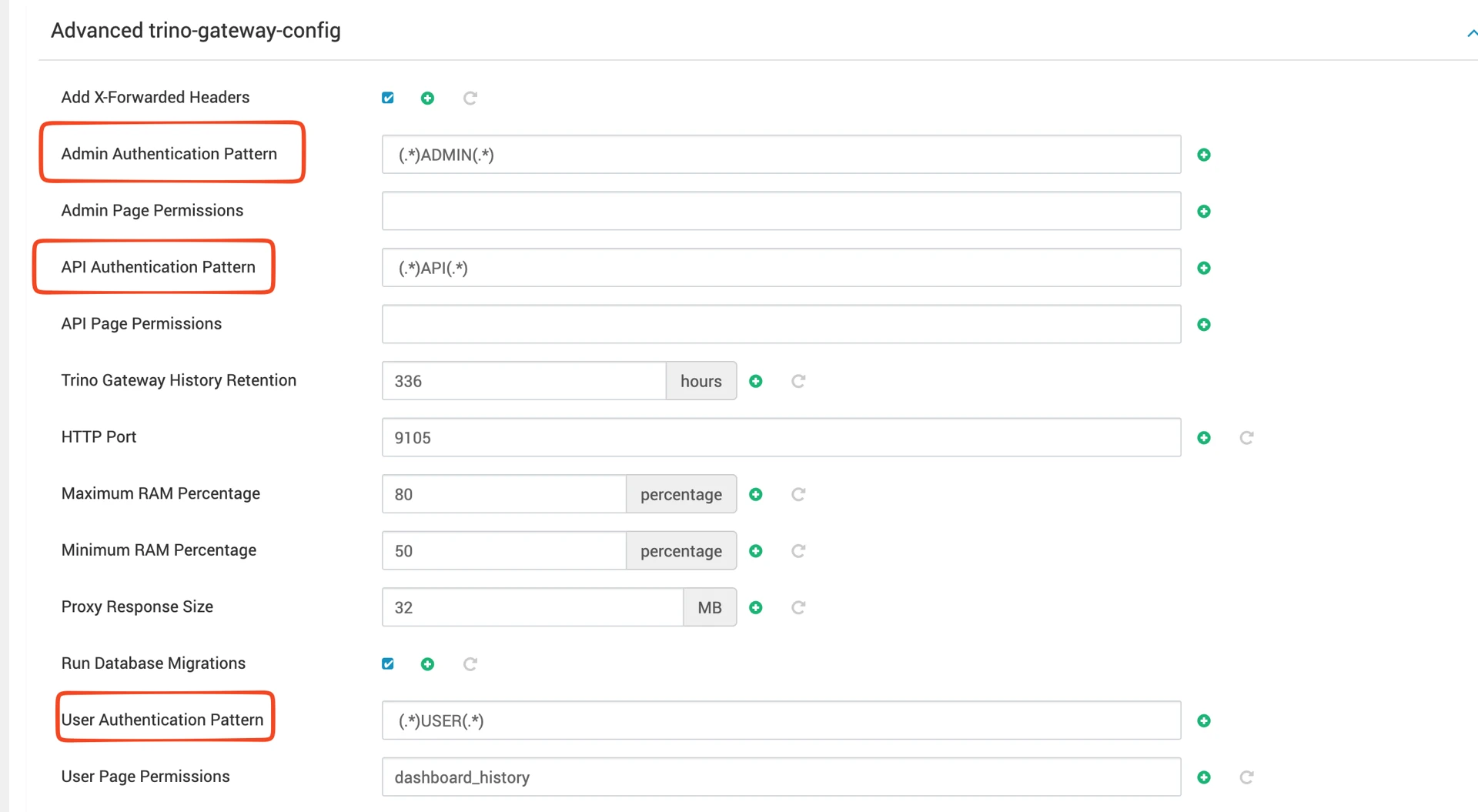
For more information on security in Trino Gateway, see trino-gateway/docs/security.md at 15 · trinodb/trino-gateway.
Non-LDAP Authentication
When LDAP is disabled, Trino Gateway creates a default admin user.
Change the default password immediately.
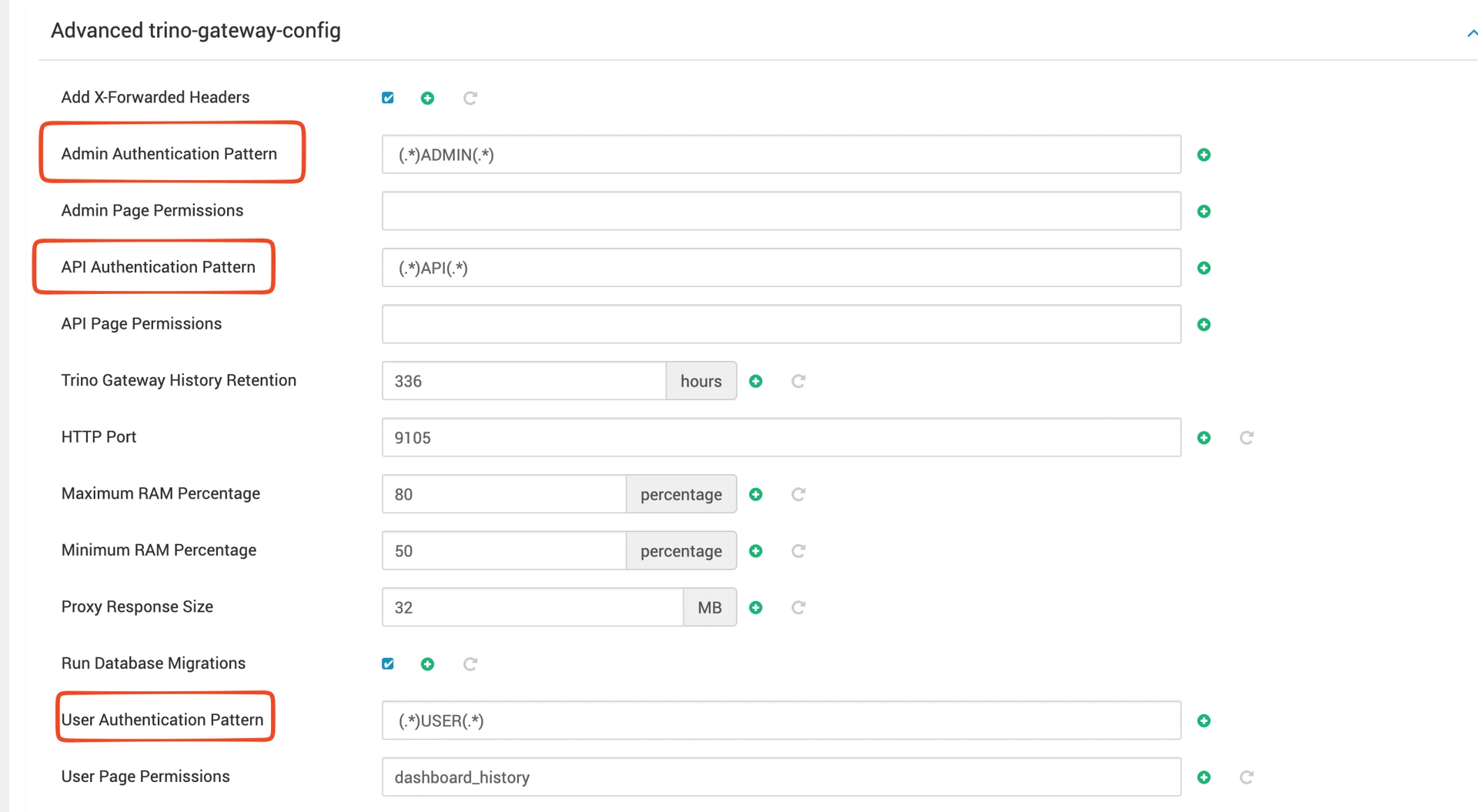
Required Authentication Patterns
Configure the following values:
Setting | Value |
|---|---|
Admin Authentication Pattern | (.)ADMIN(.) |
API Authentication Pattern | (.)API(.) |
User Authentication Pattern | (.)USER(.) |
Adding Additional Users
Add users in:
Example
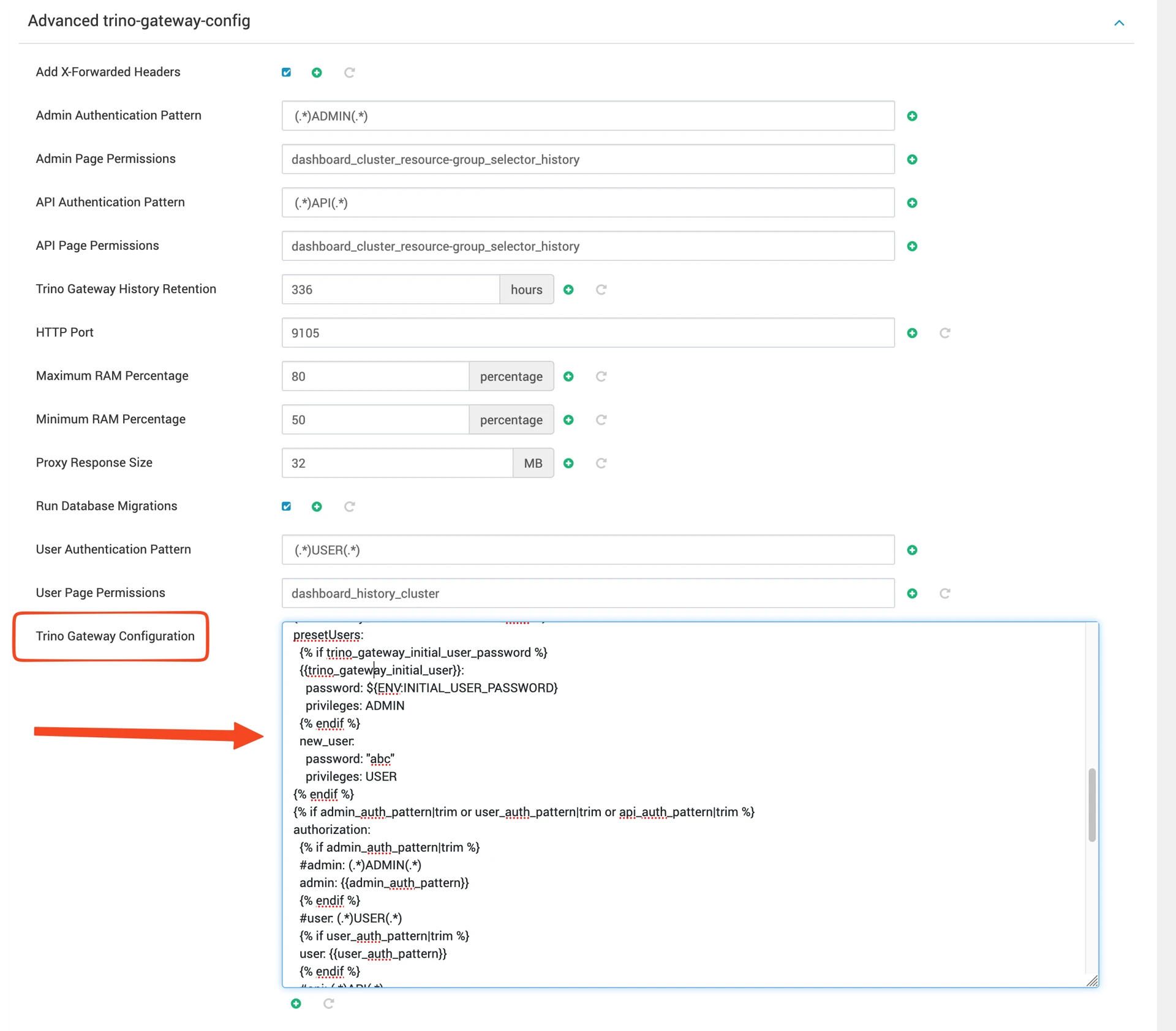
Multiple Privileges
Privileges can be combined using underscores.
Example:
Supported privilege values:
USER
ADMIN
API
Externalizing Passwords
The passwords must either be supplied directly in the configuration file, or can be specified in /etc/trino-gateway/gateway.env
To use the file method, first create the /etc/trino-gateway/gateway.env file and add your passwords there.
Example
Restrict file permissions:
Ensure the file is only readable by root:
Verify permissions:
Restart Trino Gateway after modifying the environment file.
Referencing Environment Variables
When referencing the passwords in ‘Trino Gateway Configuration’ (which will be saved as ‘config.yaml’), you can replace them with the name of the variable you defined in /etc/trino-gateway/gateway.env.
For more information on security in Trino Gateway, see trino-gateway/docs/security.md at 15 · trinodb/trino-gateway.