
This page helps you enable Spark metrics via the Graphite sink, allowing Pulse to capture Spark application and JVM metrics.
Configure Spark Metrics Sink
In the Ambari UI:
Navigate to Spark > Configs >
Advanced spark2-metrics-properties.Add the following properties:
This change requires Pulse Node Agent running on all spark clients.
Steps for Spark Hook Update
In the Ambari UI, navigate to Spark > Configs > Custom spark-defaults.
Add or update the following properties:
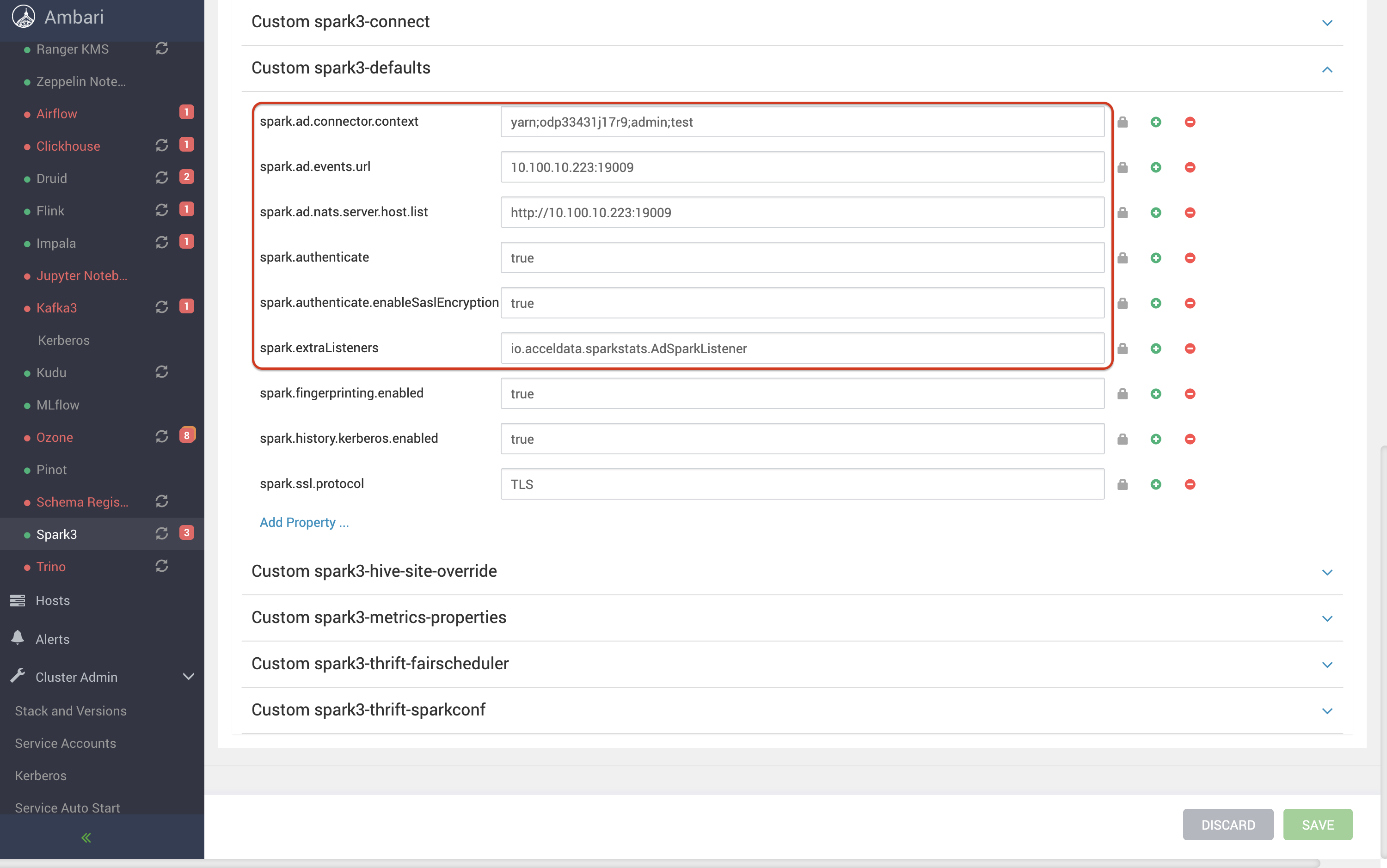
Save the configuration changes.
Remove the existing Spark hook JARs from the
$SPARK_HOME/jarsdirectory on all Spark client nodes.Copy the compatible Spark hook JARs (version 2.1.2) to the
$SPARK_HOME/jarsdirectory on all Spark client nodes. For the supported hook version on each Pulse release, see Supported Hook Versions.Restart the affected Spark services.
Submit a test Spark job and verify that Spark events and metrics are successfully reported to Pulse.
Additional Notes
On edge nodes not managed by Ambari, manually append the above properties to:
Ensure the following properties are enabled in spark-defaults.conf for all Spark jobs:
Apply the same properties in managed configurations for applications running on Spark 1.x and 3.x.
Result
Spark sends metrics (including JVM metrics) to Graphite for Pulse ingestion.