
Airflow Log Clean-up and DAG Management
Disable Example DAGs
Some example DAGs generate a significant amount of data as they run daily. To prevent excessive log accumulation and resource consumption, it is recommended to disable them.
Steps to Disable Example DAGs
- Open the
airflow.cfgconfiguration file. - Locate the parameter
load_examples = True. - Change it to
load_examples = False.

- Restart the Airflow webserver and scheduler.
Alternatively, you can manually disable the DAGs from the Airflow UI by pausing them.
Example DAG Logs Location
[root@airflow-logging-0 airflow]# ls -ltr _var_log_airflow_logs_scheduler_2025-02-14_native_dags_example_dags_
total 411784
drwxr-xr-x 2 airflow airflow     4096 Feb 14 09:29 subdags
drwxr-xr-x 2 airflow airflow     4096 Feb 14 09:29 plugins
-rw-r--r-- 1 airflow airflow  4755494 Feb 14 12:16 example_branch_labels.py.log
-rw-r--r-- 1 airflow airflow  8577103 Feb 14 12:16 tutorial_dag.py.log
-rw-r--r-- 1 airflow airflow  8670455 Feb 14 12:16 tutorial.py.log
-rw-r--r-- 1 airflow airflow  9043863 Feb 14 12:16 tutorial_objectstorage.py.log
-rw-r--r-- 1 airflow airflow  9603975 Feb 14 12:16 example_task_group_decorator.py.log
-rw-r--r-- 1 airflow airflow  9697327 Feb 14 12:16 example_trigger_controller_dag.py.log
-rw-r--r-- 1 airflow airflow  8855832 Feb 14 12:16 example_xcom.py.log
-rw-r--r-- 1 airflow airflow  9229184 Feb 14 12:16 example_trigger_target_dag.py.log
-rw-r--r-- 1 airflow airflow  9463948 Feb 14 12:16 example_time_delta_sensor_async.py.log
-rw-r--r-- 1 airflow airflow  9697328 Feb 14 12:16 example_short_circuit_operator.py.log
-rw-r--r-- 1 airflow airflow 15898568 Feb 14 12:16 example_subdag_operator.py.log
-rw-r--r-- 1 airflow airflow  9137216 Feb 14 12:16 example_task_group.py.log
-rw-r--r-- 1 airflow airflow  8997188 Feb 14 12:16 example_sla_dag.py.log
-rw-r--r-- 1 airflow airflow  9043864 Feb 14 12:16 example_skip_dag.py.log
-rw-r--r-- 1 airflow airflow  8717132 Feb 14 12:16 example_sensors.py.log
-rw-r--r-- 1 airflow airflow  9744004 Feb 14 12:16 example_setup_teardown_taskflow.py.log
-rw-r--r-- 1 airflow airflow  9744004 Feb 14 12:16 example_short_circuit_decorator.py.log
-rw-r--r-- 1 airflow airflow  9135846 Feb 14 12:16 example_sensor_decorator.py.log
-rw-r--r-- 1 airflow airflow  9322522 Feb 14 12:16 example_setup_teardown.py.log
-rw-r--r-- 1 airflow airflow  9135846 Feb 14 12:16 example_python_decorator.py.log
-rw-r--r-- 1 airflow airflow  9089177 Feb 14 12:16 example_python_operator.py.log
-rw-r--r-- 1 airflow airflow 10117412 Feb 14 12:16 example_passing_params_via_test_command.py.log
-rw-r--r-- 1 airflow airflow  9230568 Feb 14 12:16 example_params_ui_tutorial.py.log
-rw-r--r-- 1 airflow airflow  9683992 Feb 14 12:16 example_latest_only_with_trigger.py.log
-rw-r--r-- 1 airflow airflow  9557300 Feb 14 12:16 example_local_kubernetes_executor.py.log
-rw-r--r-- 1 airflow airflow  9183892 Feb 14 12:16 example_params_trigger_ui.py.log
-rw-r--r-- 1 airflow airflow  9077204 Feb 14 12:16 example_latest_only.py.log
-rw-r--r-- 1 airflow airflow  9277244 Feb 14 12:16 example_kubernetes_executor.py.log
-rw-r--r-- 1 airflow airflow  9463948 Feb 14 12:16 example_nested_branch_dag.py.log
-rw-r--r-- 1 airflow airflow 10865857 Feb 14 12:16 example_dynamic_task_mapping_with_no_taskflow_operators.py.log
-rw-r--r-- 1 airflow airflow 11112610 Feb 14 12:16 example_external_task_marker_dag.py.log
-rw-r--r-- 1 airflow airflow  9605416 Feb 14 12:16 example_dynamic_task_mapping.py.log
-rw-r--r-- 1 airflow airflow 16394458 Feb 14 12:16 example_datasets.py.log
-rw-r--r-- 1 airflow airflow  9932197 Feb 14 12:16 example_branch_operator_decorator.py.log
-rw-r--r-- 1 airflow airflow  8998537 Feb 14 12:16 example_dag_decorator.py.log
-rw-r--r-- 1 airflow airflow  9372001 Feb 14 12:16 example_branch_operator.py.log
-rw-r--r-- 1 airflow airflow  8718439 Feb 14 12:16 example_complex.py.log
-rw-r--r-- 1 airflow airflow  9898852 Feb 14 12:16 example_branch_python_dop_operator_3.py.log
-rw-r--r-- 1 airflow airflow  9878845 Feb 14 12:16 example_branch_day_of_week_operator.py.log
-rw-r--r-- 1 airflow airflow  9163153 Feb 14 12:16 example_bash_operator.py.log
-rw-r--r-- 1 airflow airflow  7105425 Feb 14 12:16 example_branch_datetime_operator.py.log
-rw-r--r-- 1 airflow airflow  9512050 Feb 14 12:16 tutorial_taskflow_api_virtualenv.py.log
-rw-r--r-- 1 airflow airflow 10312330 Feb 14 12:16 example_xcomargs.py.log
-rw-r--r-- 1 airflow airflow  8998537 Feb 14 12:16 tutorial_taskflow_api.py.log
[root@airflow-logging-0 airflow]#
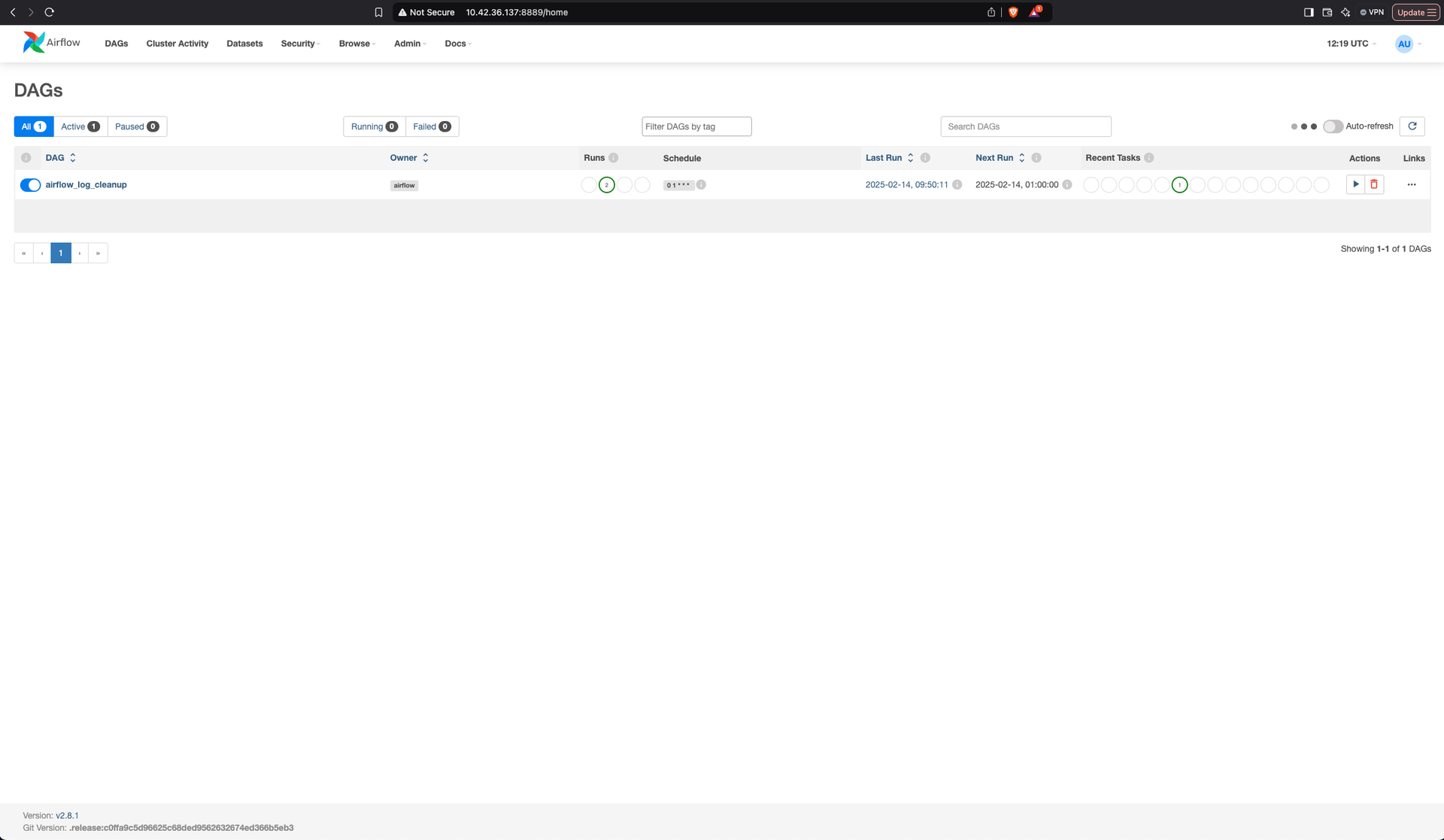
Airflow Log Cleanup DAG
Airflow generates a large number of logs over time, especially for example DAGs and other scheduled tasks. These logs accumulate in the scheduler directory, consuming significant disk space.
To address this, we can deploy an Airflow DAG that periodically removes old log files from the scheduler directory. This cleanup process helps optimize storage usage and maintain a more efficient Airflow environment.
Implementation Details
This DAG performs the following tasks:
- Deletes log files older than a specified number of days.
- Removes empty directories to maintain a clean log structure.
- Runs daily at 1 AM to ensure logs are regularly cleaned.
DAG Configuration
from airflow import DAG
from airflow.operators.bash import BashOperator
from datetime import datetime, timedelta

# Default arguments for the DAG
default_args = {
    "owner": "airflow",
    "depends_on_past": False,
    "start_date": datetime(2024, 2, 1),
    "retries": 1,
    "retry_delay": timedelta(minutes=5),
}

# Define the DAG
dag = DAG(
    "airflow_log_cleanup",
    default_args=default_args,
    schedule_interval="0 1 * * *",  # Runs daily at 1 AM
    catchup=False,
)

# Task to clean up old scheduler logs
cleanup_logs = BashOperator(
    task_id="cleanup_scheduler_logs",
    bash_command="""
        find _var_log_airflow_logs_scheduler_ -type f -name '*.log' -mtime +1 -exec rm -f {} \\;
        find _var_log_airflow_logs_scheduler_ -mindepth 1 -maxdepth 1 -type d -empty -exec rm -rf {} \\;
    """,
    dag=dag,
)

cleanup_logs

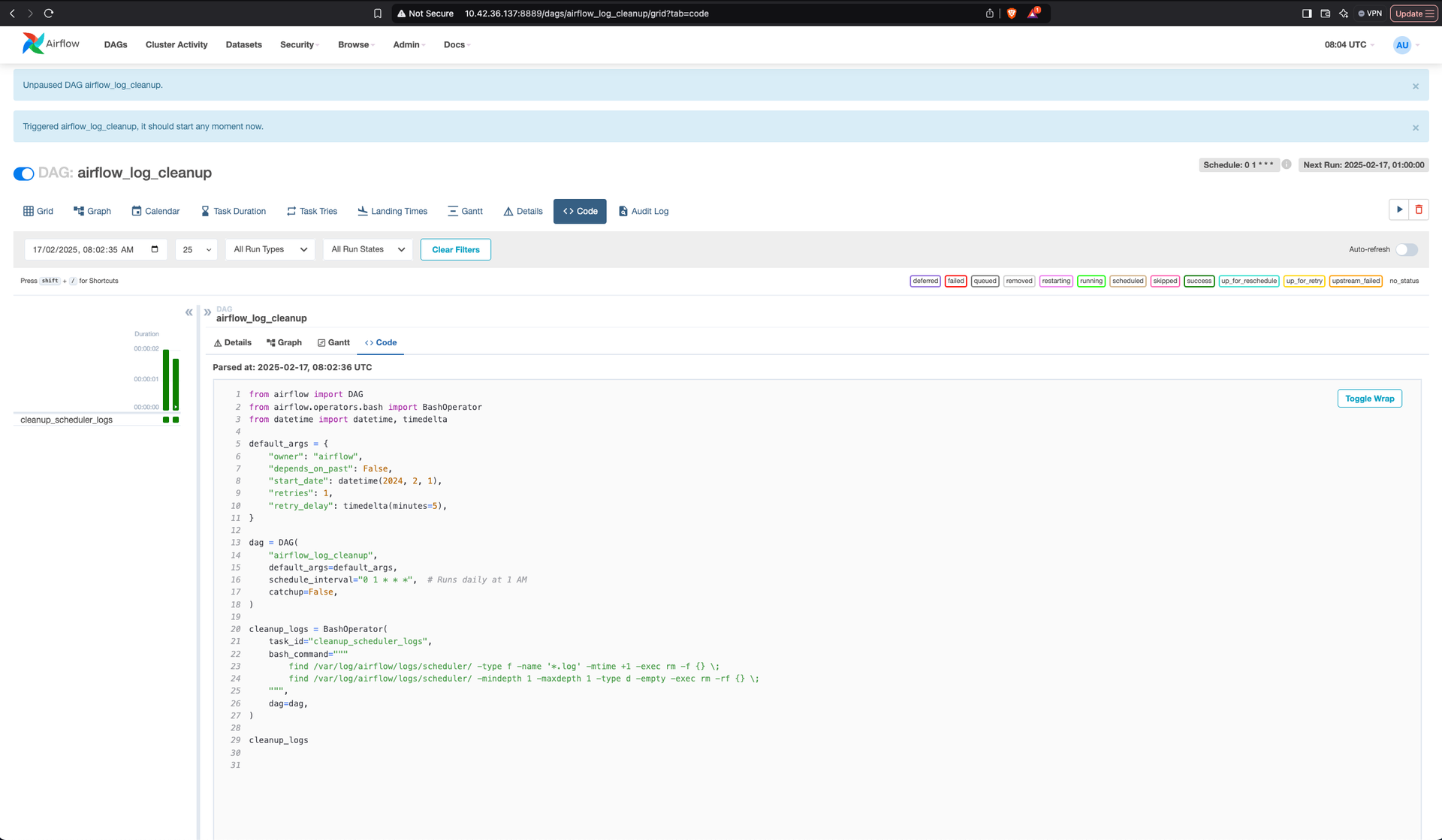
Key Parameters
Parameter | Description |
|---|---|
| Runs the cleanup daily at 1 AM. |
| Removes logs older than 1 day (can be adjusted as needed). |
| Deletes all |
| Removes empty directories after cleanup. |
Deployment Steps
- Save the DAG file as
airflow_log_cleanup.pyinside the Airflow DAGs directory. - Enable the DAG in the Airflow UI (DAGs →
airflow_log_cleanup→ Toggle ON ✅). - Monitor logs and disk space to confirm cleanup efficiency.
Benefits
- Automated log cleanup reduces manual intervention.
- Prevents log file buildup, improving storage management.
- Keeps Airflow scheduler directory clean for better performance.
Have a suggestion?