
Workflows Overview
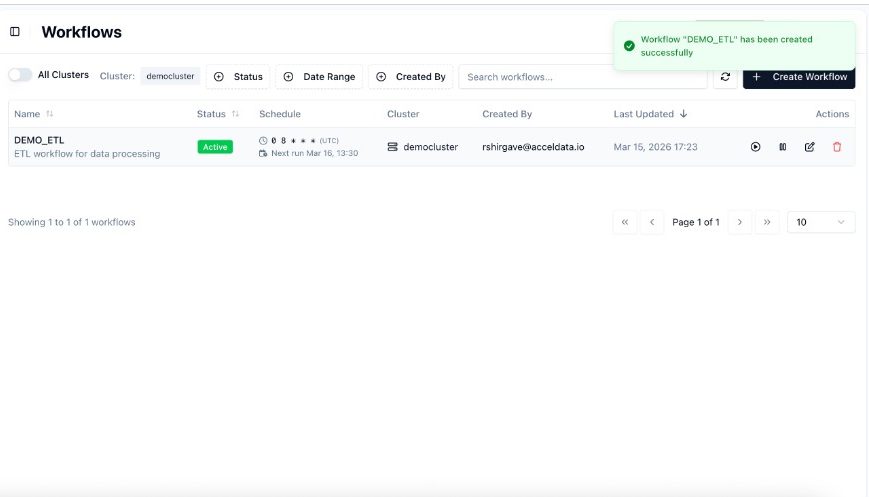
Workflows is the orchestration capability in xDP that lets you automate, schedule, and monitor multi-step data pipelines. Each workflow you build in the xDP visual editor is powered by Apache Airflow — no DAG code required.
How It Works
When you create a workflow and click Save, xDP generates an Airflow DAG from your task graph and activates it on the configured schedule. Each workflow maps to exactly one Airflow DAG. Manual triggers and schedule-based runs are both supported.
Key Concepts
Concept | Description |
|---|---|
Workflow | A directed graph of tasks representing a complete data pipeline. |
Task | A single unit of work — a Spark job, shell script, sub-workflow, or conditional branch. |
Run | One execution instance of a workflow, triggered by schedule or manually. |
Schedule | A Unix cron expression that defines when the workflow runs automatically. |
Compute Cluster | The Kubernetes infrastructure where Spark jobs in the workflow execute. |
Capabilities
Build pipelines visually with a drag-and-drop DAG canvas — no Python required.
Schedule runs with cron expressions; pause and resume without losing configuration.
Trigger runs manually at any time, even when a schedule is paused.
Monitor every run with task-level status, logs, and an activity timeline.
Retry failed tasks without re-running the entire workflow.
Manage workflows across multiple compute clusters from one interface.
Prerequisites
A user role with permissions to create and manage workflows.
At least one active Compute Cluster configured in xDP.
Spark jobs already created that you want to orchestrate.