
This document describes the step-by-step process for upgrading an existing Kafka 2.x cluster to Kafka 3.x using a sidecar (rolling) upgrade approach — where some brokers temporarily run Kafka 2 while others run Kafka 3.
This ensures no cluster downtime and enables a safe, gradual migration.
1. Current Setup
The existing Kafka 2 cluster is running with the following data-log directory:
2. Validate the Existing Kafka 2 Setup
Before starting the upgrade, verify that the Kafka 2 cluster is fully functional.
List Topics
Create a Sample Topic
Produce Sample Data
Consume the Data
Verification: Messages are successfully produced and consumed. Kafka 2 setup is healthy.
3. Prepare for Upgrade
Update Broker Protocol Version
In the Ambari UI → Kafka → Configs → Custom kafka-broker, add or update:

Perform a rolling restart of all Kafka 2 brokers to apply this configuration. This ensures backward compatibility between Kafka 2 and Kafka 3 brokers during the upgrade.
4. Install Kafka 3 Management Pack (MPack)
On all nodes on which Kafka 2 brokers were already running, install the Kafka 3 MPack:
Expected Output:
Then restart the Ambari Server:
5. Perform the Sidecar Upgrade
In the sidecar approach, brokers are upgraded one at a time — some running Kafka 2, others Kafka 3, until all are upgraded.
Stop One Kafka 2 Broker
Using Ambari, stop the Kafka 2 broker on one node.
Add Kafka 3 Service
In Ambari UI, add the Kafka 3 service. During the wizard, select only one host — the same host where the stopped Kafka 2 broker was running.
It is mandatory to perform this upgrade in ZooKeeper mode, not KRaft.
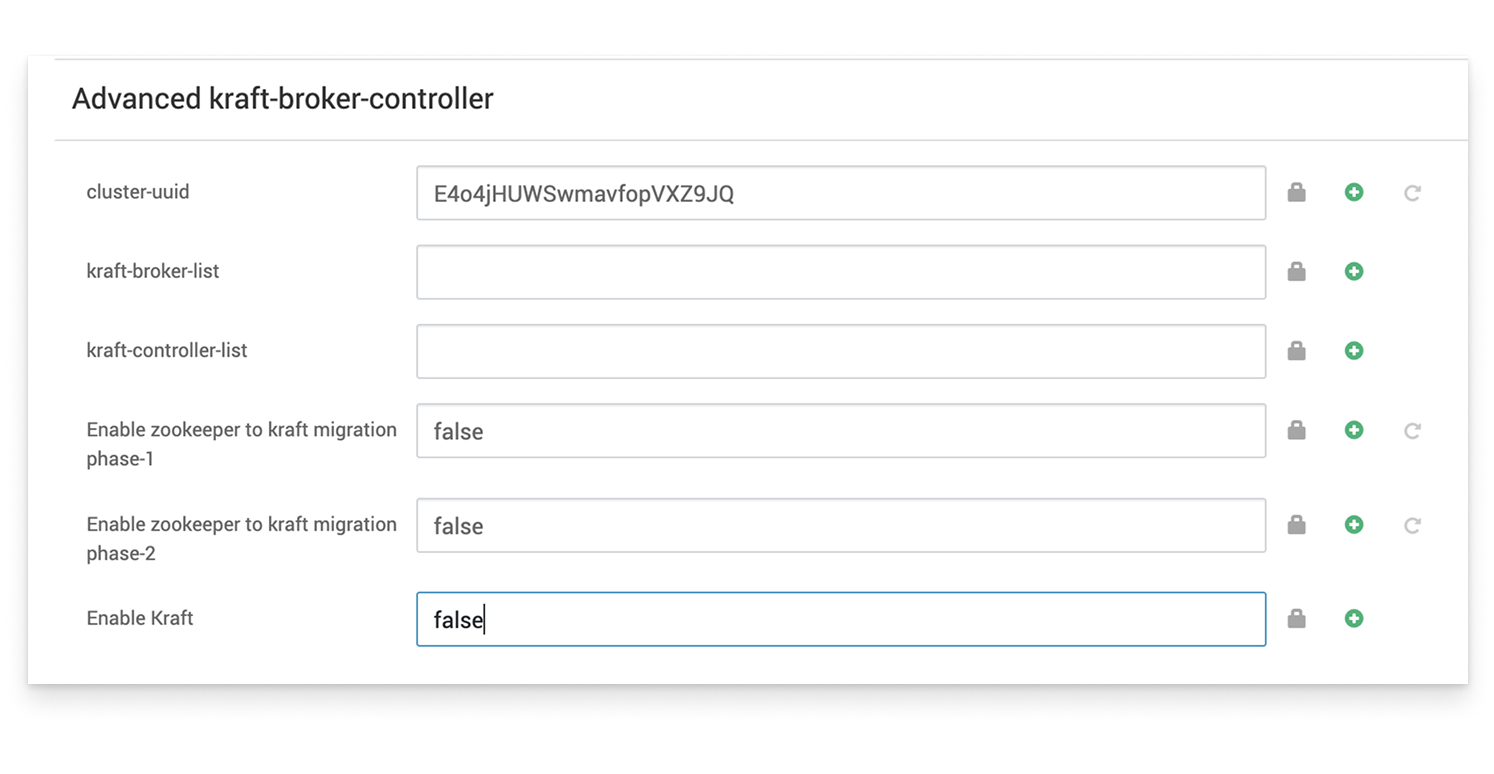
Update Kafka 3 Configuration
Before starting the Kafka 3 broker, make the following adjustments:
Configuration | Description |
|---|---|
Log Directory | Set |
ZooKeeper Quorum | Set |
inter.broker.protocol.version | Keep the same version ( |
Other Broker Settings | Mirror existing Kafka 2 configuration where applicable. |
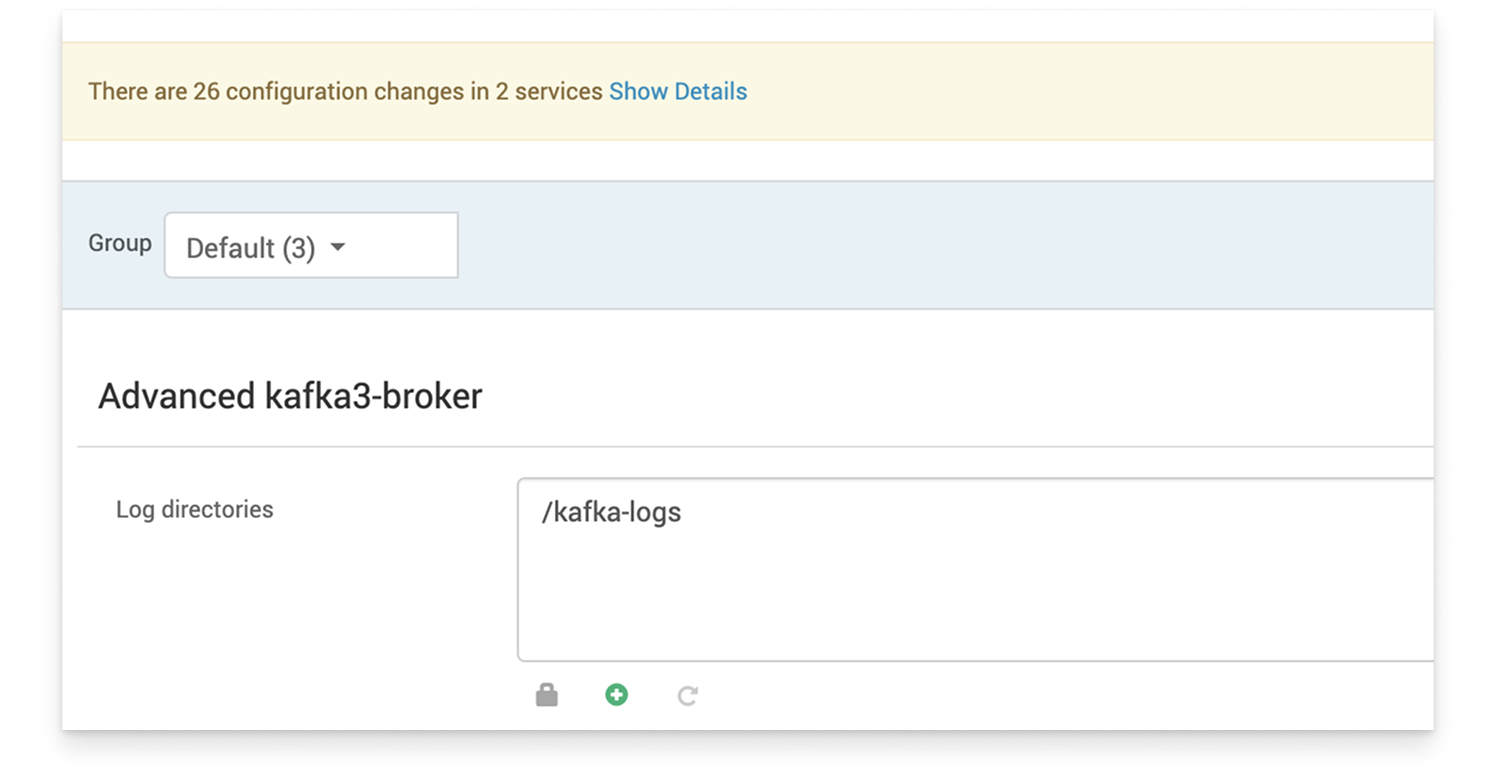
Ensure all configurations under Advanced kafka3-broker match the Kafka 2 settings.
Start Kafka 3 Broker
Start the new Kafka 3 broker via Ambari.
Once verified that the broker joins the cluster and the state is healthy, proceed to the next step.
Remove the Corresponding Kafka 2 Broker
In Ambari, delete the Kafka 2 broker (that was stopped earlier) from the Kafka 2 service.
At this point:
n-1 brokers are running Kafka 2
1 broker is running Kafka 3
The mixed-version cluster (Kafka 2 + Kafka 3) is functional.

6. Verify Post-Upgrade Functionality
Test the end-to-end functionality again:
Monitor logs and metrics to confirm no errors or partition reassignments are pending.
7. Repeat for Remaining Brokers
Repeat steps 5.1 → 5.5 for each remaining Kafka 2 broker until all are replaced by Kafka 3 brokers.
8. Finalize the Upgrade
Once all brokers are running Kafka 3 and the cluster is stable:
Update the protocol version under Custom kafka3-broker:
Restart brokers one by one to apply the new protocol version.
After this step, downgrading to an older Kafka version is not supported.
9. Cleanup and Post-Upgrade Notes
Once all brokers have been migrated and validated:
Delete the Kafka 2 service from Ambari.
Do not reinstall Kafka 2 using default configurations, as it may corrupt or override existing data directories.
Kafka 3 Upgrade Complete
Your Kafka cluster is now fully upgraded to Kafka 3.x with all brokers running on the new version, reusing existing data directories and ZooKeeper quorum.