
Search
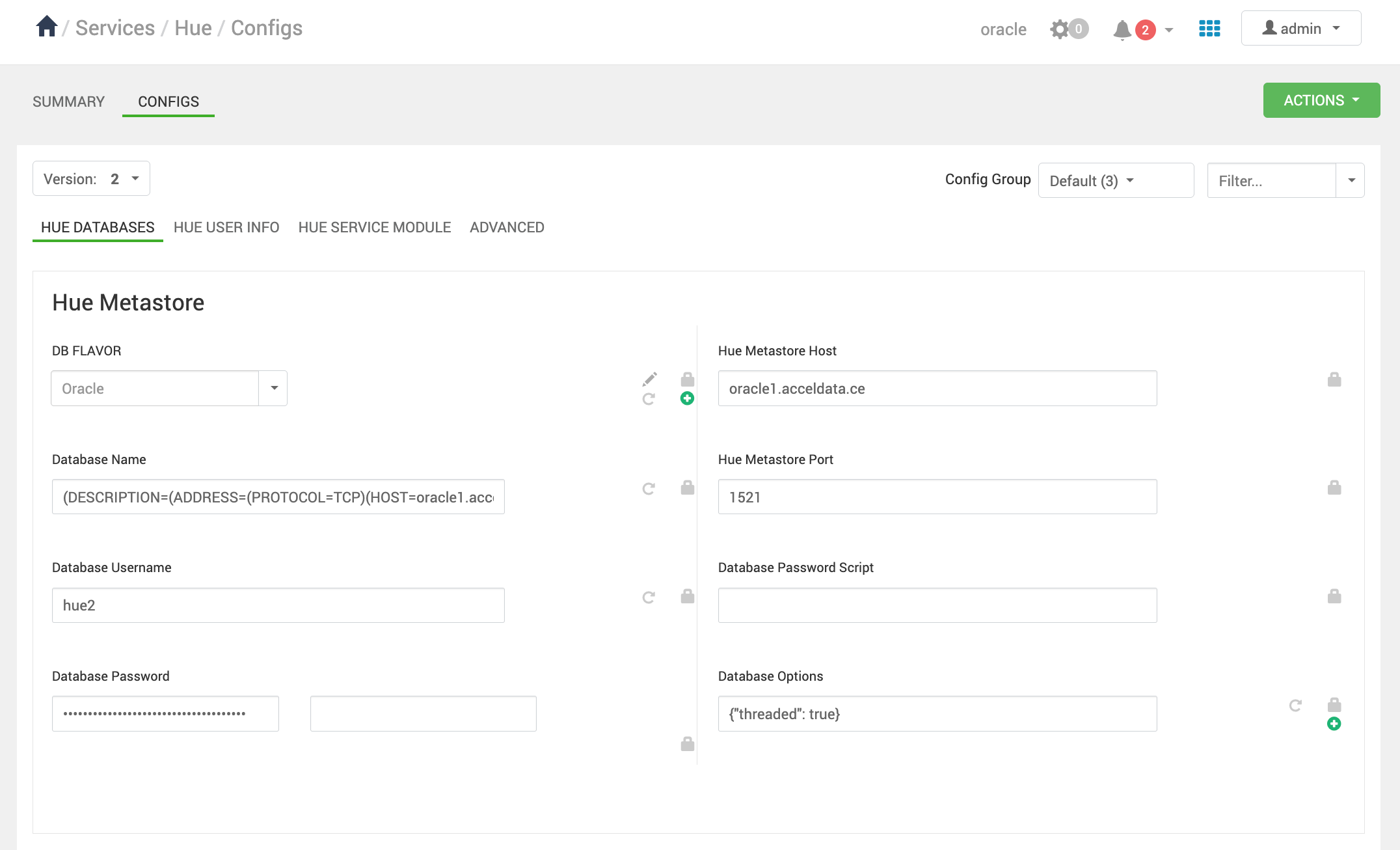
Set the properties as shown in the HUE DATABASES section under CONFIGS, then run metastoresync to set up Hue with the Oracle database.
DB FLAVOUR : Oracle
Database Name : (DESCRIPTION=(ADDRESS=(PROTOCOL=TCP)(HOST=<oracle database host>)(PORT=1521))(CONNECT_DATA=(SERVICE_NAME=<service name>)))
Database Username : <user name for hue>
Database Password : <database password for hue>
Hue Metastore Host : <oracle database host>
Hue Metastore Port : <oracle database port, default : 1521 >
Database Options : {"threaded": true}
Info
Above SERVICE_NAME is database name eg: ORCLPDB1
Pay attention to the Database Name, as it is a string containing multiple properties.
The below Image is for reference.
Miscellaneous
Follow the below steps to create a Hue user or schema.
## OPENING SHELL TO ORACLEDB
[oracle@oracle1]$ sqlplus / as sysdba
## CONNECT TO CDB
ALTER SESSION SET CONTAINER=ORCLPDB1;
## QUERIES TO CREATE USER/SCHEMA
CREATE USER hue IDENTIFIED BY ambari_password default tablespace "USERS" temporary tablespace "TEMP";
GRANT unlimited tablespace to hue;
GRANT create session to hue;
GRANT create TABLE to hue;
GRANT create SEQUENCE to hue;
Was this page helpful?