
Before setting up Oozie with an existing Oracle database, obtain the appropriate drivers and .jar files, create an hive user with sufficient permissions, and load the hive database schema.
Determine the appropriate Oracle database version and obtain the release drivers and .jar file.
Oracle Database Version | Drivers | File |
|---|---|---|
Oracle Database 19c | Oracle Database 19c drivers |
|
Steps:
Install the appropriate JDBC .jar file on the Oracle host.
Download the Oracle JDBC (OJDBC) driver from JDBC and UCP Downloads page .
For Oracle Database 19C: select
Oracle Database 23ai (23.8.0.25.04) JDBC Driver>ojdbc11.jar.
Copy the .jar file to the Java share directory.
Make sure the .jar file has the appropriate permissions. For example:
Create the Oozie databases using the Oracle database administrator. You can use the following series of commands to create an Oozie user and grant permissions using SQL*Plus.
ORCLPDB1 refers to the Pluggable Database (PDB) within the multi-tenant Oracle Container Database (CDB) named ORCLCDB, introduced in Oracle 12c. Any operations, such as creating or dropping tablespaces, within this context, apply specifically to the ORCLPDB1 PDB.
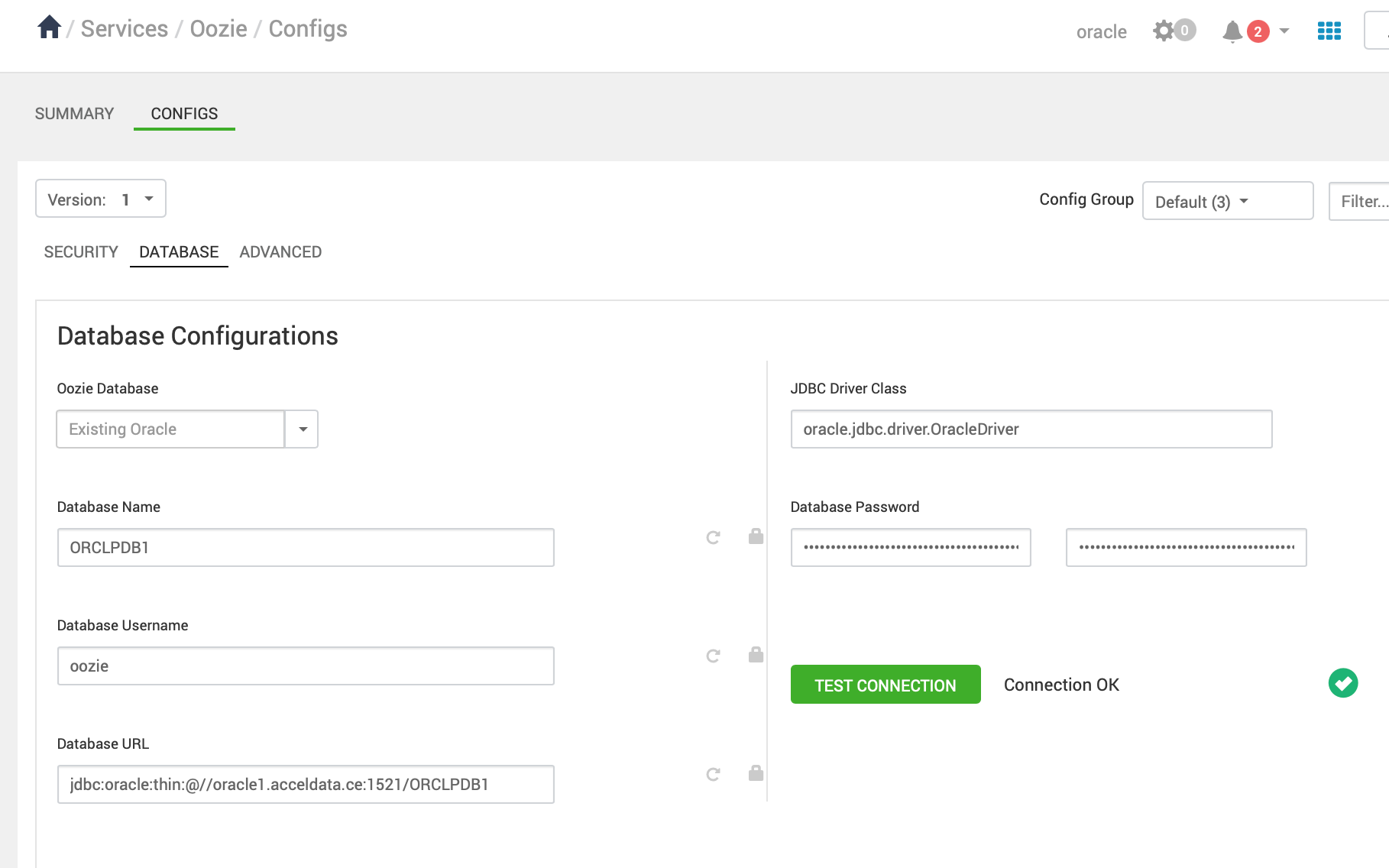
Set the
jdbc/driver/pathbased on the location of the Oracle JDBC driver .jar file. This command must be run on the server where Ambari server is installed:ambari-server setup --jdbc-db={database-type} --jdbc-driver={/jdbc/driver/path}.
Start the Oozie installation.