
What is an S3 Data Store?
The S3 Data Store registers a connection to an Amazon S3 bucket — or any S3-compatible object store (MinIO, Ceph, and others) — as a tenant-level file storage connection in xDP. Once registered, the connection is a governed, reusable path that applications, Spark jobs, and pipelines can use without hardcoding bucket names and credentials, and you can browse its contents directly from the File Explorer.
New to file storage connections? See Data Store for the shared model (tenant scope, the create wizard, browsing, and lifecycle).
Key Concepts
Bucket & Region: The S3 bucket the connection points to and its AWS region (e.g.
ap-south-1).Authentication Type: xDP supports AWS Access Key / Secret Key today; AWS EC2 Instance Profile and AWS IAM Roles for Service Accounts appear in the dropdown for environments where they are enabled.
Custom S3-compatible endpoint: Enable Use Custom S3-Compatible Endpoint to point the connection at a non-AWS store (Ceph, MinIO) by supplying its endpoint URL.
Capabilities
Centralized connection management — register S3 buckets once and reuse them across the tenant.
Secure authentication — connect with standard AWS access keys.
S3-compatible support — extend connectivity to object stores that expose an S3-compatible API.
Browse in place — open the bucket in the File Explorer to list and search objects.
Tutorial (Getting Started)
Prerequisites
Permission to create and manage file storage connections in xDP.
An accessible S3 bucket and its region.
AWS credentials (Access Key ID / Secret Access Key) with at least the minimum permissions below.
Minimum S3 permissions
Grant the IAM identity behind the access key a policy scoped to the target bucket. Reference: Amazon S3 — Policy actions.
Read-only:
s3:ListBucket(on the bucket) ands3:GetObject(onbucket/*).Read-write: the above plus
s3:PutObjectands3:DeleteObject.
For read-only access, drop s3:PutObject and s3:DeleteObject. Prefer a dedicated IAM user/role scoped to this bucket over broad credentials.
Create an S3 Data Store
From the left navigation, open File Explorer and click Create connection.
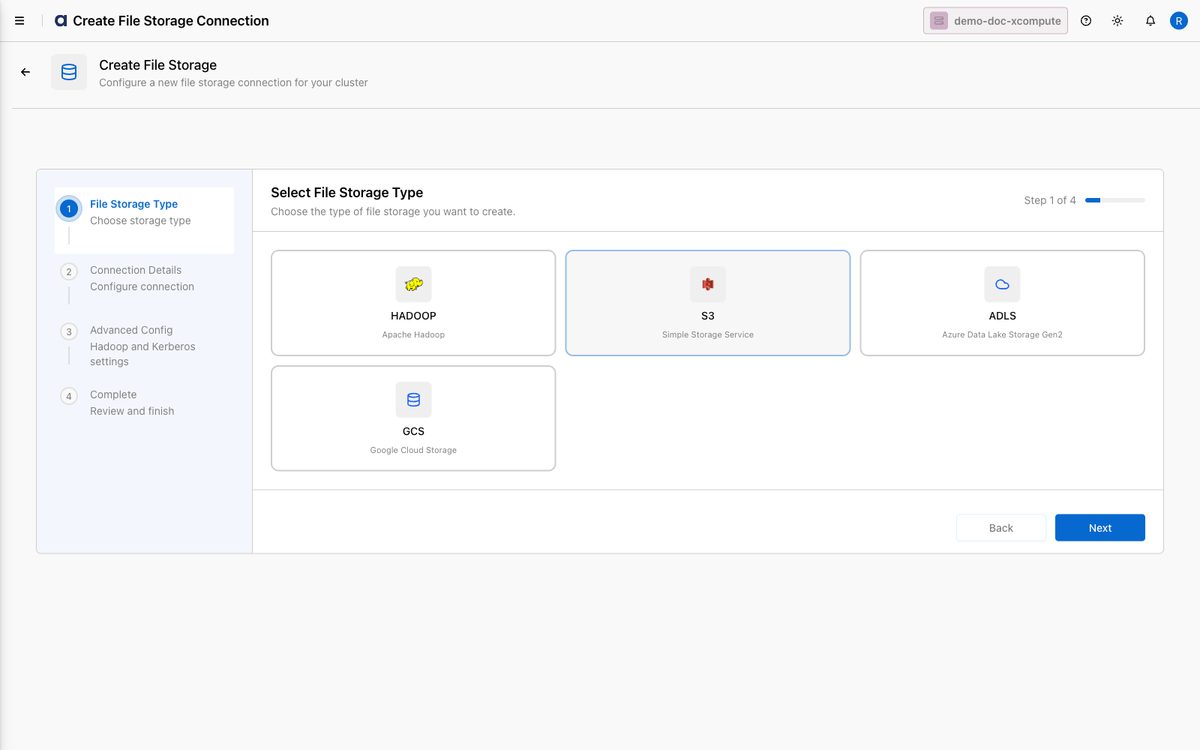
On Select File Storage Type, choose S3 and click Next.
On Connection Details, fill in:
File Storage Name — a unique name (e.g.
demo-doc-s3).Region — the bucket's AWS region (e.g.
ap-south-1).Bucket Name — the S3 bucket (e.g.
xdpqeteam).Authentication Type — select AWS Access Key / Secret Key, then enter the Access Key ID and Secret Access Key.
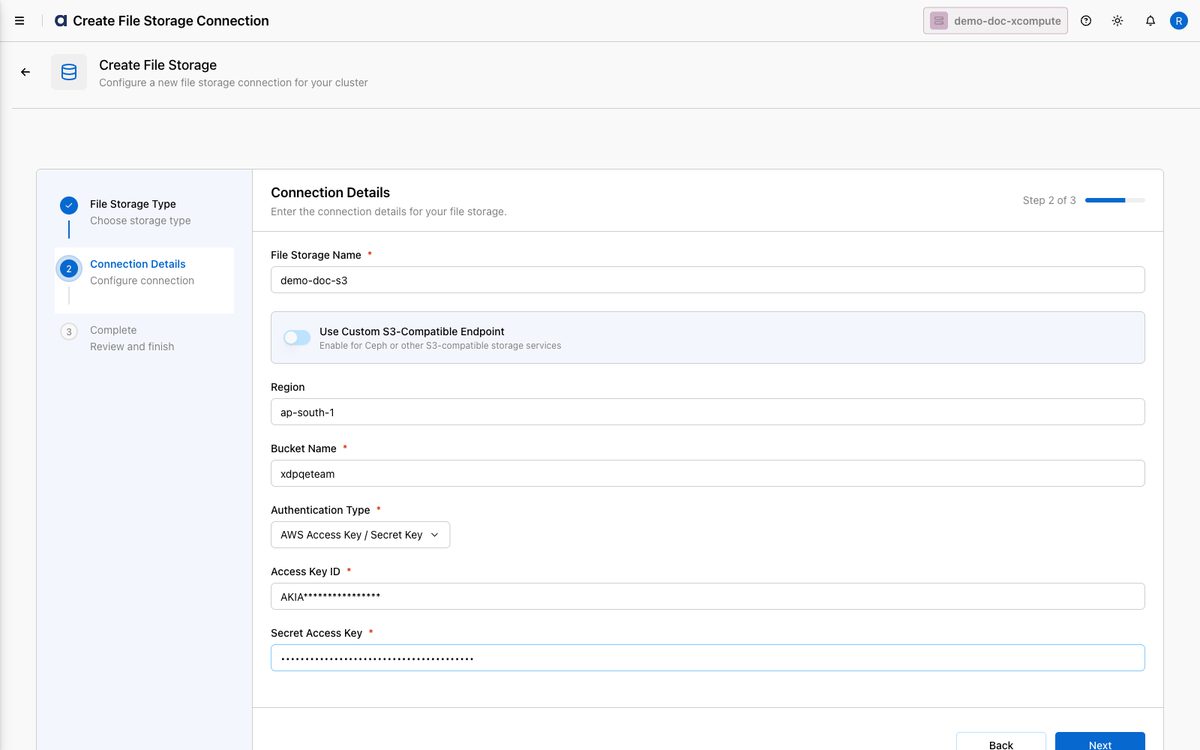
Click Next. The connection is created.
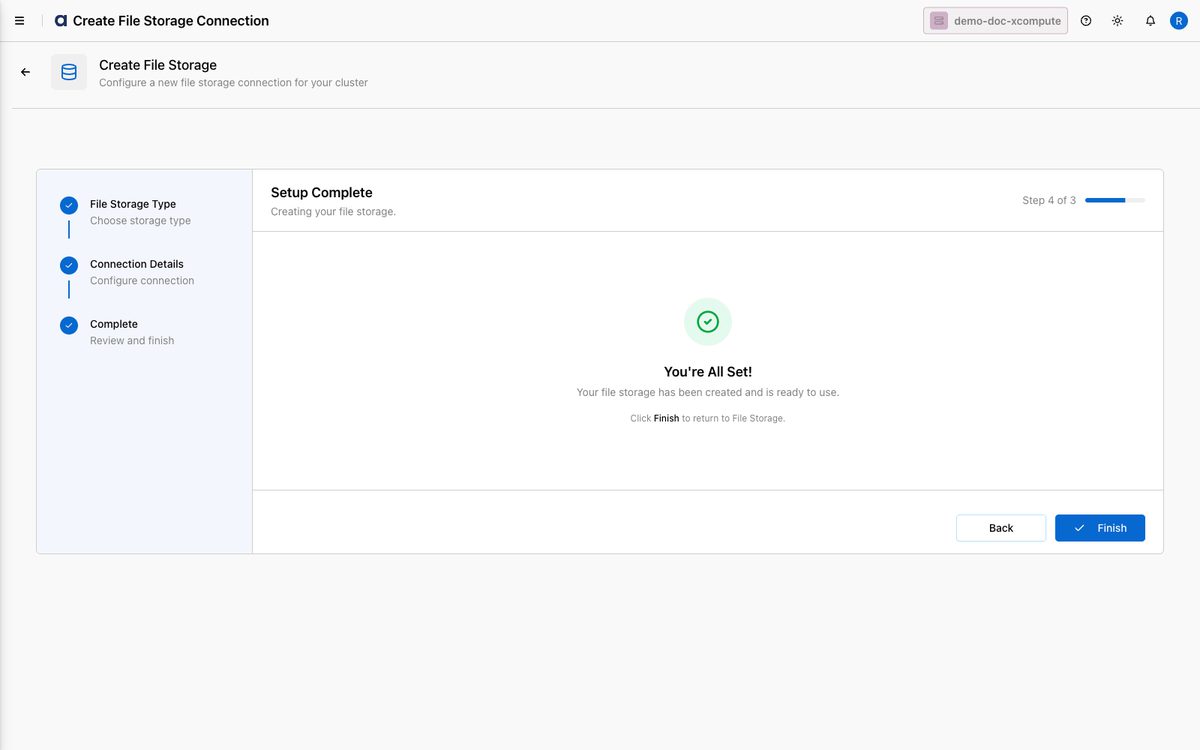
Click Finish to return to File Explorer, where the new S3 connection appears in the list.
How-to Guides
Connect to an S3-compatible object store
Start the Create connection wizard and select S3.
On Connection Details, enable Use Custom S3-Compatible Endpoint.
Enter the full Endpoint URL of your store (e.g.
https://minio.example.com).Provide the Bucket Name and access key / secret as required by your provider, then click Next.
The Region field may be optional for custom endpoints, depending on the provider.
Best Practices
Apply least privilege — use a dedicated IAM policy granting only
s3:ListBucket/s3:GetObject(ands3:PutObject/s3:DeleteObjectfor writes) on the specific bucket.Set the correct region to avoid cross-region latency and transfer costs.
Rotate access keys on a schedule and re-enter them on the connection via Edit.
Use consistent names like
<env>-s3-<purpose>for easy discovery.