
Configure GCS Endpoint SSL Properties in Ranger
Import the required GCS certificate into the Ranger truststore.
For example:
Configure the truststore properties in Ranger:
In the Ambari UI, go to Ranger > Configs > Advanced ranger-admin-site.
Configure the following properties:
Save the configuration.
Restart Ranger.
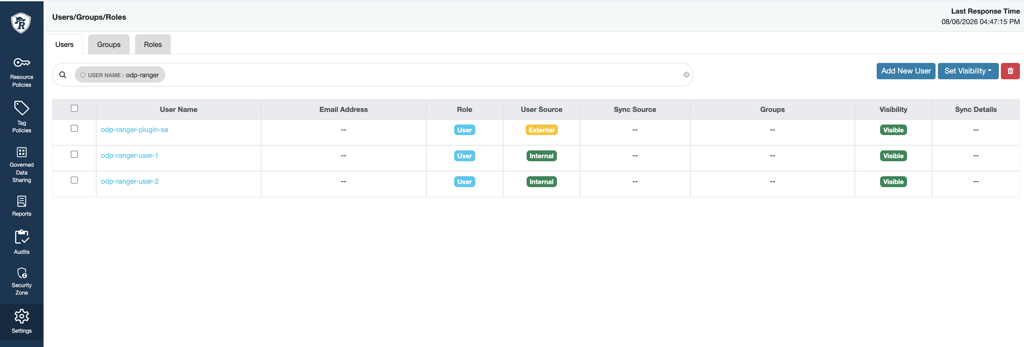
Configure Ranger Users
Verify that the Google Cloud IAM users that you want to use in Ranger policies are available in Ranger UserSync.
Ranger user names must match the corresponding Google Cloud IAM user names.
Create a Ranger GCS Service
In the Ranger UI, go to Service Manager > GCS Service.
Click + to create a service.
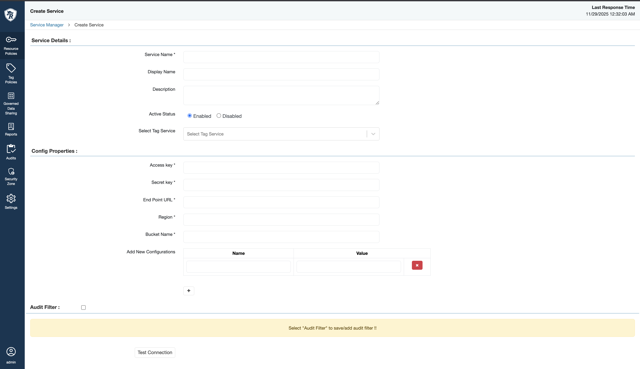
Configure the following properties:
Property | Required | Description |
|---|---|---|
| Yes | Ranger lookup or administrator user used when generating the default policy. |
| No | Path to the Google Cloud service account JSON key file. Leave this property empty to use Application Default Credentials (ADC). |
| Yes | Google Cloud project ID. |
| Yes | Default GCS bucket used for connection testing and wildcard resolution. |
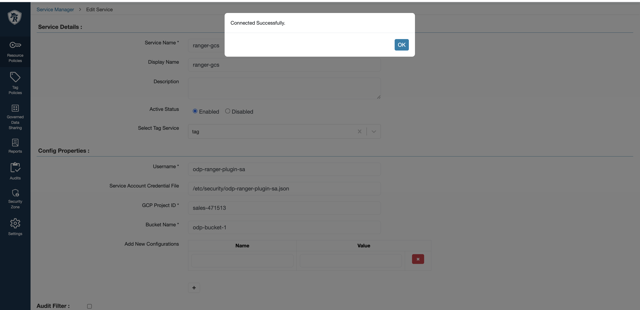
Use the administrator service account as the value for username.
Test the service connection.
Verify that the connection succeeds.
Save the service.
Ranger creates a default policy for the configured bucket and service account user.
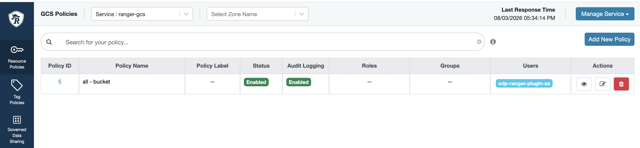
Configure Ranger GCS Policies
After you create the GCS service, create or update Ranger policies based on your access requirements.
You can define policies for:
An entire bucket.
Specific object paths within a bucket.
Wildcard matching is supported for bucket and object resources.
When you create or update a Ranger policy, the plugin synchronizes the corresponding permissions with the GCS bucket IAM policy.