
Search
Configure Hadoop Filesystem Settings
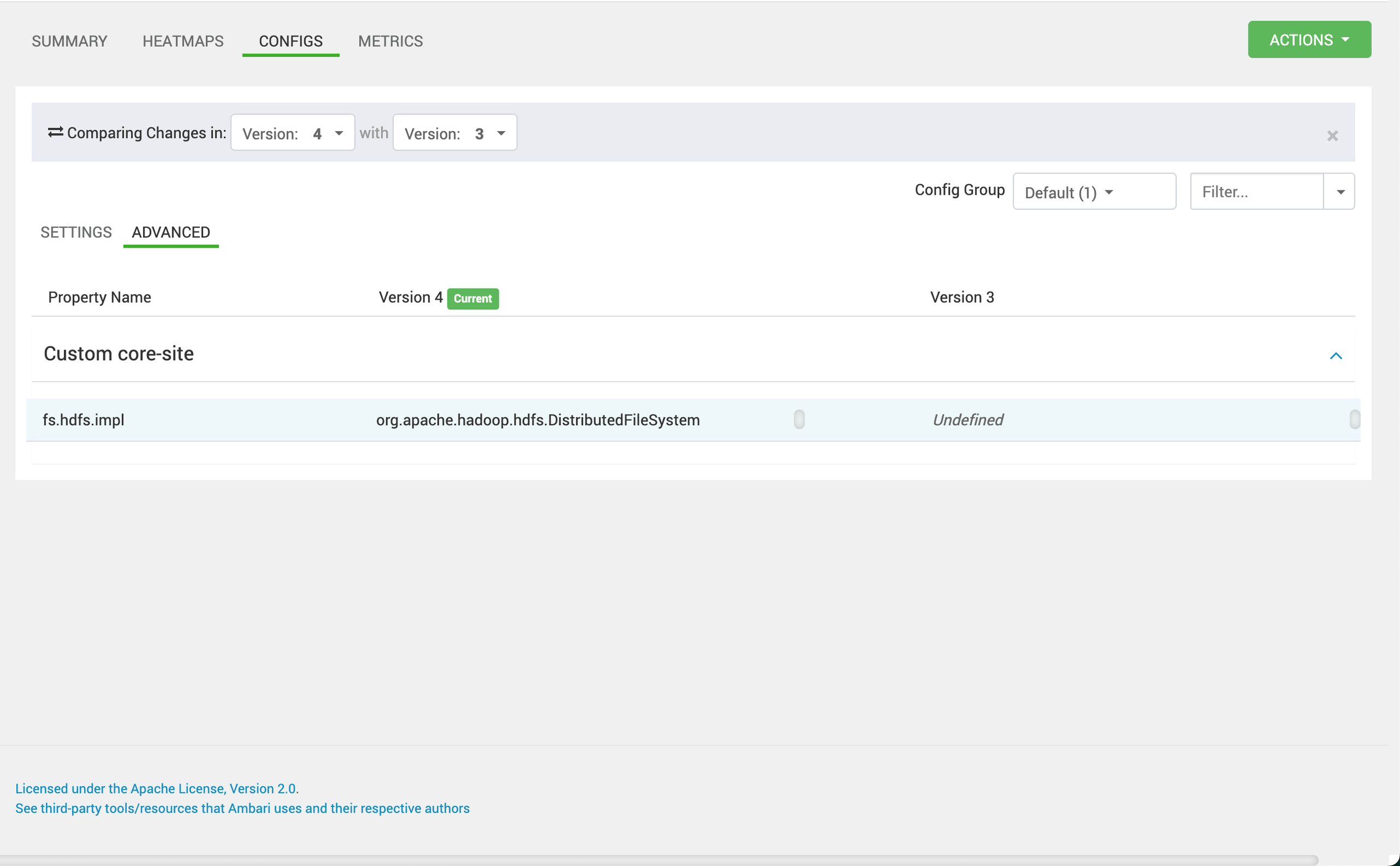
Ensure that the core-site.xml and hdfs-site.xml files are correctly configured and accessible. These files define the Hadoop filesystem settings, including the default filesystem URI and any necessary authentication configurations.
fs.hdfs.impl=org.apache.hadoop.hdfs.DistributedFileSystem
Update Pinot Controller Configuration
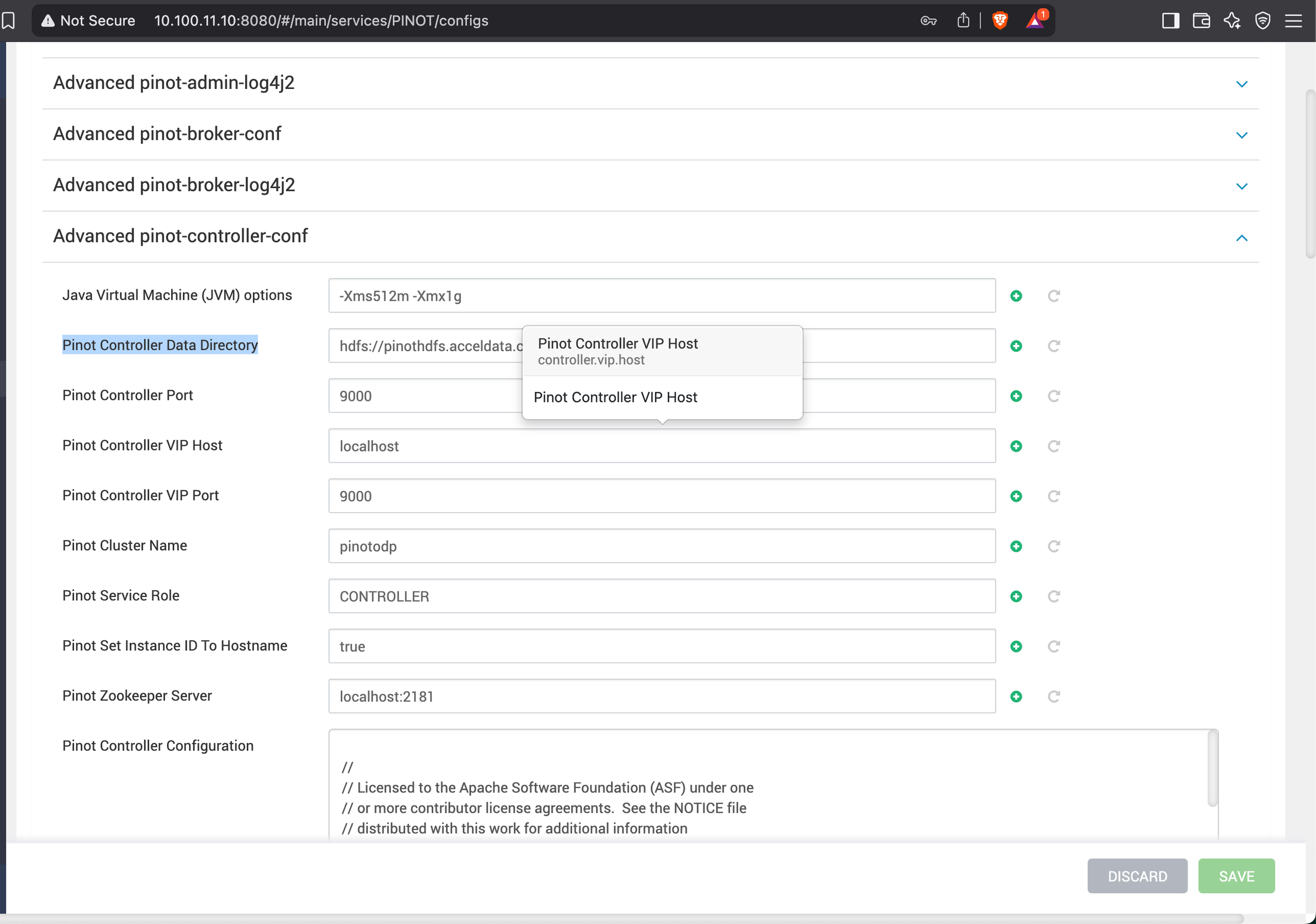
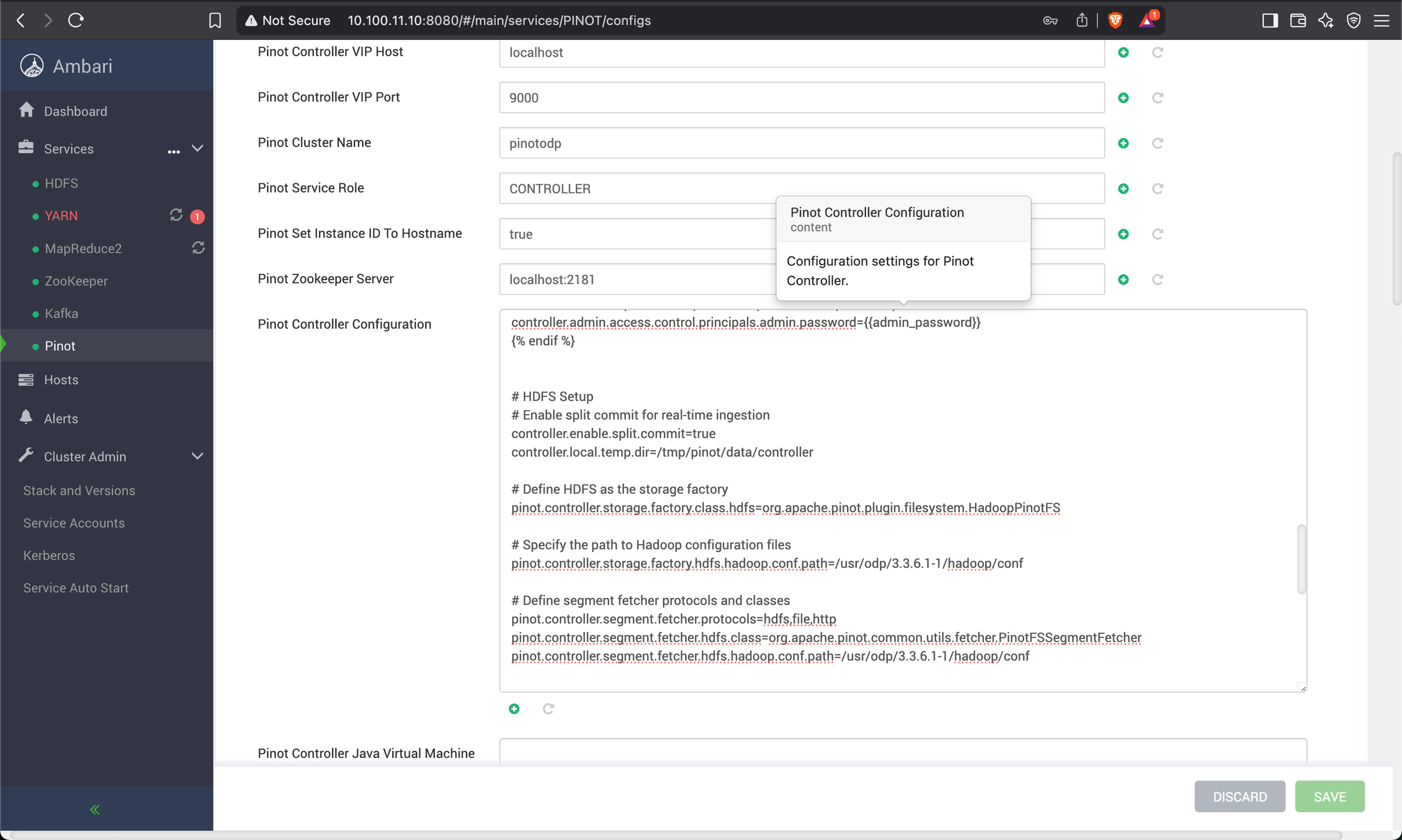
Modify the controller.conf file to include the following properties.
Pinot Controller Data Directory=hdfs://pinothdfs.acceldata.ce/pinot/segments
# HDFS Setup
# Enable split commit for real-time ingestion
controller.enable.split.commit=true
controller.local.temp.dir=/tmp/pinot/data/controller
# Define HDFS as the storage factory
pinot.controller.storage.factory.class.hdfs=org.apache.pinot.plugin.filesystem.HadoopPinotFS
# Specify the path to Hadoop configuration files
pinot.controller.storage.factory.hdfs.hadoop.conf.path=/usr/odp/3.3.6.3-1/hadoop/conf
# Define segment fetcher protocols and classes
pinot.controller.segment.fetcher.protocols=hdfs,file,http
pinot.controller.segment.fetcher.hdfs.class=org.apache.pinot.common.utils.fetcher.PinotFSSegmentFetcher
pinot.controller.segment.fetcher.hdfs.hadoop.conf.path=/usr/odp/3.3.6.3-1/hadoop/conf
Update Pinot Server Configuration
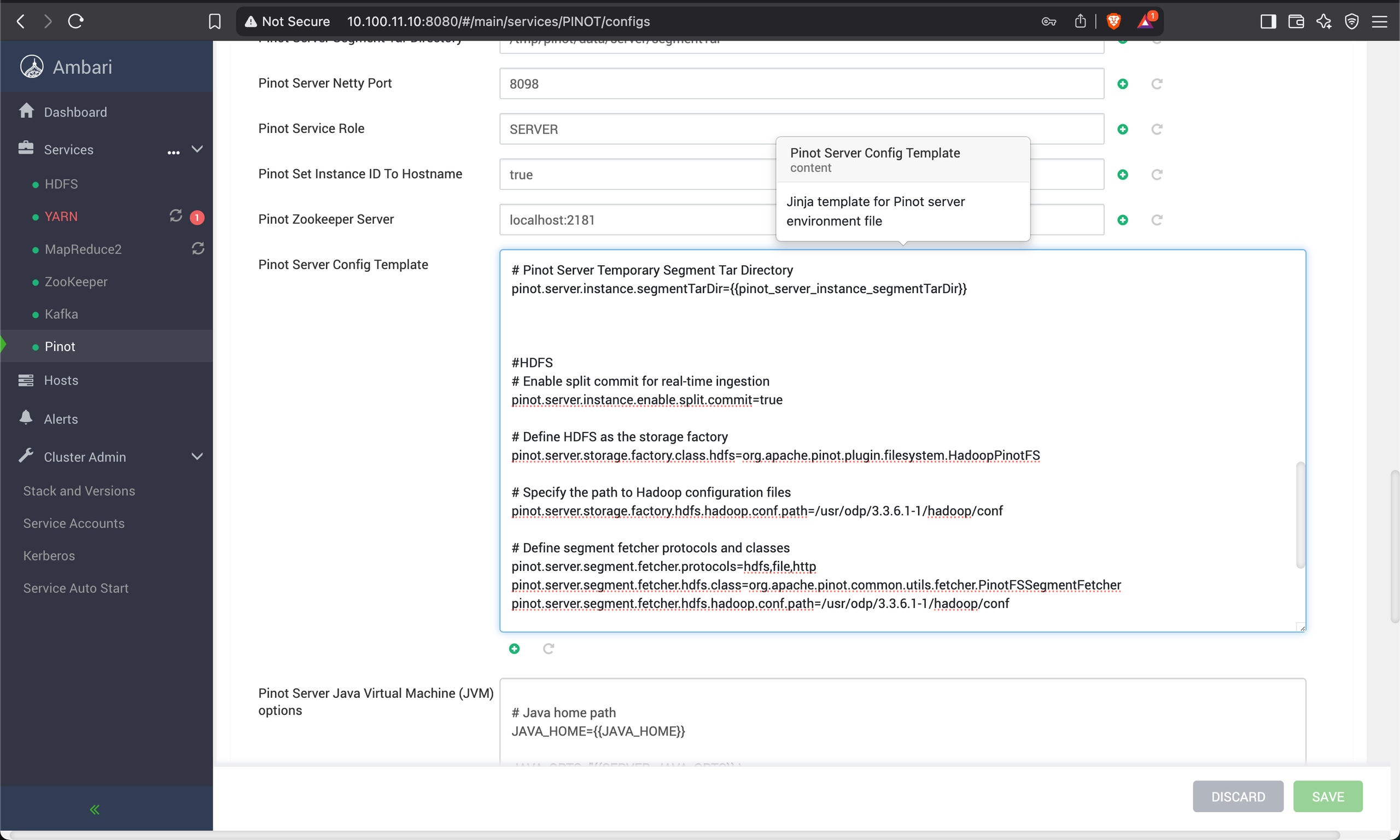
Modify the server.conf file to include the following properties.
#HDFS
# Enable split commit for real-time ingestion
pinot.server.instance.enable.split.commit=true
# Define HDFS as the storage factory
pinot.server.storage.factory.class.hdfs=org.apache.pinot.plugin.filesystem.HadoopPinotFS
# Specify the path to Hadoop configuration files
pinot.server.storage.factory.hdfs.hadoop.conf.path=/usr/odp/3.3.6.3-1/hadoop/conf
# Define segment fetcher protocols and classes
pinot.server.segment.fetcher.protocols=hdfs,file,http
pinot.server.segment.fetcher.hdfs.class=org.apache.pinot.common.utils.fetcher.PinotFSSegmentFetcher
pinot.server.segment.fetcher.hdfs.hadoop.conf.path=/usr/odp/3.3.6.3-1/hadoop/conf
Restart HDFS and Pinot
Create real-time table for KAFKA- Define Pinot Schema.
Create a file /tmp/pinot/schema-stream.json.
{
"schemaName": "eventsnew",
"dimensionFieldSpecs": [
{ "name": "uuid", "dataType": "STRING" }
],
"metricFieldSpecs": [
{ "name": "count", "dataType": "INT" }
],
"dateTimeFieldSpecs": [{
"name": "ts",
"dataType": "TIMESTAMP",
"format": "1:MILLISECONDS:EPOCH",
"granularity": "1:MILLISECONDS"
}]
}
Define Pinot Table Config
Create a file /tmp/pinot/table-config-stream.json.
Update the following in table-config-stream.json:
Table and Schema Names.
stream.kafka.broker.listbased on your broker list.
{
"tableName": "eventsnew",
"tableType": "REALTIME",
"segmentsConfig": {
"timeColumnName": "ts",
"schemaName": "eventsnew",
"replicasPerPartition": "1"
},
"tenants": {},
"tableIndexConfig": {
"loadMode": "MMAP",
"streamConfigs": {
"streamType": "kafka",
"stream.kafka.consumer.type": "lowlevel",
"stream.kafka.topic.name": "events",
"stream.kafka.decoder.class.name": "org.apache.pinot.plugin.stream.kafka.KafkaJSONMessageDecoder",
"stream.kafka.consumer.factory.class.name": "org.apache.pinot.plugin.stream.kafka20.KafkaConsumerFactory",
"stream.kafka.broker.list": "{hostname}or{IP}:6667",
"realtime.segment.flush.threshold.rows": "0",
"realtime.segment.flush.threshold.time": "1m",
"realtime.segment.flush.threshold.segment.size": "50M",
"stream.kafka.consumer.prop.auto.offset.reset": "smallest"
}
},
"metadata": {
"customConfigs": {}
}
}
Create Pinot Schema and Table
Run the following command:
bin/pinot-admin.sh AddTable -schemaFile /tmp/pinot/schema-stream.json -tableConfigFile /tmp/pinot/table-config-stream.json -controllerHost {hostname}or{IP} -controllerPort 9000 -exec
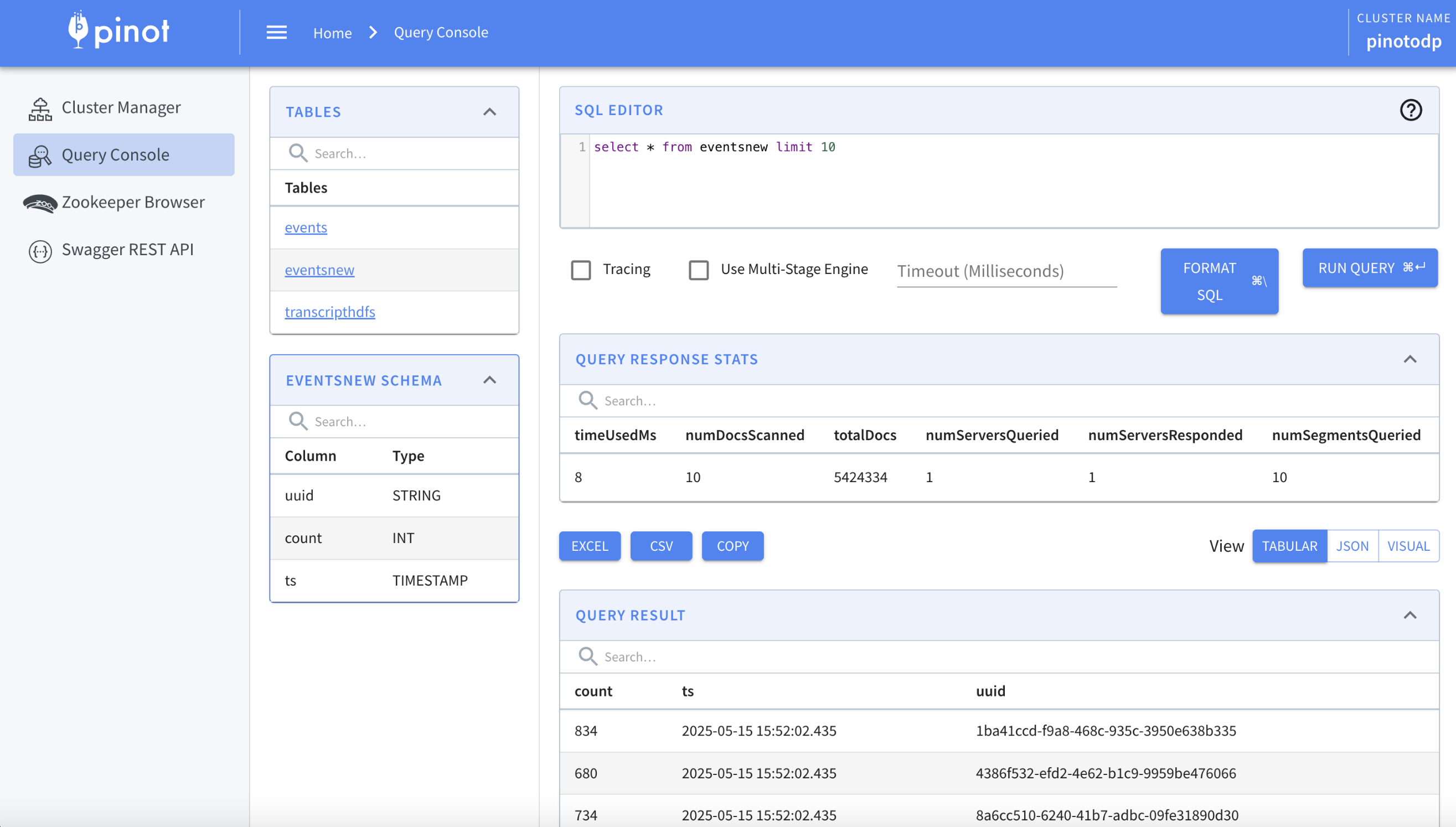
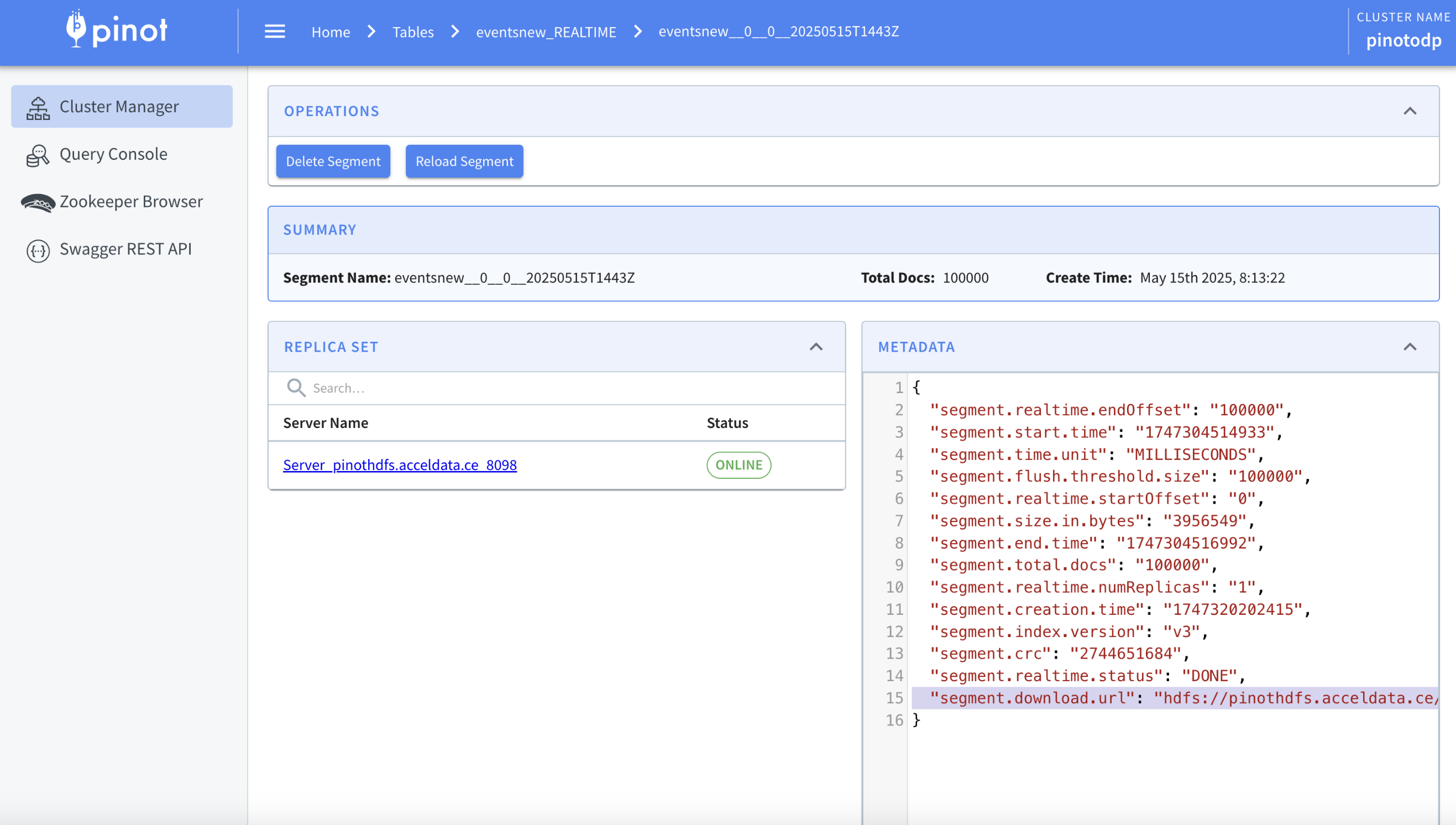
Verify the Segments on HDFS Path
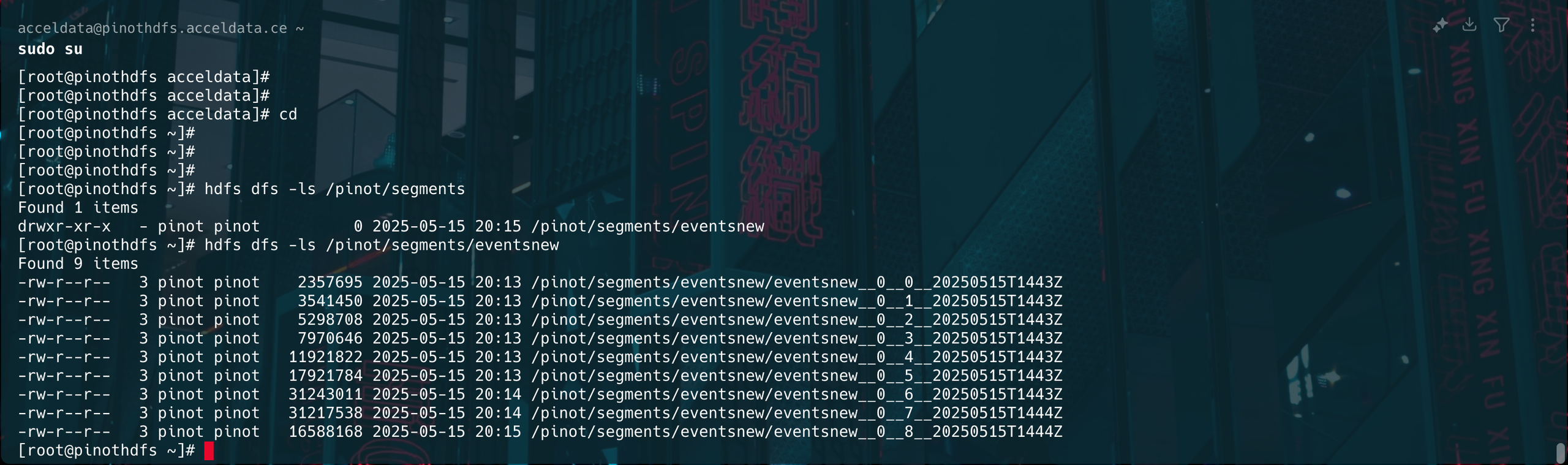
The below image shows the segments of the HDFS path.
Was this page helpful?