Documentation
ODP 3.3.6.4-1
Release Notes
What is ODP
Installation
Component User guide and Installation Instructions
Upgrade Instructions
Downgrade Instructions
Reference Guide
Security Guide
Troubleshooting Guide
Uninstall ODP
Title
Message
Create new category
What is the title of your new category?
Edit page index title
What is the title of the page index?
Edit category
What is the new title of your category?
Edit link
What is the new title and URL of your link?
Superset Pinot testing - Stream Data
Summarize Page
Copy Markdown
Open in ChatGPT
Open in Claude
Connect to Cursor
Connect to VS Code
Make sure you have Kafka (used kafka3 here), Pinot (1.4.0), and Superset running.
Bash
export PINOT_HOST=$(hostname -f)export KAFKA_BROKERS="newsuper-0.newsuper.harshith.svc.cluster.local:6669,newsuper-1.newsuper.harshith.svc.cluster.local:6669,newsuper-2.newsuper.harshith.svc.cluster.local:6669"Set up Kafka
Client.properties for krb auth
Bash
xxxxxxxxxx[root@newsuper-2 kafka3]# cat client.propertiessecurity.protocol=SASL_PLAINTEXTsasl.mechanism=GSSAPIsasl.kerberos.service.name=kafkasasl.jaas.config=com.sun.security.auth.module.Krb5LoginModule required \ useKeyTab=true \ keyTab="/etc/security/keytabs/kafka.service.keytab" \ storeKey=true \ useTicketCache=false \ principal="kafka/newsuper-2.newsuper.harshith.svc.cluster.local@ADSRE.COM";Create a Topic
Bash
xxxxxxxxxxbin/kafka-topics.sh --create \ --topic flight-events \ --bootstrap-server $KAFKA_BROKERS \ --partitions 3 \ --replication-factor 3 \ --command-config client.properties bin/kafka-topics.sh --list \ --bootstrap-server $KAFKA_BROKERS \ --command-config client.properties bin/kafka-topics.sh --describe \ --topic flight-events \ --bootstrap-server $KAFKA_BROKERS \ --command-config client.propertiesProducer Script to Ingest Data
Bash
#!/bin/bash PINOT_HOST=$(hostname -f)KAFKA_BROKERS="newsuper-0.newsuper.harshith.svc.cluster.local:6669,newsuper-1.newsuper.harshith.svc.cluster.local:6669,newsuper-2.newsuper.harshith.svc.cluster.local:6669" KAFKA_HOME="${KAFKA_HOME:-.}"KAFKA_BROKERS="${KAFKA_BROKERS:-localhost:9092}"TOPIC="flight-events"CLIENT_CONFIG="client.properties" CARRIERS=("AA" "UA" "DL" "WN" "AS" "B6" "NK" "F9" "G4" "HA")ORIGINS=("SFO" "LAX" "JFK" "ORD" "DFW" "ATL" "SEA" "BOS" "MIA" "DEN")DESTS=("SFO" "LAX" "JFK" "ORD" "DFW" "ATL" "SEA" "BOS" "MIA" "DEN") echo "Publishing flight events to $TOPIC..."echo "Press Ctrl+C to stop" # Generate messages and pipe to a single producer instancewhile true; do TIMESTAMP=$(date +%s000) CARRIER=${CARRIERS[$RANDOM % ${#CARRIERS[@]}]} ORIGIN=${ORIGINS[$RANDOM % ${#ORIGINS[@]}]} DEST=${DESTS[$RANDOM % ${#DESTS[@]}]} while [ "$ORIGIN" == "$DEST" ]; do DEST=${DESTS[$RANDOM % ${#DESTS[@]}]} done FLIGHT_NUM=$((RANDOM % 9000 + 1000)) ARR_DELAY=$((RANDOM % 120 - 30)) DEP_DELAY=$((RANDOM % 60 - 15)) AIR_TIME=$((RANDOM % 300 + 60)) DISTANCE=$((RANDOM % 2500 + 200)) echo "{\"timestamp\":${TIMESTAMP},\"Carrier\":\"${CARRIER}\",\"FlightNum\":${FLIGHT_NUM},\"Origin\":\"${ORIGIN}\",\"Dest\":\"${DEST}\",\"ArrDelay\":${ARR_DELAY},\"DepDelay\":${DEP_DELAY},\"AirTime\":${AIR_TIME},\"Distance\":${DISTANCE}}" sleep 1done | ${KAFKA_HOME}/bin/kafka-console-producer.sh \ --bootstrap-server $KAFKA_BROKERS \ --topic $TOPIC \ --producer.config $CLIENT_CONFIGSet up Pinot Injestion
Create Pinot Realtime Table
Create Schema
Bash
xxxxxxxxxxcat > flightEvents_schema.json << 'EOF'{ "schemaName": "flightEvents", "dimensionFieldSpecs": [ {"name": "Carrier", "dataType": "STRING"}, {"name": "FlightNum", "dataType": "INT"}, {"name": "Origin", "dataType": "STRING"}, {"name": "Dest", "dataType": "STRING"} ], "metricFieldSpecs": [ {"name": "ArrDelay", "dataType": "INT"}, {"name": "DepDelay", "dataType": "INT"}, {"name": "AirTime", "dataType": "INT"}, {"name": "Distance", "dataType": "INT"} ], "dateTimeFieldSpecs": [ { "name": "timestamp", "dataType": "LONG", "format": "1:MILLISECONDS:EPOCH", "granularity": "1:MILLISECONDS" } ]}EOFCreate Table Config
Bash
cat > flightEvents_realtime_table_config.json << 'EOF'{ "tableName": "flightEvents", "tableType": "REALTIME", "segmentsConfig": { "timeColumnName": "timestamp", "timeType": "MILLISECONDS", "schemaName": "flightEvents", "replicasPerPartition": "1" }, "tenants": {}, "tableIndexConfig": { "loadMode": "MMAP", "streamConfigs": { "streamType": "kafka", "stream.kafka.consumer.type": "lowlevel", "stream.kafka.topic.name": "flight-events", "stream.kafka.decoder.class.name": "org.apache.pinot.plugin.stream.kafka.KafkaJSONMessageDecoder", "stream.kafka.consumer.factory.class.name": "org.apache.pinot.plugin.stream.kafka20.KafkaConsumerFactory", "stream.kafka.broker.list": "newsuper-0.newsuper.harshith.svc.cluster.local:6669,newsuper-1.newsuper.harshith.svc.cluster.local:6669,newsuper-2.newsuper.harshith.svc.cluster.local:6669", "security.protocol": "SASL_PLAINTEXT", "sasl.mechanism": "GSSAPI", "sasl.kerberos.service.name": "kafka", "sasl.jaas.config": "com.sun.security.auth.module.Krb5LoginModule required useKeyTab=true keyTab=\"/etc/security/keytabs/pinot.headless.keytab\" storeKey=true useTicketCache=false principal=\"pinot-odp_quantum@ADSRE.COM\";", "realtime.segment.flush.threshold.rows": "10000", "realtime.segment.flush.threshold.time": "1h" } }, "metadata": { "customConfigs": {} }}EOF- Now give permissions for Pinot to read Kafka (for that topic or in general, all topics) and add Pinot Jaas to the Pinot process so that Pinot can pass through the Kerberos authentication.
Bash
xxxxxxxxxxcat > /usr/odp/3.3.6.3-101/pinot/pinot_jaas.conf << 'EOF'KafkaClient { com.sun.security.auth.module.Krb5LoginModule required useKeyTab=true keyTab="/etc/security/keytabs/pinot.headless.keytab" storeKey=true useTicketCache=false principal="pinot-odp_quantum@ADSRE.COM";}; Client { com.sun.security.auth.module.Krb5LoginModule required useKeyTab=true keyTab="/etc/security/keytabs/pinot.headless.keytab" storeKey=true useTicketCache=false principal="pinot-odp_quantum@ADSRE.COM";};EOFAdd this to Pinot JVM args,
Bash
xxxxxxxxxx-Djava.security.auth.login.config=/usr/odp/3.3.6.3-101/pinot/pinot_jaas.conflike the following, for all components of Pinot.
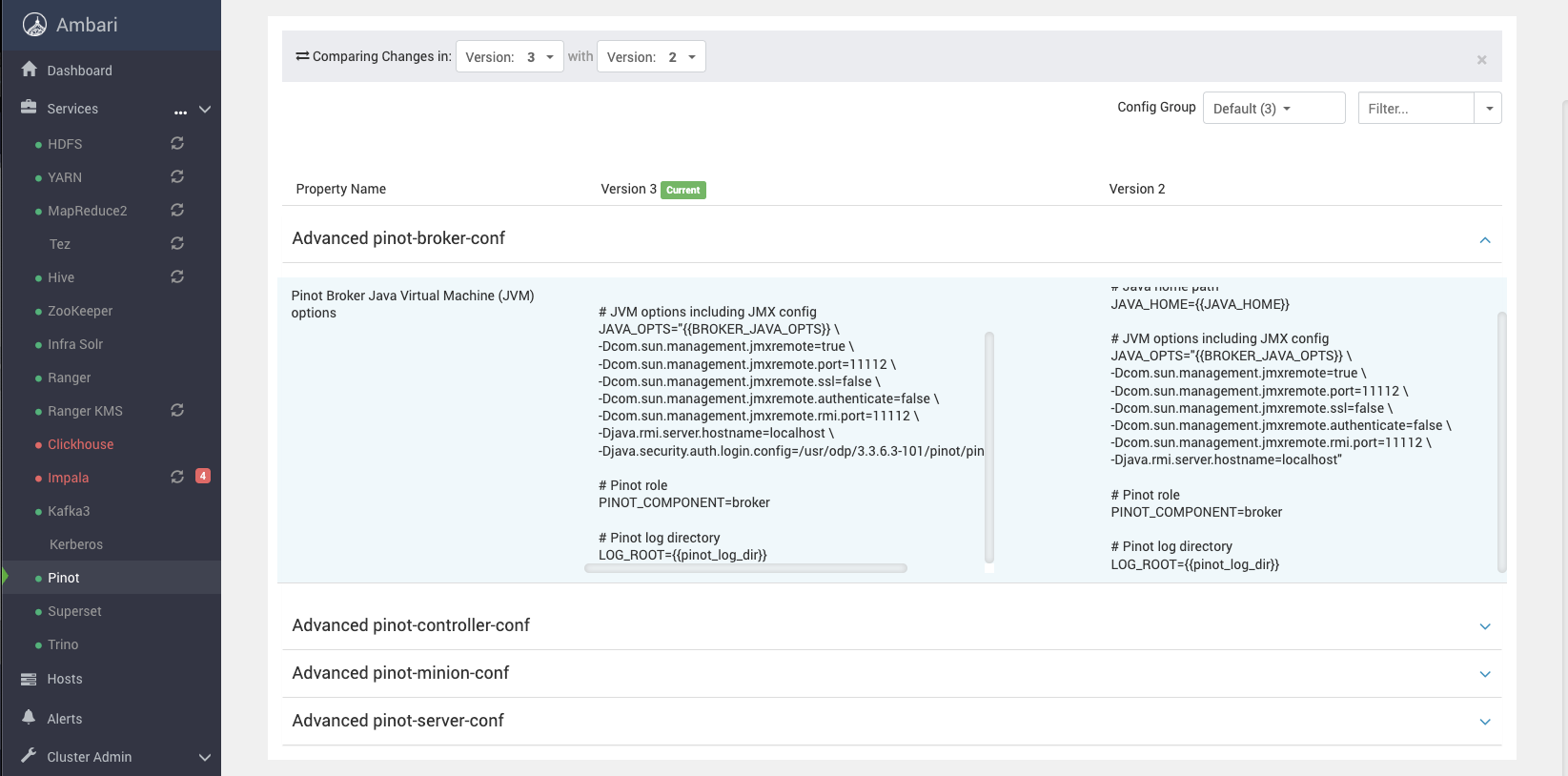
If you see failures related to auth, you can try adding -Dsun.security.krb5.debug=true to above and see some logs.
[Kafka topic is still active, and messages are being pushed and consumed by Pinot Live]
And once that's done, as we have already connected Pinot to Kafka from previous testing, we should see a new table in Superset.
Create Charts
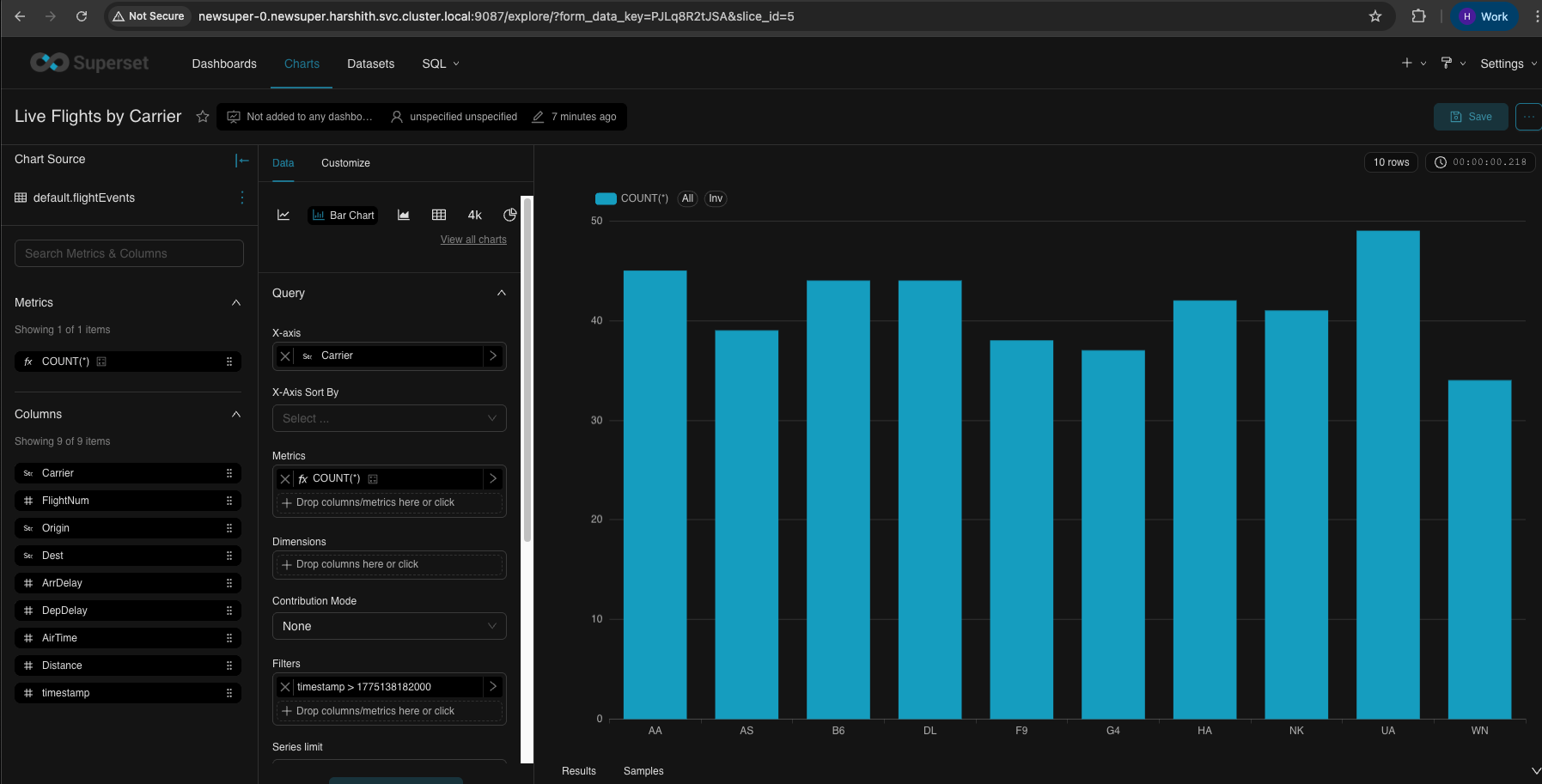
Bar Chart - Live Flights by Carrier
Bash
xxxxxxxxxx| Field | Value | Description ||-------|-------|-------------|| X-Axis | `Carrier` | Airline carrier codes on horizontal axis || Metrics | `COUNT(*)` | Number of flight events (bar height) || Dimensions | *(leave empty)* | Not needed for simple bar chart || Time Range | `Last hour` | Filter to recent data |
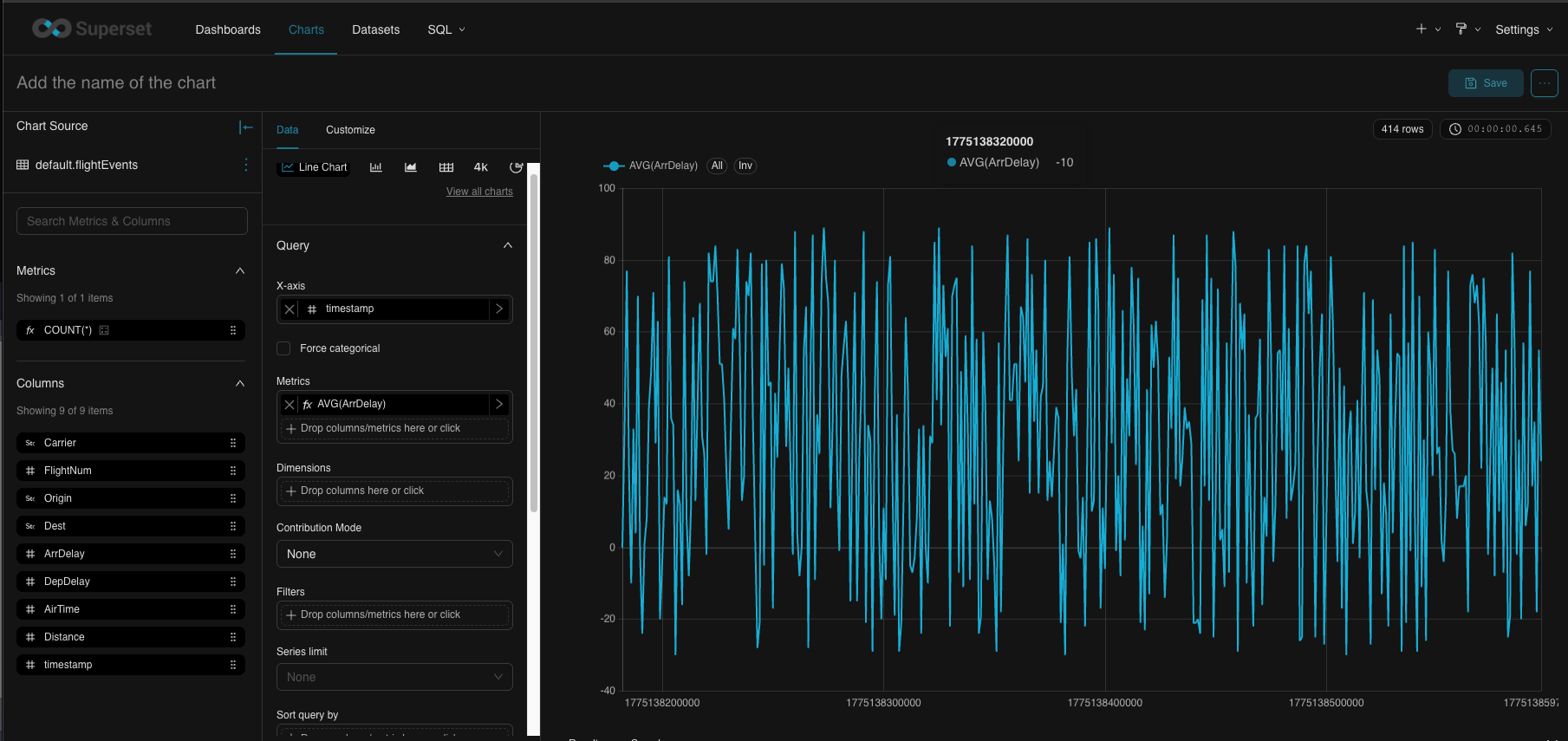
Line Chart - Arrival Delays Over Time
Bash
xxxxxxxxxx| Field | Value | Description ||-------|-------|-------------|| X-Axis | `timestamp` | Time on horizontal axis || Time Grain | `minute` | Aggregate by minute || Metrics | `AVG(ArrDelay)` | Average arrival delay (line value) || Dimensions | *(leave empty)* | Single line for all carriers || Time Range | `Last hour` | Show last hour of data |
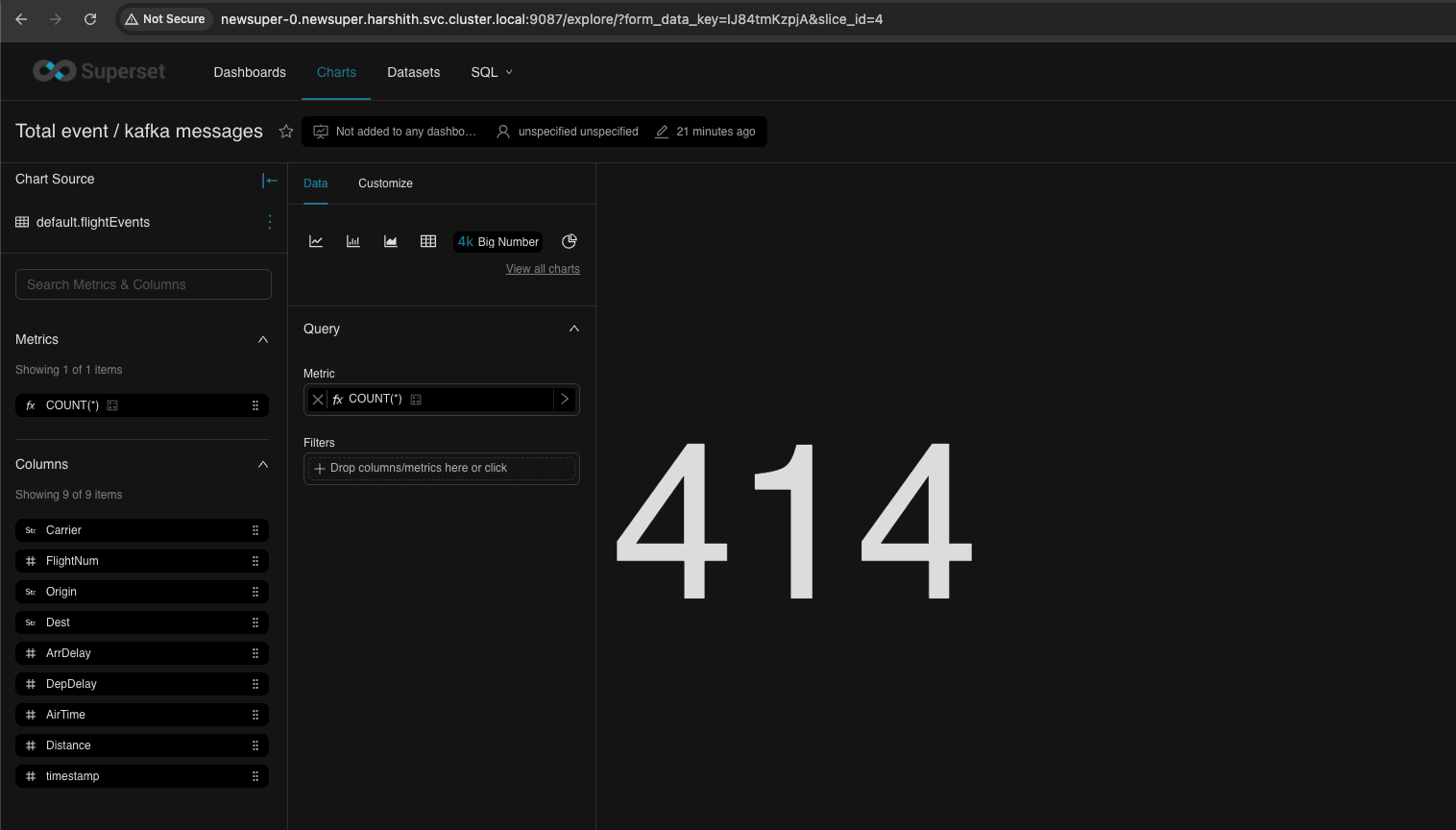
Big Number - Total Events
Bash
xxxxxxxxxx| Field | Value | Description ||-------|-------|-------------|| Chart Type | `Big Number` | Single large metric display || Metric | `COUNT(*)` | Total event count |
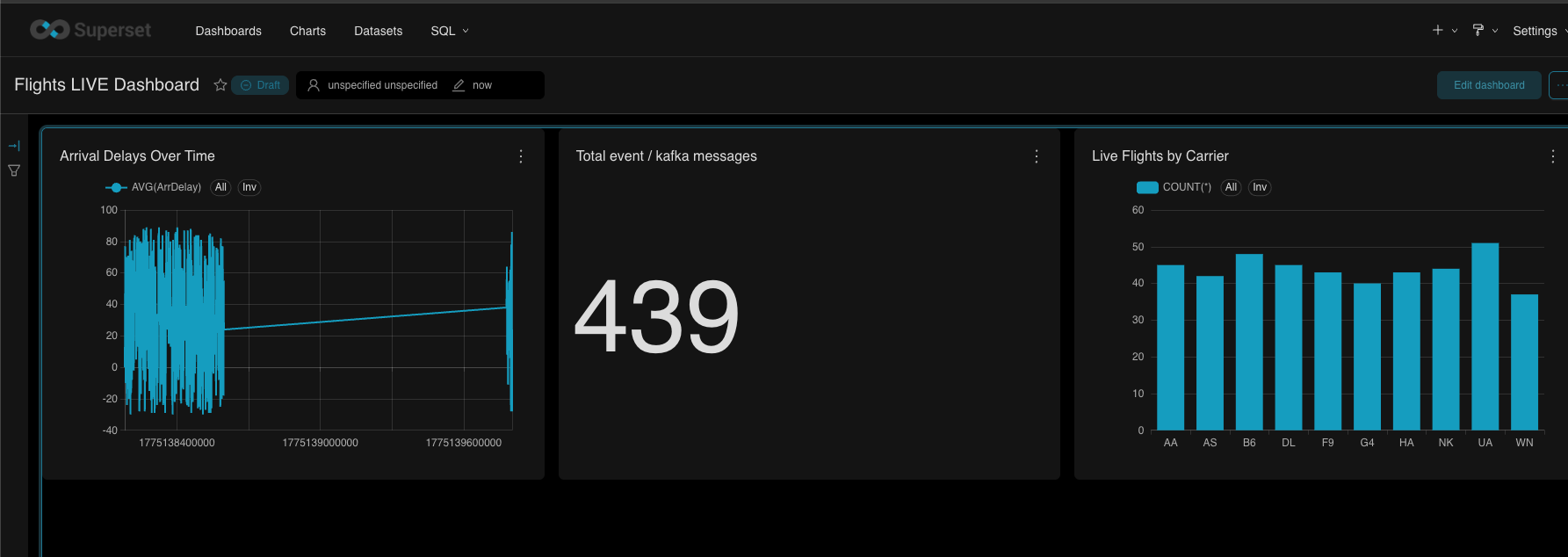
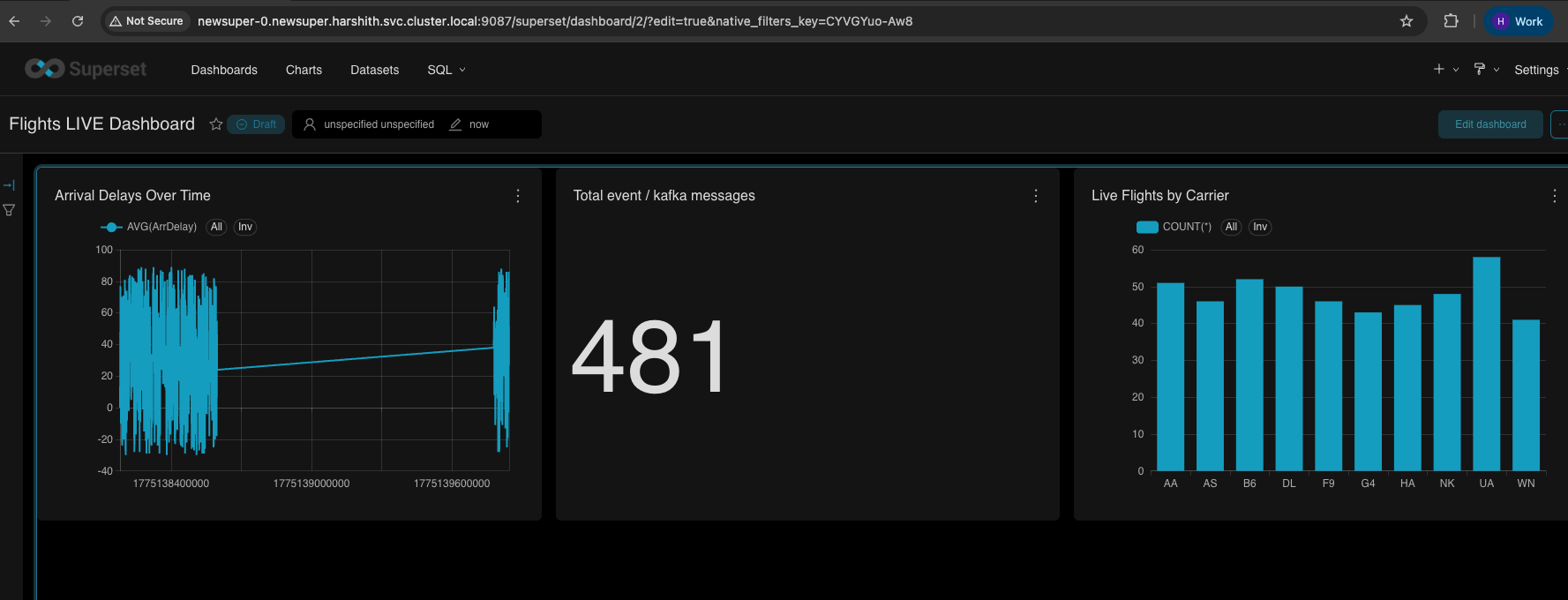
Dashboard

- Refresh (on 3dot menu, top right)

- Autorefresh
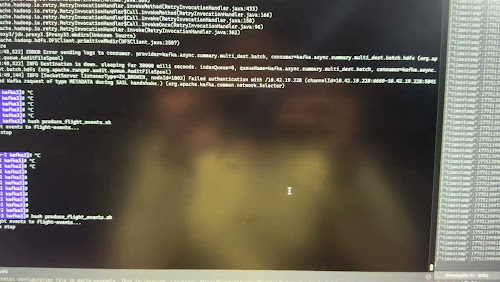
Video live refresh for the Dashboard
The following is a quick video showing autorefresh.
Type to search, ESC to discard
Last updated on May 14, 2026
Was this page helpful?
Next to read:
Superset Impala Testingnull
Discard Changes
Do you want to discard your current changes and overwrite with the template?
Archive Synced Block
Message
Create new Template
What is this template's title?
Delete Template
Message