
You can manage and update Pulse configuration files directly from the Admin UI. Both configuration files, such as Vars YML and Cluster Conf, control how Pulse connects to your clusters, collects metrics, and manages service configurations.
After making any changes, click Reconfigure to apply the updates.
Open the Configuration Tab
In the Pulse Admin UI, go to Home.
Click the name of the cluster you want to manage.
On the Cluster Details page, click the Configuration tab.
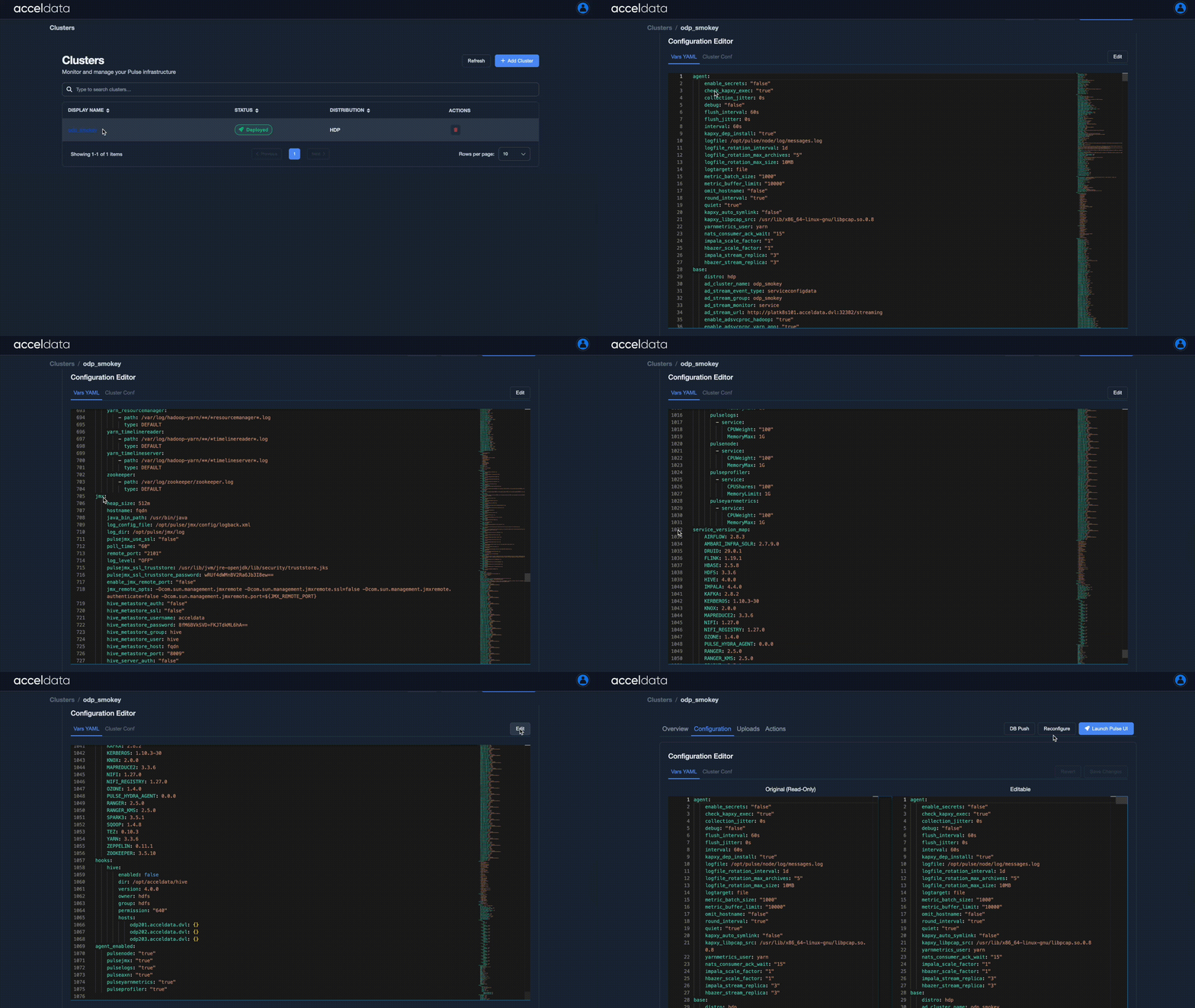
Edit VARs YAML
Use this file when you want to adjust agent behavior, data collection intervals, or connection settings.
In the Configuration tab, click Vars YAML.
The Vars YAML file defines Pulse agent and environment configurations, including:
Agent settings and intervals
Service endpoints and credentials
Logging and file retention
System and resource parameters
Click Edit to update any configuration values and then save your changes.
Click DB Push to save changes in the database or Reconfigure to save and apply your updates.
Edit Cluster Conf
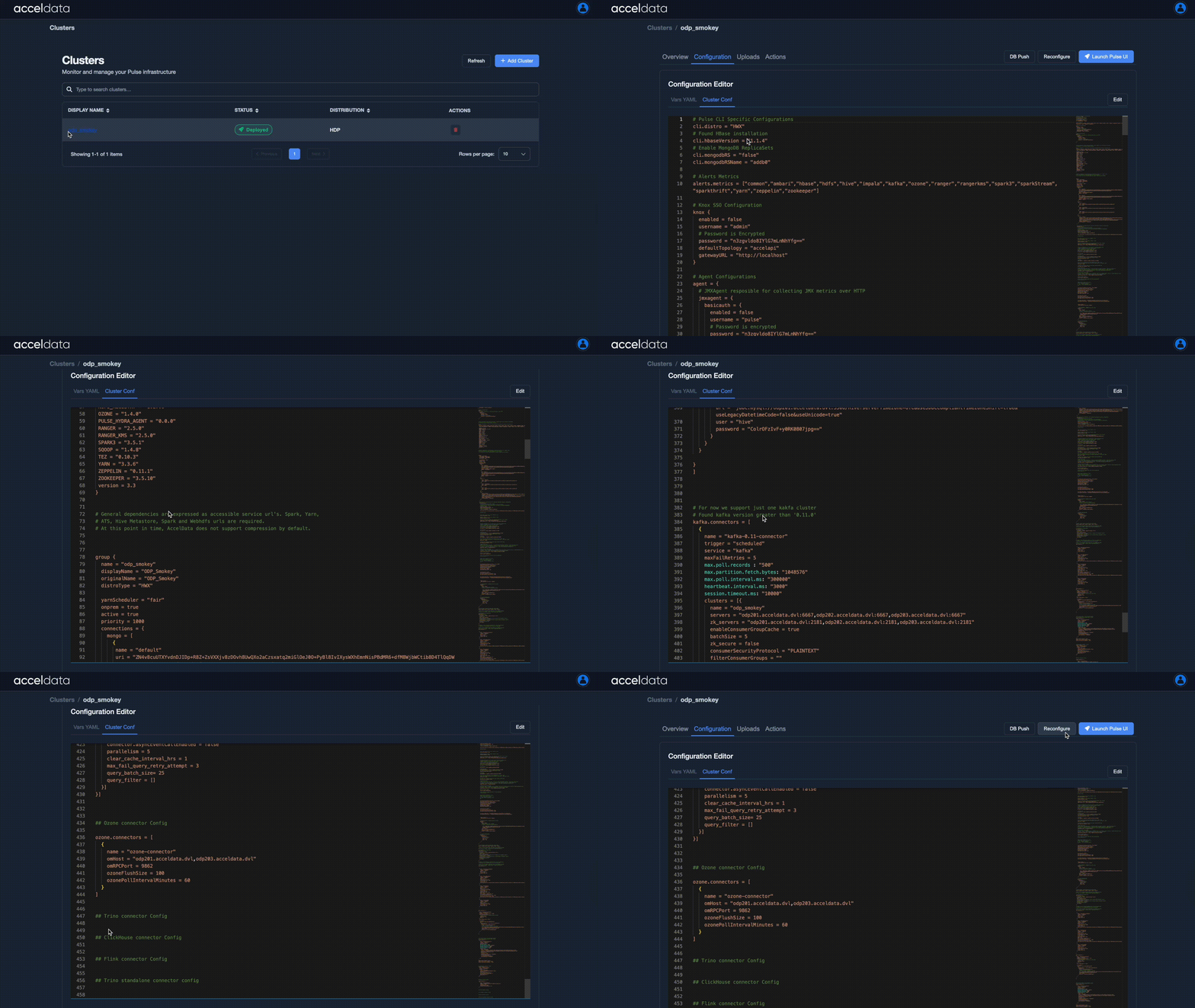
Use this file when you need to modify cluster-specific settings or update connections to Ambari, Cloudera, or other data services.
In the Configuration tab, click Cluster Conf.
The Cluster Conf file defines cluster-level configurations for Pulse, including:
Cluster metadata and version information
Service connection URLs
Authentication settings (Kerberos, Knox, etc.)
Metrics and log collection options
Click Edit to modify the configuration values and then save your changes.
Click DB Push to save changes in the database or Reconfigure to save and apply your updates.
Best Practices
Review the files carefully before reconfiguring to avoid service interruptions.
Always ensure correct indentation and syntax when editing YAML files.
Take a backup before making significant changes.
Apply the Changes
DB Push
Click DB Push to update configuration settings to the database.
Use this option when you modify parameters for Pulse services such as Alerts, Actions, etc.
These services read their configuration directly from the database, not from files such as cluster.conf or VARs YAML.
Running a DB Push applies those changes without performing a full cluster reconfiguration.
Examples:
Enable debug logs – Change axn_log_level from error to debug → DB Push applies the new log level.
Adjust profiler interval – Change jfr_poll_interval_seconds from 5 to 10 → DB Push updates profiler timing.
If you change a service parameter, click DB Push to apply the change.
Note: The Reconfigure Cluster action automatically performs a DB Push. You don’t need to run DB Push separately after reconfiguring.
Reconfigure Cluster
Click Reconfigure Cluster to apply all configuration changes made to the cluster, including updates to VARs YAML, Cluster.conf, uploaded certificates, and other configuration files.
This action refreshes the cluster configuration in Pulse and updates the database so all nodes use the latest settings.