
Configure ODP Spark 2 and 3
This page helps you enable Spark metrics via the Graphite sink, allowing Pulse to capture Spark application and JVM metrics.
Configure Spark Metrics Sink
In the Ambari UI:
- Navigate to Spark > Configs >
Advanced spark2-metrics-properties. - Update the following parameters:
# Graphite sink class
*.sink.graphite.class=org.apache.spark.metrics.sink.GraphiteSink
# Location of your graphite instance
*.sink.graphite.host=localhost
*.sink.graphite.port=12003
*.sink.graphite.protocol=tcp
*.sink.graphite.prefix=spark.metrics
*.sink.graphite.period=20
master.source.jvm.class=org.apache.spark.metrics.source.JvmSource
worker.source.jvm.class=org.apache.spark.metrics.source.JvmSource
driver.source.jvm.class=org.apache.spark.metrics.source.JvmSource
executor.source.jvm.class=org.apache.spark.metrics.source.JvmSource
Steps for Spark Hook Update
- In the Ambari UI, navigate to Spark > Configs > Custom spark-defaults.
- Add or update the following properties:
spark.ad.connector.context yarn;<ClusterName>;admin;test
spark.ad.nats.server.host.list http://<nats1>:19009,http://<nats2>:19009
spark.extraListeners io.acceldata.sparkstats.AdSparkListener
spark.ad.events.url <pulse_ip>:19009
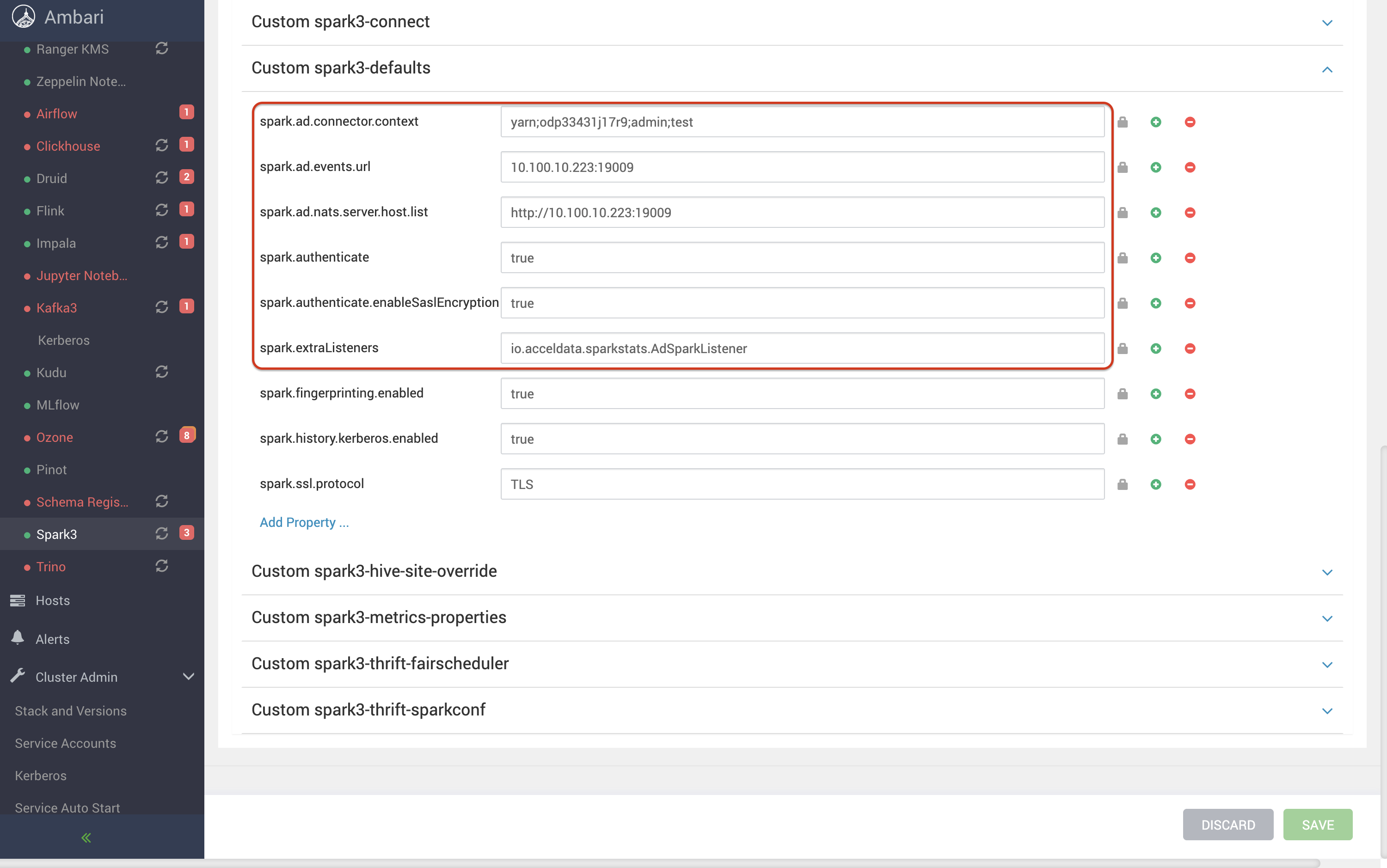
- Save the configuration changes.
- Remove the existing Spark hook JARs from the
$SPARK_HOME/jarsdirectory on all Spark client nodes. - Copy the compatible Spark hook JARs (For example, version 2.1.2) to the
$SPARK_HOME/jarsdirectory on all Spark client nodes. For the supported hook version on each Pulse release, see Supported Hook Versions. - Restart the affected Spark services.
- Submit a test Spark job and verify that Spark events and metrics are successfully reported to Pulse.
Result
- Spark 2.x/3.x sends metrics (including JVM metrics) to Graphite for Pulse ingestion.
Have a suggestion?