
Install Pulse on Multiple Nodes (Docker/Podman-Based)
Use this page when deploying Pulse across multiple nodes to support larger environments, improve workload distribution, or provide high availability for data services.
- Before you begin, install Pulse on the primary node. For instructions, see Install Pulse on Single Node (Docker/Podman-Based).
- After the primary node installation is complete, use this page to install and configure Pulse on secondary nodes.
- Pulse can scale horizontally as the number of monitored clusters and nodes increases. In multi-node deployments, the selected Pulse services can run on dedicated hosts to distribute resource consumption and improve overall performance.
- In addition, MongoDB (
ad-dbad-elastic
Info
When enabling Pulse UI High Availability (HA), the Pulse UI service must run on a secondary node.
- Follow the steps on this page (Installing Pulse on Multiple Nodes) to configure the secondary node before enabling HA.
- These steps are required for any node hosting additional Pulse services as part of a multi-node deployment.
- Then, follow the steps in Enable High Availability for the Pulse UI (New UI) Service to enable Pulse UI HA.
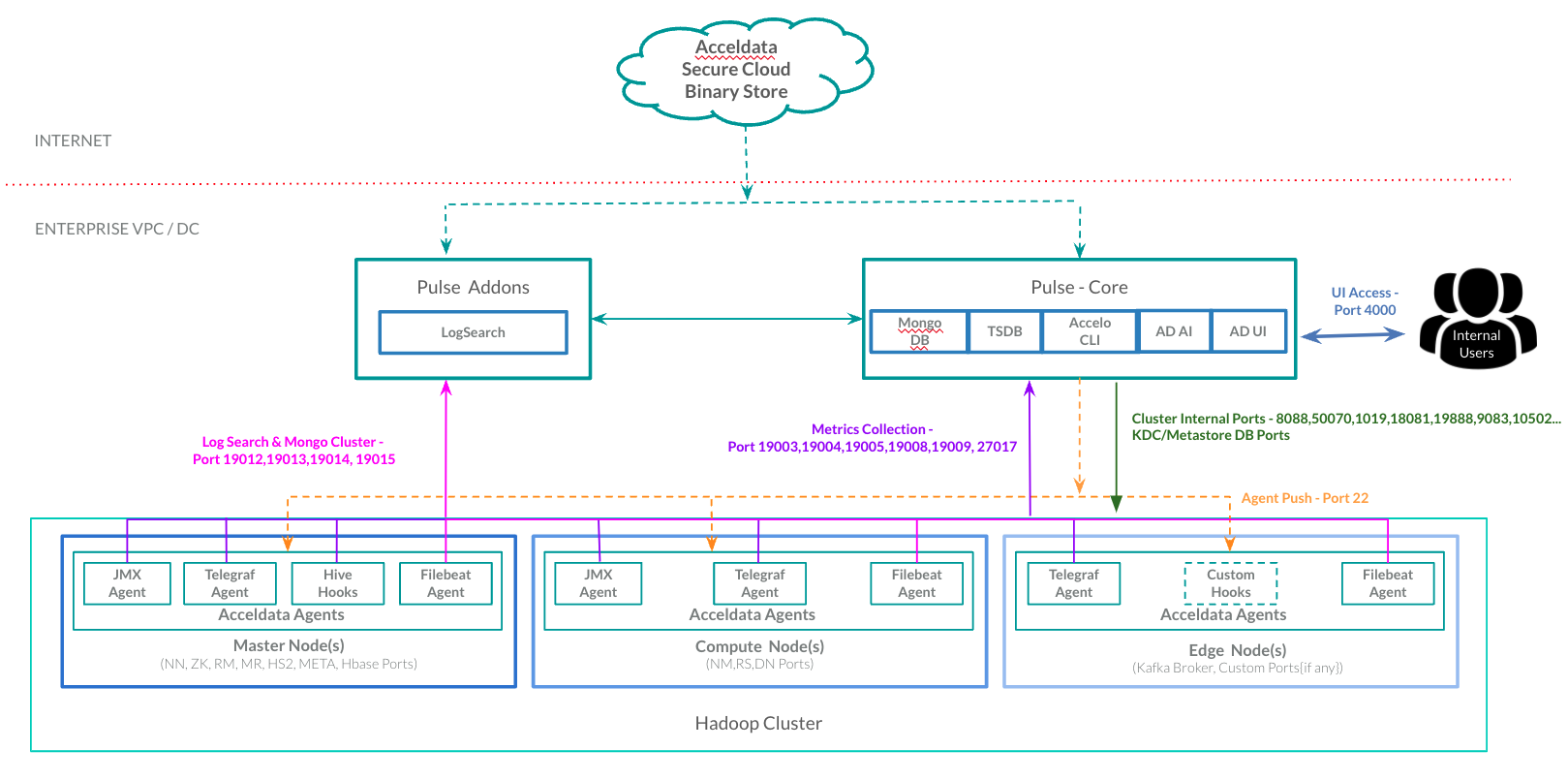
When to Use This Procedure
Follow this procedure when:
- Installing Pulse on more than one node (multiple nodes).
- Deploying standalone Pulse services on dedicated hosts.
- Configuring a highly available Pulse environment.
Components That Can Run in Standalone Mode
The following Pulse components can be deployed on separate nodes:
ad-dbad-tsdbad-logsearchad-fs-elasticad-pulse-uiad-graphqlad-ldap
Before You Begin
- Complete the Pulse installation on the primary node before installing components on secondary nodes.
- For details, see Install Pulse on Single Node (Docker/Podman-Based).
Configure Secondary Nodes
Perform the following steps on each node where standalone Pulse components will be installed.
- Generate an Encrypted MongoDB URI.
Generate an encrypted string for the MongoDB connection URI.
accelo admin encrypt
When prompted, provide the MongoDB URI in the following format:
mongodb://accel:<MONGO_PASSWORD>@<PULSE_MASTER_HOST>:27017
Copy the encrypted output returned by the command.
- Configure Environment Variables
Add the following environment variables to /etc/profile.d/ad.sh
export MONGO_URI="<encrypted_mongo_uri>"
export MONGO_ENCRYPTED=true
export PULSE_SA_NODE=true
Replace <encrypted_mongo_uri>
- Load the Environment Variables
Apply the configuration changes.
source /etc/profile.d/ad.sh
Next Steps
- Install and configure the required standalone Pulse components on the node.
- Repeat this procedure for each additional node participating in the Pulse deployment.
Have a suggestion?