
This page explains how to install the ODP packages and start the upgrade process.
Install the ODP Packages
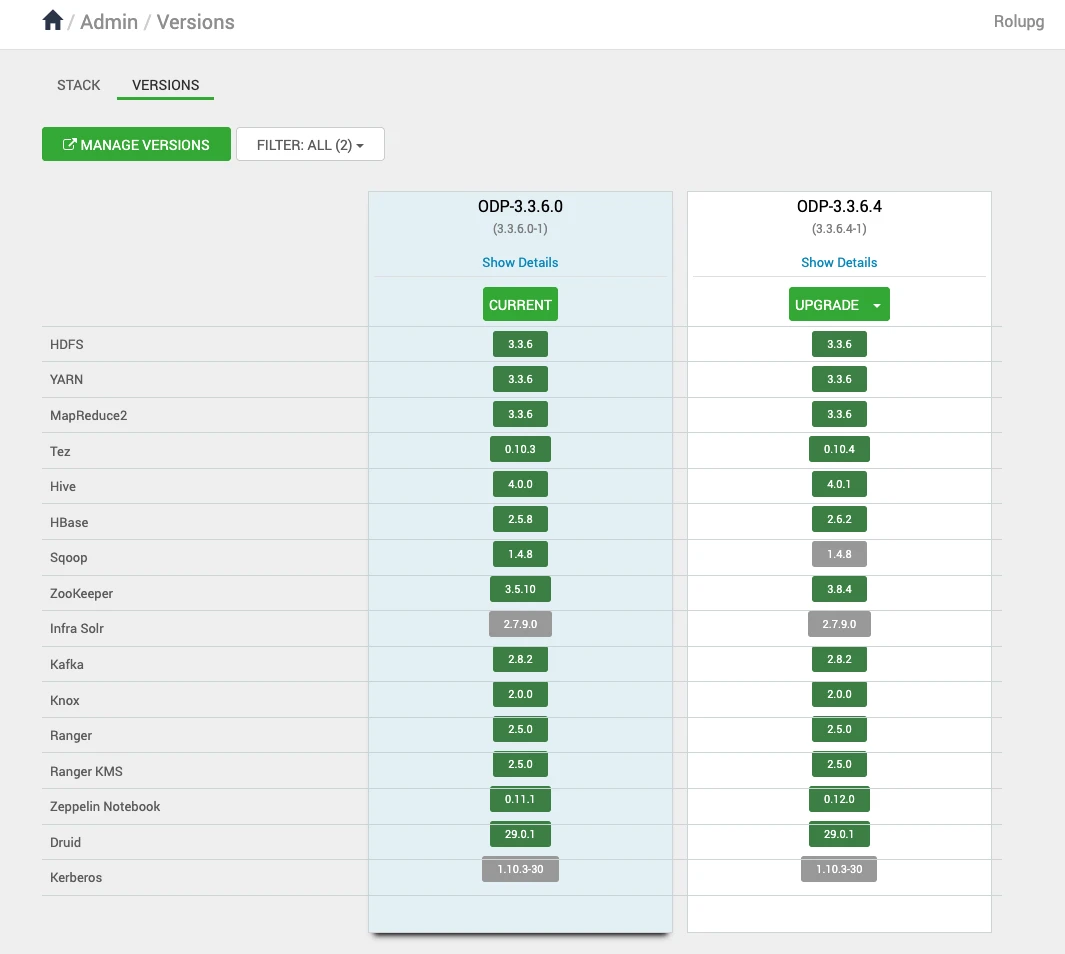
Navigate to Admin > Versions. On the Versions page, click install for ODP-3.3.6.4-1.
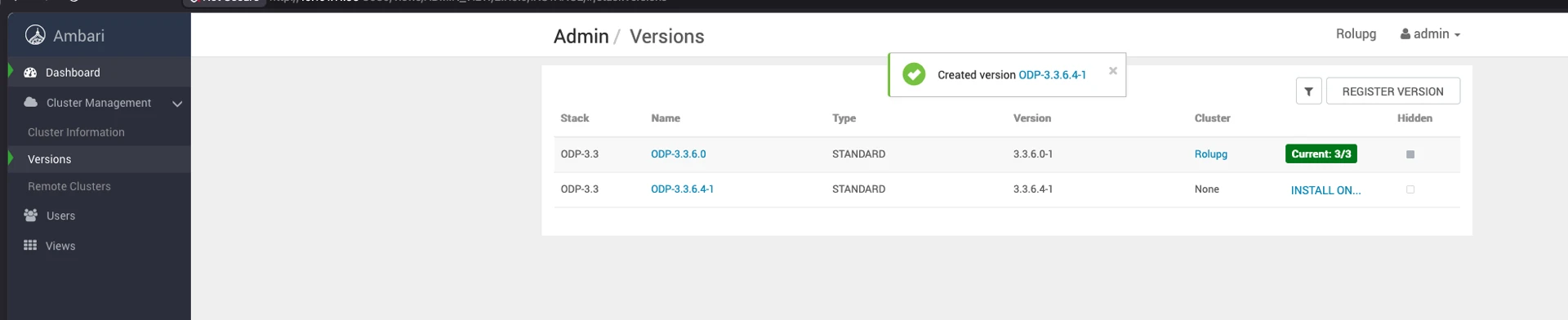
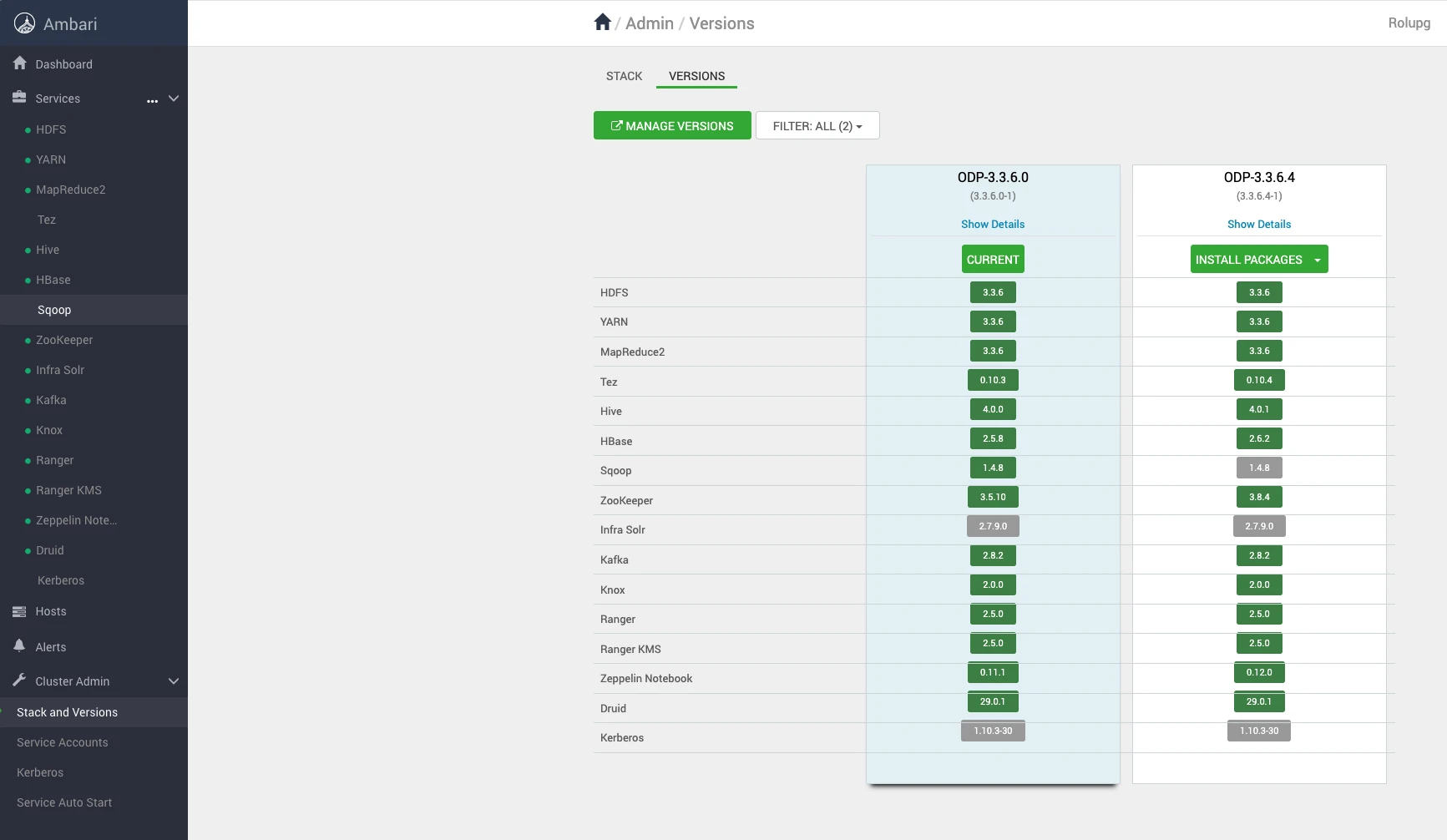
On the Versions page, click Install Packages for the version 3.3.6.4-1.
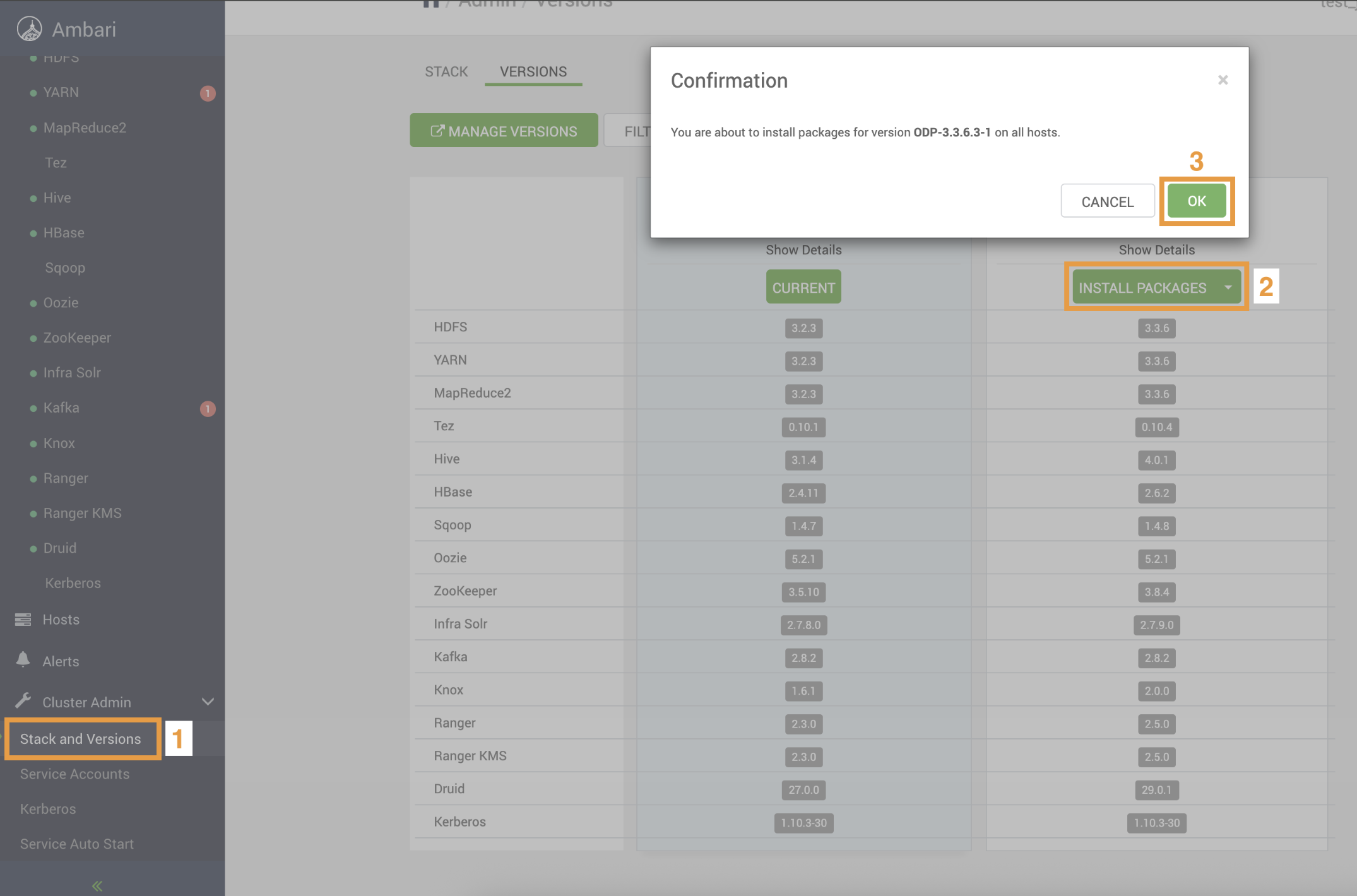
Click OK and confirm the installation package.
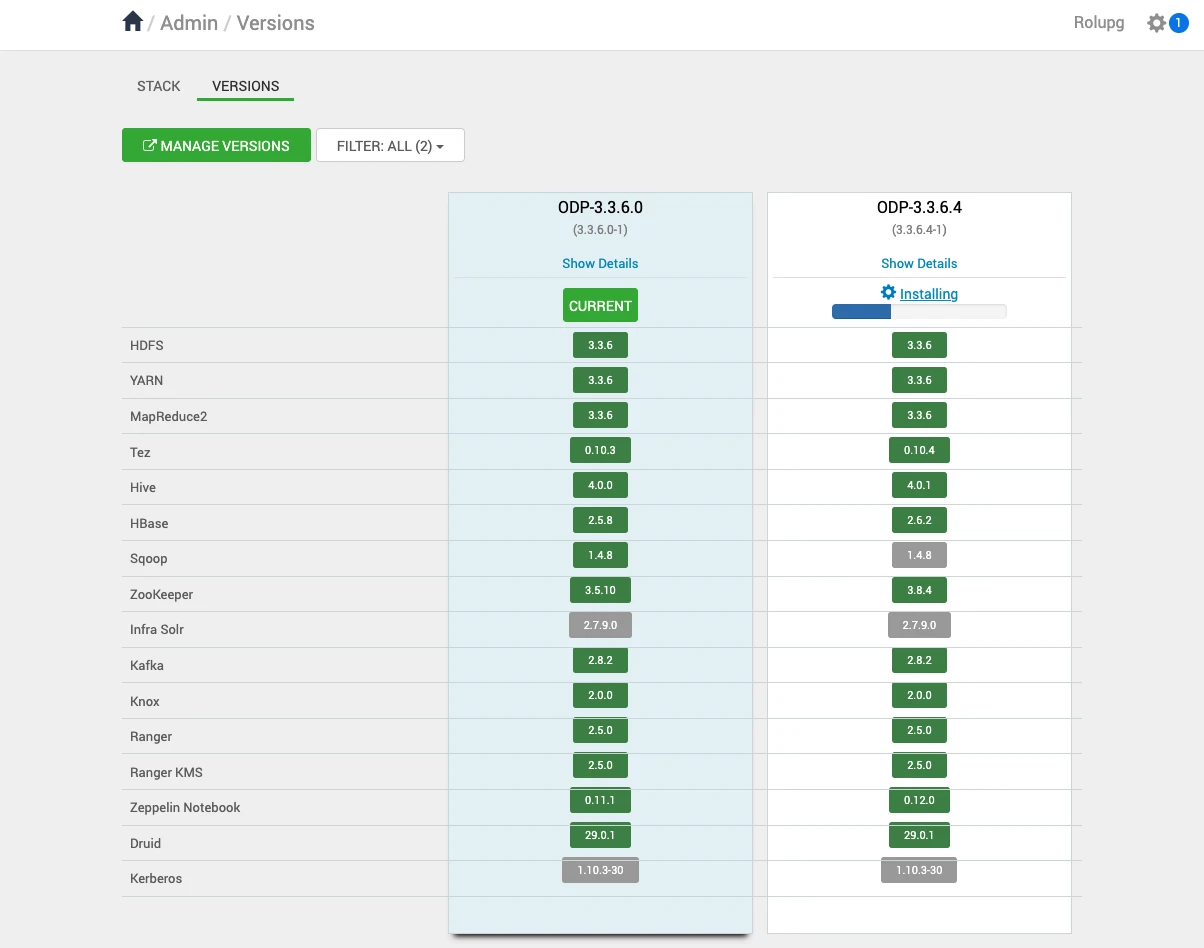
Verify the installation progress.
After installing the packages, you can see the Upgrade option on the Versions page. Click Upgrade to proceed further.
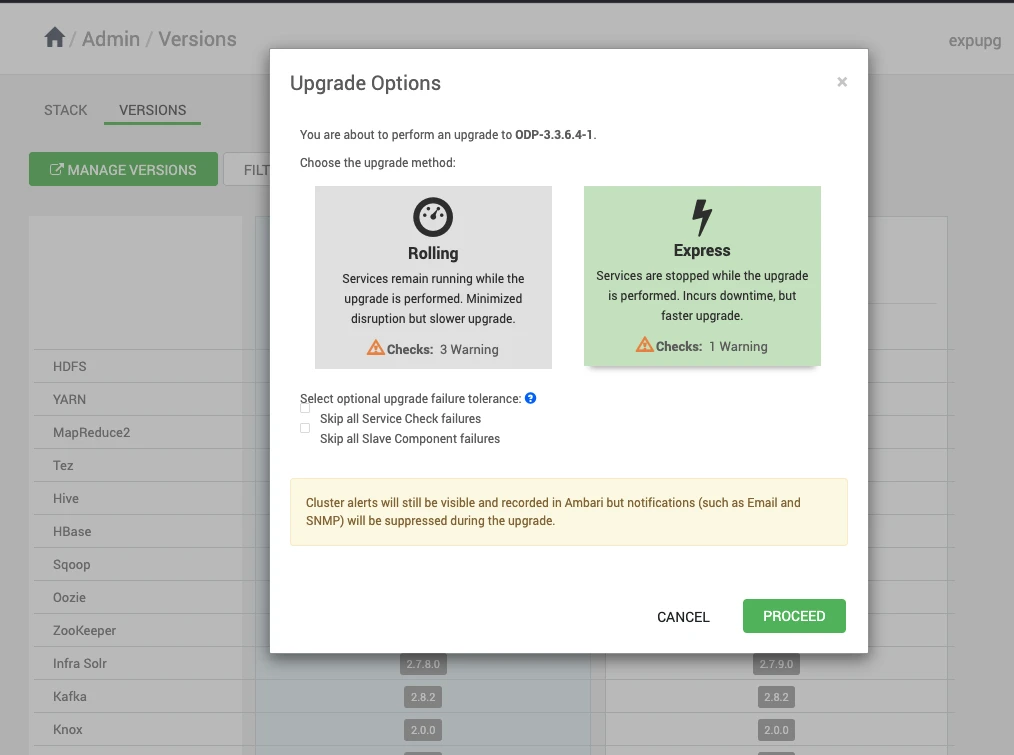
Upon clicking on Upgrade, you can see the two upgrade options: Rolling and Express. Choose the Express Upgrade option to continue with the upgrade process.
Click YES to continue with the Express Upgrade to ODP-3.3.6.4-1.
In this process, some of the services are expected to fail, but you can ignore them and proceed further.
The ODP upgrade progresses with some service failures.