Documentation
ODP 3.3.6.3-1
Release Notes
What is ODP
Installation
Component User guide and Installation Instructions
Upgrade Instructions
Downgrade Instructions
Reference Guide
Security Guide
Troubleshooting Guide
Uninstall ODP
Title
Message
Create new category
What is the title of your new category?
Edit page index title
What is the title of the page index?
Edit category
What is the new title of your category?
Edit link
What is the new title and URL of your link?
Set up Trino SSL
Summarize Page
Copy Markdown
Open in ChatGPT
Open in Claude
Connect to Cursor
Connect to VS Code
SSL Requirement
- If any authentication (Kerberos, LDAP) is enabled for Trino, SSL must also be enabled.
- In Ambari, when Kerberos is enabled, the 'Enable SSL' option is automatically selected. Disabling SSL while using authentication will cause Trino services to fail at startup.
- The SSL certificate must have a valid SubjectAlternativeName (SAN). The SSL certificates without a SAN are not supported.
SSL Setup
- Must use either a passwordless
.pemfile or a.jkskeystore with a password on all the trino nodes, readable by trino user. - Configure
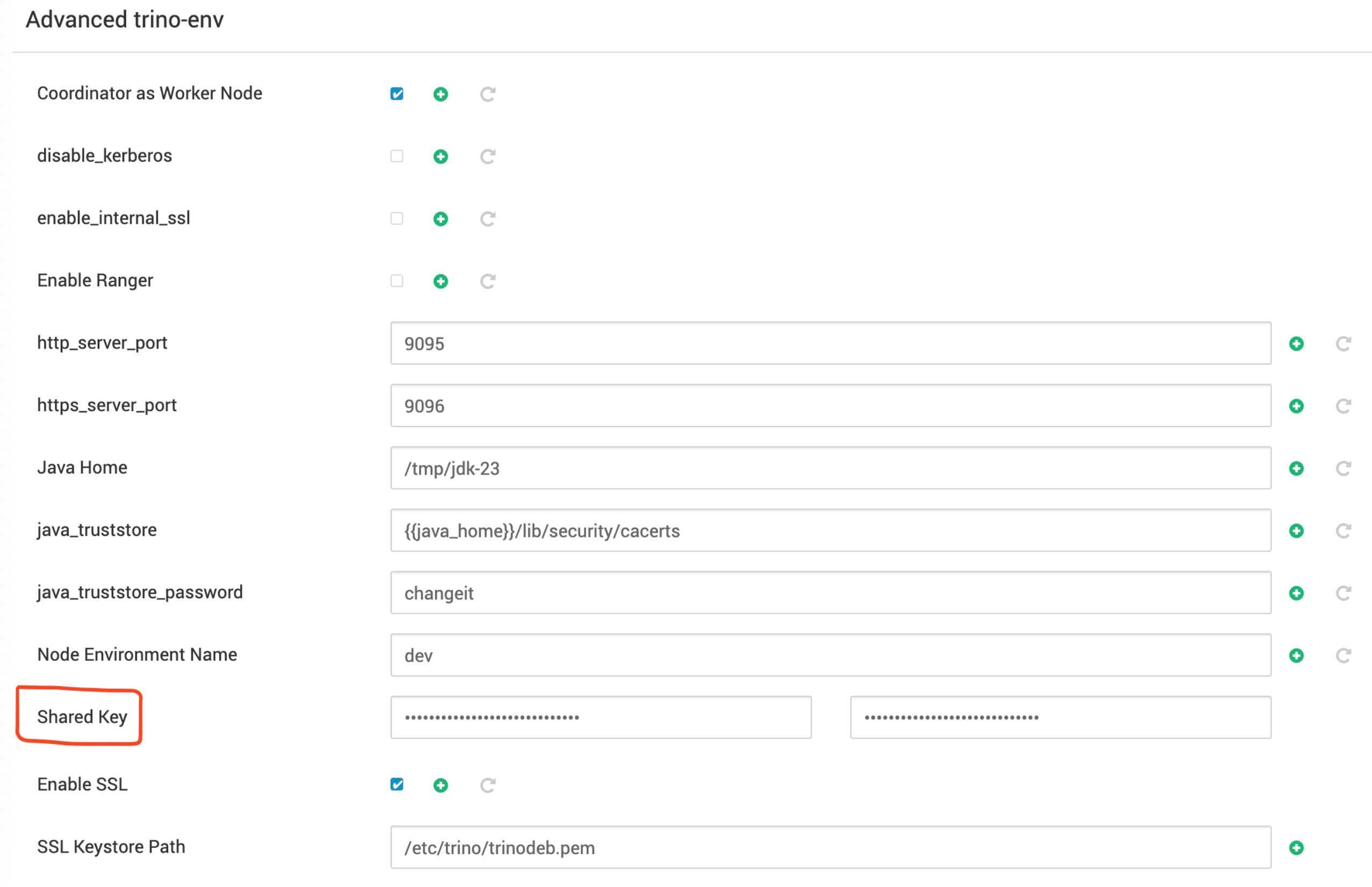
SSL Keystore Path=<path to pem/keystore location>, this path must be the same for each Trino server as shown below.

- A Shared Key must be configured when SSL is enabled. You can generate it using below command.
Bash
openssl rand 64 | base64Enter the generated key in the 'Shared Key' configuration field during Trino setup under Advanced trino-env.
Internal Node-to-Node SSL (Optional)
The internode SSL communication between the Coordinator and Worker nodes, can be enabled as per below steps, however there is a performance degradation and it is not recommended.
Requirement: All certificates must be imported into the JDK 23 cacerts truststore on each node.
The example command is as follows.
Bash
sudo keytool -importcert \ -trustcacerts \ -keystore /tmp/jdk-23/lib/security/cacerts \ -storepass changeit \ -alias trino-worker \ -file /etc/trino/worker.crt \ -nopromptKerberos Configuration
The kerberos properties are all auto configured in the Coordinator node’s config.properties.
The following properties are added in config.properties once security is identified as Kerberos.
Bash
http-server.authentication.type=KERBEROSweb-ui.authentication.type=KERBEROS#http-server.authentication.krb5.service-name={{kerberos_service_name}}## This line if you plan to use it through a HTTP connection and UI access via Knoxhttp-server.authentication.krb5.service-name=HTTPhttp-server.authentication.krb5.principal-hostname={{hostname}}http-server.authentication.krb5.keytab={{keytab}}http.authentication.krb5.config=/etc/krb5.confLDAP Configuration
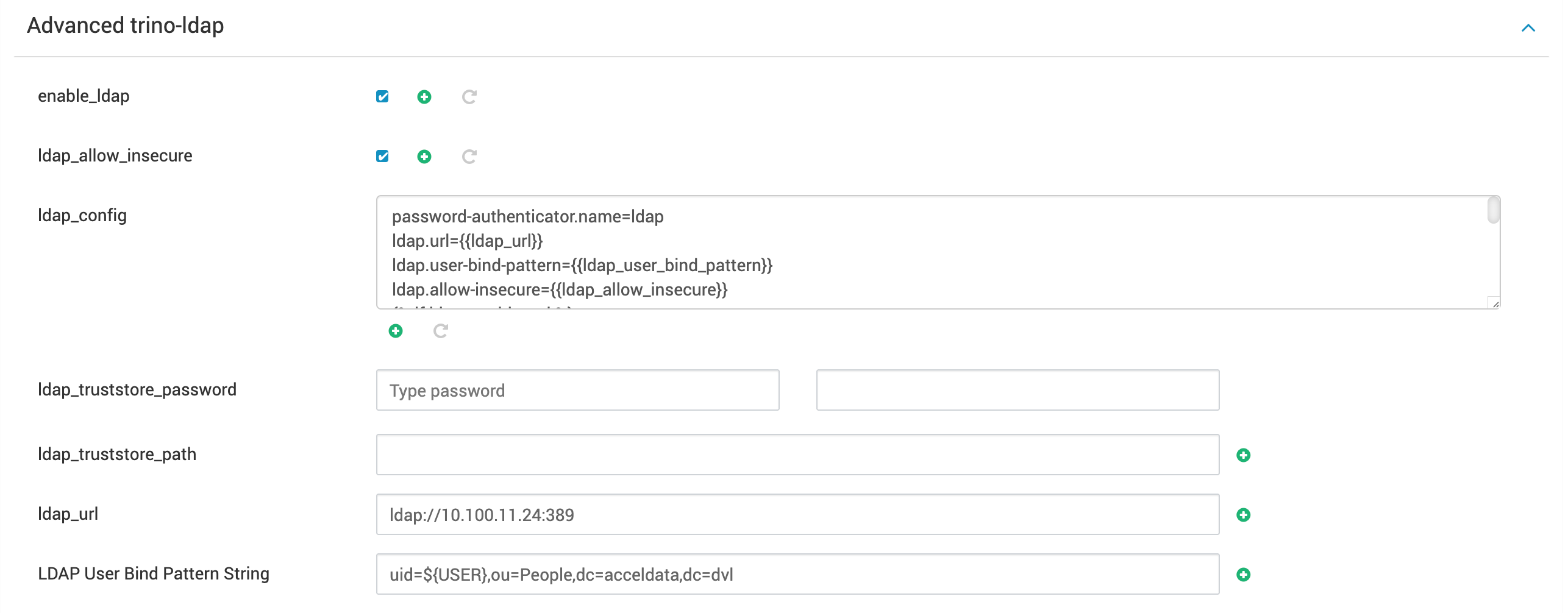
To configure or enable LDAP, the following two properties need to be configured under Advanced trino-ldap:
- LDAP URL
- LDAP User Bind Pattern String

Type to search, ESC to discard
Last updated on May 8, 2025
Was this page helpful?
Next to read:
Set up Trino KnoxDiscard Changes
Do you want to discard your current changes and overwrite with the template?
Archive Synced Block
Message
Create new Template
What is this template's title?
Delete Template
Message