
Install ODP Packages
This page explains how to install the ODP packages and start the upgrade process.
- Go to Admin > Versions. On the Versions page, locate the ODP-3.4.3.x-x row, click INSTALL ON, and select the cluster where you want to install the version.
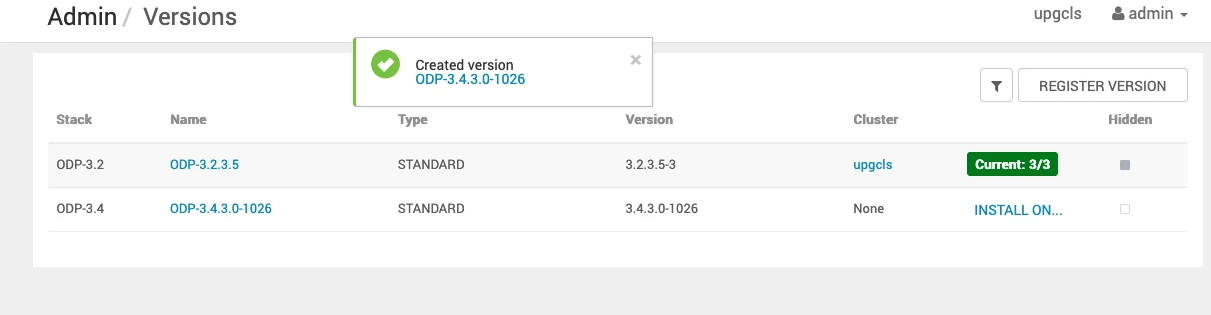
Then, you are redirected to the Install Packages page.
- On the Versions page, click Install Packages.
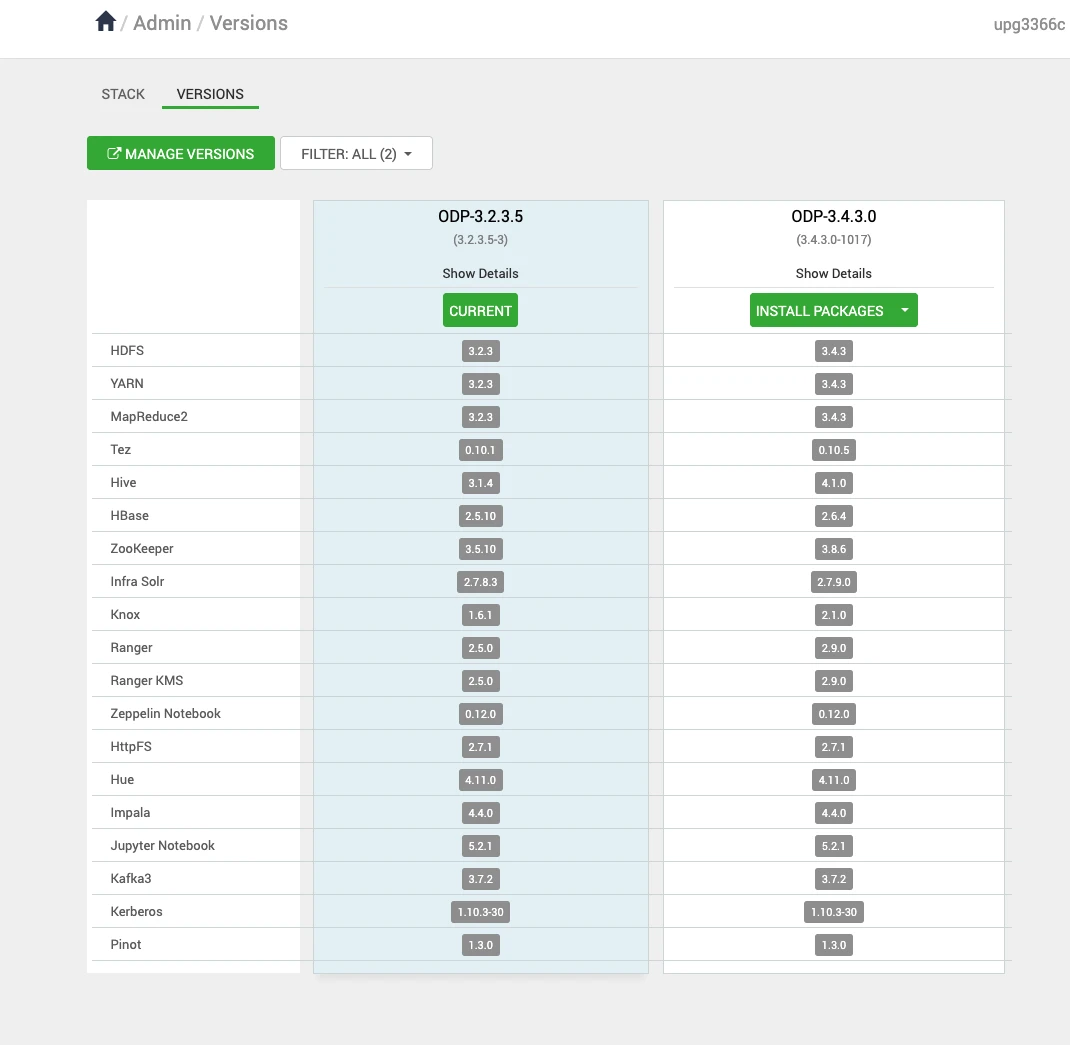
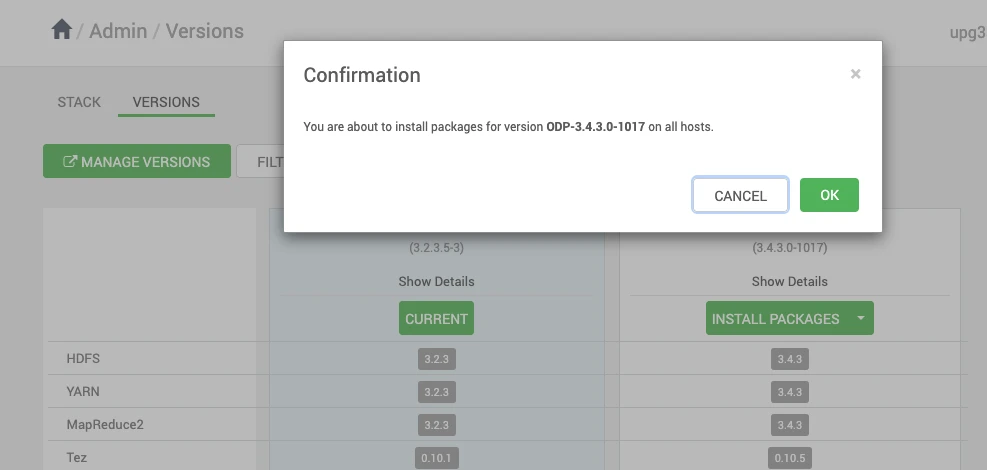
- Click OK and confirm the installation package.
- Verify the installation progress.
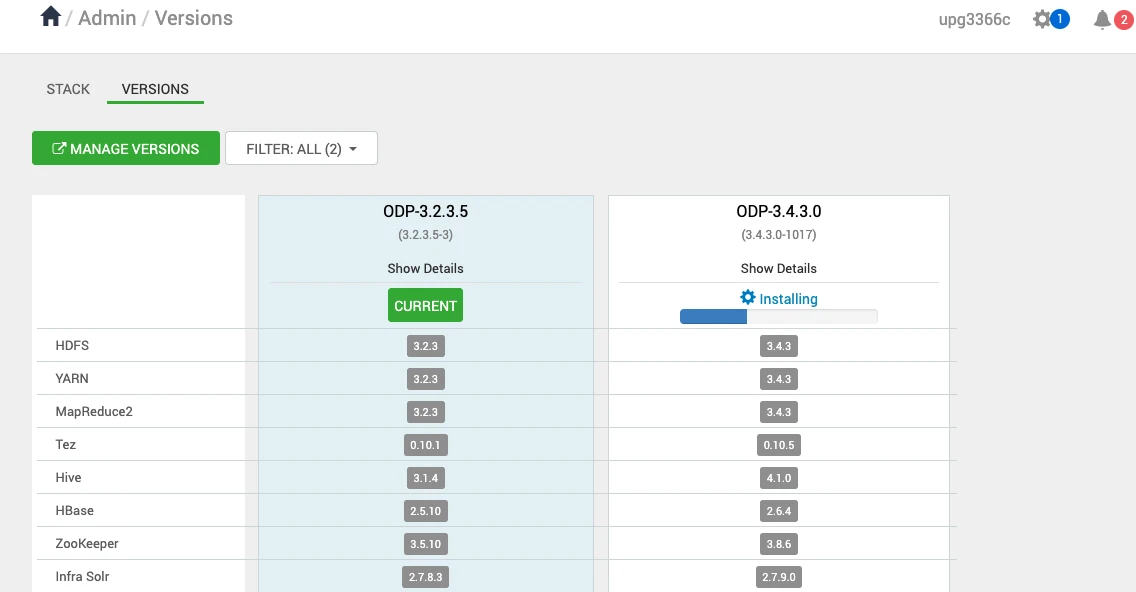
Click Installing to verify the installation of the package on different nodes in a cluster.
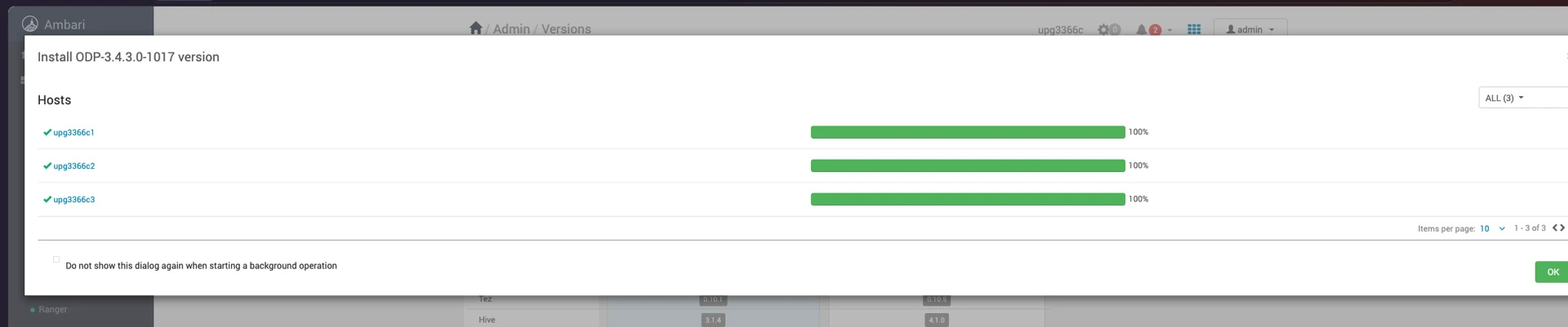
After installing the packages, you can see the Upgrade option on the Versions page.
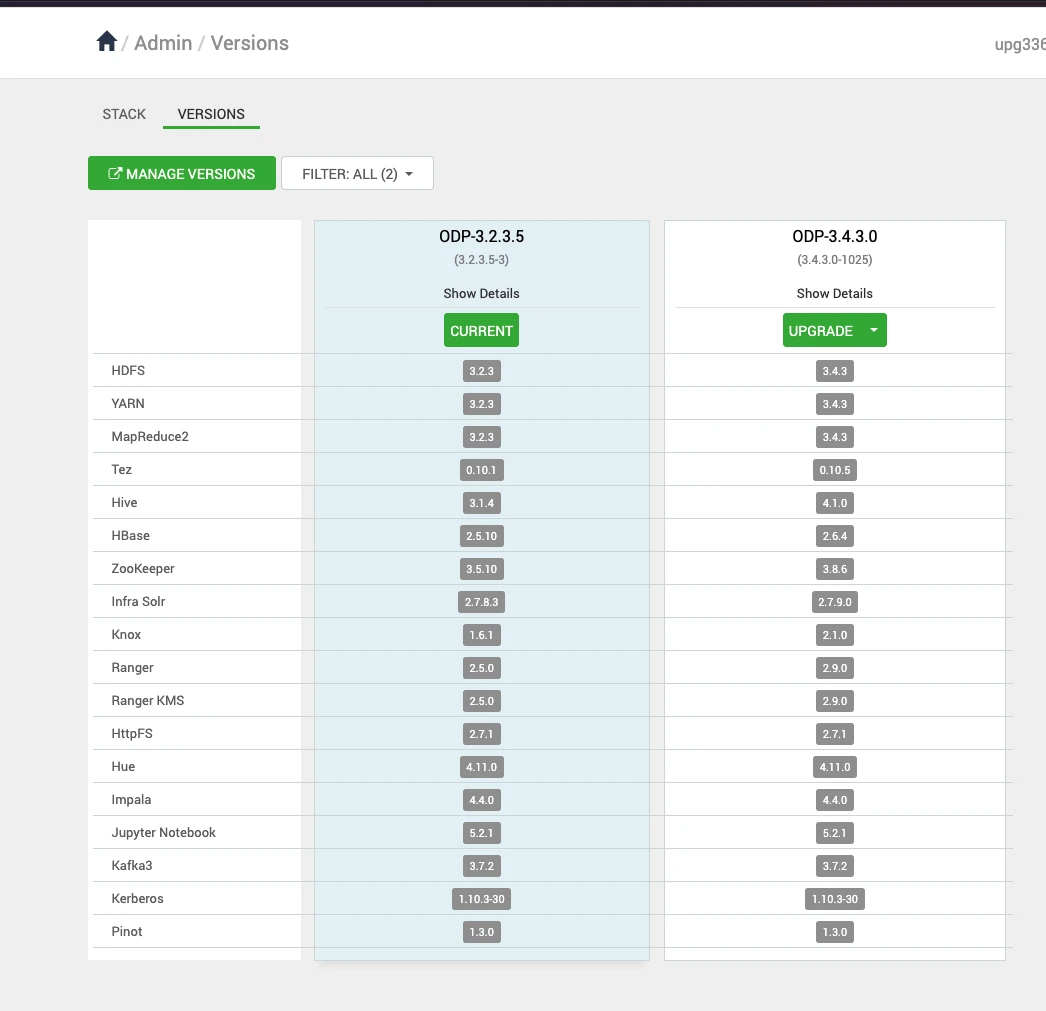
- Start the upgrade process. After clicking Upgrade, you will see two upgrade options: Rolling and Express.
- Choose the Express Upgrade option to continue with the upgrade process, as this is the only upgrade option supported.
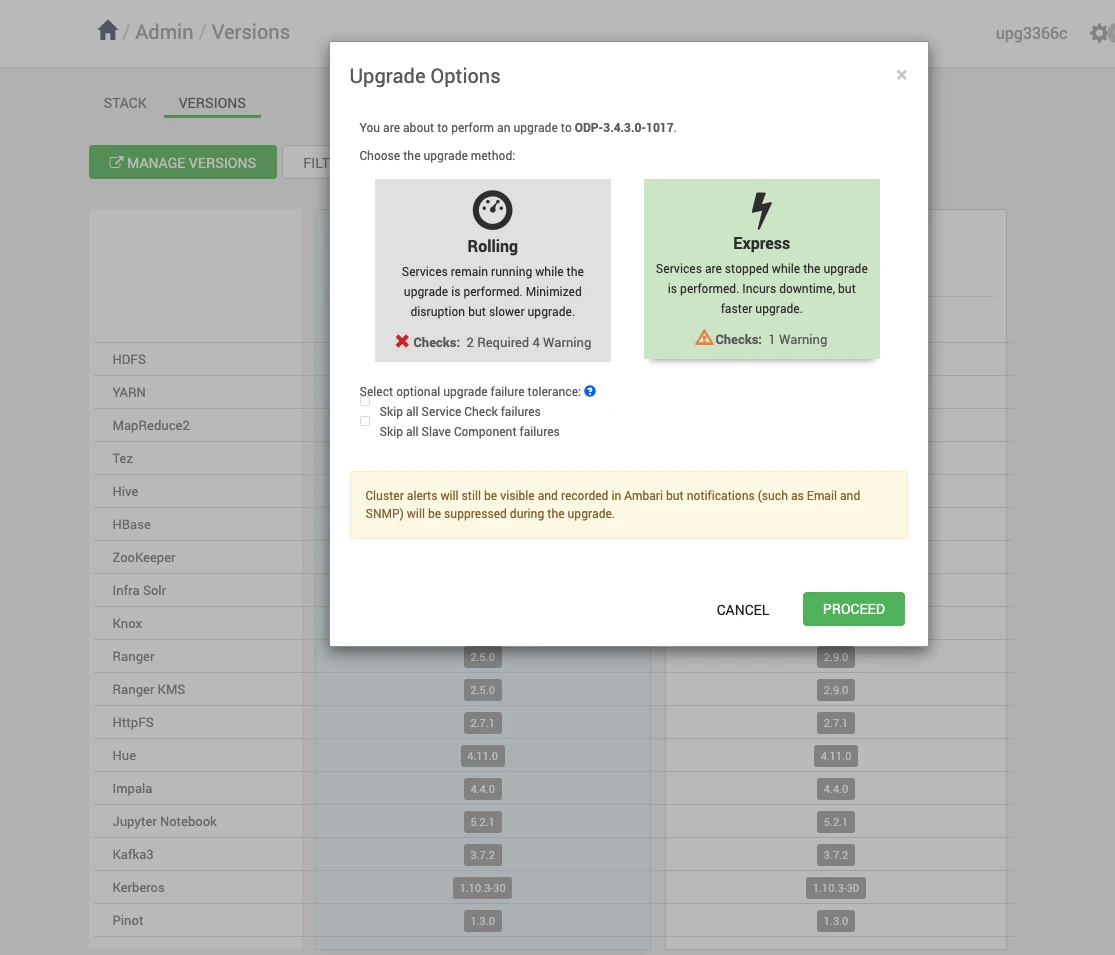
- Click PROCEED to continue with the Express Upgrade to the newer version.
Have a suggestion?