
ODP Rolling upgrade
After installing the ODP package, complete the following steps to perform a Rolling Upgrade.
- In the Ambari UI, navigate to Admin > Versions and click Upgrade.
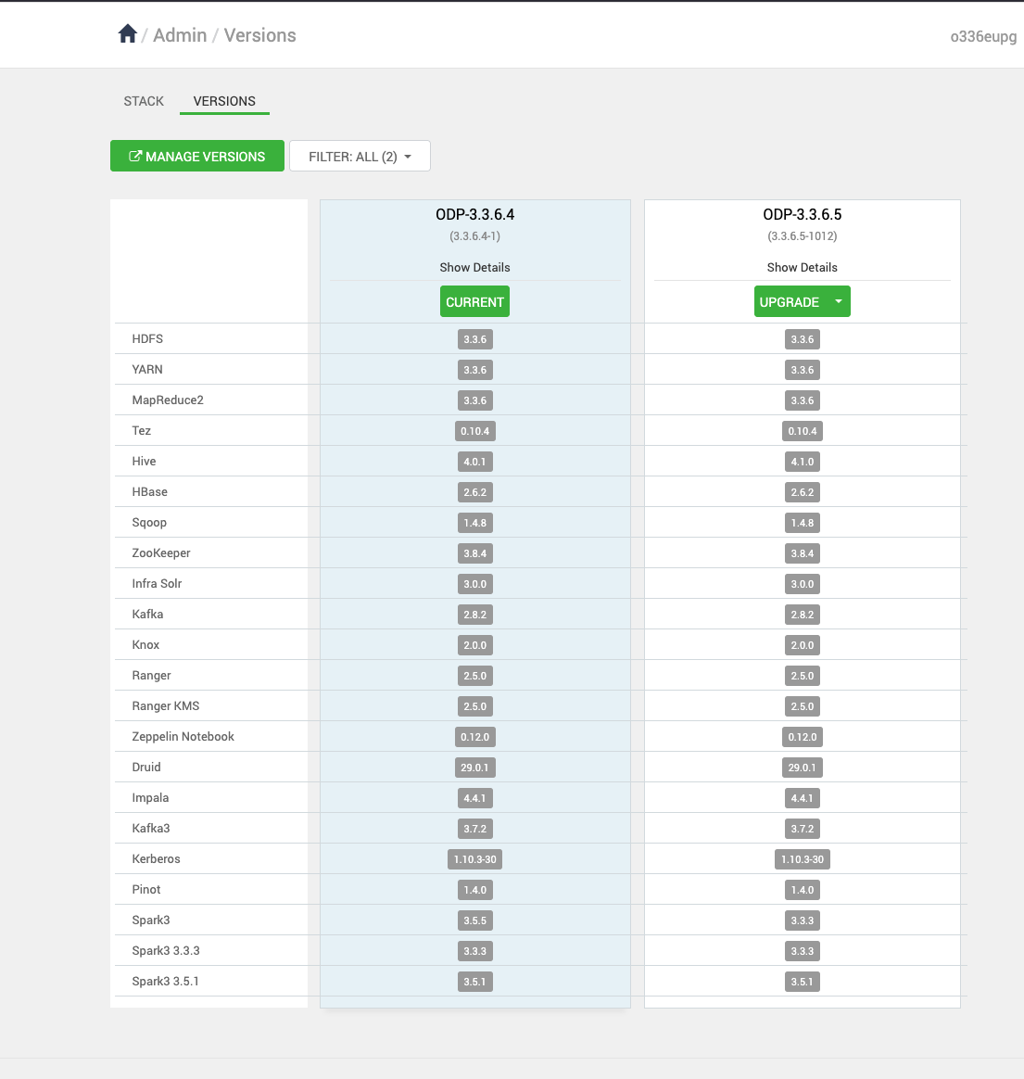
- In the Upgrade Options dialog box, select Rolling and click Proceed.
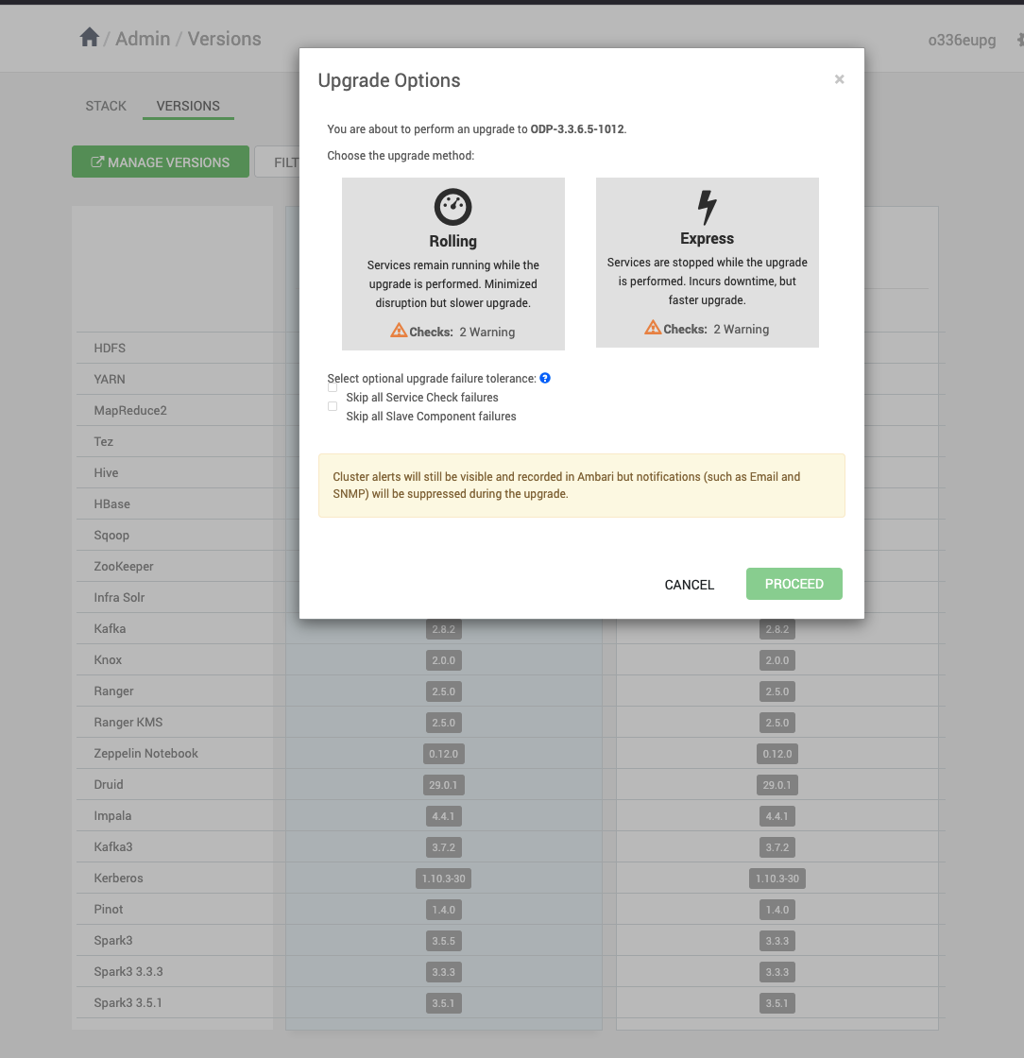
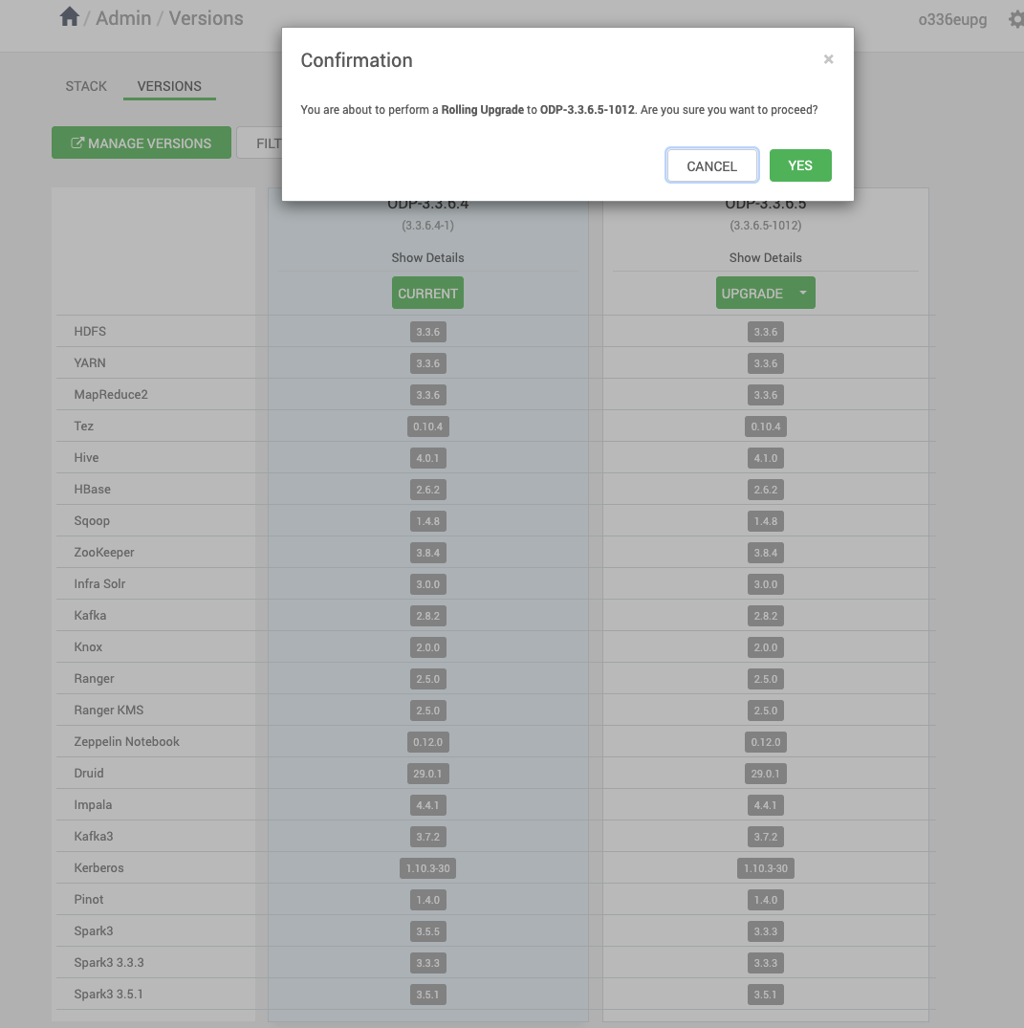
- Click PROCEED to confirm the Rolling Upgrade.
- Monitor the upgrade progress in the Ambari UI.
Pause Upgrade
Important Step
Before proceeding with the Perform Backups step, pause the upgrade and complete the steps in the next section, Ambari Upgrade.
Have a suggestion?