
Explanation (Core Concepts)
What is an S3 Fileset Catalog?
An S3 fileset catalog registers an Amazon S3 (or S3-compatible, e.g. MinIO) location in xStore as a governed fileset catalog. After onboarding, you create schemas and filesets that point at paths under the bucket, and linked compute engines read/write them. This guide covers the S3-specific backend and permissions; the shared steps (catalog type, basic info, identity, creating schemas and filesets, browsing) live in Fileset Catalogs.
This guide is written for the Platform Administrator. It assumes a running xStore (xstore-demo-doc-cluster) with a metalake (demometalake).
Security note: All screenshots mask the credentials — the S3 access key and secret key are masked. Use your real keys when you follow these steps. The bucket, endpoint, and region are not secrets and are shown.
Key Concepts
New to xStore catalogs? See Fileset Catalogs — Core Concepts for the shared model (metalake → catalog → schema → fileset, managed vs external, identity/run-as) and the create-schema / create-fileset steps.
Concepts specific to S3:
Location: the S3 root for the catalog, in
s3a://bucket/pathform.Authentication: Access Key (Access Key ID + Secret Access Key, optional session token) or IAM Role (the role on the xStore node, AWS-only — no key fields).
Endpoint / Region: set a custom Endpoint for MinIO/non-AWS S3; set the Region for AWS.
Tutorial (Getting Started)
Prerequisites
A running xStore cluster and a metalake.
An S3 bucket and its region, plus an access key/secret (or an IAM role on the xStore node).
Administrative permissions on the xDP platform.
Minimum S3 permissions
Grant these to the IAM principal (access key or role) the catalog uses (and, because compute queries run as the per-user identity, to the principal those users map to). Reference: AWS — Amazon S3 IAM actions.
Read-only:
s3:ListBucket(on the bucket) ands3:GetObject(on the objects).Read-write: the above plus
s3:PutObjectands3:DeleteObject.
Steps
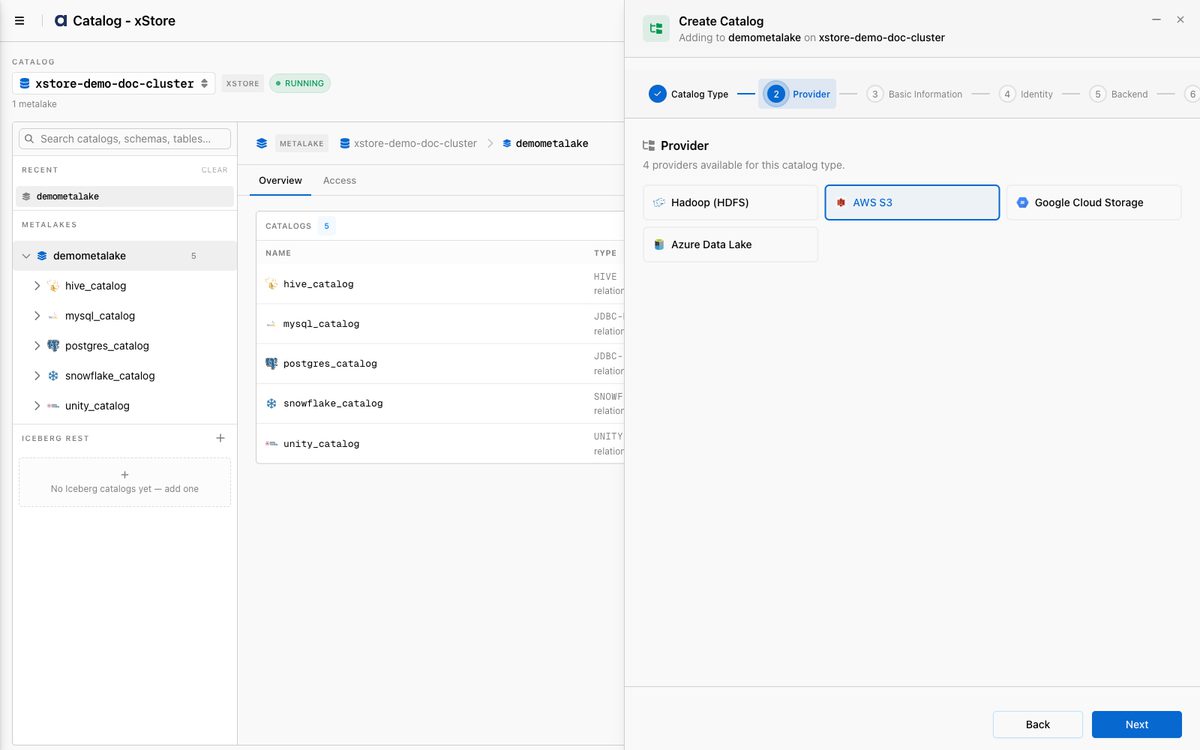
Follow the shared Create a Fileset Catalog wizard. Select Fileset → AWS S3 as the provider:
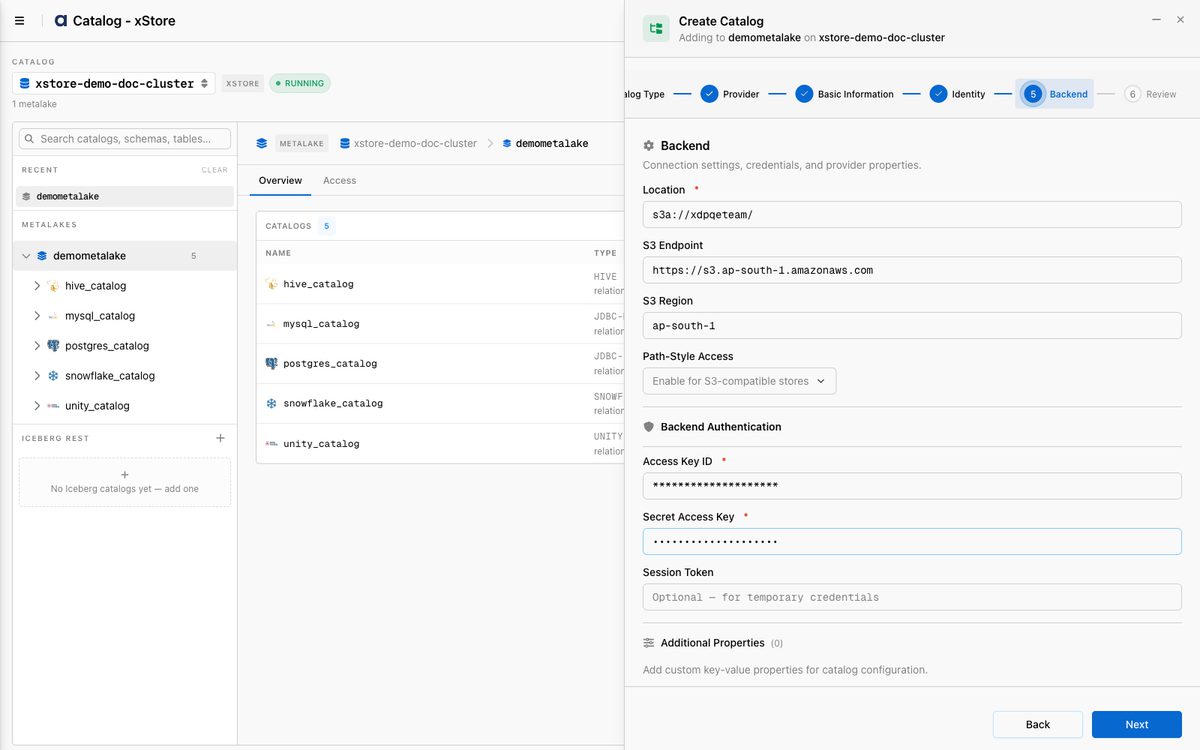
At the Backend step, enter the connection and credentials:
Location:
s3a://<bucket>/Endpoint: e.g.
https://s3.<region>.amazonaws.com(or your MinIO endpoint)Region: e.g.
ap-south-1Access Key ID / Secret Access Key (masked below).
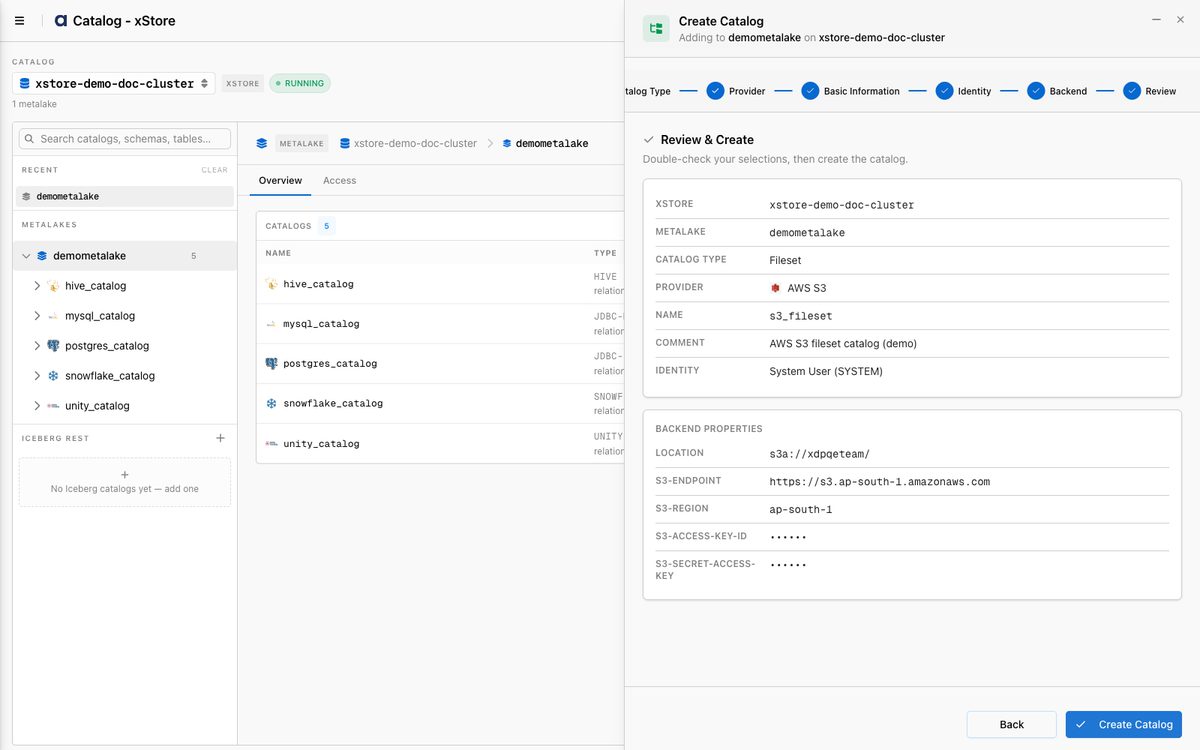
Review the summary (both keys are masked) and click Create Catalog:
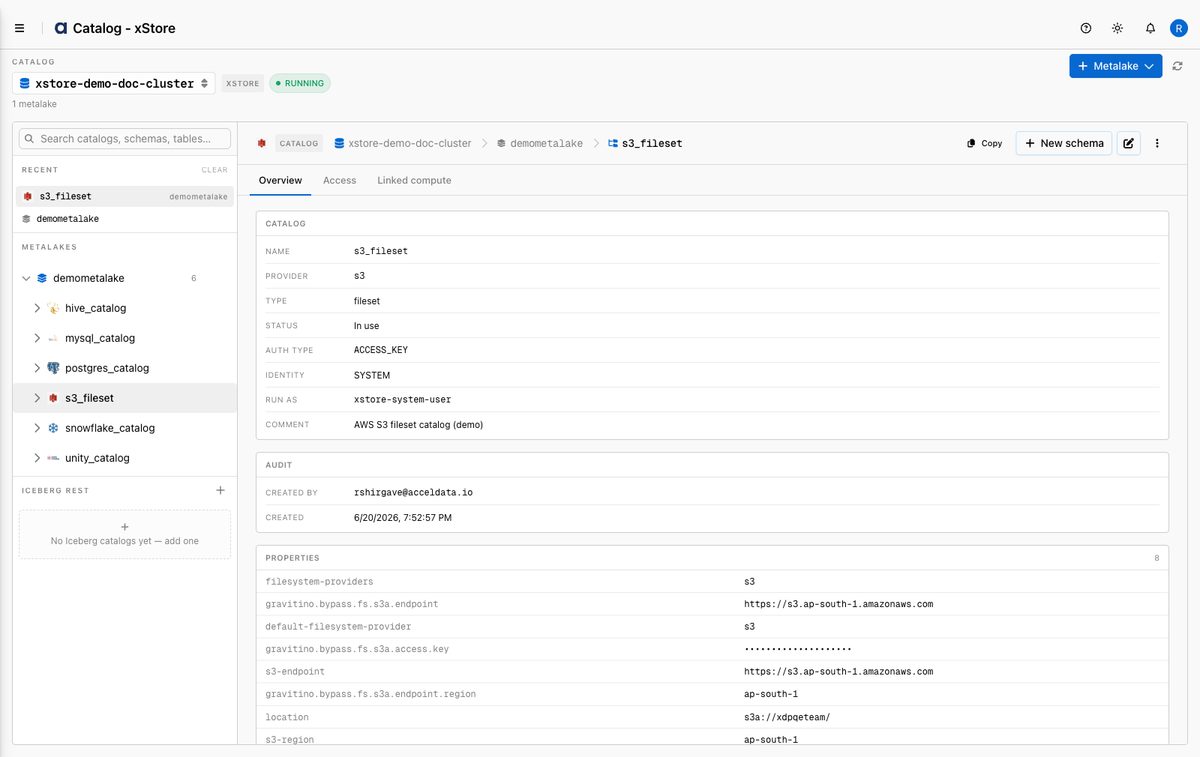
The catalog is created as a s3 / fileset catalog with status In use:
Then create a schema and filesets as described in Fileset Catalogs.
Reference
Backend fields
Field | Required | Description |
|---|---|---|
Location | Yes | S3 root path, |
S3 Endpoint | No | Custom endpoint for MinIO/non-AWS S3; blank for standard AWS. |
S3 Region | No | AWS region, e.g. |
Access Key ID | Access-key auth | S3 access key. |
Secret Access Key | Access-key auth | S3 secret key (stored as a secret; masked in the UI). |
Session Token | No | Optional, for temporary credentials. |
Minimum permissions
Mode | S3 actions |
|---|---|
Read-only |
|
Read-write |
|
Best Practices
Scope the policy to the bucket/prefix you expose, not
*.Prefer an IAM role on the xStore node over long-lived access keys where possible.
Protect credentials — never share the access key or secret; xDP stores them as secrets and masks them in the UI.
What's Next
Create schemas and filesets — see Fileset Catalogs.
Link an xCompute cluster so Spark/Trino can read/write the filesets.